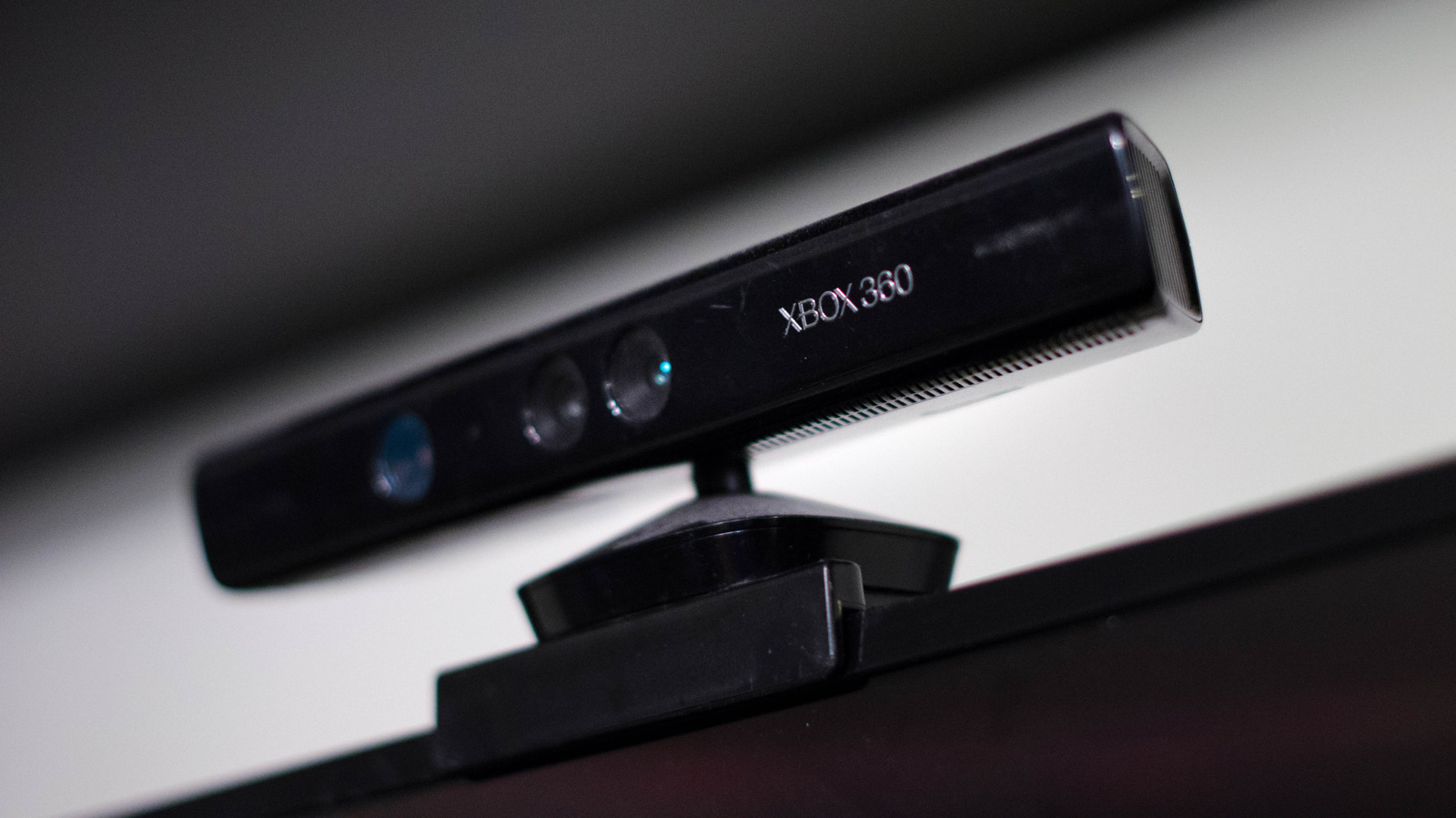
For all the successes we’ve seen in the world of games, the industry has experienced its share of failures. The Xbox Kinect was arguably one of the biggest missteps in gaming history, mostly because Microsoft put so much energy behind the product and tried to force it on the gaming public.
The Kinect’s games weren’t that good, and the device’s technology didn’t live up to ts own hype. But like the consoles they were sold for, the Kinect never truly died. Inventive hackers have retrofitted the Kinect to work with devices and programs — and carry out purposes — the original designers at Microsoft never envisioned.
Sure, these ideas rely on the Kinect tech that was used to record movement and transcribe it into video games, but they’re the only likely ways we would ever see a Kinect used anymore now that Microsoft has discontinued all Kinect production and support. You can use the Kinect to help develop games, keep an eye on your stuff, and even hunt for the supernatural. Assuming you believe in that sort of thing. Read on to learn about some of the most ingenious ways people are keeping the Xbox Kinect alive.
Scan everything

Contrary to popular belief, the Kinect wasn’t just a camera. Sure, it could function like one (more on that later), but the original model also projected a matrix of dots and used a sensor to map how users deformed the projection. Meanwhile, the second version used the radar-like “time of flight” method that measures how long it takes reflected light to return to the device. These functions let the Kinect scan people into games (to varying degrees of success), and some modders use it to scan objects and turn them into 3D models. It’s much cheaper than buying a new 3D scanner, and you can use what you scan to create either models for a game or a 3D print.
Unfortunately, setting up a Kinect isn’t the easiest process now that Microsoft cut support, and the one you use will determine the software needed. If you use a V1 Kinect, you need Kinect for Windows SDK V1.8 (and possibly Kinect for Windows Developer Toolkit v1.8), whereas the second Kinect iteration requires Kinect for Windows Runtime 2.0.
You’ll also need the proper connectors and 3D scanning software — 3D scanner aficionados like 3D Revolution recommend Skanect, 3D Scan, and ReconstructMe, depending on your Kinect model. If you can get everything connected and running, you’re one step closer to easily turning real objects into digital models.
Make your own VR and AR experiences
Since the Kinect was designed to translate real objects (specifically people) into a virtual space, enterprising individuals have learned how to use this technology for game development. Programs such as KinectVR help developers with avatar tracking, essential for developing room-sized experiences. If you’re programming an app that involves a ton of movement — such as a game or a VR fitness routine — KinectVR could potentially mean the difference between bumping into real world objects while using a VR headset and staying safe within the play zone.
The Kinect’s place in app development extends beyond just VR, as many are learning how to use the device for augmented reality (AR) experiences. Admittedly, some Kinect games were technically AR titles, but designers like to use Kinects to create AR art and science exhibits.
Take the artist who went by the handle bernielaoh on Reddit. They created an interactive exhibit (covered by GameRant), and users could interact with it thanks to the Kinect. Since the art ran on Unreal Engine 5, one could argue it was just a standard Kinect video game, but that particular development kit released after the Kinect was discontinued. Integrating the Kinect’s functionality into the engine probably required a ton of development time. If you’re a burgeoning VR developer or have an itch to create a novel piece of interactive art, the Kinect might help you connect with your audience, pun definitely intended.
Make a camera
Since some of the Kinect’s original functionality relied on its camera components, you can easily just buy an old one and use it as just that: a camera. With a little work, your Kinect can plug into and function as a webcam. You’ll need a special adapter and Kinect for Windows SDK 2.0, but once you’re done, the device should work with most livestreaming and video conferencing programs. That’s even more reliable than trying to use a dashcam as a webcam.
With the right connectors and programs, you can even use the Kinect as a security camera. People have spotted Kinects employed as CCTV cameras in Newark Liberty International Airport and random Walmarts. The running theory is that these weren’t official uses; the Kinects were set up on an individual, unofficial basis because they were inexpensive and came with built-in motion tracking capabilities.
While you can probably use a Kinect for your own home safety purposes, you might have to figure out how to set it up yourself. If you go that route, with some research and elbow grease, you can make your home safer without spending too much money, as even the best indoor cameras are more expensive, if only slightly.
Medicinal purposes
We just went over how people can use the Kinect’s camera for standard camera purposes, but engineers have discovered the device makes for an excellent makeshift medical tool. Several years ago, a user by the name of King_hack9 posted an image of a Kinect hooked up to a CT machine on the r/mildlyinteresting subreddit. Turns out the Kinect can provide some extremely accurate body topography images … when the subject is staying still and isn’t flapping their arms for a sports game. But clinicians can use the Kinect when their patients are in motion, especially when the subject is trying to regain their range of movement.
A 2017 study by the Veterans Affairs Medical Center in Washington, D.C. demonstrated motion capture technology channeled through a Kinect could improve the balance of users with traumatic brain injuries. However, unlike prior entries above, the researchers didn’t use custom programs.
Instead, the “motion capture technology” in question stemmed from a “commercially available motion capture game,” specifically “Kinect Adventures,” which was initially packaged with every Kinect produced for the Xbox 360. The irony of this situation is that while the average gamer didn’t enjoy the title (for long, at least), “Kinect Adventures” has demonstrated potential as a therapy tool. If Microsoft had designed the Kinect for the healthcare industry, the device might still be around. But at least now doctors and clinicians can buy effective topography and motion capture cameras for cheap.
Ghost hunting
If you think your house is haunted, a Kinect can help you suss out any potential specters. Assuming you believe in that stuff. Many Kinect games functioned by detecting movement via a grid of infrared dots and transcribing it into a human-shaped stick figure that interacted with the game engine. Self-proclaimed “Professional ghost hunters” got the bright idea of hooking up Kinects to recording software and letting them run in purportedly haunted locations. If the software detected an infrared-rendered stick figure walking around when nobody was there, then the Kinect detected a ghost. Or was just malfunctioning as usual.
The Kinect and its detection software were notoriously unreliable, making many games a chore to play. The device had problems tracking people when they were visible, so why would it have any better luck detecting invisible phantoms? Still, a small subset of people insist it works, so why not go with that?
Set up a Kinect camera in a haunted hotel or hospital, and let the recording software do its thing. Whether or not you actually think ghosts exist, the device should obtain material you can put on YouTube. Then again, maybe the Kinect will make you believe in an afterlife. You won’t know until you try, will you?