




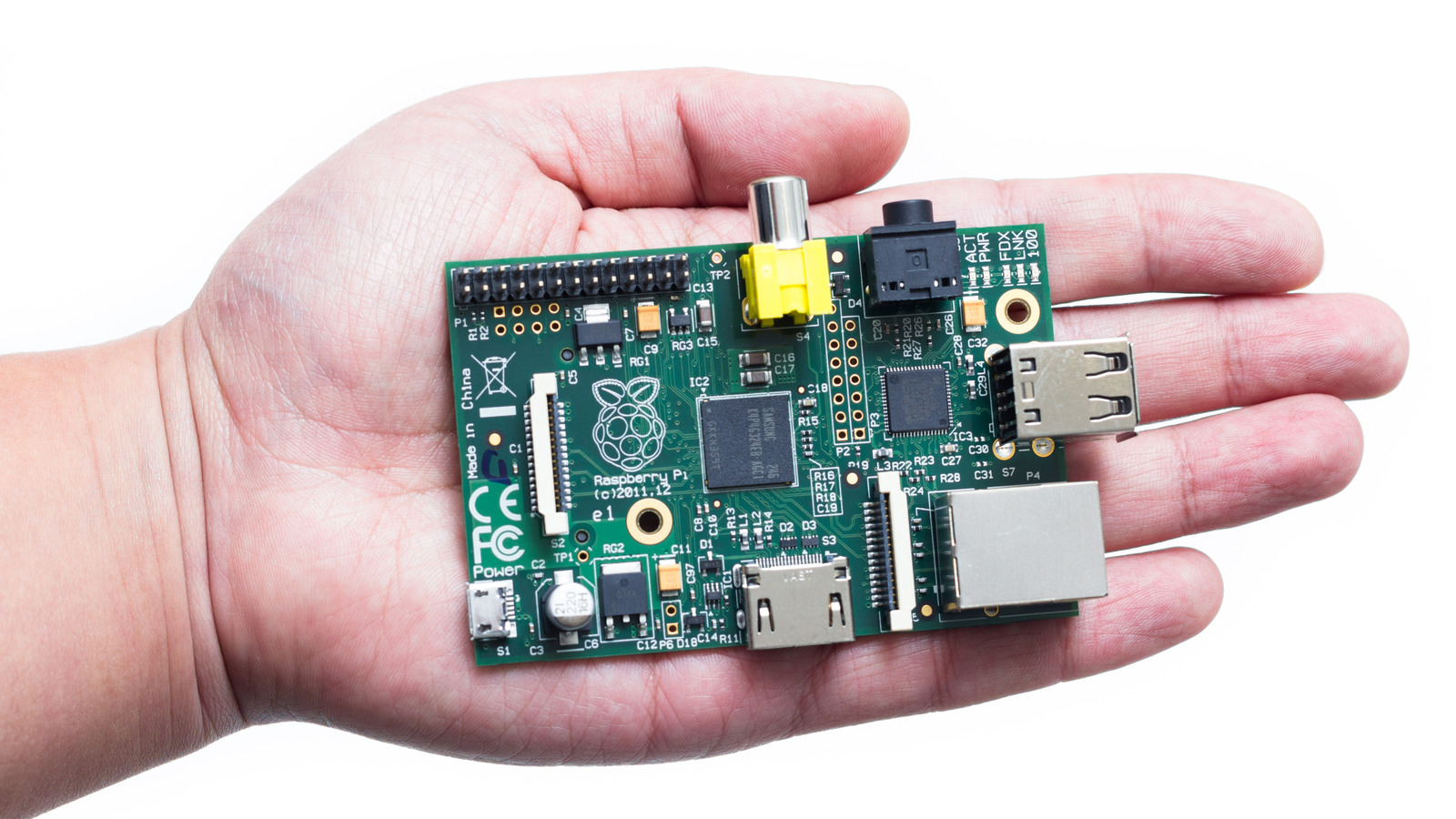
The rising cost of smart devices, subscription services, and smart home tech has made people look for affordable, flexible alternatives. That’s exactly where Raspberry Pi shines. This small, inexpensive computer can take on tasks typically handled by costly commercial hardware or monthly third-party services. With just the right software, you can turn a Raspberry Pi into a smart home hub, personal cloud storage, or a subscription-free home security platform. There are so many ways you can upgrade your bedroom with Raspberry Pi projects and then continue with the rest of your home.
The appeal is undeniable: you own the data, the hardware, and full control over it. And you get all of that without costly recurring fees. A Raspberry Pi can host all your data at no cost at all. Likewise, many commercial monitoring systems and smart devices lock essential features behind subscriptions. With a Raspberry Pi, you get the option to centralize control independently and avoid long-term costs tied to closed platforms. So let’s look at some Raspberry Pi project ideas that can save you some money!
Smart home hub

Turning your Raspberry Pi into a smart home hub is not only a practical project, but it can potentially save you lots of money. You won’t need to invest in expensive proprietary hubs or ongoing subscription fees. A Raspberry Pi can make your smart home smarter by running open-source software such as Home Assistant. It’ll connect and control lights, sensors, plugs, thermostats, and more. Commercial smart home hubs and ecosystems often cost hundreds of dollars upfront, but they also include a monthly subscription fee. If you opt for this DIY Raspberry Pi project, your main expense is the hardware itself, as the core software is free.
To set up your Raspberry Pi smart home hub, start by installing Home Assistant’s image on a microSD or an SSD. Then, proceed to follow the setup and add smart devices to your network. Home Assistant can natively discover many smart devices you have installed, if they use a Wi-Fi connection. But if they don’t, you can expand compatibility with Zigbee or Z-Wave USB adapters. But the savings don’t end here. Did you know that by creating a smart hub you’ll also reduce wasted energy? You can use this setup to make your systems work only when needed, so you can lower your energy costs.
Free Pi-hole network ad blocker
If you want to improve your internet experience with an ad blocker that won’t cost you anything, consider turning your Raspberry Pi into a Pi-hole network ad blocker. Pi-hole is a free, open-source software that acts as a network-wide DNS sinkhole. It’ll block ads and trackers for every device connected to your home network. The best thing? You won’t need to pay for any cloud service or individual ad-block app. Pi-hole has no recurring fees once you set it up on your Pi and router. That’s so much better than a subscription-based DNS service, which often charges additionally for advanced features. On top of that, you don’t even need the latest hardware. You can repurpose an old Raspberry Pi for this project and save some money.
Start setting up Pi-hole by installing the software on your Raspberry Pi and configuring the router to point all DNS requests from connected devices (phones, computers, smart TVs, and gaming consoles) to the Pi. Once active, Pi-hole will intercept DNS requests and block all those that match lists of known ad-serving and tracking domains. That means ads will never get downloaded in the first place. This will also mean the webpages you’re trying to open will load faster and your network will use less bandwidth. This way, you can also reduce data usage on metered connections and save some money.
Rain and flood detection
Preventing water damage before it gets out of hand is ideal. The sheer cost of replacing furniture and appliances, or fixing the house construction after the flood, are scary. Average water damage claims can run around $10,000 or more. Installing sensors that detect moisture or rising water levels early is one of the smartest things a homeowner could do. You can also install motion sensors around your home while at it. Turning your Raspberry Pi into a rain and flood detection system is not only cheap, but it’s also easy to do.
Connect a simple water or rain sensor to the Raspberry Pi’s GPIO pins and write a small Python script to monitor them. You don’t need to be a programmer to do it. There are plenty of scripts available online (e.g., GitHub), even for free. When a sensor detects dangerous water levels, be it a leak puddle, or rainwater getting where it shouldn’t, Raspberry Pi will send you an alert via email, text, or smart home dashboard. You can even integrate this into your smart home system, so the water valve or sump pump gets triggered automatically.
Cloud storage
If you want to maintain full control over your data without paying subscriptions for services such as Google Drive, iCloud, or Dropbox, you could turn your Raspberry Pi into cloud-like storage. Yes, services usually have a free limit, but what if you need the extra storage? The costs can easily add up. With a Raspberry Pi, you can set up a self-hosted cloud. All you need is an open-source software such as Nextcloud or OwnCloud. These apps allow you to set up a cloud-like service, hosted entirely on your hardware.
Setting up Nextcloud on a Raspberry Pi is simple. But you’ll need a microSD card of at least 8GB, and an external SSD for extra storage space. Once you install Nextcloud, you can sync all your files, share documents, or back up your photos and videos. All of that without paying a monthly fee. Not only is this DIY cloud storage less costly, but it’s also more secure. All your data is stored on hardware that only you have control over. You can access your files remotely just like with traditional cloud storage. This way, you can have peace of mind that you don’t keep important things on third-party cloud storage.
Security camera system
Building a Raspberry Pi security camera system is an affordable way to keep your home secure. Commercial smart security cameras and the systems that work behind them can be costly. Not only is the hardware expensive, but you also need an ongoing cloud-storage subscription to access recordings or advanced features. To create a full-featured home surveillance system, you’ll need a little hardware and an open-source tool such as MotionEye, Shinobi, or Frigate. These tools will give you complete local control over all your footage. You can also use your Raspberry Pi cloud storage system as a way to store the data.
That said, you’ll need to buy either USB webcams, Pi camera modules, or I/O cameras. Whichever of these you choose, it would still cost you less than investing in big-brand names. From here, setting everything up is pretty straightforward. Install one of the mentioned tools, connect your cameras, and configure recording options from a simple web dashboard. You can choose retention length, motion sensitivity, notification options, and storage location. This will also increase the security of all the footage your surveillance system records, as every video will be saved locally on your hardware. There’s no need to involve expensive third-party services that are outside of your control.


