
By using this site, you agree to the Privacy Policy and Terms of Use.
Accept
World of SoftwareWorld of SoftwareWorld of Software
  • News
  • Software
  • Mobile
  • Computing
  • Gaming
  • Videos
  • More
    • Gadget
    • Web Stories
    • Trending
    • Press Release
Search
  • Privacy
  • Terms
  • Advertise
  • Contact
Copyright © All Rights Reserved. World of Software.
Reading: Does Keeping Old Text Messages Slow Down Your Android Phone? – BGR
Share
Sign In
Notification Show More
Font ResizerAa
World of SoftwareWorld of Software
Font ResizerAa
  • Software
  • Mobile
  • Computing
  • Gadget
  • Gaming
  • Videos
Search
  • News
  • Software
  • Mobile
  • Computing
  • Gaming
  • Videos
  • More
    • Gadget
    • Web Stories
    • Trending
    • Press Release
Have an existing account? Sign In
Follow US
  • Privacy
  • Terms
  • Advertise
  • Contact
Copyright © All Rights Reserved. World of Software.
World of Software > News > Does Keeping Old Text Messages Slow Down Your Android Phone? – BGR
News

Does Keeping Old Text Messages Slow Down Your Android Phone? – BGR

News Room
Last updated: 2025/12/09 at 1:38 AM
News Room Published 9 December 2025
Share
Does Keeping Old Text Messages Slow Down Your Android Phone? – BGR
SHARE


PeopleImages/Shutterstock

A few years ago, we could only send plain text messages with 160 characters. There was no option to include any media or attachments, which kept the messages close to 140 bytes. But the Messages app on Android phones has changed. The messages are heavier, and if they pile up over time, they can slow down your phone when the storage runs low.

With people having mostly shifted from regular text messages to instant messaging and social media apps like WhatsApp, Signal, Instagram, and Snapchat for chatting and sharing content with friends, the Messages app on Android phones is now mainly used to check one-time passwords, delivery notifications, and two-factor authentication.

Often, the app fills up with messages from banks, insurance companies, retailers, travel apps, and other businesses. Promotional texts usually contain several megabytes of content. Spam messages also add to the problem. These messages often carry heavy attachments such as graphics and link previews. When all of them accumulate for months, they take up significant storage and add more strain on the Messages app, which slows down your phone as well.

Why messages are heavier than before and how to manage them


Two hands hold a smartphone on top of a laptop
Mstudioimages/Getty Images

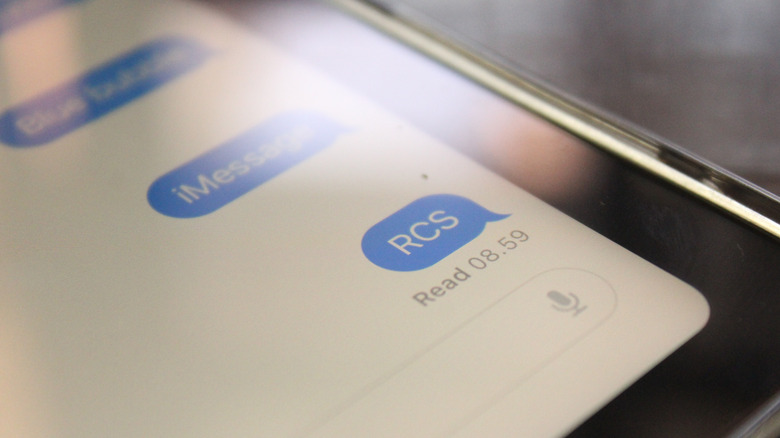
Plain text messages were lightweight, taking about some kilobytes to a few megabytes of storage, even if you had thousands of them. That changed when Google began rolling out Rich Communication Services (RCS) through its Messages app in 2019. RCS changed basic texts into dynamic ones, allowing you to send high-resolution photos and videos, GIFs, long messages, audio clips, and file attachments along with plain text messages. Just like on WhatsApp and iMessage, you can also see when someone is typing, get read receipts, and manage group chats. Although it made messaging more dynamic and added end-to-end encryption for privacy, these threads take up far more space on your phone than simple text messages.

Plain text messages don’t affect your phone’s performance; the slowdown happens when you have plenty of media-heavy RCS threads and little storage space on your device. The easiest and obvious way to manage it is to delete messages as frequently as possible. Identify threads containing pictures, videos, and heavy attachments as they consume the most space. Erase two-factor authentication codes after using them, and bulk-delete spam and promotional messages.

I deleted my old messages, and my phone is still slow. Now what?

A picture of Messages app on an Android phone
Kafka Ibram/Shutterstock

Even after bulk-deleting messages, if your phone’s performance still feels sluggish, there can be other factors for the slowdown. For example, inactive apps keep running in the background, consuming storage and processing power. You can either remove them or, if you use such apps once in a while, limit their background activity in Settings.

Caching adds to the problem. Apps store temporary files on your device so that they can load content faster when you open them. In modern smartphones, these cache files take up several gigabytes. This slows down the apps and can also cause glitches or crashes. When storage is low, your Android phone can slow down. To free up space: 

  1. Go to your phone’s Settings.
  2. Select Apps.
  3. Choose a specific app.
  4. Tap Storage.
  5. Select Clear Cache. 

Then, your phone will instantly free up space, and you can repeat this with other apps. Bloatware also takes up storage and runs as background processes, which can cause a slowdown. Delete these unwanted, pre-installed apps or remove their background permissions. Scan the Downloads folder as well on your device to remove heavy PDFs and other files you don’t need.



Sign Up For Daily Newsletter

Be keep up! Get the latest breaking news delivered straight to your inbox.
By signing up, you agree to our Terms of Use and acknowledge the data practices in our Privacy Policy. You may unsubscribe at any time.
Share This Article
Facebook Twitter Email Print
Share
What do you think?
Love0
Sad0
Happy0
Sleepy0
Angry0
Dead0
Wink0
Previous Article DJI’s car tech unit raises new funds from Chinese automakers GAC and BAIC · TechNode DJI’s car tech unit raises new funds from Chinese automakers GAC and BAIC · TechNode
Next Article I’m a personal trainer for seniors — here are 4 effective core exercises you can do while seated I’m a personal trainer for seniors — here are 4 effective core exercises you can do while seated
Leave a comment

Leave a Reply Cancel reply

Your email address will not be published. Required fields are marked *

Stay Connected

248.1k Like
69.1k Follow
134k Pin
54.3k Follow

Latest News

Don't Miss Out: Northern Lights to Shine Bright Monday and Tuesday Night
News
NetEase to launch mobile adaptation of survival game Frostpunk tomorrow · TechNode
Computing
AI Safety Institutes rebrand to focus on scientific measurements – UKTN
News
The Power of Visual Content: Engaging Audiences Through Infographics and Videos |
Computing

You Might also Like

Don't Miss Out: Northern Lights to Shine Bright Monday and Tuesday Night
News

Don't Miss Out: Northern Lights to Shine Bright Monday and Tuesday Night

4 Min Read
AI Safety Institutes rebrand to focus on scientific measurements – UKTN
News

AI Safety Institutes rebrand to focus on scientific measurements – UKTN

2 Min Read
Apple Watch Ultra 2 plunges to 9 on Amazon, best price ever
News

Apple Watch Ultra 2 plunges to $549 on Amazon, best price ever

1 Min Read
Sounds Like Smart Savings: These Sony Bluetooth Headphones Are Now 46% Off
News

Sounds Like Smart Savings: These Sony Bluetooth Headphones Are Now 46% Off

3 Min Read
//

World of Software is your one-stop website for the latest tech news and updates, follow us now to get the news that matters to you.

Quick Link

  • Privacy Policy
  • Terms of use
  • Advertise
  • Contact

Topics

  • Computing
  • Software
  • Press Release
  • Trending

Sign Up for Our Newsletter

Subscribe to our newsletter to get our newest articles instantly!

World of SoftwareWorld of Software
Follow US
Copyright © All Rights Reserved. World of Software.
Welcome Back!

Sign in to your account

Lost your password?