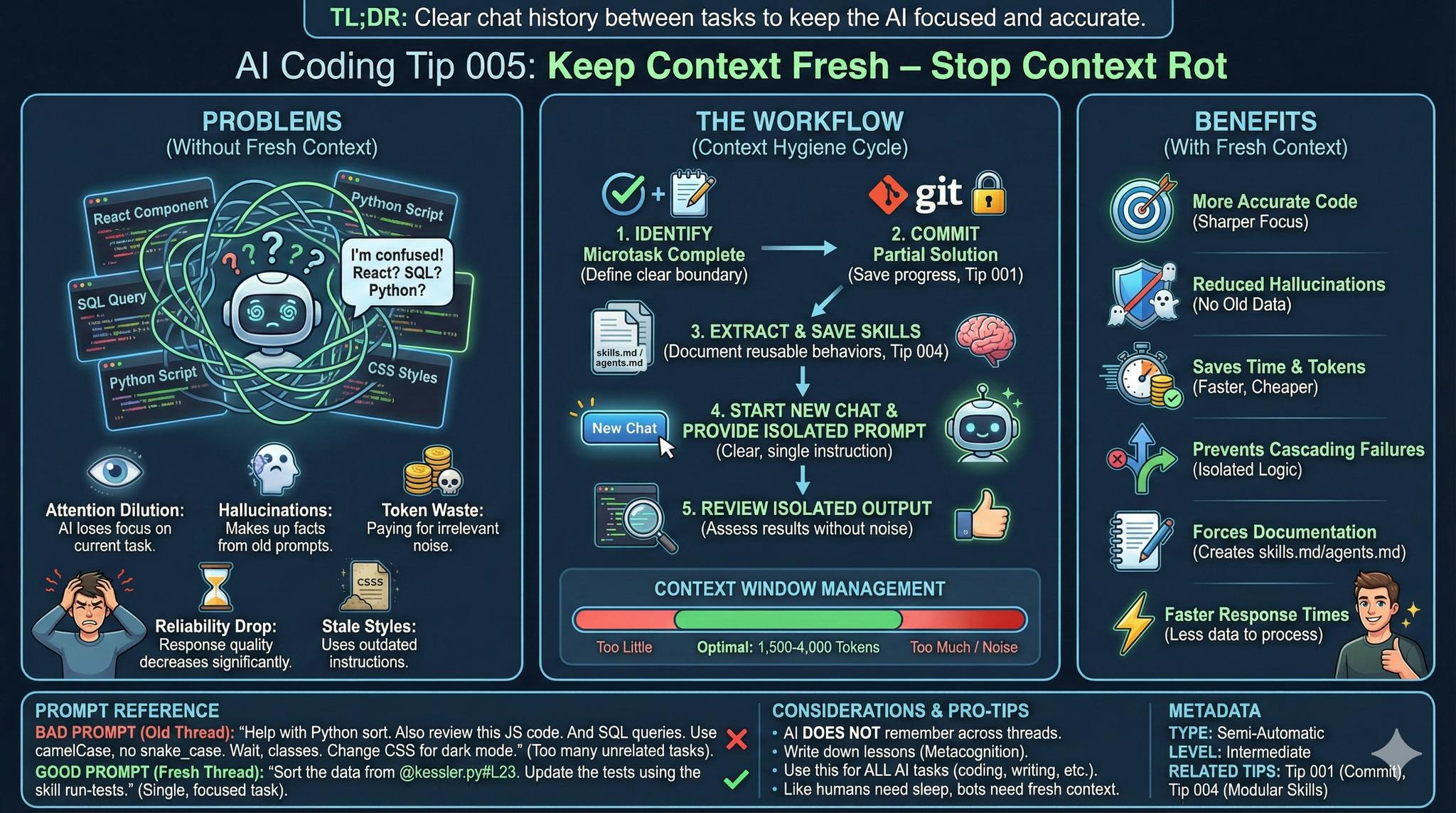
Keep your prompts clean and focused, and stop the context rot
TL;DR: Clear your chat history to keep your AI assistant sharp.
Common Mistake ❌
You keep a single chat window open for hours.
You switch from debugging a React component to writing a SQL query in the same thread.
The conversation flows, and the answers seem accurate enough.
But then something goes wrong.
The AI tries to use your old JavaScript context to help with your database schema.
This creates “context pollution.”
The assistant gets confused by irrelevant data from previous tasks and starts to hallucinate.
Problems Addressed 😔
- Attention Dilution: The AI loses focus on your current task.
- Hallucinations: The model makes up subtle facts based on old, unrelated prompts.
- Token Waste: You pay for “noise” in your history.
- Illusion of Infinite Context: Today, context windows are huge. But you need to stay focused.
- Stale Styles: The AI keeps using old instructions you no longer need.
- Lack of Reliability: Response quality decreases as the context window fills up.
How to Do It 🛠️
- You need to identify when a specific microtask is complete. (Like you would when coaching a new team member).
- Click the “New Chat” button immediately and commit the partial solution.
- If the behavior will be reused, you save it as a new skill (Like you would when coaching a new team member).
- You provide a clear, isolated instruction for the new subject. (Like you would when coaching a new team member).
- Place your most important instructions at the beginning or end.
- Limit your prompts to 1,500-4,000 tokens for best results. (Most tools show the content usage).
- Keep an eye on your conversation title (usually titled after the first interaction). If it is not relevant anymore, it is a smell. Create a new conversation.
Benefits 🎯
- You get more accurate code suggestions.
- You reduce the risk of the AI repeating past errors.
- You save time and tokens because the AI responds faster with less noise.
- Response times stay fast.
- You avoid cascading failures in complex workflows.
- You force yourself to write down agents.md or skills.md for the next task
Context 🧠
Large Language Models use an “Attention” mechanism.
When you give them a massive history, they must decide which parts matter.
Just like a “God Object” in clean code, a “God Chat” violates the Single Responsibility Principle.
When you keep it fresh and hygienic, you ensure the AI’s “working memory” stays pure.
Prompt Reference 📝
Bad Prompt (Continuing an old thread):
Help me adjust the Kessler Syndrome Simulator
in Python function to sort data.

Also, can you review this JavaScript code?

And I need some SQL queries tracking crashing satellites, too.

Use camelCase.

Actually, use snake_case instead. Make it functional.

No!, wait, use classes.

Change the CSS style to support
dark themes for the orbital pictures.
Good Prompt (In a fresh thread):
Sort the data from @kessler.py#L23.

Update the tests using the skill 'run-tests'.
Considerations ⚠️
You must extract agents.md or skills.md before starting the new chat. (Like you would when coaching a new team member)
Use metacognition: Write down what you have learned. (Like you would when coaching a new team member)
The AI will not remember them across threads. (Like you would when coaching a new team member)
Type 📝
[X] Semi-Automatic
Level 🔋
[X] Intermediate
Related Tips 🔗
https://hackernoon.com/ai-coding-tip-001-commit-your-code-before-asking-for-help-from-an-ai-assistant?embedable=true
Place the most important instructions at the beginning or end
Conclusion 🏁
Fresh context leads to incrementalism and small solutions, Failing Fast.
When you start over, you win back the AI’s full attention and fresh tokens.
Pro-Tip 1: This is not just a coding tip. If you use Agents or Assistants for any task, you should use this advice.
Pro-Tip 2: Humans need to sleep to consolidate what they have learned in the day; bots need to write down skills to start fresh on a new day.
More Information ℹ️
https://arxiv.org/abs/1706.03762?embedable=true
https://arxiv.org/abs/2307.03172?embedable=true
https://www.promptingguide.ai/?embedable=true
https://zapier.com/blog/ai-hallucinations/?embedable=true
https://docs.anthropic.com/claude/docs/long-context-window-tips?embedable=true
https://help.openai.com/en/articles/4936856-what-are-tokens-and-how-to-count-them?embedable=true
Also Known As 🎭
Context Reset
Thread Pruning
Session Hygiene
Disclaimer 📢
The views expressed here are my own.
I am a human who writes as best as possible for other humans.
I use AI proofreading tools to improve some texts.
I welcome constructive criticism and dialogue.
I shape these insights through 30 years in the software industry, 25 years of teaching, and writing over 500 articles and a book.
This article is part of the AI Coding Tip series.