




A visual content calendar is one of the most important tools for managing social media content for clients. It gives both your team and your clients a clear, shared view of what content is planned and when it will be published.
In this article, we break down why visual content calendars are so effective for client work and the best tools and practices for building one.
What is a Visual Content Calendar?
A visual content calendar is a planning tool that shows upcoming content in a clear, visual format — typically laid out by date, platform, and status. Instead of relying on long lists or text-heavy documents, it allows you to see what’s scheduled, in progress, awaiting approval, or ready to publish at a glance.
Benefits of Creating a Visual Content Calendar
1. Staying Organized
One obvious benefit of having a well-maintained visual content calendar is that it allows you to keep on top of your clients’ busy publishing schedules.
Having an up-to-date guide for your deadlines helps you efficiently manage your client load. Knowing what needs doing and when helps you focus on the correct areas so you can create content faster and keep your clients happy.
2. Keeping Clients Involved
Speaking of clients, you know that keeping them involved throughout your process makes them feel listened to and increases their trust in your business.
With a visual content calendar, they can view your upcoming plans for their brand strategy and quickly identify any areas that require action. Also, access to your content calendars means they’re never surprised by a new social media post.
3. Staying flexible
Finally, a visual content calendar allows you to plan while staying flexible. If content has been performing particularly well or poorly you can revisit your calendar to pivot your upcoming strategy.
Social media trends move quickly, with new trends blowing up overnight. Your visual content calendar allows you to slot timely content in amongst your pre-planned strategy and keep your clients feeling relevant.
With the benefits now clear, it’s time to check out some tools that can help you build your visual content calendar.
5 Different Tools for Creating a Visual Content Calendar
1. Google Sheets with Color-Coded Visual Planning
Google Sheets might not be the first thing that springs to mind when you think about a content calendar but if you are already familiar with Google products, it can be a good place to start. You can use a calendar template or simply build your own color-coded layout from scratch.
Google Sheets integrates well with other Google products like Calendar and Drive, so if you already rely on Google a lot, it can be very useful.
That being said, as Google Sheets is not explicitly built for this use, you may find it only caters to a pretty basic level of planning. It lacks the handy features of more specialized social media management tools that can, for example, automate your social media approval process and publish to social networks for you.
2. Trello with Calendar Power-Up
Trello is a project management tool that allows you to build different boards to manage your workload, assign tasks, and collaborate with your team and clients.
They also have a Trello Calendar Power-Up feature that you can add to your workspace. This visual content calendar allows you to color code your upcoming content and keep track of all your deadlines in a weekly or monthly format. You can make changes by dragging and dropping calendar items. You can also create unique board links to share your calendar outside Trello using iCalendar.

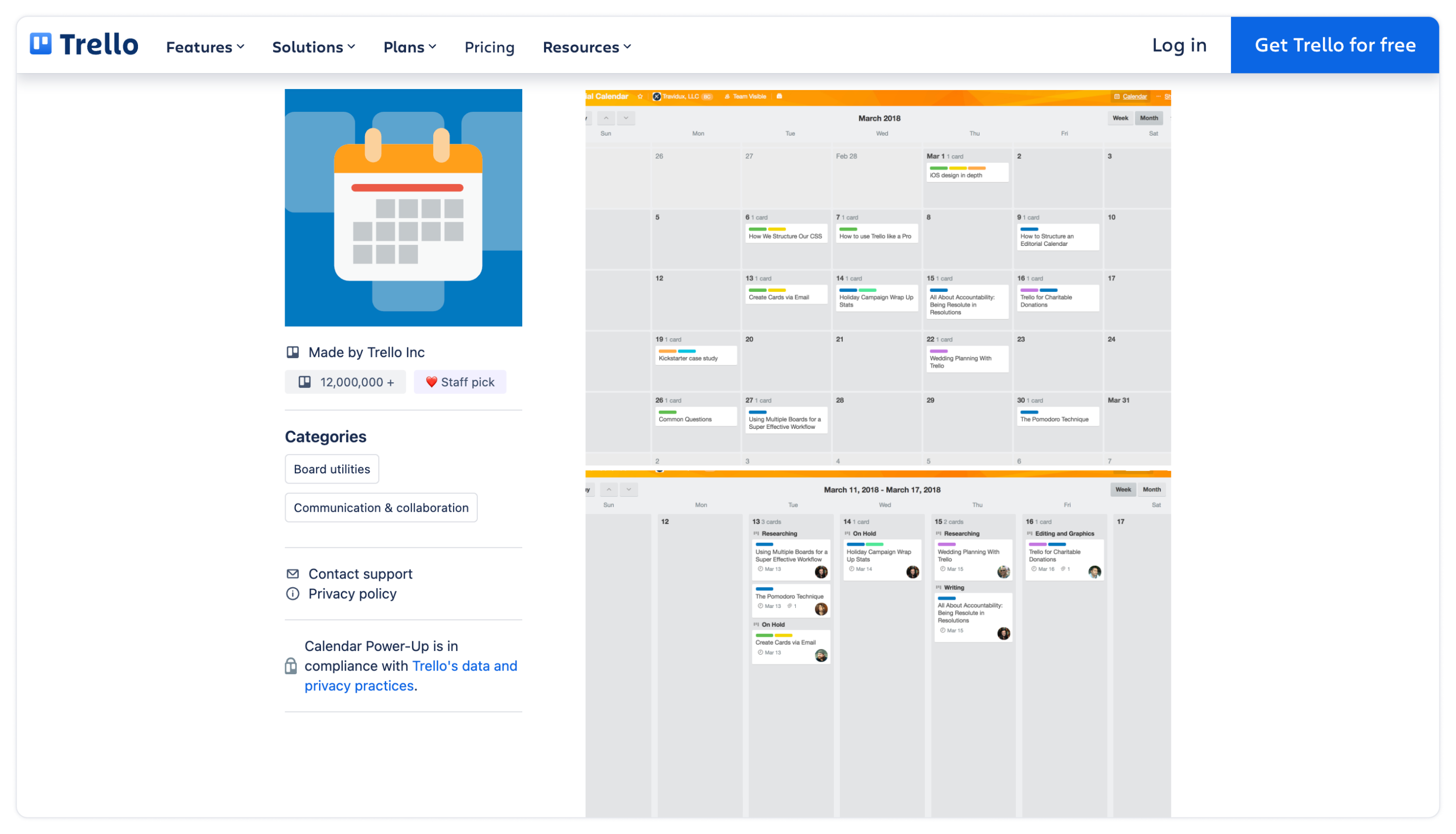
The downsides of Trello are that it’s not specifically designed as a content calendar for social media so it doesn’t help beyond keeping deadlines organized.
3. Notion
Notion is another great tool for building a visual content calendar. What makes it stand out is its versatility—you can create all kinds of things with it, thanks to its robust customization options.
Notion also offers hundreds of templates, many of which are designed specifically for social media management teams. For instance, Notion’s social media calendar template provides multiple views, allowing you to see your posting deadlines in list format, organized by platform, or all together in a calendar view.
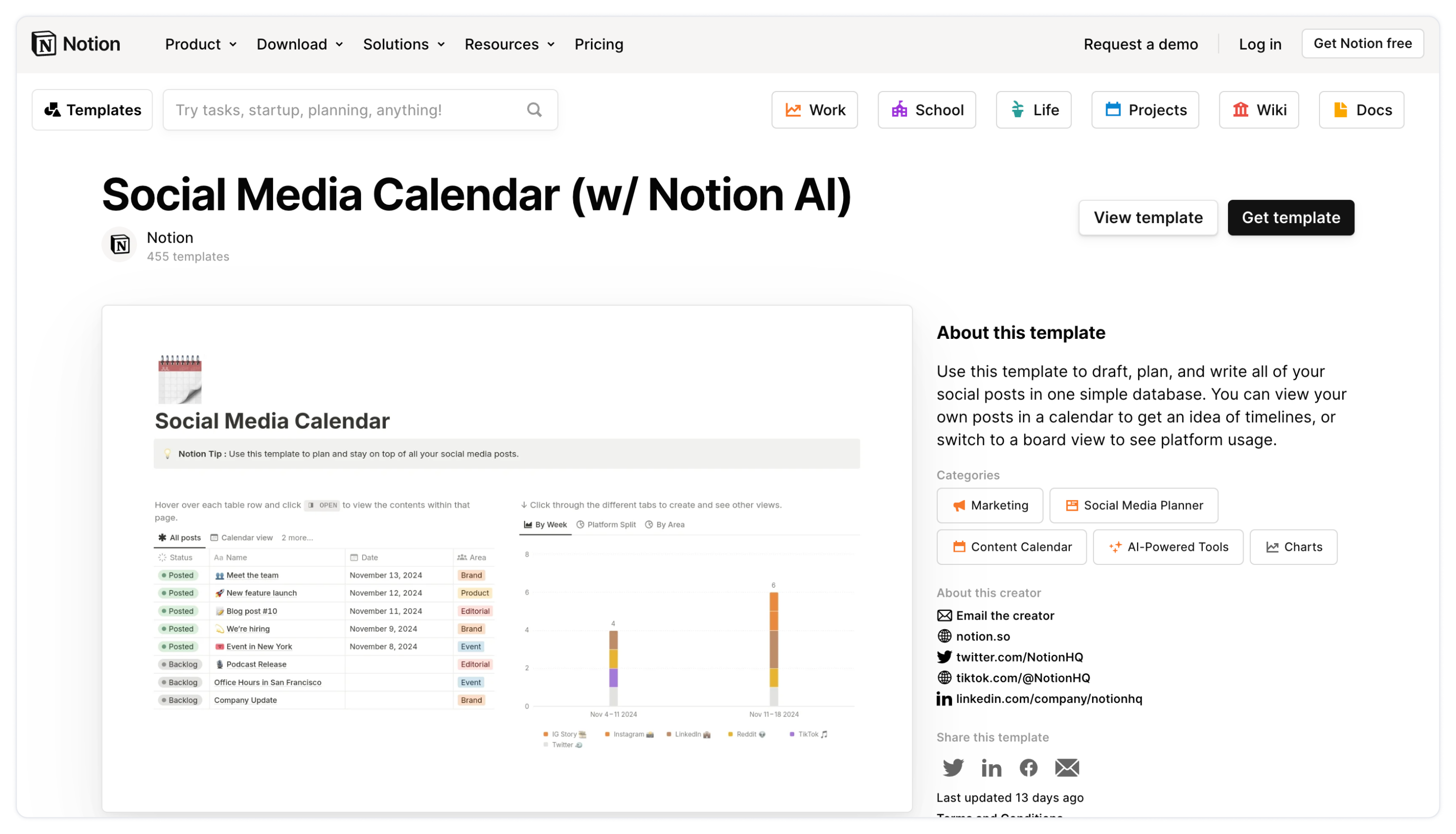
This flexibility is perfect for keeping your agency aligned, even if team members prefer to view the content calendar in different ways. Notion promises that you can “draft, plan, and write all of your social posts in one simple database,” which ultimately means you can create content for your clients more efficiently.
Notion is great for coordinating posting schedules in-house. However, for agencies that need to gather client feedback on various content assets, it might not be the best fit. That’s because collaborating with external stakeholders can be a bit challenging in Notion.
4. Gain
At Gain, we make it possible for you to do pretty much everything in the same place. Gain integrates seamlessly with all major social media platforms and supports uploads in all common file formats. With our social media management tool, you can create, upload, and import content directly within the platform. Once your content is ready, you can manage your schedule, content approvals, and publishing on Facebook, Instagram, and other social networks.
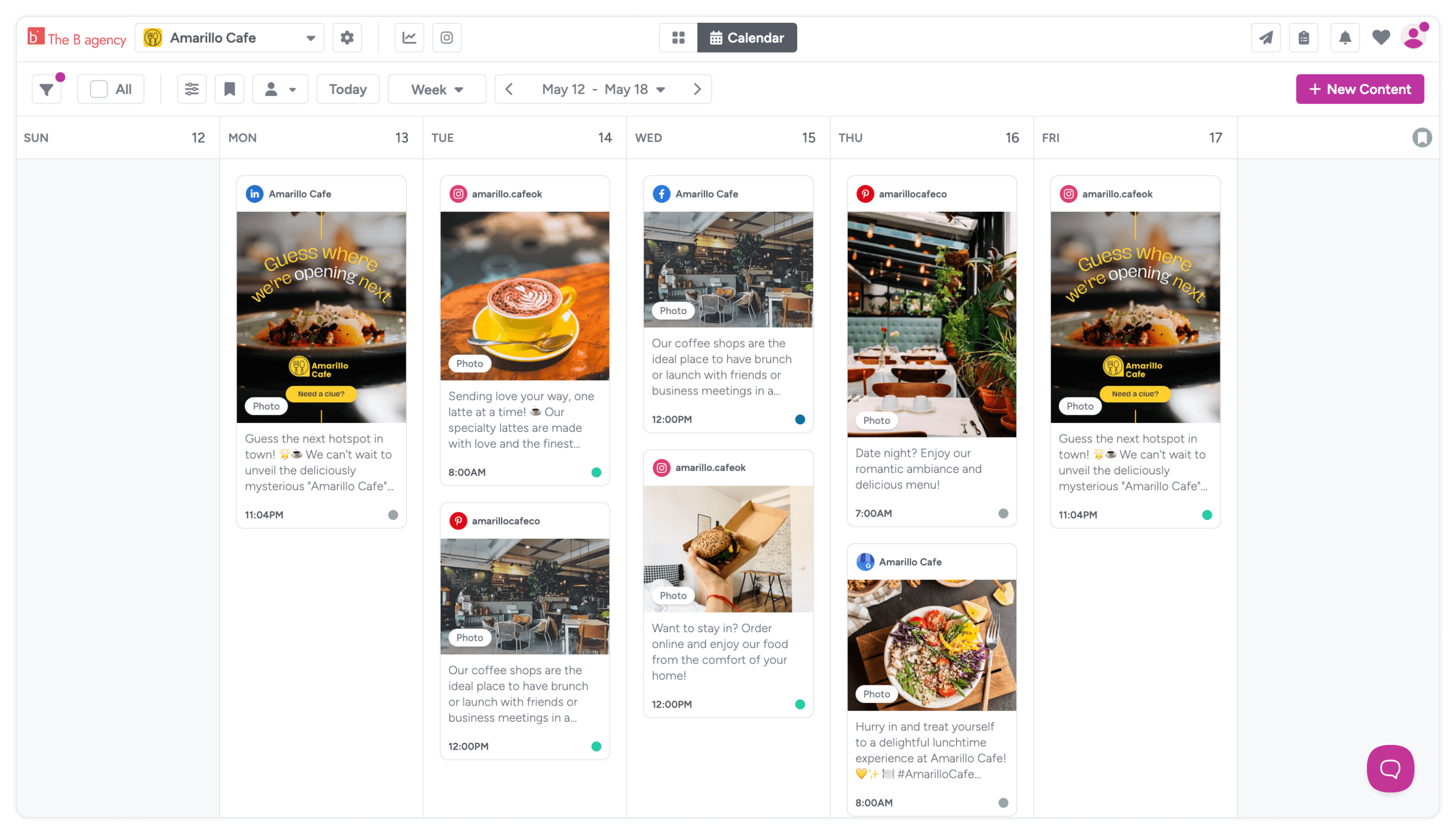
Our platform is particularly handy for creating a visual content calendar, as you can actually see the content thumbnails in our monthly view. You can reschedule content in seconds; all you need to do is drag and drop. Using our filters, you can view items in the calendar by platform, asset type, or status, and you can add extra eye-catching labels to high-importance dates.
With Gain, clients can easily access the calendar showing social posts that have been sent for their approval and are scheduled for publishing, as Gain incorporates clients directly into the workflow. This makes it simple to manage content at scale for multiple clients, as each client has their own dedicated calendar.
Gain aims to help you create content faster by streamlining your workflow and giving you high-quality tools for each step of the process. Our attractive visual content calendar is just one part of our suite of features that can save you time and money.
5. Canva
Canva is best known as a design tool, but it can also be used to create a visual content calendar for planning and presentation purposes. Teams can either design a bespoke calendar from scratch or browse Canva’s library of social media calendar templates, then fill them in with planned post ideas, dates, and platforms.

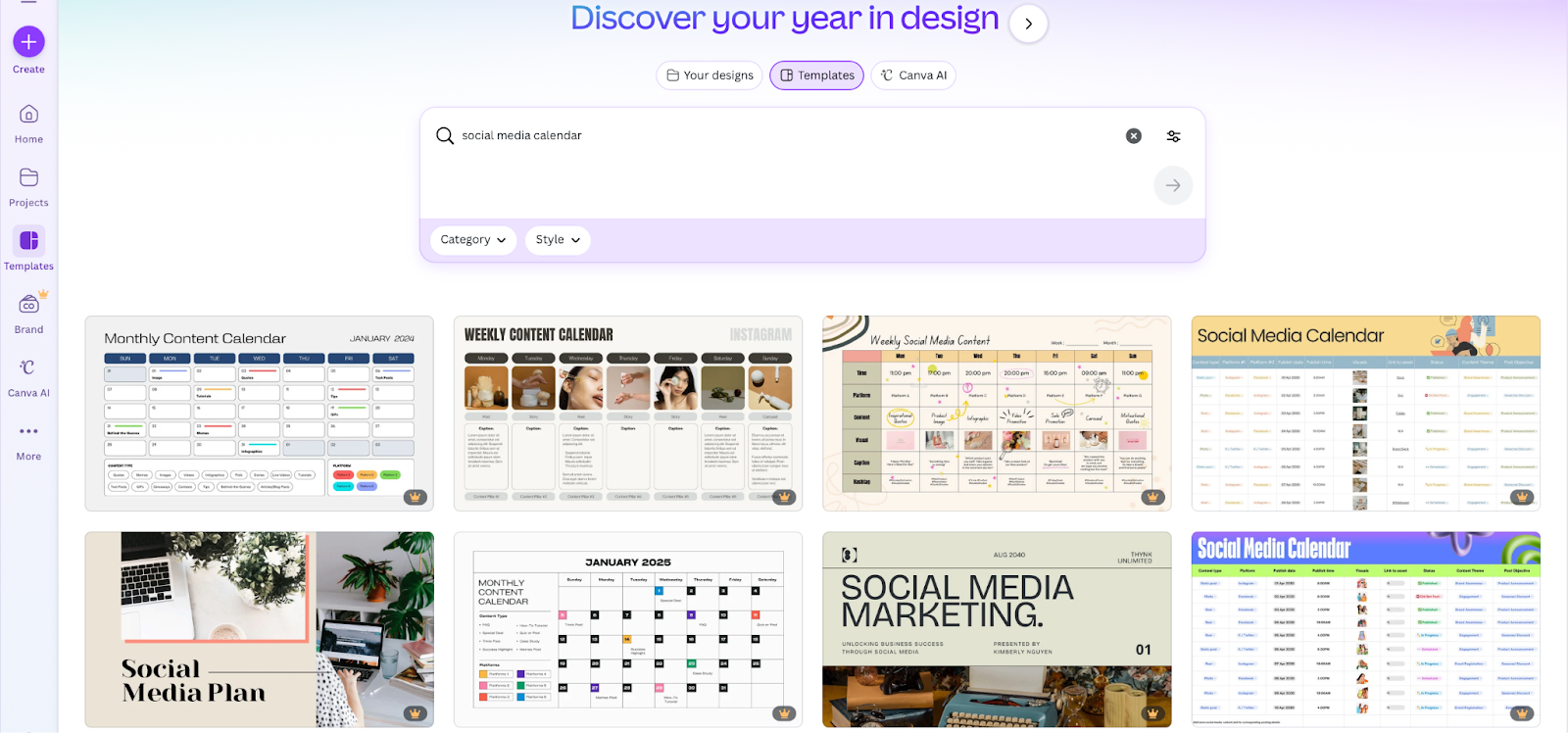
The downside? Canva calendars are essentially static designs, meaning updates require manually editing the layout each time something changes. If dates shift or content needs to be rearranged, you’ll often need to move elements around one by one or create a new version. This makes Canva useful for sharing a snapshot of a content plan with clients, but less practical for day-to-day content management.
Best Practices for Managing Multiple Client Content Calendars
Choosing the right tool is only part of the equation. To manage multiple client calendars effectively, you need simple, repeatable practices that keep teams aligned and workflows running smoothly as workloads scale.
1. Use a Single Platform or Tool to Manage All Client Content Calendars
To successfully manage the content calendars of multiple clients, it is important to use a single platform or tool. Having this consistency ensures all relevant parties know where to find the calendars and how to edit and interact with them. It also avoids any messy re-uploading or transferring from different platforms.
2. Standardize Processes with Templates
Using templates can save you invaluable time spent building custom layouts and therefore allow you to create content faster. Also using a standardized template means that all the members of your team know exactly where to go to find the information they need as it is always in the same place.
3. Automate Where Possible
Tools like Gain allow you to automate your content approval process, which cuts out time wasted chasing sign-offs in endless email chains. As a marketing agency, you want to spend as much time as you can creating and refining content instead of simply managing it.
4. Build in Buffer Space for Reactive Content
Another tip? Leave some space in your content calendar! As tempting as it may be to plan out a quarter’s worth of content, it’s important to leave a few intentional gaps. This gives you room to respond to seasonal trends, announcements, or urgent client requests without disrupting the rest of your schedule.
FAQs
It’s a good idea to check and update the client’s content calendar weekly. This keeps everything on track with current trends and goals and helps you stay flexible for any last-minute changes that might pop up.
No worries! Make sure your content calendar has some wiggle room. If a client wants to add something last-minute, see if it fits with the current plan and make adjustments as needed. A little flexibility goes a long way!
Absolutely! A visual content calendar works great for all kinds of content, whether it’s social media posts, blog articles, or videos. It makes planning easier, keeps everything organized, and ensures that all content aligns with the overall strategy.
In most cases, yes. Giving clients access to a content calendar improves transparency and reduces the need for frequent status updates. It also allows clients to review upcoming content and request changes if any are needed.
One of the best tools for creating and managing a visual content calendar is Gain, especially for agencies working with multiple clients and stakeholders. Gain brings all your marketing content into one place, replacing scattered files and disconnected tools with a single, visual workflow. Its calendar and gallery views let you see real content thumbnails by date, status, and platform, making it easy to plan, reschedule, and stay organized. Teams and clients collaborate directly in Gain, with built-in content approvals, comments, and a full activity history.
Create Better Visual Content Calendars with Gain
At Gain, making your life easier is our mission. We understand that costly and time-consuming processes can really cut down on your creativity and ability to deliver for your clients.
We believe our visual content calendar can help you stay on top of all your deadlines, for multiple clients, with ease. One Gain user even called our calendar their ‘ride or die’– why not start a free trial and see for yourself?
Try Gain for free (no credit card required).


