




Calvin Wankhede / Android Authority
TL;DR
- OpenAI has launched ChatGPT Translate, a translation tool that supports over 50 languages and features AI-powered prompt customization.
- You can add text, speak, or upload an image for translation.
- The tool focuses on tone and context but lacks support for images, documents, and websites.
OpenAI has quietly rolled out a new translation tool called ChatGPT Translate. While the chatbot could already be used for translations, the standalone tool is positioned as a direct challenger to Google Translate. On the surface, the tool will look very familiar to Google Translate users. You get two text boxes, one for input and one for output, with automatic language detection and support for translations to and from over 50 languages.
Don’t want to miss the best from Android Authority?


In other words, it does most of what users expect from a basic translation service. But ChatGPT Translate’s real differentiator isn’t the translation itself; it’s what you can do after the translation appears.
At the bottom of the interface, users are presented with several one-tap prompt options that let them reshape the translated text. These include prompts such as making the translation sound more fluent, rewriting it in a business-formal tone, simplifying it for a child, or tailoring it for an academic audience. Selecting any of these instantly redirects users to the main ChatGPT interface with a fully formed prompt, allowing for deeper customization using generative AI.
With this approach, ChatGPT Translate brings a distinct AI-first flavor. Rather than just translating from one language to another, it allows users to think about context, tone, and audience, something traditional translation tools haven’t done in the past.

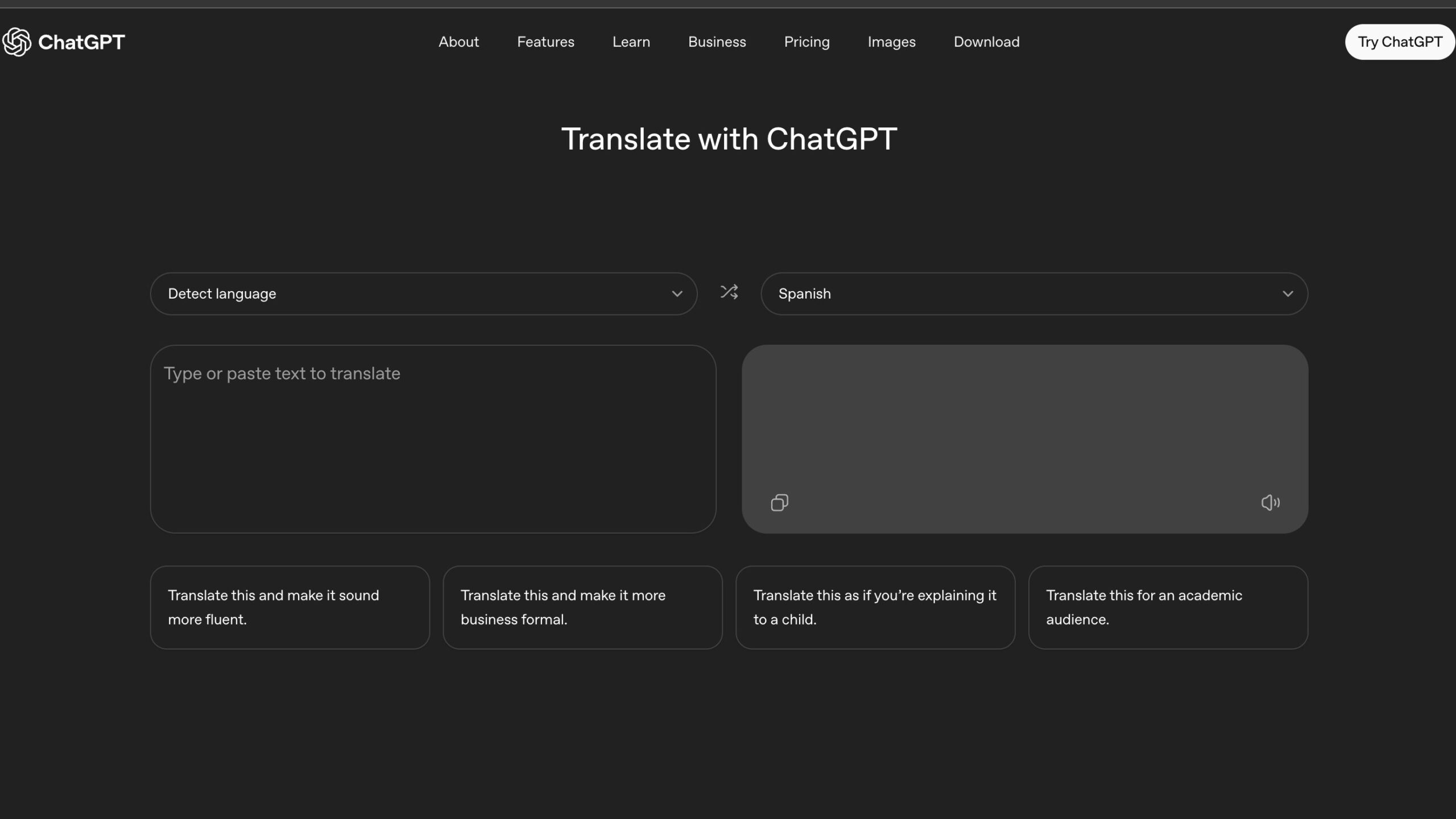
That said, the feature gap with Google Translate remains significant. The ChatGPT Translate page notes that it supports translations for uploaded images, but currently, there’s no way to add an image to the translation box. For now, it only supports plain text translations on desktop. If you open up the tool on your phone’s browser, you’ll be able to use the mic to speak what you need translated. There’s also no support for documents, handwriting, websites, or real-time conversations, all areas where Google Translate has been strong for years. Google’s tool also supports far more languages than ChatGPT Translate.
For now, Google is clearly ahead in the translation game. But ChatGPT Translate hints at a different future, one where translation isn’t just accurate, but adaptable to who you’re talking to. If OpenAI expands language support and adds multimodal features, this quiet launch could mark the start of a much bigger product rivalry with Google.
Thank you for being part of our community. Read our Comment Policy before posting.


