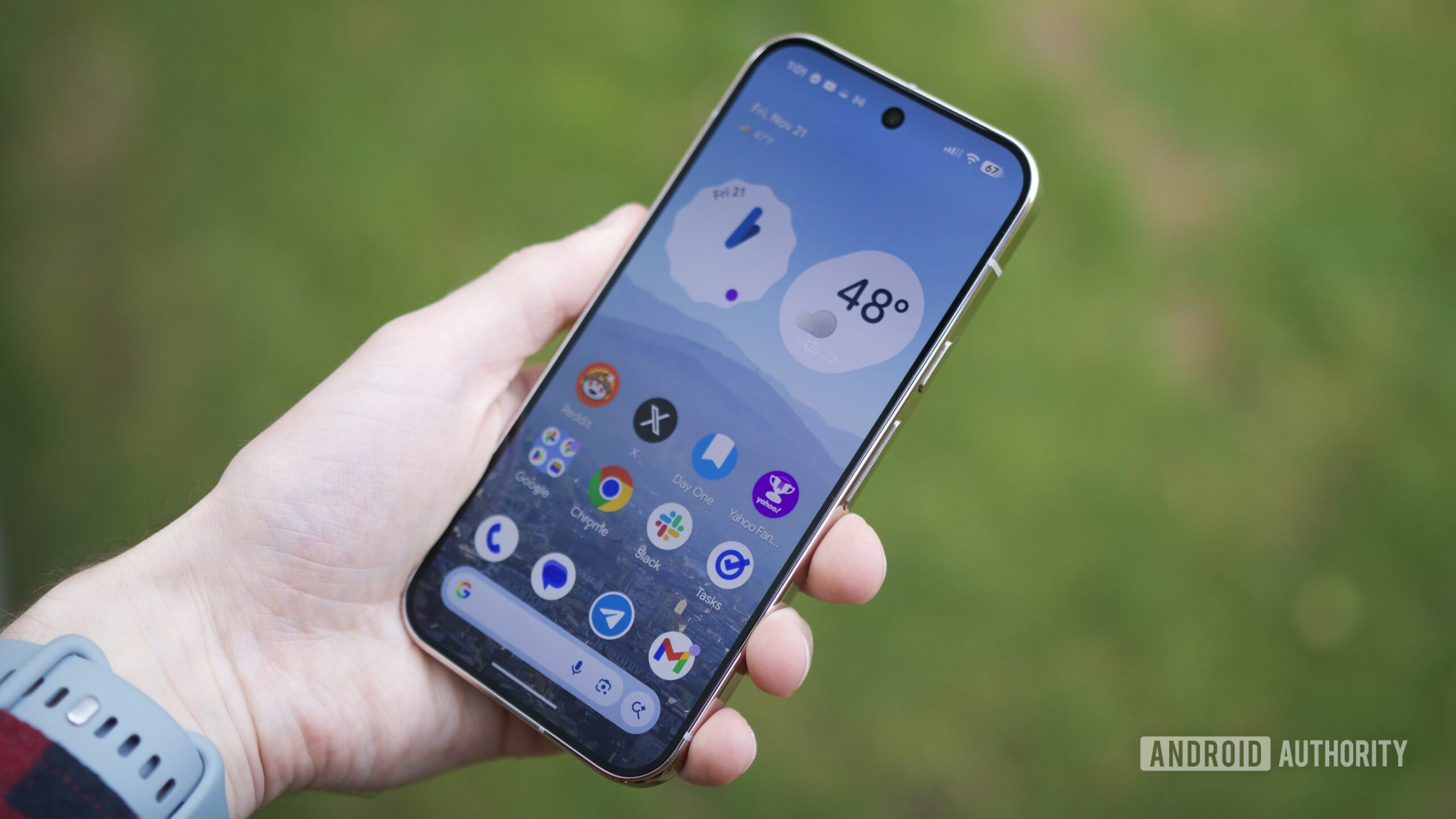
Joe Maring / Android Authority
TL;DR
- Google is rolling out the December 2025 software update.
- This update is available for the Pixel 6 and above.
- It includes a long list of fixes, including a fix for the “Extra Dim” Quick Settings title and fingerprint unlock issues.
It’s a new month and that means a new software update is coming to Pixel devices. Unlike last month and the few before it, this update won’t be skipping over the Pixel 6 series. The rollout is just starting and it’s expected to continue over the next week in phases, so you may not see the update right away. Without further ado, here’s what you need to know about the December 2025 Pixel update.
Don’t want to miss the best from Android Authority?


Changelog
- Audio
- Fix for issue occasionally causing audio crashes.
- Battery and charging
- Fix for an issue where the battery icon displays a blank or question mark (“?”) on the status bar in certain conditions.
- Fix for an issue where the battery’s 80% charge limit setting may be incorrect in certain conditions.
- Bluetooth
- Fix for issue occasionally preventing connection with certain Bluetooth devices or accessories.
- Camera
- General improvements for camera stability under certain conditions.
- Display and graphics
- Fix for an issue that causes the screen to flash or remain black in certain conditions.
- Fix for an issue that causes the screen to occasionally hang or freeze in certain conditions.
- Fix for an issue where the screen brightness becomes dim and requires toggling the screen off and on to restore normal brightness in certain conditions.
- Fix for an issue where the screen does not immediately respond when attempting to unlock from the Always-On Display.
- Fix for the inner display of Pixel Foldable devices flickering or going black when launching certain games in certain conditions.
- Fix for an issue causing screen freezes and display corruption in certain conditions.
- Framework
- Fix for an issue with toggling the “Extra Dim” Quick Settings tile in certain conditions.
- Fix for an issue where the system could run out of memory due to splash screens not closing properly in certain conditions.
- Fix for issue with stability when using Picture-in-Picture mode during display changes in certain conditions.
- General improvements for system stability and performance in certain conditions.
- Sensors
- Fix for stability issues caused by memory allocation failures in sensor-related features under certain conditions.
- System
- General improvements for system stability and performance in certain conditions.
- Telephony
- Fix for issues causing instability and intermittent problems with emergency calling functionality under certain conditions.
- General improvements for network connection stability and performance in certain conditions.
- Touch
- Fix for issues causing fingerprint unlock to fail under certain conditions.
- User interface
- Fix for an issue that causes the keyboard to sometimes flicker or fail to appear when searching in the app drawer.
- Fix for an issue with Google Home controls launch as a blank screen in certain conditions.
- Fix for an issue with screen freezing when using gesture navigation or app switching in certain conditions.
- Fix for issue where message notification sounds are sometimes not playing in certain conditions.
- Fix for issue with layouts and animations during transitions in certain conditions.
- Fix for issue with overlapping UI elements in the notification shade in certain conditions.
- Fix for issue with semi-transparent background remains on the screen after launching the camera via a double-press of the power button in certain conditions.
- Fix for issue with swipe-up gestures failing to trigger overview or exit apps in certain conditions.
- Fix for issues with Quick Settings (QS) shade in certain conditions.
- Fix for System UI crashing when interacting with notification onboarding buttons in certain conditions.
- Fix for the issue where the notification shade sometimes incorrectly display the quick settings shelf instead of notifications after unlocking the screen.
- General improvements for performance and stability in certain UI transitions and animations.
- Wi-Fi
- Fix to improve Wi-Fi connectivity stability and performance in certain conditions.
Supported devices
This month’s software update is available for all eligible devices currently running on Android 16. Those eligible devices include the Pixel 6 and above. Here are the software versions to look out for:
- Global
- Pixel 6: BP4A.251205.006
- Pixel 6 Pro: BP4A.251205.006
- Pixel 6a: BP4A.251205.006
- Pixel 7: BP4A.251205.006
- Pixel 7 Pro: BP4A.251205.006
- Pixel Tablet: BP4A.251205.006
- Pixel Fold: BP4A.251205.006
- Pixel 8: BP4A.251205.006
- Pixel 8 Pro: BP4A.251205.006
- Pixel 8a: BP4A.251205.006
- Pixel 9: BP4A.251205.006
- Pixel 9 Pro: BP4A.251205.006
- Pixel 9 Pro XL: BP4A.251205.006
- Pixel 9 Pro Fold: BP4A.251205.006
- Pixel 9a: BP4A.251205.006
- Pixel 10: BP4A.251205.006
- Pixel 10 Pro: BP4A.251205.006
- Pixel 10 Pro XL: BP4A.251205.006
- Pixel 10 Pro Fold: BP4A.251205.006
- EMEA
- Pixel 9: BP4A.251205.006.A1
- Pixel 9 Pro: BP4A.251205.006.A1
- Pixel 9 Pro XL: BP4A.251205.006.A1
- Pixel 9 Pro Fold: BP4A.251205.006.A1
- Pixel 10: BP4A.251205.006.A1
- Pixel 10 Pro: BP4A.251205.006.A1
- Pixel 10 Pro XL: BP4A.251205.006.A1
- Pixel 10 Pro Fold: BP4A.251205.006.A1
- Japan
- Pixel 9a: BP4A.251205.006.C1
- Pixel 10: BP4A.251205.006.C1
- Pixel 10 Pro: BP4A.251205.006.C1
- Pixel 10 Pro XL: BP4A.251205.006.C1
- Pixel 10 Pro Fold: BP4A.251205.006.C1
- Verizon
- Pixel 9a: BP4A.251205.006.B1
Thank you for being part of our community. Read our Comment Policy before posting.