Rita El Khoury / Android Authority
It’s excessive, isn’t it? All those apps we use daily have way too many features, with new ones being added all the time. Going back to the basics isn’t just good for your stress levels; it can also make you more productive.
Take me, for example. I use Notion and have spent way too much time just setting up my system within the app, choosing the correct icons, and making sure the colors match across my pages. Because I spent so much time tweaking it, I feel like I have to put it to use, so I try to write down as much as humanly possible to achieve that feeling of being on top of things that matter. To be productive. Efficient. But honestly, it’s starting to backfire. Not just with Notion, but with my other fancy — and expensive — apps as well.
I tend to forget the details of all those complex systems I set up, I write down things that feel important but then never check them, and I keep scrolling through dozens of news posts just to find one that I find remotely interesting. I can’t keep up with all the new features that seem like they are added on a weekly basis across my apps, and I am generally overwhelmed by the complexity of the software and the data it holds. At times, it feels like I spend more time tweaking the apps and my systems than actually using them for productive purposes, and I’ve had enough.
I’m going back to the basics, and if you’re like me, join me on this journey where I’ll show you the five apps every digital minimalist needs, and why.
Do you prefer simple or feature-packed apps?
26 votes
Google Keep

Megan Ellis / Android Authority
I’ve used this app in the past before moving to bigger and better things. First came Evernote, followed by Notion. Now, I’m switching back to Google Keep.
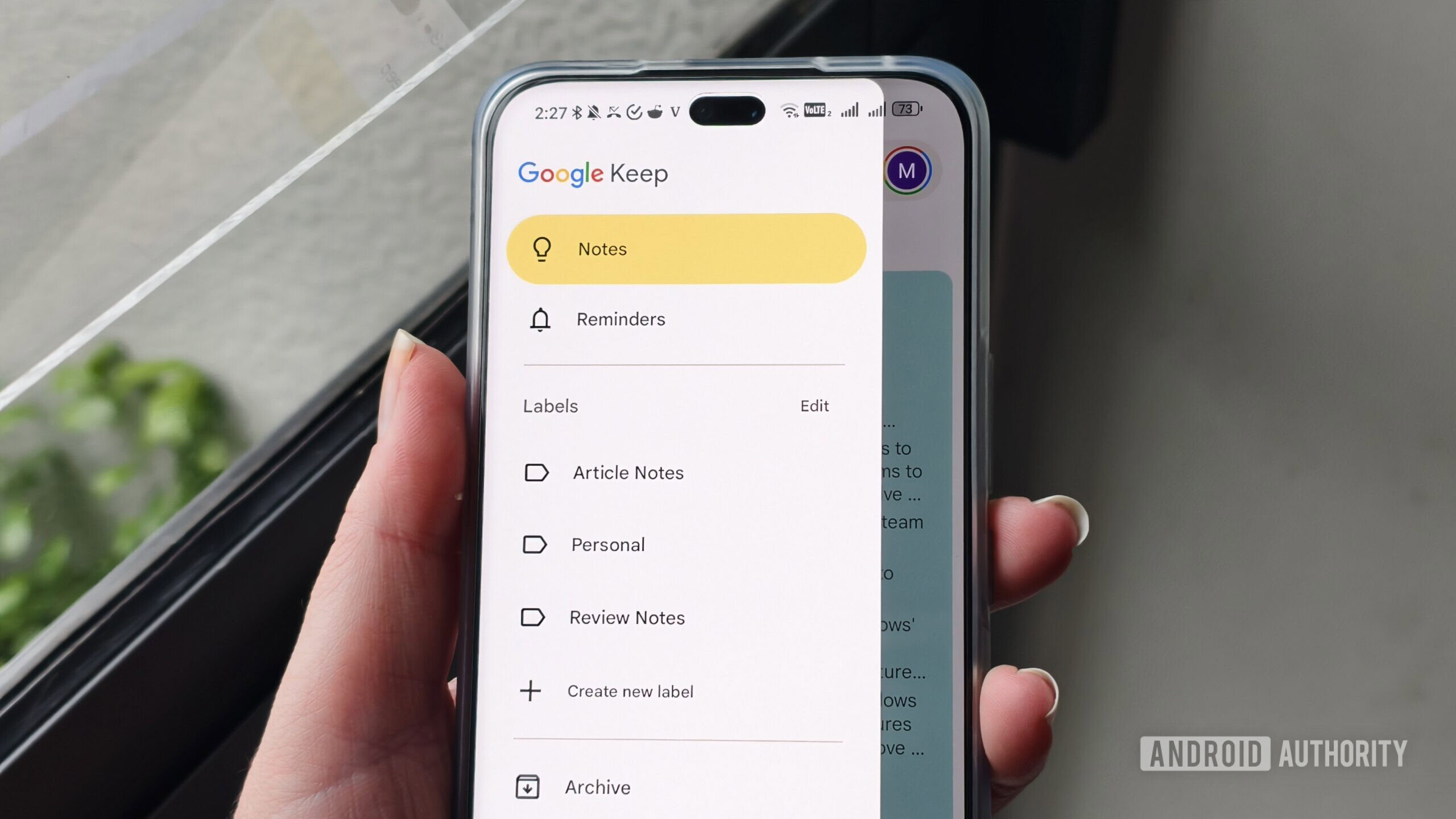
It’s as basic of a note-taking app as you can get, but that’s what makes it a great option for digital minimalists. There’s no learning curve involved like with Notion, and you don’t need to put in any time or mental energy to make it your own. You have a basic file management system built in, thanks to the ability to create labels, and basic formatting is also available when creating notes. Then there are reminders, an integration with Google Tasks, and that’s more or less it.
The simplicity of Keep is what drove me away from it in the first place, but since I’m getting fed up with all those complicated apps I use, it’s exactly what I need right now. It’s also free, syncs across my devices, and doesn’t stress me out when I open it due to its basic nature and limited feature set. It’s a different story than with something like Notion, which I filled with so many pages that I have a hard time finding the one I’m looking for at times.
Niagara Launcher
Mitja Rutnik / Android Authority
I’m a Pixel user, and while the default launcher on Google’s phones is among the best you can get, it still feels excessive at times. I had multiple home screens set up, all filled with apps, folders, and widgets. Add in all those colors that pop when I turned on the screen, and I quickly found myself opening apps out of habit instead of necessity.
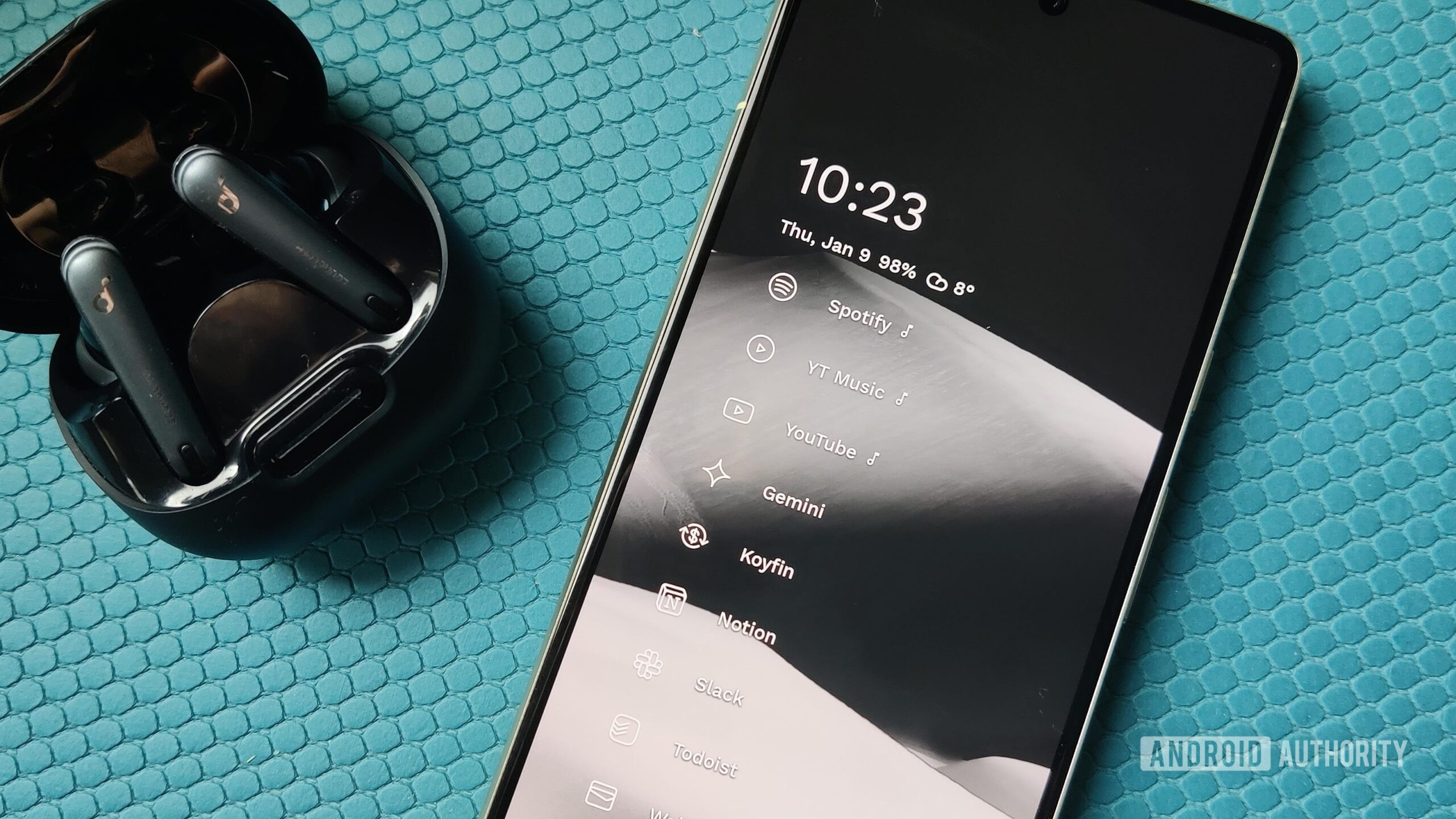
Niagara Launcher has helped me reduce doomscrolling substantially, as it’s designed completely differently than most other launchers out there. For example, my home screen is a list of just five of my most-used apps, which keeps me focused on what really matters. The app drawer is just a long list of apps and a lot less appealing than the traditional app drawer on Android phones. Add in a monochrome theme I set up, and the result is that I’m a lot more mindful when using my phone, grabbing it only when I really need to.
Every feature is very carefully thought out and provides a lot of value.
The feature set is limited compared to something like Nova Launcher, but every feature is very carefully thought out and provides a lot of value. For example, I really like that I can select which apps appear on my home screen when I connect my Pixel to my headphones via Bluetooth. This means those apps appear only when I need them — like Spotify, for example — and don’t clutter my home screen at all times. It’s something I think every Android phone should have.
Niagara Launcher is technically free, but if you want access to every single feature on offer, you’ll need a subscription. It’s not that expensive, coming in around $10 per year. There’s also lifetime access available for around $45.
Microsoft To Do

Mitja Rutnik / Android Authority
There are simpler task management apps out there than Microsoft To Do — Google Tasks being one of them — but this one strikes the best balance between simplicity and feature set. More importantly, it’s completely free. There are no subscription plans available, so you’re not missing out on any features with the free plan.
Don’t want to miss the best from Android Authority?


I’ve tried just about every task management app out there and am currently using Todoist. Due to the recent price hike and my frustration with a simple app becoming too jam-packed with features I don’t care about, I’m switching back to Microsoft To Do.
Microsoft’s app sticks to the basics and removes all the other unnecessary features. I can create tasks, set due dates and reminders, and sort tasks into custom lists for easier navigation. I can even set custom themes to give the app just a bit of life. The app even supports natural language input that lets me write a time and date next to a task instead of manually selecting them.
Simplenote

Dhruv Bhutani / Android Authority
While Keep is great for short notes, Simplenote works best for long-form writing for me personally. While Google Docs is also an option, I try to keep my exposure to Google at a minimum and just generally prefer the simplicity of Simplenote.
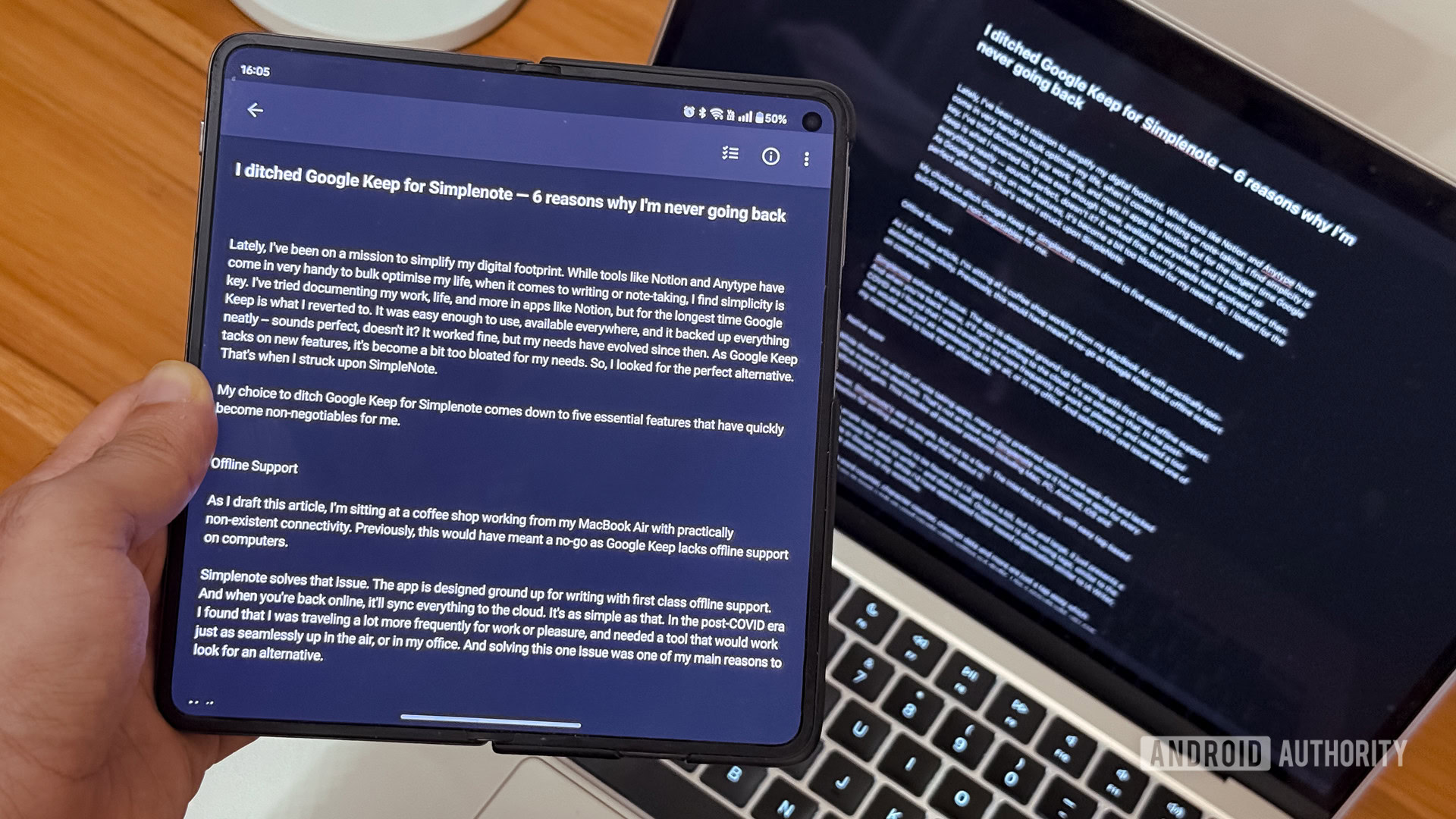
It has a very distraction-free interface that’s not filled with formatting options that take up space and get in the way. That means I can focus just on my writing and worry about everything else later.
There’s a very simple tagging system built in for file management, making it easy to find the doc I’m looking for. There’s also a nifty info icon that gives me all the basic details about a doc, including when it was created, last modified, and, more importantly, how many words and characters it contains.
Like Microsoft To Do, Simplenote is completely free — there are no subscription plans with extra features available. It also syncs across devices and even has dedicated apps for Windows, Mac, and Linux.
Feedly
Rita El Khoury / Android Authority
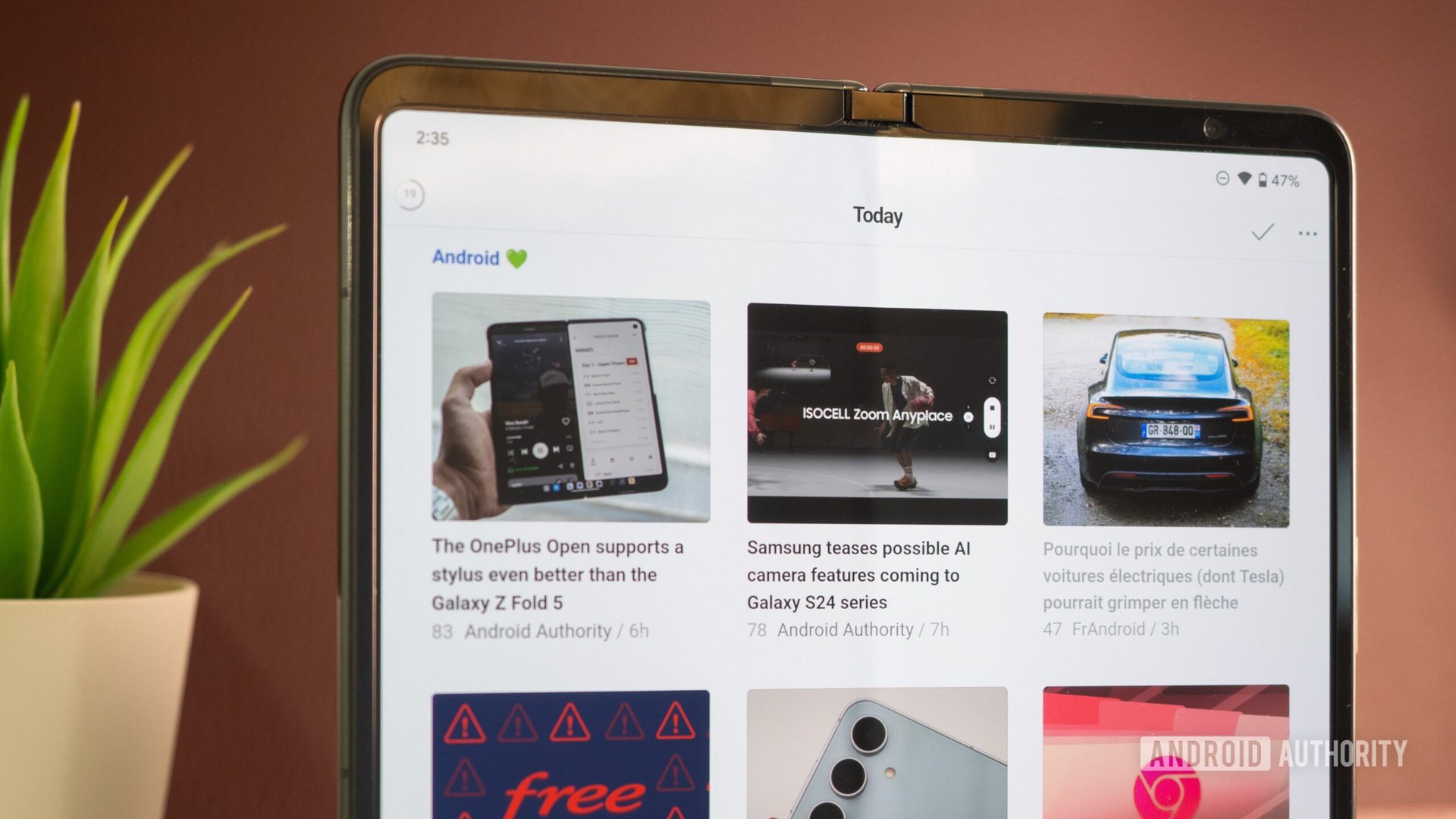
This one is a bit different than most other apps on this list since it needs a more hands-on approach when first setting it up. You can’t just jump in and start using it right away if you want to get the best out of it, as you need to create a curated list of sources first.
The end result is a clutter-free, minimalist experience.
This can take a while, but the end result is a clutter-free, minimalist experience. When I’m using an app like Google News, for example, there are way too many articles from all sorts of sources in my feed, most of which I couldn’t care less about. I keep scrolling and scrolling, switching between different news topics, just to find something remotely interesting.
Feedly solves this problem since it’s an RSS reader. It only shows me stories from sources I trust and like, making sure most of the stories that show up in my feed are of value to me. I can create custom feeds for each specific topic — business, tech, fitness — and even save articles that are long and want to read later, or read again in the future.
The app does offer a subscription with extra features, but I’m on the free plan and don’t plan on changing that, since it offers everything I need.
These are the five minimalist apps I recommend to those looking for simplicity, although there are plenty of other options available to choose from. Which ones would you add to the list? Let me know in the comments.
Thank you for being part of our community. Read our Comment Policy before posting.