While LinkedIn might not be the most robust ad channel we have access to, it has quite a few different campaign objectives. Each is designed to help you achieve a different goal, and choosing the wrong one could mean lackluster performance from a pretty important channel.
In this article, I’ll walk through each of the campaign objectives LinkedIn offers, talk about how they work, and give you some tips for choosing the right one for you.
Contents
What to know about LinkedIn campaign objectives
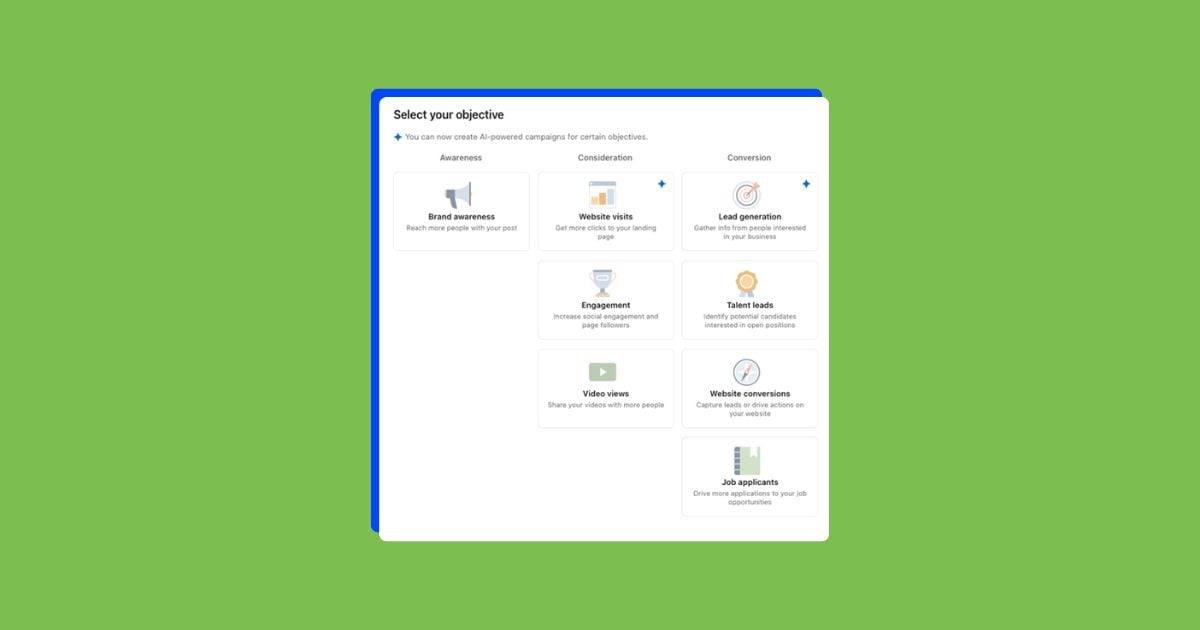
Whenever you create a new campaign on LinkedIn, the first thing you do is choose your objective.
They’re laid out in three columns: awareness, consideration, and conversion. It’s important to pay attention to these as they will help you decide which might be the best for your goals. But don’t get too bogged down with these columns. In some instances, a video views campaign can be great for awareness and lead generation, as it could be driving users to a top-of-funnel call to action like a content download.
💡 LinkedIn Ads can fill gaps in your current digital marketing strategy! Learn more by downloading our free guide to 10 marketing gaps that cost you customers (and how to fix them).
Every LinkedIn campaign objective available for advertisers
The best way to outline which LinkedIn campaign objective might be the right one for your business’s advertising is to understand how each of them works. So let’s go in order from left to right, top to bottom, and cover them all.
1. Brand awareness
According to LinkedIn, brand awareness campaigns are “simple impression-based campaigns.” These are designed to get as many impressions as possible and ideally get your target audience’s eyes on them.
Let’s go through a few key features.
First, it is actually one of the newest portions of LinkedIn. Under the campaign objective box, only Brand Awareness campaigns are eligible for connected TV placement. This allows you to reach your target audience on their connected devices, but you must use video creatives to do so.


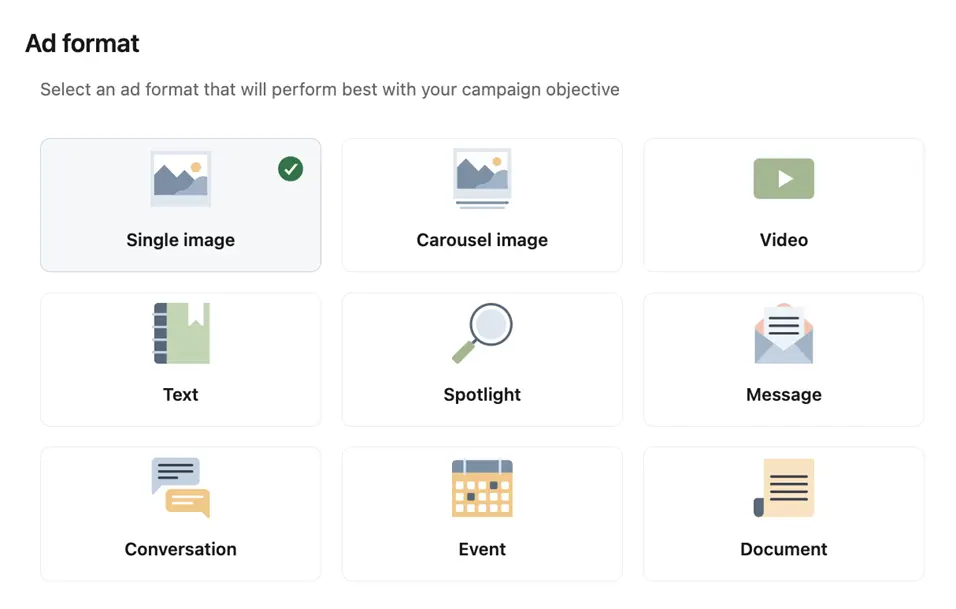
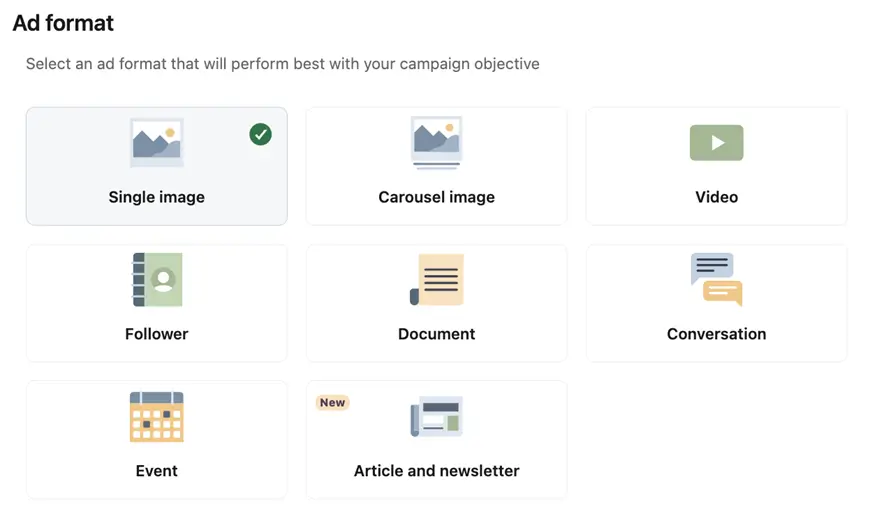
Which brings us to our next point for brand awareness campaigns: there are quite a few ad formats available. Everything from a single image to a new option of an article and newsletter.

The last portion that sets brand awareness campaigns apart is the optimization event. Reach will be the default option, but you could also change the objective to impressions. Unfortunately, maximize delivery is the only bidding option we have with this campaign, so if you want to have manual control of your LinkedIn ads bids, you’ll need to choose a different campaign type.


Best for:
- Reaching a wide target audience.
- Finding your audience on connected devices through CTV ads.
- When you want to use varied ad formats (nearly all ad formats are available).
- Tracking: Conversion tracking is optional if you want to track certain events.
Potential drawbacks:
- Maximize delivery is the only bidding option.
- Impressions and reach are the only objectives, nothing more action-oriented.
⚡ Looking for more ways to build brand awareness beyond LinkedIn? Download our free, definitive guide to brand awareness, complete with top strategies, examples, and tips to measure success!
2. Website visits
Now we’re going to move into the middle column of the LinkedIn campaign objective options and talk about the campaign types intended to fit in the consideration portion of the buyer funnel.
First is website visits. This campaign objective focuses on driving users to your website and can be likened to a maximize clicks strategy on other platforms.
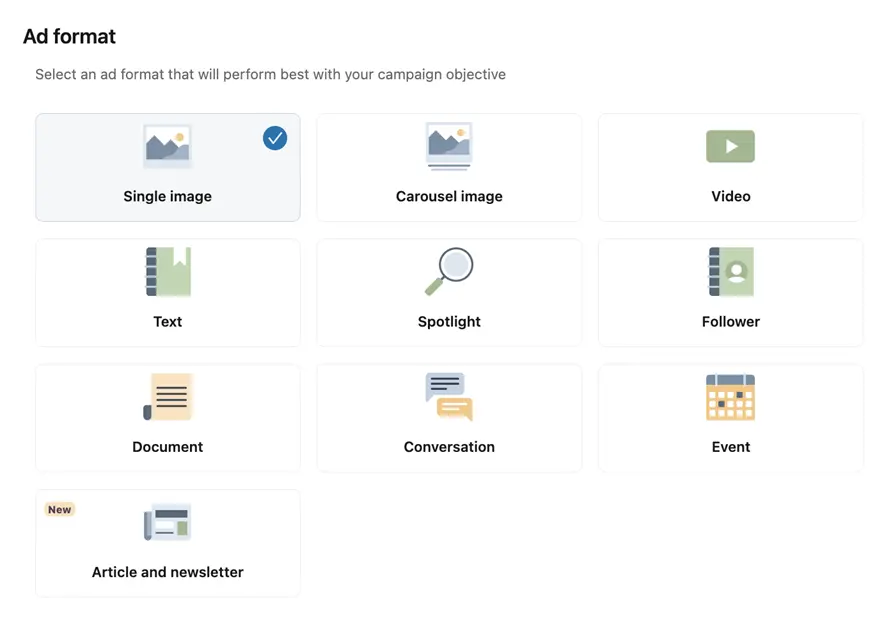
Similar to brand awareness, there are quite a few ad formats you’re eligible for with website clicks, but there’s no option for article or newsletter creatives. Many of these are great options to get users to your site, but if you’re trying to limit friction and want as many visitors as possible, you’re likely best sticking with a single image, carousel, or document ad type. Many of the other ad formats are either designed to keep you on the platform longer, like conversation ads, or they’re much lower volume than others, like text ads.

Placement targeting with website visits is a little different than brand awareness. For these campaigns, you can’t target Connected TV, but you can target the LinkedIn Audience Network. Additionally, you have the option to use “block” or “allow” lists based on your brand safety control preferences. That said, I personally turn off the Audience Network for just about all of my campaigns as it’s never really performed that well for me, but your mileage may vary.
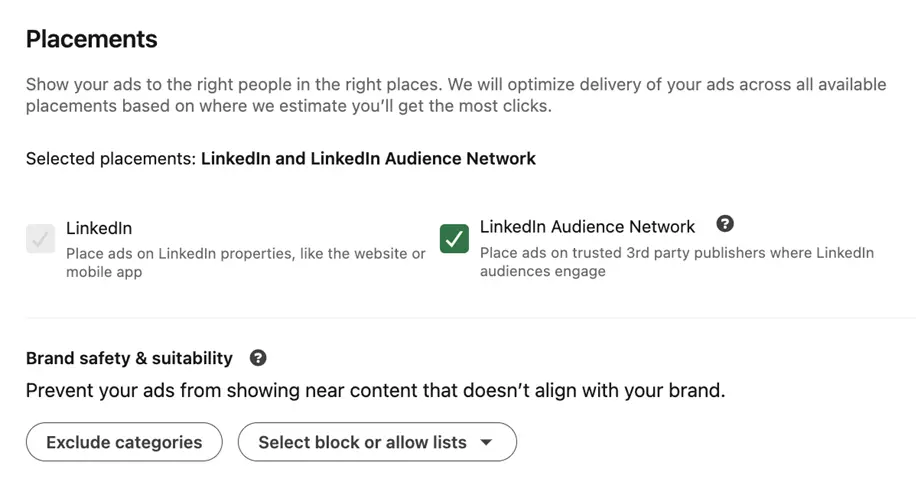

In the bidding and optimization section, there are a couple of nuances for website visits.
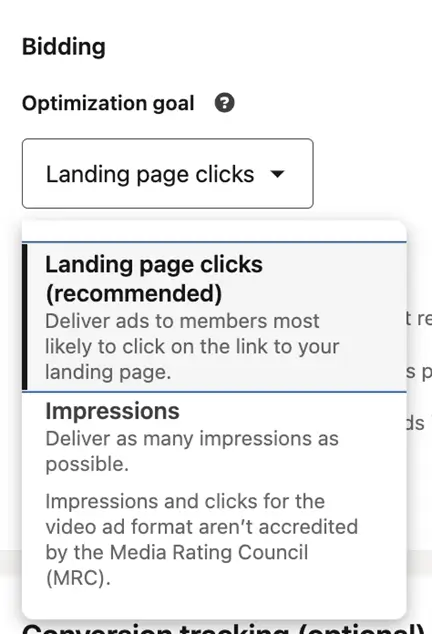
First, the optimization event will default to landing page clicks, which means this event relies on a visitor clicking on your ad and then also being tracked by the LinkedIn Insight tag on your website. This is absolutely the option I would suggest, but if you prefer, you can set this to optimize for impressions.

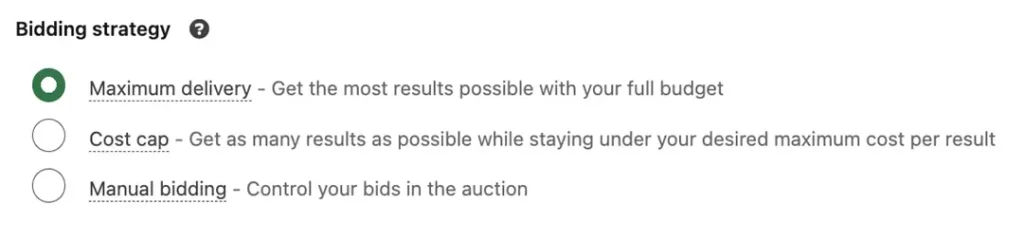
Next, we now have options for more bidding strategies. Maximum delivery will still be the default, but we now also have options for cost cap and Manual CPC. Both of these strategies are great for getting lower CPCs on LinkedIn since the platform tends to be expensive. If you’re interested in learning more about these strategies, you can check out this post.

Lastly, just like brand awareness, you have the option to track conversions that come from your campaigns, even if that wasn’t the primary focus of the campaign.
Best for:
- Driving users to a webpage
- Building audiences for remarketing
Potential drawbacks:
- Doesn’t optimize for conversions, but can track them
3. Engagement
The engagement campaign type is focused on getting your potential customers to interact with your LinkedIn ads in just about any way. That includes clicking on the ad just like we’d want with website visits, but it also includes social actions like likes, comments, hashtags, and shares, as well as other engagements like profile views and company follows.
The list of available ad formats changes a bit for engagement compared to website visits. We get the article, newsletter, and follower types back, but we lose the text, spotlight, and message types.

Like website visits, however, we have two optimization events: one for engagement clicks (default) and one for impressions. We also retain all 3 bid strategies: maximum delivery, cost cap, and manual bidding.
Best for:
- Campaigns looking to drive on LinkedIn engagement.
- Building engagement audiences on LinkedIn.
Potential drawbacks:
- Users don’t necessarily make their way to your website for retargeting on other platforms.
- Conversions are tracked, but not optimized for.
4. Video views
As you can tell from other campaign objectives, video ads can run in lots of different campaign objectives. There are really only two differences with video views campaigns.
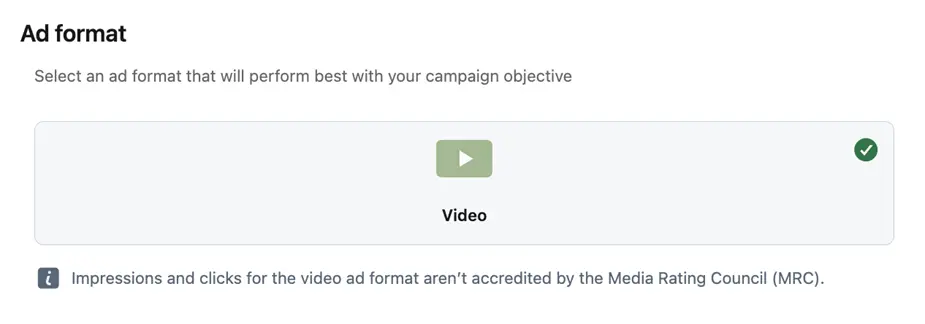
First, the only ad format is video. Which clearly makes sense given the objective.

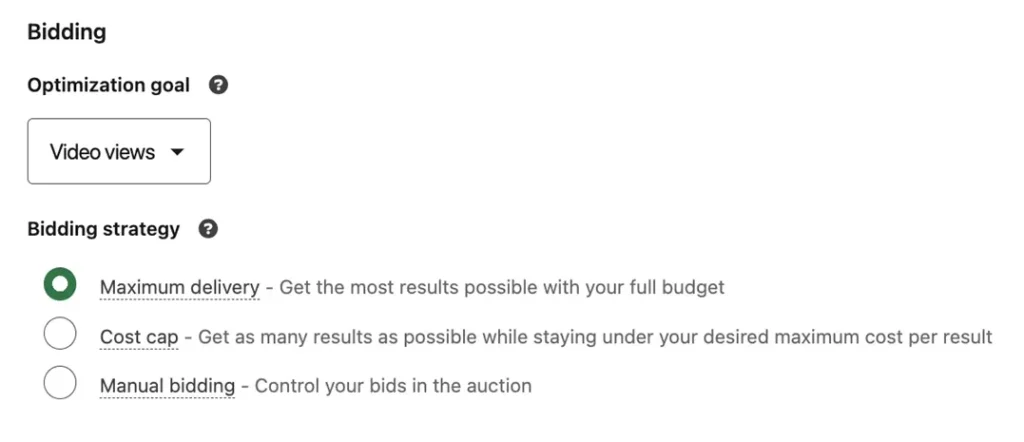
The second is the optimization event. With video views campaigns, you can optimize for views, which all other campaign types cannot do. You can then bid according to that video view goal using all three available bid strategies.

Best for:
- Getting views of videos and controlling costs for those views.
- Building audiences of users who have watched videos on LinkedIn.
Potential drawbacks:
- No cross-platform retargeting as the video view audiences are owned by LinkedIn.
5. Lead generation
Now we move into the third and final column of the campaign objectives.
LinkedIn lead generation campaigns allow you to use a customizable form to ask users for their information, similar to how you would on a landing page. This is one of my personal favorite campaign objectives, and it’s worked really well for a lot of my clients.
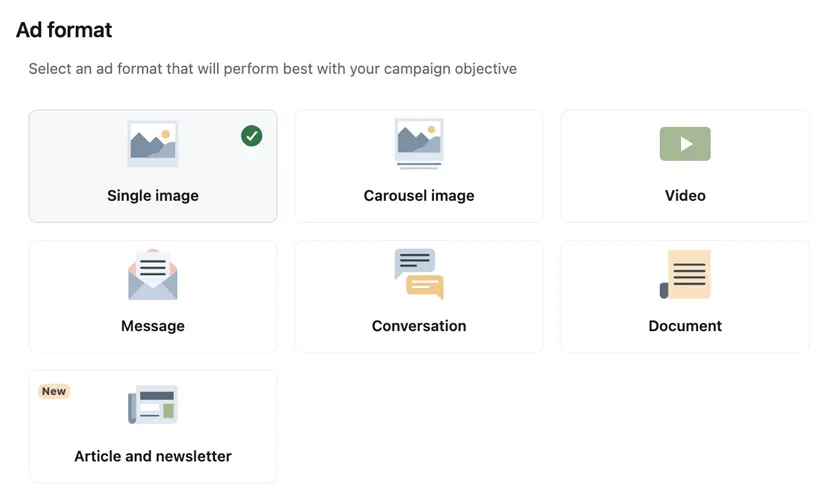
There are quite a few ad formats you can use.

The difference is that when a user clicks on the ad, rather than being taken to your landing page, they’ll see a form. This can be customized to get the answers you need based on your business.
These ads are a unique format and can only run on LinkedIn, so no audience network option here.
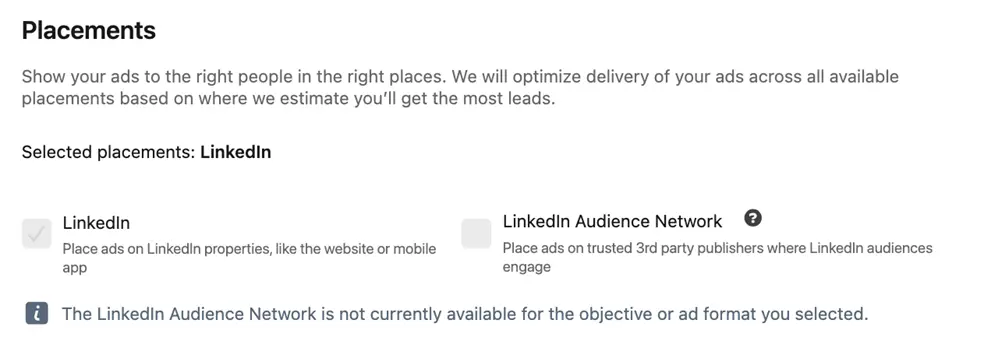

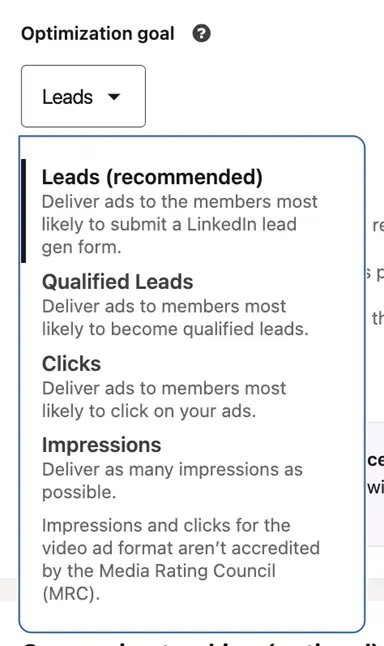
The optimization event will be Leads by default, but you can also aim for Optimized Leads, Clicks, or Impressions. For each of these, you can use all three bidding strategies as well to help control your cost per lead.

Best for:
- Reducing friction while generating leads.
- Customizing and testing lead forms without the need for coding changes.
- Can work for top, mid, or bottom of funnel calls to action based on the questions used.
Potential drawbacks:
- Need to ensure leads are making their way to your CRM to be followed up with, like any other lead.
- Conversions take place on LinkedIn, so they can’t be used as cross-platform retargeting.
6. Website conversions
This campaign type is very similar to website visits, but rather than optimizing for clicks, it will optimize for whichever conversion actions you define as valuable on your campaign.
This campaign type includes most of the ad formats, can run on the LinkedIn Audience Network, and can use all three bidding strategies to optimize for your conversions.
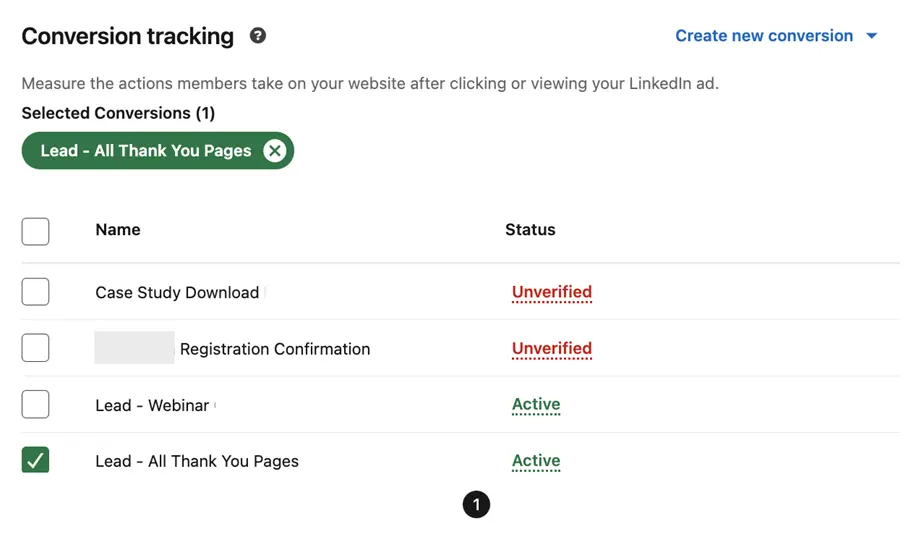
Which brings us to the only differentiator for this LinkedIn campaign objective. Website conversion campaigns must have at least one conversion action selected so the platform knows what to optimize for. That means you need to have conversion tracking set up to use this campaign type.
You can select multiple conversion actions for a single campaign, and LinkedIn will try to optimize for all you’ve selected. Just like other platforms and automated bidding strategies, the more data you have, the better the algorithm can optimize.

Best for:
- Optimizing for on-site conversion actions.
Potential drawbacks:
- Low-volume conversion actions can make it hard to optimize.
7. Job applicants
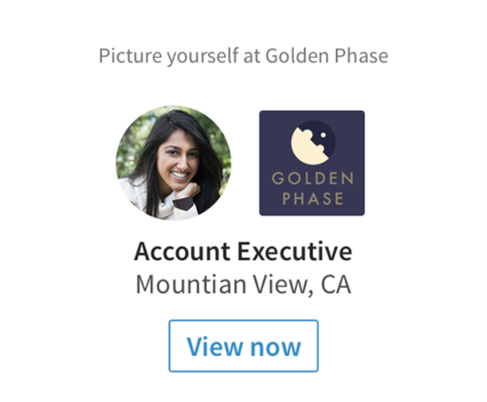
The final campaign for our rundown is Job Applicants, where you can promote your job listings, and LinkedIn will optimize for the users most likely to click on them, in turn trying to get you more applicants.
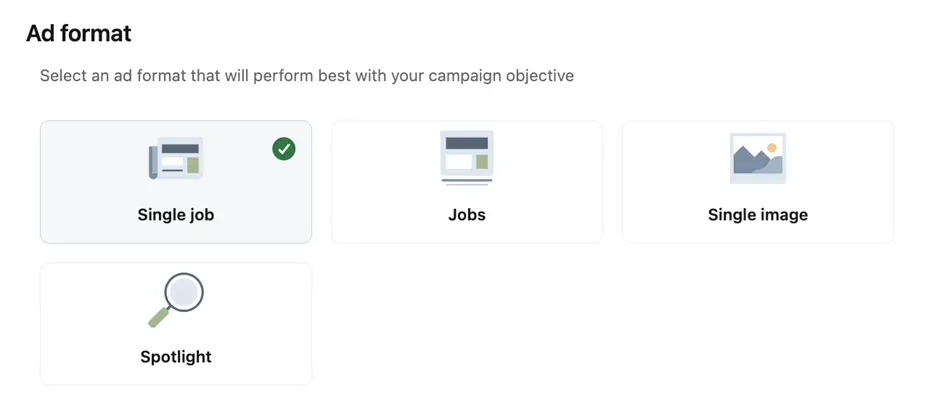
For this campaign type, the ad formats are limited. We retain the usual single Image and spotlight ads, but gain two new ones.
These are dedicated to only Job ads: one is for promoting a single job, and the other is for posting multiple jobs.

These ads can only run on LinkedIn, so no third-party audience network options for this LinkedIn campaign objective.

Lastly, there are only two bidding strategies for job applicant campaigns. If you’re in love with cost cap, this strategy won’t let you use that.


Best for:
- Showing off your open positions at your company in a couple of unique formats.
- Driving more users to your job listing.
Potential drawbacks:
- No optimization for actual job applications, only page views or impressions.
How to uncover the right LinkedIn campaign objective for you
No matter what your goals are while optimizing on LinkedIn, there’s likely a campaign objective that will fit your needs. Make sure to take into account what your top-line goals are, but also what types of ad formats you can use, the optimization events you have access to, and any limitations to the campaigns. For more ways to maximize your LinkedIn campaigns, see how our solutions can help!