





Tushar Mehta / Android Authority
TL;DR
- Google’s been refining the look of Gemini Live’s overlay bar, and some further changes could be on the way.
- Video and screen sharing buttons may be combined into one.
- A new pull-bar up top could let users expand the overlay to full-screen.
Google is never quite done tweaking the interfaces we use to access its tech, and that’s probably more true for Gemini than anything. As Google continues to give Gemini powerful new abilities, the company’s developers work to further refine Gemini’s UI, making sure we can intuitively and quickly access them all. Recently we’ve seen Google introduce some changes to its Gemini Live overlay, and now we’re already getting a sense for how it might follow those up with even more.
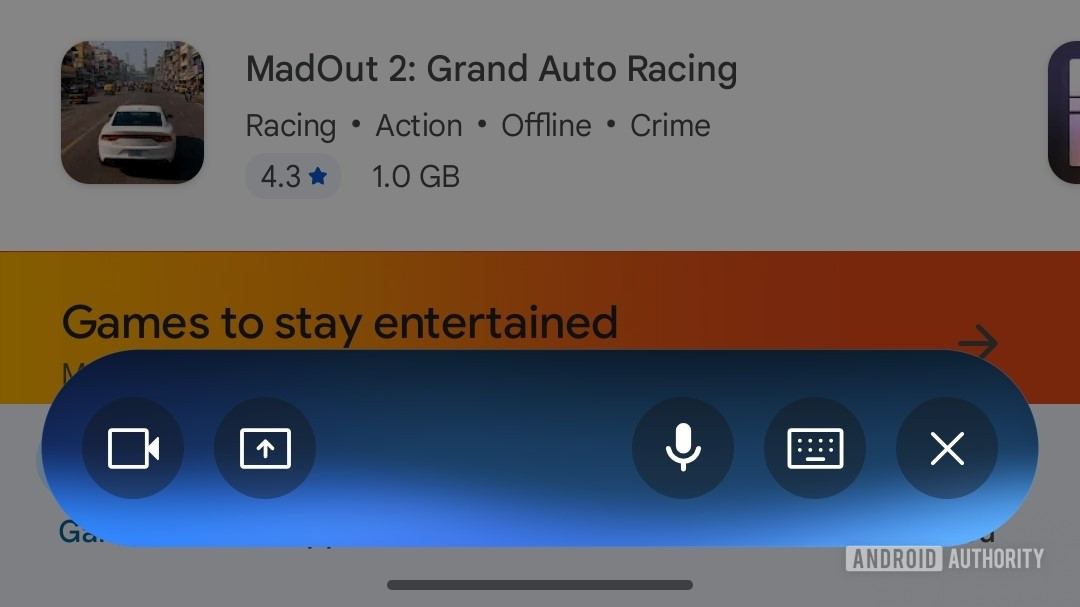
The latest look for Gemini Live’s floating overlay started rolling out earlier this year, and it’s a little bit busy, with separate buttons for voice input, keyboard input, screen sharing, and camera input. Here’s how it likely shows up for you today:

AssembleDebug / Android Authority
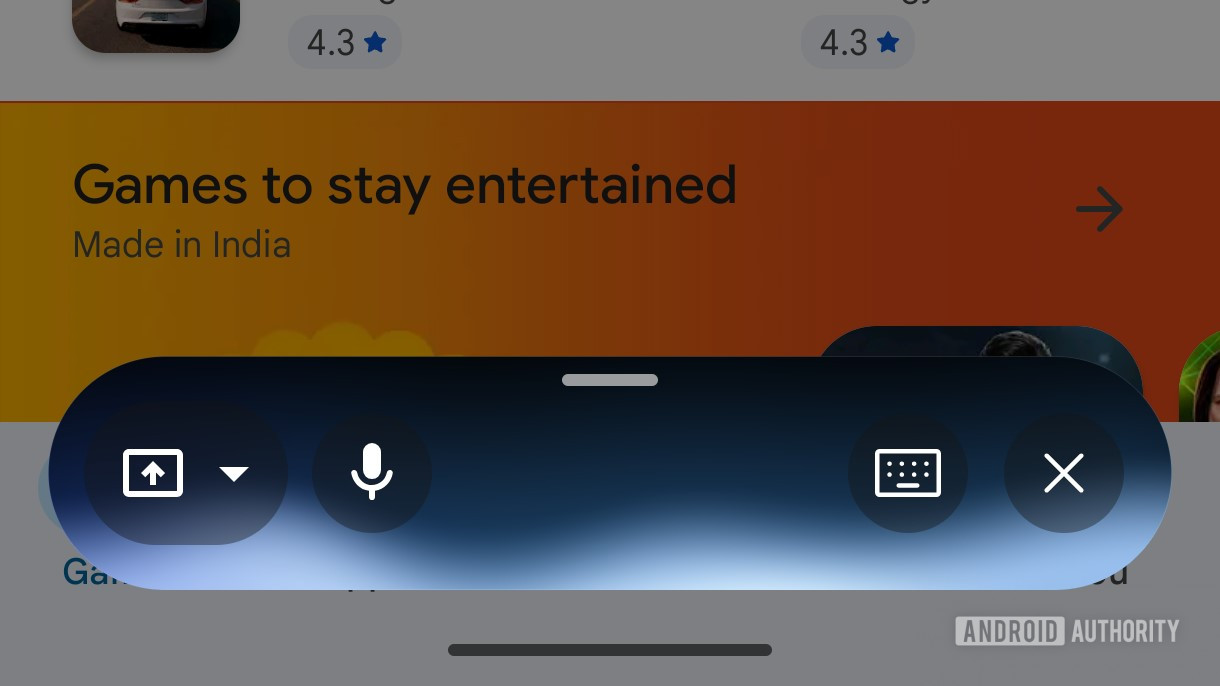
Analyzing Google’s version 17.8.59.sa.arm64 update of the company’s app for Android, we’ve uncovered an even further revised version of this overlay that begins to consolidate some of the inputs. You won’t see this on your own phone just yet, but here’s an early look at how it should appear:

AssembleDebug / Android Authority
We’re noticing three main changes. Voice input slides over to the left. And also on the left there, Google combines the camera and screen sharing into one button.
Don’t want to miss the best from Android Authority?


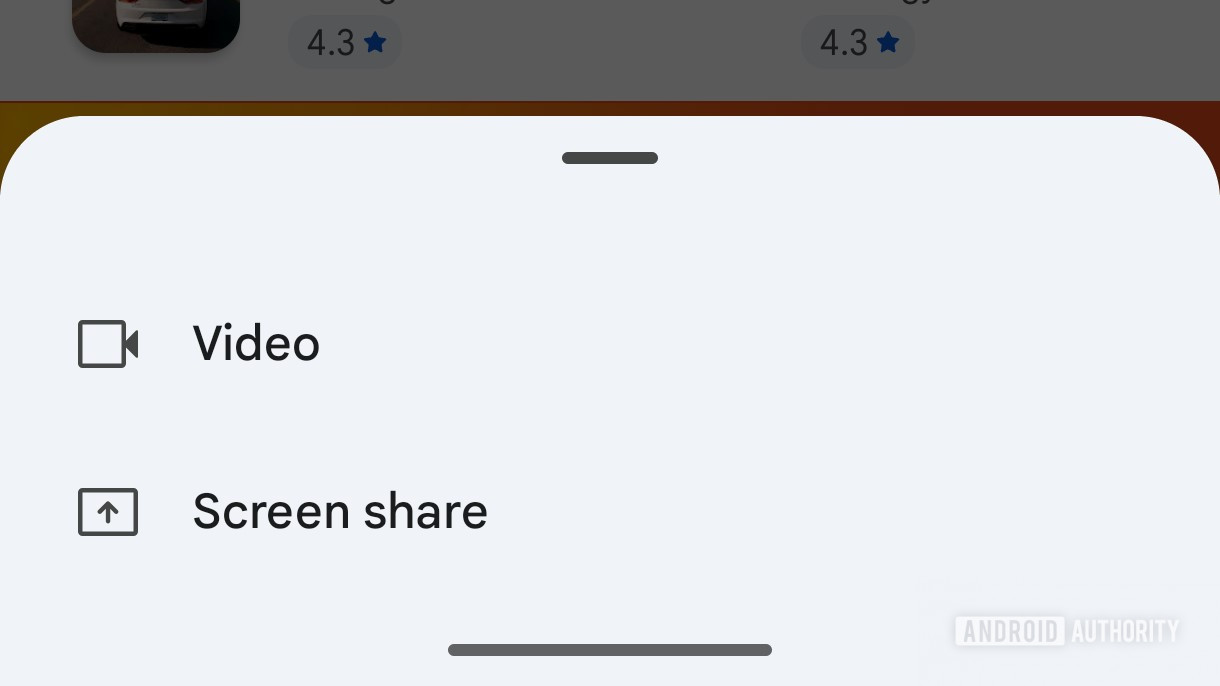
Hitting that one pulls up a card asking you to choose between the two.
AssembleDebug / Android Authority
We’re also seeing a new handle up at the top of the overlay, and dragging that up pulls you out of the overlay into full-screen Gemini Live.
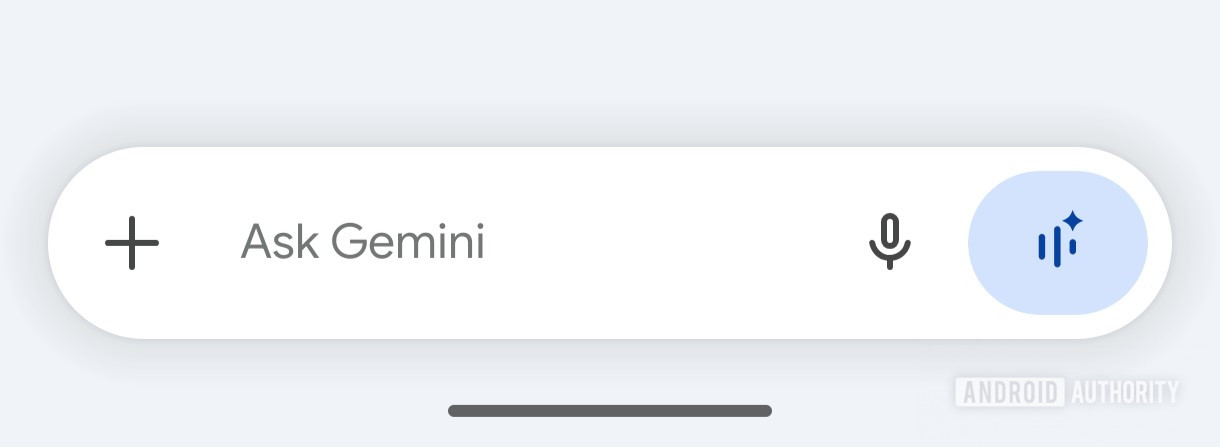
Finally, we’ve got one more in-development UI tweak with a Gemini Live angle:

AssembleDebug / Android Authority
We recently looked at how Google was working to tidy up the UI within the Gemini app. In addition to all the changes we already spotted, we’ve also now identified this additional one, removing the circle around the voice-input microphone, and dropping a colored accent around the Live button.
Google being Google, odds are we’ll continue to see these further refined as developers keep tinkering away at Gemini’s interface.
⚠️ An APK teardown helps predict features that may arrive on a service in the future based on work-in-progress code. However, it is possible that such predicted features may not make it to a public release.
Thank you for being part of our community. Read our Comment Policy before posting.


