Last year, Google added new beta features to Google Drive, designed to detect ransomware and aid file restoration where needed. Today, Google announced that those same tools are rolling out to everyone, with upgraded AI detection that can recognize 14 times as many infections as before.
onsidering today is World Backup Day, it’s pretty handy to get a bunch of tools designed to protect your backups from harm.
Watch On
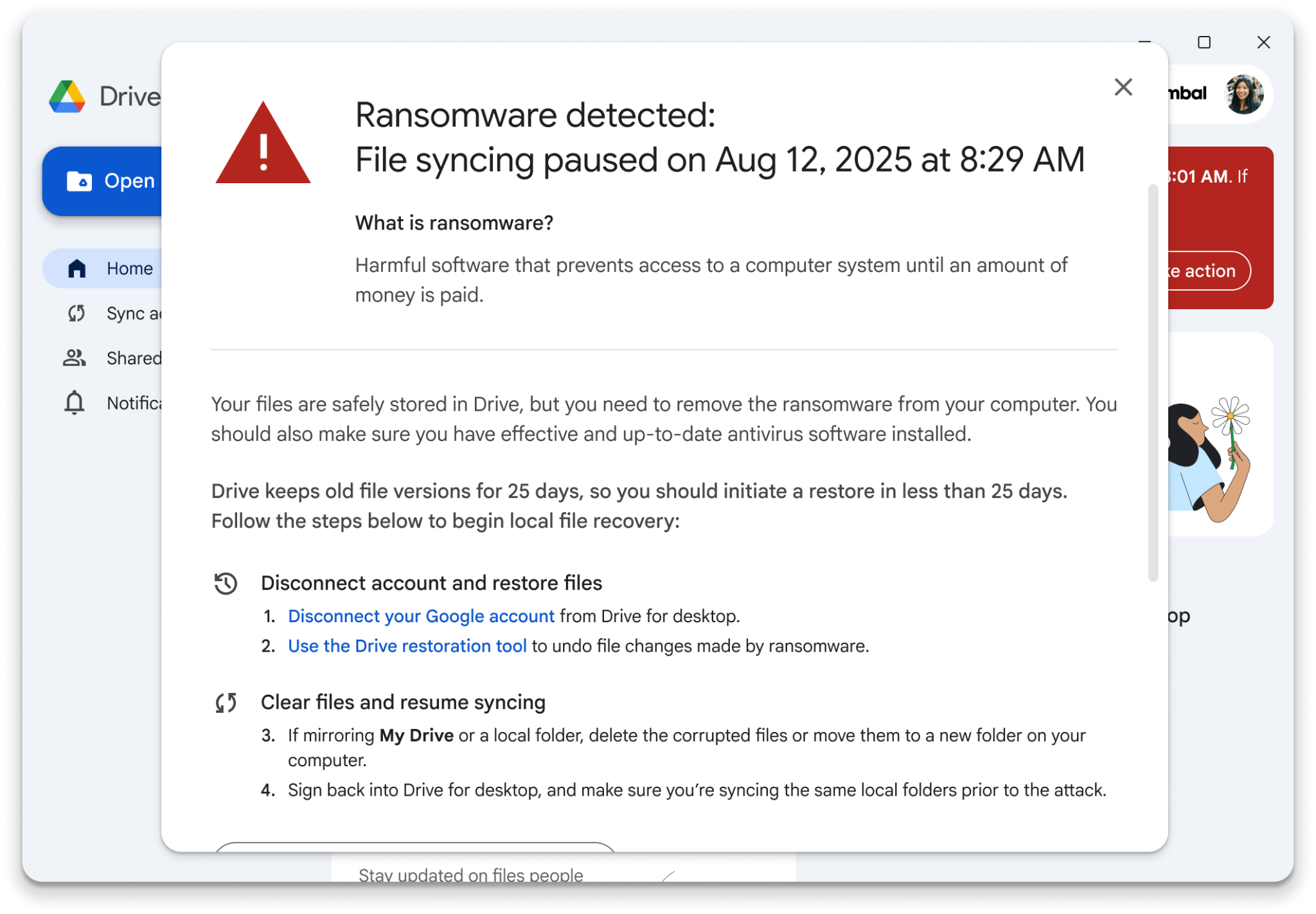
So how does this work, exactly? The tools are built into Google Drive for desktop, and should the app detect ransomware on a connected device, it will automatically pause all file syncing. This is to stop the ransomware from interfering with files stored in your Drive account and from spreading to other connected devices.
Article continues below
Google Drive will start by scanning your backups for potential ransomware, and if anything is detected, it will automatically pause syncing. This is to prevent you from spreading those files to your other devices and causing significantly more damage. The user is then notified about the file, and emails will be sent out to all connected users. It’s not a subtle warning and includes a list of everything you need to do to solve the issue.
The first step is to disconnect your account from the Drive client, then use the Drive restoration tool to quickly and easily restore previous versions of your files. Google stores older versions for 25 days, giving you plenty of time to retrieve your data and undo any damage caused by the ransomware attack.

This isn’t designed to be a replacement for antivirus or other defensive tools that would protect from ransomware. It’s an additional layer of protection designed to help you catch the problem before the damage is irreversible — and ensure you can safely restore backed-up files later.
Google Drive’s tools are free to use as well, which means regular users won’t have to invest in expensive or business-focused software to better protect themselves against ransomware.
Google says that ransomware protection is now enabled by default and will be available in Google Drive version 114 and later. You can set the detection level in the settings or disable these protections altogether. Since Google has said it won’t scan your files to train its AI without your express permission, we recommend that you only switch it off if you have better, more powerful ransomware protection tools at your disposal.


Follow Tom’s Guide on Google News and add us as a preferred source to get our up-to-date news, analysis, and reviews in your feeds.