In the rapidly evolving landscape of AI-powered development, engineers are constantly seeking tools that enhance productivity, accelerate iteration cycles, and improve code quality. While large language models (LLMs) like OpenAI’s Codex and Anthropic’s Claude have individually demonstrated remarkable capabilities in code generation and analysis, their true potential is unlocked when strategically combined. This article provides a comprehensive guide for developers on integrating OpenAI Codex and Claude Code into a synergistic workflow, leveraging their distinct strengths to achieve unparalleled efficiency and precision. We will delve into the practicalities of setting up each tool, explore the groundbreaking Codex plugin for Claude Code, and illustrate real-world scenarios where their combined application yields superior results, all while keeping an eye on cost optimization and team adoption.
The synergy between OpenAI Codex and Claude Code stems from their complementary architectures and design philosophies. OpenAI Codex, a descendant of the GPT series, excels at rapid code generation, translation, and explanation across a multitude of programming languages. It’s often perceived as a highly versatile coding assistant, adept at single-pass solutions and quick iterations. Claude Code, on the other hand, is engineered with a deeper understanding of codebase context, a more robust ability to reason about complex architectural changes, and a strong emphasis on safety and coherence. Its terminal-based interface and direct interaction with the project directory allow it to perform more sophisticated tasks like large-scale refactoring, debugging, and even managing version control operations. By combining these, developers gain both the swift, broad strokes of Codex and the meticulous, context-aware precision of Claude Code, creating a development environment that is both agile and robust.
The Codex Plugin for Claude Code: Bridging the Gap
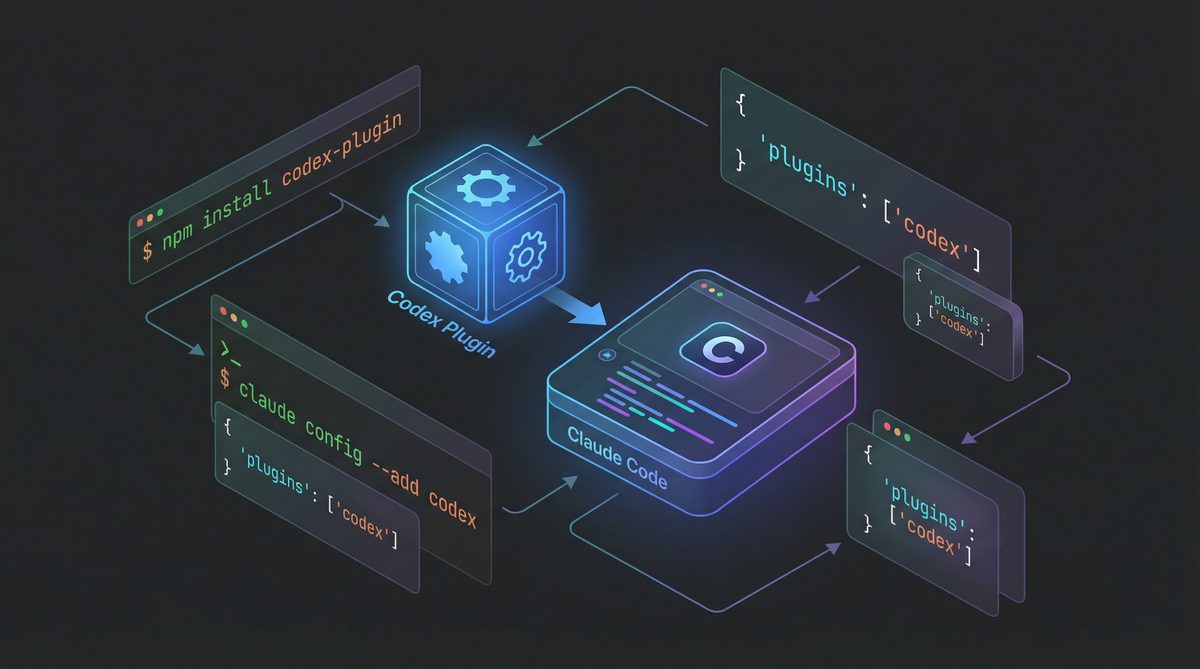
A pivotal development in late March 2026 was the official release of the Codex plugin for Claude Code. This plugin fundamentally transforms how developers can leverage both AI systems. Previously, integrating these tools often involved manual copy-pasting or custom scripting. The plugin streamlines this process, allowing Claude Code to directly invoke Codex for specific tasks, thereby extending Claude Code’s capabilities with Codex’s rapid generation prowess. This means that while Claude Code maintains its deep understanding of your project, it can delegate smaller, more isolated coding tasks to Codex for quicker execution, receiving the output back within its own operational environment.
Installing the Codex Plugin for Claude Code
Installation is straightforward. Assuming you have Claude Code already set up and running (detailed setup covered in the next section), you can install the plugin directly from Claude Code’s internal package manager. Open your Claude Code terminal and execute the following command:
claude-code install codex-bridgeThis command fetches the latest version of the plugin from Anthropic’s official plugin repository. Once installed, you’ll need to configure it with your OpenAI API key. Claude Code will prompt you for this during its next startup or when you first attempt to use a Codex-specific command. Alternatively, you can add it to your Claude Code configuration file, typically located at ~/.claude-code/config.yaml:
plugins:
  codex-bridge:
    enabled: true
    openai_api_key: "sk-your_openai_api_key_here"
    default_model: "text-davinci-003" # Or gpt-4-code-0126 if available and preferred
    timeout_seconds: 60
Replace "sk-your_openai_api_key_here" with your actual OpenAI API key. The default_model parameter allows you to specify which Codex or GPT model the plugin should use for its requests. text-davinci-003 is a cost-effective and capable option, but newer, more powerful models like gpt-4-code-0126 (if you have access) can offer superior results for more complex generation tasks. The timeout_seconds setting is crucial for preventing long-running Codex calls from hanging your Claude Code session.
Setting Up OpenAI Codex
OpenAI Codex can be accessed in several ways, primarily through its dedicated desktop application and its Command Line Interface (CLI). For a seamless workflow, having both configured is highly recommended.
Codex Desktop Application (macOS and Windows)
The Codex desktop application provides a rich, interactive environment for code generation, refactoring, and natural language to code translation. It integrates with popular IDEs and text editors, offering inline suggestions and code completion.
- Download: Visit the official OpenAI developer portal (developer.openai.com) and navigate to the Codex section. Download the installer for your operating system (macOS .dmg or Windows .exe).
- Installation: Run the installer. On macOS, drag the app to your Applications folder. On Windows, follow the on-screen prompts.
- Configuration: Upon first launch, the application will prompt you for your OpenAI API key. Enter it to authenticate. You can also configure default models, temperature settings, and other parameters through the application’s preferences.
- IDE Integration: Most developers will want to integrate Codex with their primary IDE. The desktop app typically includes plugins for VS Code, IntelliJ IDEA, and Sublime Text. Follow the in-app instructions to install these extensions within your IDE. This allows you to invoke Codex directly from your editor, providing context from your open files.
Codex CLI Setup
The Codex CLI is invaluable for scripting, batch operations, and integration into CI/CD pipelines. It’s also the underlying mechanism that the Claude Code plugin uses for direct interaction.
- Prerequisites: Ensure you have Node.js (version 16 or higher) installed on your system.
- Installation: Open your terminal or command prompt and install the OpenAI CLI globally:
npm install -g openai - Authentication: Set your OpenAI API key as an environment variable. This is the most secure and recommended method:
export OPENAI_API_KEY="sk-your_openai_api_key_here"For persistent storage, add this line to your shell’s configuration file (e.g.,
~/.bashrc,~/.zshrc, or~/.profile). On Windows, you can set it via the System Properties environment variables dialog. - Testing: Verify your setup by running a simple command:
openai api completions create -m text-davinci-003 -p "write a python function to sum two numbers" -t 0.7 -n 1 -s 100This should return a Python function. If it does, your Codex CLI is correctly configured.
Setting Up Claude Code
Claude Code is designed for a deep, contextual understanding of your codebase. Its terminal-based interaction and ability to execute commands directly within your project directory make it exceptionally powerful for complex development tasks. For those interested in leveraging Claude’s capabilities for broader AI applications beyond coding, our article on how to use Claude AI provides a comprehensive guide to its various features and applications.
Installation and Initial Configuration
- Prerequisites: Claude Code requires Python 3.9+ and pip. Ensure these are installed.
- Installation: Install Claude Code via pip:
pip install claude-code - Authentication: Set your Anthropic API key as an environment variable:
export ANTHROPIC_API_KEY="sk-your_anthropic_api_key_here"Similar to the OpenAI key, add this to your shell’s configuration for persistence.
- First Launch and Project Setup: Navigate to your project’s root directory in the terminal and launch Claude Code:
claude-code startOn its first run within a new project, Claude Code will perform an initial scan. It will ask for permission to read your project files, which is crucial for its contextual understanding. It will then create a
.claude-code/directory in your project root, containing its internal state and configuration files. - Configuration File (
.claude-code/config.yaml): This file is vital for customizing Claude Code’s behavior. You can specify:model: "claude-3-opus-20240229"(or other Claude models)excluded_paths: ["node_modules/", "dist/", "*.log"](to prevent Claude from scanning irrelevant directories, saving tokens and improving focus)max_context_tokens: 150000(adjust based on your project size and model capabilities)allow_execute_commands: true(essential for it to run tests, git commands, etc.)
It’s highly recommended to carefully configure
excluded_paths. An unoptimized configuration can lead to Claude Code consuming significantly more tokens by processing irrelevant files, directly impacting your API costs.
Key Features of Claude Code
- Sees Your Codebase: Claude Code builds an internal representation of your project, understanding file structures, dependencies, and code logic. This allows it to make informed decisions for large-scale changes.
- Writes Code: It can generate new code, modify existing functions, and perform refactoring tasks.
- Executes Commands: Crucially, Claude Code can execute shell commands within your project directory. This means it can run tests (e.g.,
npm test,pytest), compile code, or even run your application to observe its behavior. - Manages Git: It can stage changes, commit, and even interact with remote repositories (though direct push/pull operations usually require explicit user confirmation for safety). This capability makes it a powerful partner for feature development and bug fixes.
Practical Workflow: When to Use Which Tool
The art of combining Codex and Claude Code lies in understanding their optimal use cases. A blended approach maximizes efficiency and minimizes cost.
When to Use Claude Code (Deep Context, Complex Tasks)
Claude Code shines when the task requires a deep, holistic understanding of your project and its intricacies. Its ability to navigate the entire codebase, execute commands, and manage version control makes it ideal for:
- Complex Refactoring: If you need to rename a class across multiple files, update its usage, and ensure all tests still pass, Claude Code is your go-to. It can identify all affected areas, propose changes, apply them, and then run your test suite to validate. For instance, imagine refactoring a core API client; Claude Code can analyze the entire client folder, suggest changes, modify the relevant files, and then run integration tests to ensure no regressions.
- Debugging Persistent Issues: When a bug is elusive and spans several modules, Claude Code can analyze stack traces, examine relevant code sections, and even suggest and implement diagnostic logging, then run the problematic scenario to pinpoint the issue. Its ability to execute commands means it can iteratively test hypotheses.
- Architectural Changes: Implementing a new design pattern, migrating a database schema, or integrating a new service often requires changes across many layers of an application. Claude Code can help plan and execute these large-scale modifications, ensuring consistency and adherence to best practices.
- Feature Development Requiring Multiple File Touches: For features that involve modifications to backend, frontend, and database layers, Claude Code can coordinate these changes, ensuring all components are updated correctly and consistently.
- Codebase Audits and Security Reviews: Claude Code can be prompted to review specific sections of code for common vulnerabilities, adherence to coding standards, or performance bottlenecks, providing detailed reports and even suggesting fixes.
Example Prompt for Claude Code:
"Refactor the `UserService` class in `src/main/java/com/example/app/service/UserService.java` to use dependency injection for its `UserRepository`. Ensure all existing callers are updated, and run the unit tests in `src/test/java/com/example/app/service/UserServiceTest.java` to confirm no regressions. If tests fail, suggest fixes."Claude Code would then: read the `UserService` and `UserRepository` files, identify current instantiation patterns, propose changes to the constructor and calling code, modify files, execute `mvn test`, and report results, potentially suggesting further modifications if tests fail.
When to Use Codex (Parallel Tasks, Quick Iterations)
Codex excels at localized, well-defined tasks where deep codebase context isn’t strictly necessary or where speed is paramount. It’s perfect for:
- Generating Boilerplate Code: Need a quick data class, a simple utility function, or a basic API endpoint? Codex can generate these rapidly. For example, generating a Python script to parse a CSV file or a basic React component.
- Code Translation: Converting a snippet from Python to JavaScript or Java to C# is a strong suit for Codex. Its broad language model makes it adept at understanding syntax and semantic equivalents.
- Explaining Code Snippets: If you encounter an unfamiliar function or a complex regular expression, Codex can provide a concise explanation, often faster than searching documentation.
- Optimizing Small Functions: Asking Codex to optimize a specific loop or a mathematical calculation within a single function.
- Unit Test Generation for Isolated Functions: For a newly written function, Codex can quickly generate a set of basic unit tests, which you can then refine. Our detailed guide on ChatGPT prompts for coding offers additional strategies for generating effective test cases and code snippets with similar models.
- Parallel Task Execution (via Claude Code Plugin): This is where the plugin shines. When Claude Code identifies a sub-task that is largely self-contained (e.g., “write a regex to validate email addresses”), it can delegate this to Codex via the plugin. Claude Code provides the prompt to Codex, receives the generated code, and then integrates it back into the overall change, potentially running tests to validate the integration. This allows Claude Code to maintain its focus on the larger context while offloading granular generation to a faster, potentially more cost-effective model for that specific task.
Example Prompt for Codex (direct or via Claude Code Plugin):
"Write a Go function that takes an integer `n` and returns the nth Fibonacci number using memoization."Codex would directly output the Go function. If invoked by Claude Code, Claude Code would then receive this function and integrate it into the larger task it’s performing, perhaps adding it to a utility file and ensuring it’s called correctly.

Configuration Tips: Managing API Costs
One of the most critical aspects of using advanced AI tools is managing API costs. Claude Code, with its deep contextual understanding, often consumes significantly more tokens than Codex, particularly for large codebases or complex tasks. Industry data from Q1 2026 indicates that Claude Code’s token consumption can be approximately 3x higher than Codex for equivalent “conceptual complexity” tasks, due to its need to process broader context windows and its often more verbose, reasoning-heavy outputs.
Strategies for Cost Optimization
- Aggressive
excluded_pathsin Claude Code: This is paramount. Exclude `node_modules/`, `build/`, `dist/`, `target/`, `venv/`, `logs/`, `*.log`, `*.tmp`, `*.bak`, documentation directories, and any third-party library code you don’t intend to modify. Every file Claude Code scans and includes in its context window costs tokens. Regularly review and update this list in your.claude-code/config.yaml. - Strategic Model Selection:
- Claude Code: Use
claude-3-opus-20240229for the most complex, critical tasks where accuracy and deep reasoning are non-negotiable. For less critical but still context-heavy tasks, considerclaude-3-sonnet-20240229, which offers a better cost-to-performance ratio. Avoid using Opus for simple refactoring if Sonnet can handle it. - Codex: For the Claude Code plugin and direct Codex CLI usage, default to
text-davinci-003orgpt-3.5-turbo-instructfor most boilerplate generation and simple code tasks. Only switch togpt-4-code-0126(or similar powerful GPT-4 variants) when the task genuinely requires its superior reasoning or code quality, as these models are significantly more expensive.
- Claude Code: Use
- Token Limits: Set reasonable
max_context_tokensin Claude Code’s configuration. While Claude 3 Opus can handle very large contexts (up to 200K tokens), using the maximum for every interaction is costly. Experiment with lower limits (e.g., 50K-100K) for projects that aren’t excessively large, and increase only when Claude Code explicitly complains about lacking context. - Iterative Prompting: Break down complex problems into smaller, manageable steps for both tools. Instead of asking Claude Code to “implement the entire feature,” ask it to “implement the data layer,” then “implement the service layer,” and so on. This reduces the context needed for each step and allows for more targeted token usage.
- Leverage the Codex Plugin: Actively encourage Claude Code to delegate smaller, self-contained coding tasks to Codex via the plugin. This offloads token consumption from the more expensive Claude models to the more economical Codex models for specific sub-problems.
- Monitor API Usage: Regularly check your OpenAI and Anthropic dashboards to monitor token consumption and associated costs. Most platforms offer detailed breakdowns by model and usage patterns, allowing you to identify areas for optimization.
Setting Up Project-Level Preferences
Both Claude Code and the Codex desktop application allow for project-specific configurations. For Claude Code, the .claude-code/config.yaml file is your primary control panel. For Codex, you can often save workspace-specific settings within your IDE’s plugin configuration (e.g., VS Code’s .vscode/settings.json) or by creating separate configuration profiles in the desktop app.
Example .claude-code/config.yaml for a typical web project:
model: "claude-3-sonnet-20240229" # Default to Sonnet for cost efficiency
temperature: 0.2
max_context_tokens: 100000
excluded_paths:
  - "node_modules/"
  - "dist/"
  - "build/"
  - "target/"
  - "venv/"
  - "*.log"
  - "*.tmp"
  - ".git/"
  - ".idea/"
  - ".vscode/"
  - "documentation/"
  - "vendor/" # For Go projects, for example
plugins:
  codex-bridge:
    enabled: true
    openai_api_key: "sk-your_openai_api_key_here"
    default_model: "text-davinci-003" # Use cheaper Codex model for delegated tasks
    timeout_seconds: 45
allow_execute_commands: true
confirm_git_operations: true # Always confirm git pushes, for safety
Real Code Examples Showing Cross-Tool Workflows
Scenario 1: Adding a New Feature with Database Interaction
Task: Implement a new endpoint /api/products/{id}/reviews that retrieves reviews for a specific product from a PostgreSQL database.
- Claude Code (Initial Setup & DB Schema):
Developer starts by asking Claude Code to analyze the existing database schema (assuming it has access to
schema.sqlor can query the DB directly).claude-code startUser: "Analyze the current database schema and propose a new `product_reviews` table that includes `review_id`, `product_id`, `user_id`, `rating`, `comment`, and `created_at`. Ensure `product_id` is a foreign key to the `products` table."
Claude Code would generate the SQL DDL, and with confirmation, execute it or provide it for manual application. - Claude Code (Service Layer & API Endpoint):
User: "Now, create a new `ReviewService` in `src/main/java/com/example/app/service/ReviewService.java` with a method `getReviewsByProductId(String productId)` that queries the new `product_reviews` table. Also, add a new REST endpoint in `src/main/java/com/example/app/controller/ProductController.java` to expose this service method at `/api/products/{id}/reviews`."
Claude Code, leveraging its codebase understanding, would generate the Java code for both the service and controller, including necessary imports and annotations. - Claude Code (Delegating to Codex for Utility):
During the implementation of the
ReviewService, Claude Code might identify a need for a utility function to sanitize user comments before storage.Claude Code (internally): "I need a Python function to sanitize HTML input from user comments, removing common XSS vectors. I will delegate this to Codex."
Claude Code then uses the Codex plugin:claude-code codex-bridge generate-code --prompt "Write a Python function `sanitize_html_comment(comment_string)` that removes script tags and common XSS attributes from an HTML string, using `bleach` or similar library." --lang pythonCodex returns the Python function. Claude Code then integrates this into a Python-based microservice or a utility script that preprocesses data before sending it to the Java backend.
- Claude Code (Testing & Git):
User: "Write unit tests for `ReviewService` and an integration test for the new `/api/products/{id}/reviews` endpoint. Once tests pass, commit all changes with a descriptive message and stage them for review."
Claude Code would generate tests, run them (e.g., `mvn test`), fix any issues, and then perform `git add .` and `git commit -m “feat: Add product reviews endpoint and service”`, ready for a pull request.
Scenario 2: Frontend Component Development with Backend Interaction
Task: Create a React component to display product reviews fetched from the new API endpoint.
- Codex (Initial Component Scaffold):
Developer starts in VS Code with the Codex plugin enabled.
User (in VS Code, asking Codex): "Generate a basic React functional component named `ProductReviews` that takes `productId` as a prop and fetches data from `/api/products/{id}/reviews` using `axios`. Display the reviews in a simple list."
Codex rapidly generates the initial React component JSX and basic fetch logic, including `useState` and `useEffect` hooks. This is a quick, isolated task perfect for Codex’s speed. - Claude Code (Integrating with Project Structure & Styling):
Developer then brings this scaffolded component into Claude Code’s environment.
claude-code startUser: "Integrate the `ProductReviews` component into our existing `ProductDetailPage` component. Ensure it uses our project's `styled-components` theme for consistent styling. Add a loading state and error handling. Run `npm test` to verify no regressions."
Claude Code would analyze the `ProductDetailPage` and `styled-components` setup, modify the `ProductReviews` component to conform to project standards, add robust error handling and loading indicators, and then execute the frontend test suite. - Codex (Refining Specific UI Logic):
During styling, the developer might realize the review stars need a specific display format.
User (in VS Code, asking Codex for a small, isolated utility): "Write a JavaScript function `renderStarRating(rating)` that takes a number (1-5) and returns a string of Unicode star characters (e.g., '⭐⭐⭐⭐⭐')."
Codex quickly provides the utility function. The developer then manually integrates this into the React component or asks Claude Code to do so. - Claude Code (Final Review & Deployment Prep):
User: "Review the `ProductReviews` component for performance bottlenecks, especially around data fetching and re-renders. Suggest optimizations and prepare the changes for a new feature branch, ensuring `npm run build` passes."
Claude Code would analyze the component’s lifecycle, suggest memoization or `useCallback` hooks, apply them, run the build command, and then handle git operations.
Best Practices for Team Adoption
Introducing powerful AI tools into a development team requires careful planning and clear guidelines to ensure successful adoption and maximize benefits.
- Start Small with Champions: Identify early adopters or “AI champions” within the team. Let them experiment with Codex and Claude Code on less critical tasks. Their success stories will build confidence and provide valuable feedback for broader adoption.
- Clear Guidelines for Tool Usage:
- When to use Claude Code vs. Codex: Document the use cases outlined above. Create a decision tree or a simple cheat sheet.
- Prompt Engineering Best Practices: Provide examples of effective prompts for both tools. Emphasize clarity, specificity, and providing sufficient context.
- Cost Awareness: Educate the team on token consumption and best practices for cost optimization. Share dashboard access (read-only) or regular reports to show usage patterns.
- Human Oversight: Stress that AI-generated code is a starting point, not a final solution. All code must be reviewed, tested, and understood by a human developer.
- Integrate into Existing Workflows: Make the tools accessible from existing IDEs and terminals. The Claude Code plugin for Codex is a prime example of such integration. Avoid creating entirely new, isolated workflows that developers must learn.
- Training and Workshops: Conduct regular training sessions. Show practical examples, walk through complex scenarios, and allow developers to experiment in a guided environment. Share tips and tricks.
- Establish a Shared Knowledge Base: Create a wiki or internal documentation where team members can share successful prompts, configuration snippets, and common pitfalls. This fosters a collaborative learning environment.
- Feedback Loop: Establish a clear channel for feedback on the AI tools. What’s working? What’s not? What features are missing? Use this feedback to refine guidelines and configurations.
- Version Control Integration: Ensure Claude Code’s git integration is used responsibly, with clear confirmation steps for critical operations like pushes. Encourage feature branching and pull requests as usual.
Access 40,000+ ChatGPT Prompts — Free!
Join our community of AI practitioners and get instant access to our comprehensive Notion Prompt Library, curated for developers, marketers, writers, and business owners.
Get Free Access Now
Codex Plugins and Automations Features for Enhanced Workflows
Beyond the Claude Code plugin, the broader Codex ecosystem offers a range of plugins and automation capabilities that further enhance developer workflows. These features allow for deeper integration with existing toolchains and the creation of custom, AI-powered automations.
- IDE-Specific Plugins: Codex offers official plugins for VS Code, IntelliJ IDEA, PyCharm, and other popular IDEs. These plugins provide inline code generation, contextual suggestions, and quick fixes directly within your editor. They can be configured to use specific OpenAI models and temperature settings, allowing developers to fine-tune the AI’s behavior for different coding tasks.
- Custom CLI Integrations: Developers can build custom scripts using the Codex CLI to automate repetitive tasks. For example, a script could automatically generate documentation stubs for new functions, or create boilerplate for new microservices based on a predefined template and a natural language prompt. This can be integrated into pre-commit hooks or CI/CD pipelines.
- Webhooks and API Triggers: OpenAI’s API supports webhooks, allowing for event-driven automation. For instance, a webhook could trigger Codex to generate a changelog entry whenever a new commit is pushed to a specific branch, or to summarize pull request descriptions.
- Data-Driven Code Generation: For larger organizations, Codex can be trained or fine-tuned on an organization’s internal codebase and coding standards. This allows for the generation of highly relevant and compliant code, significantly reducing the need for manual review and correction. This is particularly powerful for generating code that adheres to strict internal libraries or frameworks.
- Low-Code/No-Code Platforms: Some platforms are beginning to integrate Codex-like capabilities to allow business users or citizen developers to generate code snippets or even entire application components using natural language, which can then be refined by professional developers.
- AI-Powered Testing Frameworks: Codex can be integrated with testing frameworks to automatically generate test cases based on function signatures or existing code. While Claude Code excels at understanding and executing tests within the codebase, Codex can be a rapid generator of initial test suites, especially for new, isolated components.
By thoughtfully combining the deep contextual reasoning of Claude Code with the rapid, versatile generation capabilities of OpenAI Codex, developers can create a highly efficient, intelligent, and cost-effective development workflow. The key lies in understanding each tool’s strengths, configuring them judiciously, and establishing clear best practices for team adoption and cost management. The future of software development is increasingly collaborative, not just between humans, but between humans and their intelligent AI co-pilots.
About the Author
Markos Symeonides is the founder of ChatGPT AI Hub, where he covers the latest developments in AI tools, ChatGPT, Claude, and OpenAI Codex. Follow ChatGPT AI Hub for daily AI news, tutorials, and guides.