Calvin Wankhede / Android Authority
Even though Wi-Fi has become an indispensable part of our lives, the tech can be quite frustrating to deal with sometimes. Moreover, routers haven’t become easier to use or included any exciting new features in the past decade. In fact, I’ve been disappointed by the lack of innovation by companies like Google that have only gone as far as making smartphone apps for easier setup or improving mesh connectivity.
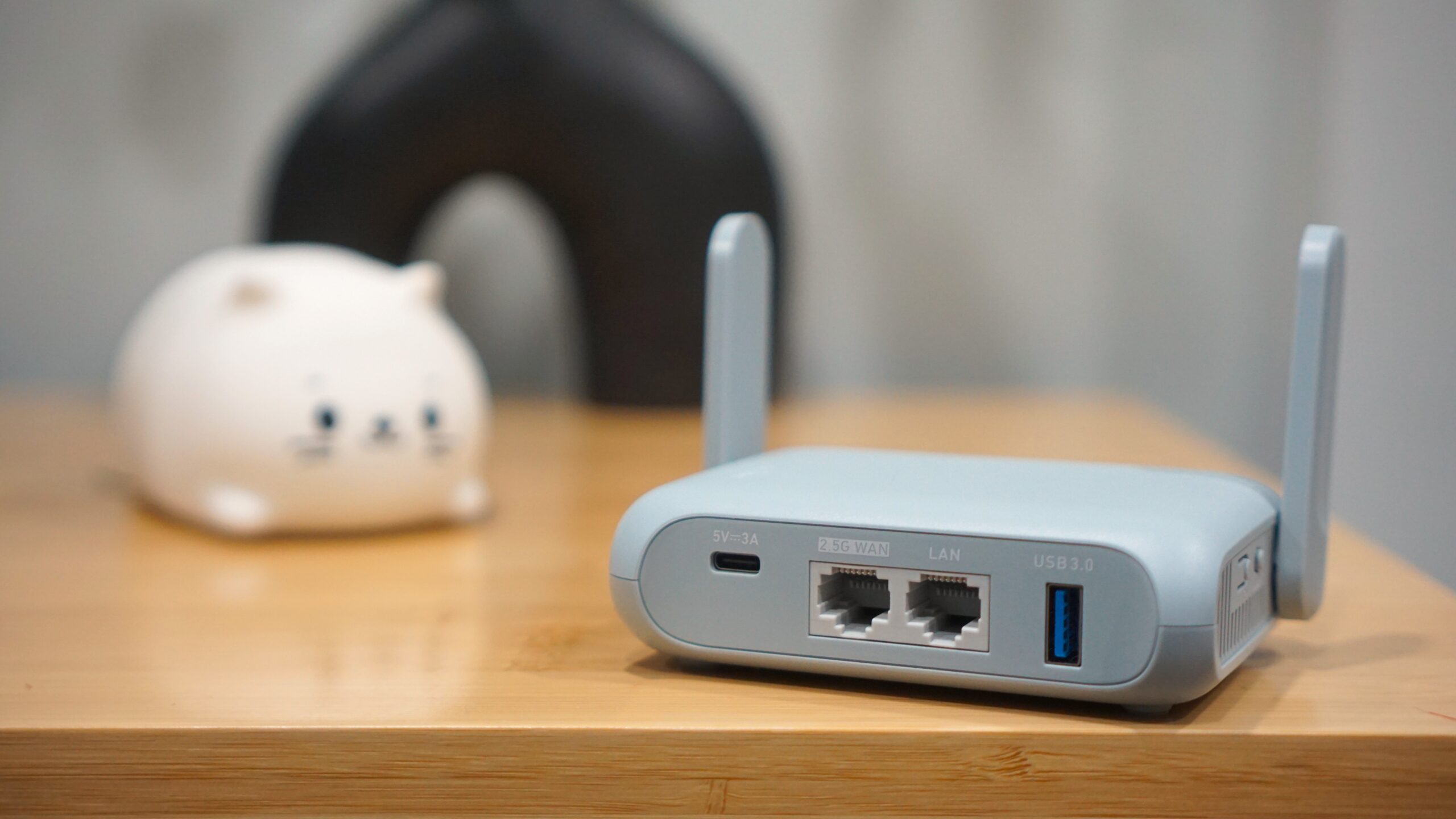
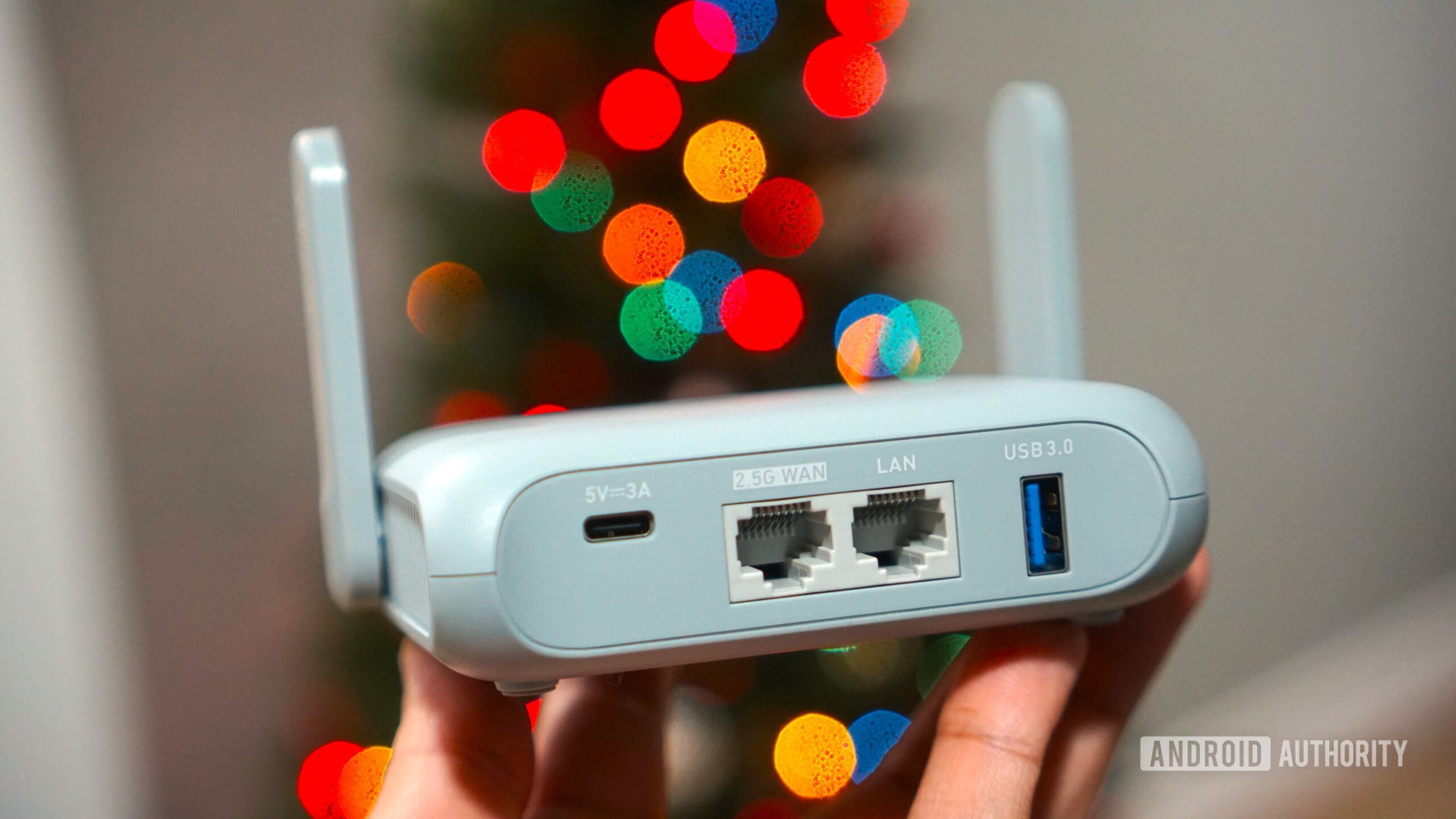
So when I came across the Beryl AX — a Wi-Fi router claiming to disrupt the status quo on both, price and features — it piqued my interest. The device in question comes from a relatively young manufacturer, GL.iNet, that has mostly built its reputation on compact routers over the past few years. And on paper, it’s quite the disruptor: it can fit in a pocket, has 2.5Gbit Ethernet, uses USB-C for power, and packs more useful software features than routers that cost hundreds of dollars.
The Beryl AX is marketed as a travel router, but in my experience, it is just as useful as an everyday secondary router even in your own home. Will it replace your main home router? Absolutely not, but it’s still well worth your attention whether you’re a frequent traveler or not.
What does a “travel” router even mean?

Calvin Wankhede / Android Authority
The first question that popped into my head when I stumbled upon the Beryl AX is why does a travel router even exist? Most public places offer free Wi-Fi these days, and cellular connectivity has improved leaps and bounds. The answer’s pretty straightforward; a travel router stands between those free public networks and all of your devices.
The idea is that all of your devices connect to one centralized hub: the travel router, which then negotiates an internet connection either wirelessly or through a cable. If that sounds like a glorified Wi-Fi repeater, I don’t blame you. That is indeed one of the big selling points of most travel routers. But the one I ended up buying is far more sophisticated than a basic repeater for reasons I’ll explain below.
First, the biggest advantage to using any travel router is that they can deal with captive portals, or the login screens that pop up when you connect to a public Wi-Fi network like at a Starbucks or McDonald’s. I’ve also stayed at a number of hotels that require my room number and last name to access the internet. But where travel routers truly shine is on flights and cruises where you typically pay for internet access on a per-device basis. They can help you easily circumvent that restriction and connect as many devices as you need.
Travel routers can deal with captive portals, or the Wi-Fi login screens that pop up in hotels and elsewhere.
Logging in to a captive portal doesn’t take all that much time but a few devices I own like older Chromecasts cannot handle captive portals in any capacity. You also don’t have to go through the log in process on every single device — they can simply connect to the router’s saved credentials and instantly get an internet connection. It’s easy to see how this can save several minutes, especially if you have a large family with multiple devices or on devices with lackluster keyboards like my Steam Deck and e-reader.
It’s worth noting that you do lose some speed if you use the router’s wireless repeater mode since it has to share the available Wi-Fi bandwidth. However, I still clocked hundreds of megabytes per second in both directions on GL.iNet’s Beryl AX. If you have an Ethernet jack available and use a cable instead, though, I’ve seen real-world Wi-Fi speeds go as high as 800Mbps.
The Beryl AX can instantly fallback to a cellular connection if your primary network goes dark.
The Beryl AX is also one of the rare routers to include a multi-WAN feature, which allows it to automatically fall back onto a different internet connection. For example, you can tether a spare phone or USB cellular modem (or both) for uninterrupted connectivity in case your primary network goes offline. This is a feature usually only found on commercial or higher-end routers.
Of course, the Beryl AX’s router functionality alone isn’t enough to make it my favorite tech purchase of 2025. But it has several other features that make it very handy to leave plugged in at home as a secondary Wi-Fi router even when I’m not traveling.
The software beats more expensive, full-sized routers
Most modern routers support VPN connections these days, but the Beryl AX goes above and beyond with support for OpenVPN, WireGuard, and TOR. WireGuard is a newer, more efficient VPN protocol that can deliver faster real-world speeds. Routers typically suffer a pretty big speed penalty when acting as a VPN client because they rely on the older OpenVPN protocol.
Setting up a VPN at the router level extends the benefits to all of your devices without the need for device-specific apps or configuration. And on that note, the Beryl AX also has built-in support for most major VPN providers. For NordVPN, I simply had to copy and paste an access token from my account into the router’s web dashboard and select my preferred servers.
The Beryl AX can selectively enable a VPN for certain devices, websites, or both.
This easy setup experience is worth commending alone, but it doesn’t stop there because you can also customize the VPN connection to a surprising degree. For instance, you can enable the VPN for certain devices while allowing traffic from others to pass through unfiltered. Alternatively, you can have the VPN specifically engage for certain websites or domains like Netflix. Finally, it has a kill switch feature so your traffic doesn’t leak when the VPN connection fails.
I recorded speeds of over 210Mbps with a VPN enabled, barely worse than the 250Mbps that my internet connection provided. The router’s theoretical maximum WireGuard speed is around 300Mbps, not ideal but plenty for most use cases. And if you use split tunneling, other non-VPN device connections will continue at significantly higher speeds.
Don’t want to miss the best from Android Authority?


VPN functionality aside, the Beryl AX also includes a slew of handy features like a pre-installed instance of Adguard Home. As with the VPN, turning this feature on will block ads across all of your devices. There’s support for Zerotier and Tailscale, which allow you to connect to devices on your home network from anywhere in the world. And finally, you can use the on-board USB port to plug in a hard drive and turn the router into a portable NAS. I already run all of these services on a dedicated Raspberry Pi, but having them built right into the router is far more convenient.
GL.iNet uses OpenWRT as a base for the router’s firmware, which explains its flexibility.
Finally, the fact that the Beryl uses USB-C for power means that you can use any Power Delivery-capable battery pack to keep it running. This can be useful while traveling or during a power outage. The router also has a physical button on its side that you can customize to toggle the router’s VPN client or other features. It’s a handy feature that gives me a reason to keep it on my desk.
By now, it should be pretty evident that GL.iNet is going after networking enthusiasts like me with its software. And indeed, the company uses the open-source Linux-based OpenWRT project as a base for all of its routers’ firmware. On the other hand, most other router manufacturers give you a locked down web interface and enthusiasts have to look for loopholes or exploits to install OpenWRT.
Should you buy the Beryl AX?
Travel routers are not a new product category by any means; established brands like TP-Link also have a few models to choose from. However, I never felt compelled to buy one with my own money until I learned about the Beryl AX’s diverse feature set.
Are there downsides? The Beryl AX is not as fast as a premium Wi-Fi router and the range leaves much to be desired, so don’t expect full home coverage out of it. This definitively sets it up to be a secondary router. The company does have a line of non-travel routers packing the same software features, although I haven’t personally tested them.
If you find the $87 asking price a bit steep, GL.iNet also sells a more affordable model without Wi-Fi 6 called the Opal. At just $35, it has a weaker CPU and achieves lower peak speeds. However, it still retains all of the features I’ve described so far. The Opal is sufficient as a secondary router, especially if you plan to use it on the go, but be warned that VPN speeds are significantly slower owing to the slower CPU. Everything else, from USB-C power to Adguard support, remains available.
I find this model particularly interesting since you’re getting a rather capable router for the price of a Raspberry Pi, except way more feature-rich on the networking side of things. The Opal is not nearly as powerful but it works well enough as an inexpensive NAS and VPN box. Not to mention, the slow Wi-Fi speeds are somewhat mitigated by the Gigabit LAN port so you can simply use a cable for faster speeds on a particular device.
Regardless of which one you buy, you’ll almost certainly find it to be useful for more than just traveling. I own too many “travel” products that lie in my closet until I head for the airport. The Beryl AX isn’t one of those, and for that alone, I think it’s well worth the price of admission.
Thank you for being part of our community. Read our Comment Policy before posting.