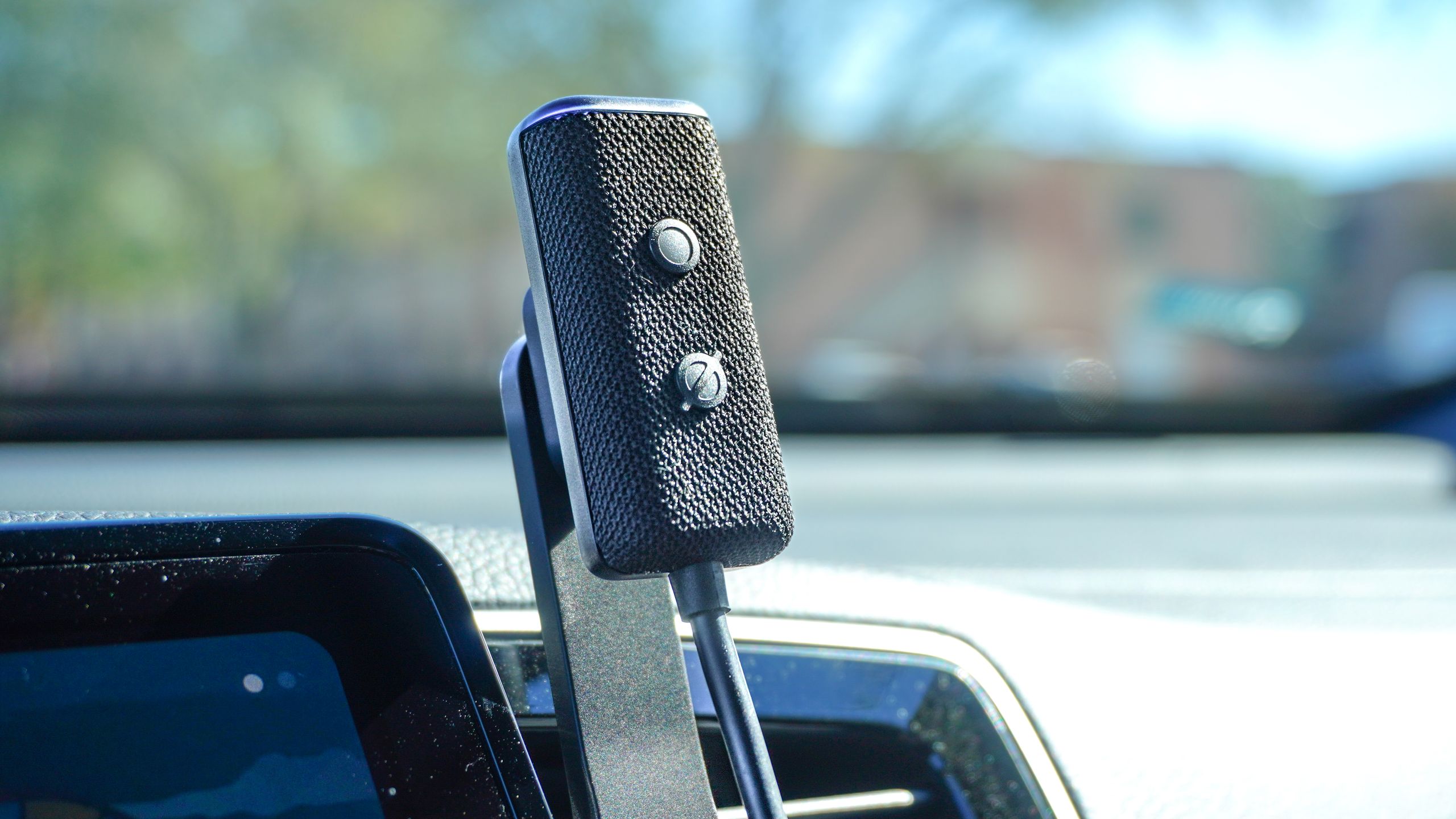
Once you turn your house into a smart home where you can turn the lights on and off with your voice, it’s hard to go back to flipping light switches — which is why I jumped at the chance to add Alexa to my car a few years ago. After getting a new truck earlier this year, though, my old Echo Auto sat in a box collecting dust. That was until Alexa+ came along.
As someone who covers tech for a living, there was one upgrade that was non-negotiable in my new vehicle: an infotainment screen. With my previous car, I didn’t have one and had to rely on my phone’s screen for music, navigation, and everything else. Now that I finally have one, though, using Android Auto instead of my phone just didn’t feel quite as smart as I initially hoped it would.
Sure, I can ask Google Assistant simple questions, but if I try to get an answer to anything too complicated, I’m met with the incredibly annoying “Sorry, I don’t understand.” While Gemini in Android Auto has started rolling out, I haven’t gotten the update yet. Likewise, while I did recently get access to Gemini for Home, it pales in comparison to what I’ve experienced testing Alexa+ so far.
With Gemini nowhere to be found on my truck’s infotainment center, I decided to dust off my old Echo Auto and ride along with Alexa once again. Here’s what it’s been like having an AI-powered digital assistant on my dashboard.
My ticket to a smarter Alexa
Just like Gemini for Home, Alexa Plus is also currently in early access. However, to Amazon’s credit, you can jump the queue by purchasing a newer Echo Show smart display or one of its brand new smart speakers. Here’s the full list in case you’re interested:
- Echo Show 8 (4th Gen)
- Echo Show 11
- Echo Show 15
- Echo Show 21
- Echo Dot Max
- Echo Studio (2nd Gen)
Although I’ve bought several of the best smart speakers and even a few of the best smart displays from Amazon’s Echo line, it wasn’t until I reviewed the latest model of the Echo Show 8 that I finally got to try out Alexa+ for myself. However, once I set it up, all of the rest of my compatible devices instantly got access to Alexa+ too.
I currently have the Echo Show 11 on my desk after wrapping up my Echo Show 8 (4th Gen) review. While chatting with Alexa+ one evening, I had a realization: could I use Amazon’s new AI-powered digital assistant in my car? Alexa told me I could and from there, it was just a matter of dusting off my Echo Auto and installing it in my truck.
Taking Alexa+ on the road
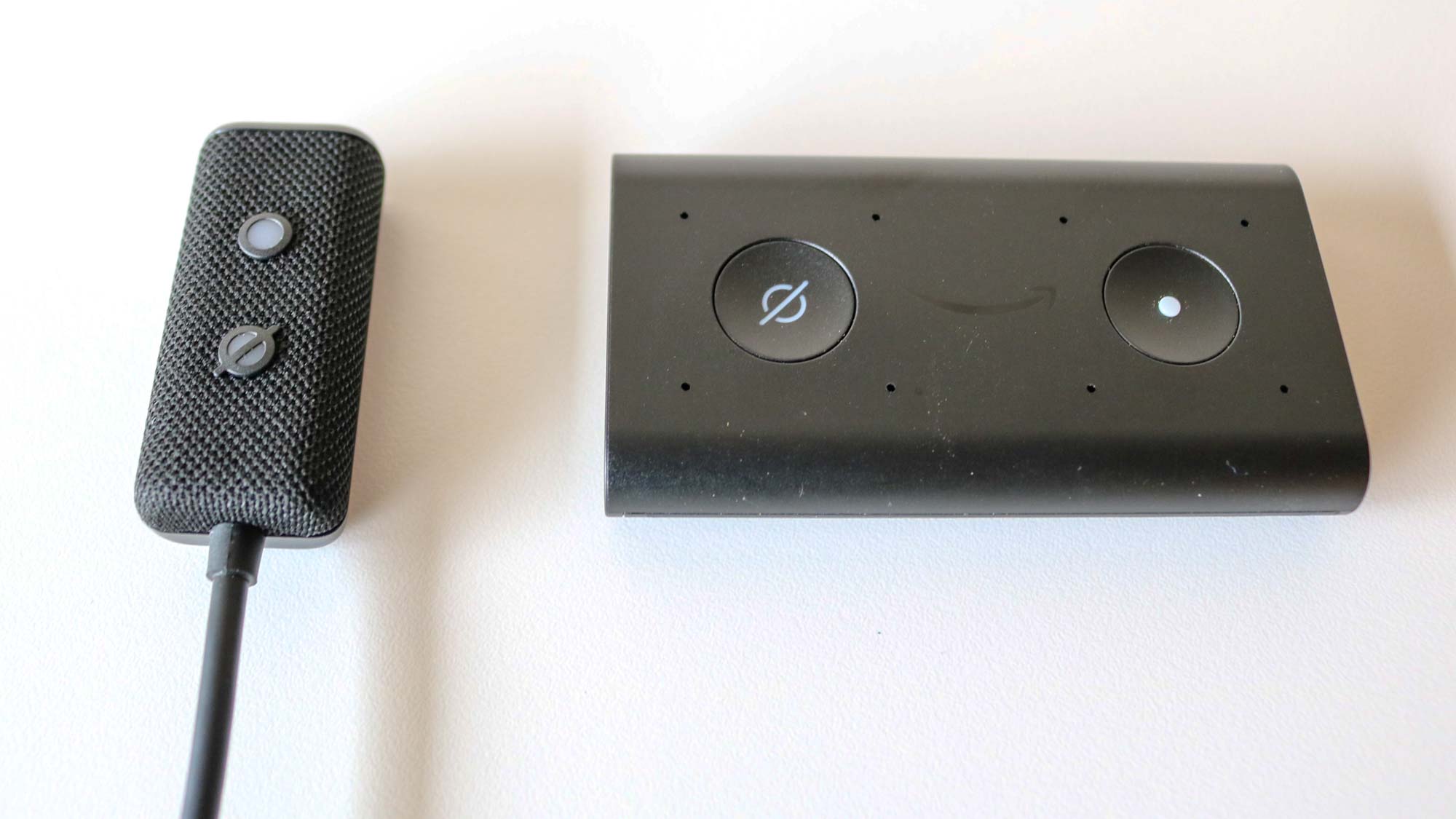

Whether or not you’ll be able to start using your Echo Auto with Alexa+ depends on which model you have. While the first generation Echo Auto (on the right) isn’t compatible with Alexa+, the newer second generation Echo Auto (on the left) is.
Personally, I bought the original Echo Auto on a whim a few years ago during Black Friday as it was heavily discounted at the time. Then when the Echo Auto (2nd Gen) came out, I volunteered to review it as I was really excited about some of the changes Amazon made with its hardware in the follow-up.
If you’ve ever wanted to speak to Alexa in your own car without having to rely on your phone, now’s your chance as the newer Echo Auto is just as discounted as the original was when I bought it, but you better hurry.
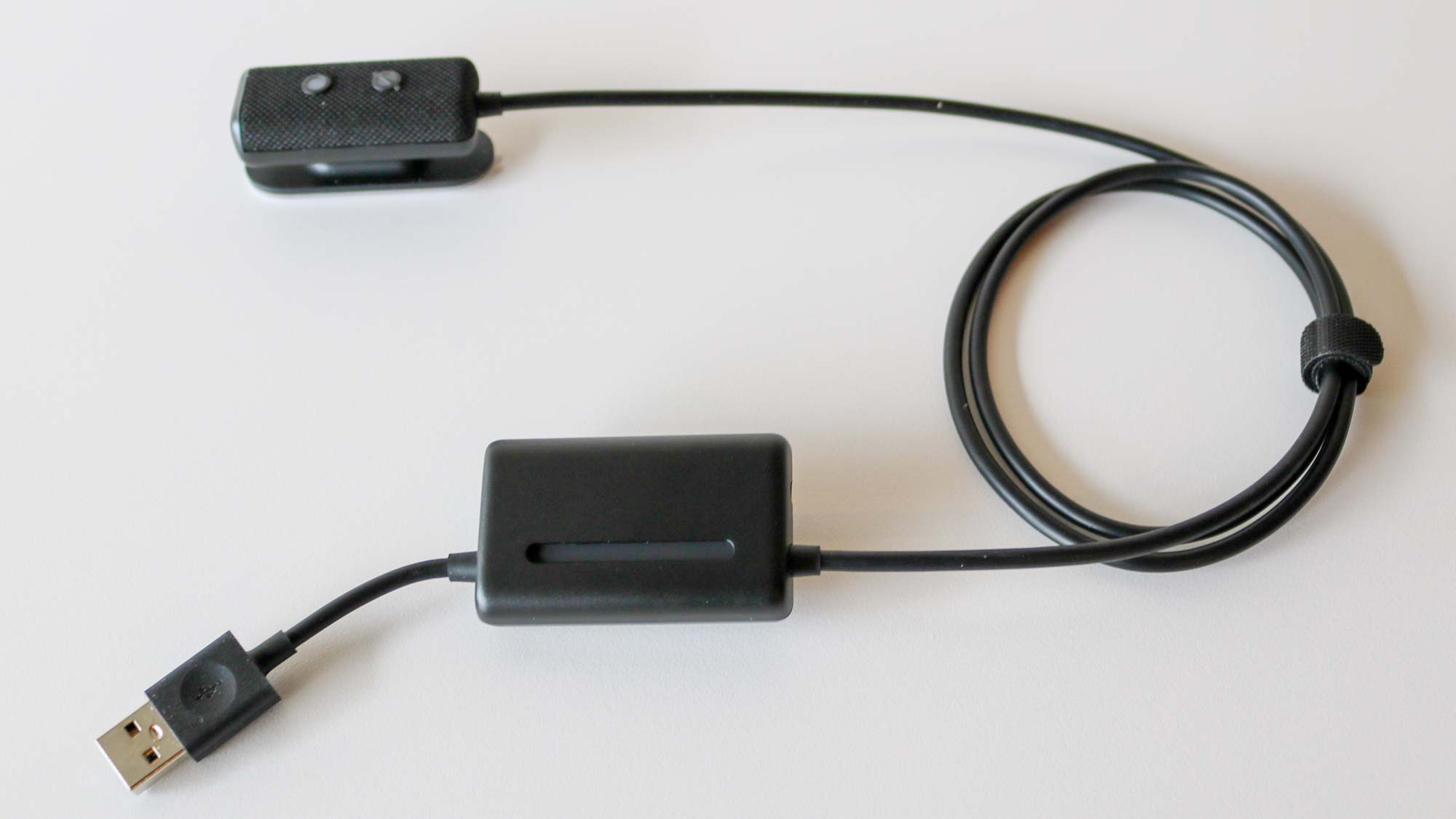
You may have noticed that the Echo Auto (2nd Gen) looks a lot sleeker than its predecessor. Well, to pull off this feat, Amazon did something I certainly didn’t expect after using the first Echo Auto. Instead of having a standalone device with a detachable cable, it separated the microphone and buttons from the rest of the hardware.
While you can no longer use whatever cable you want, the Echo Auto (2nd Gen) definitely looks a lot better when attached to one of the vents near your dashboard.
After giving my old Echo Auto a thorough cleaning, it was time to get it installed in my truck. I wanted to see if Amazon’s AI-powered assistant could be as useful and fun to talk to on the road as I’ve found it in my kitchen and at my desk, or if it would end up back in the box I took it out of.
New car, old gadget
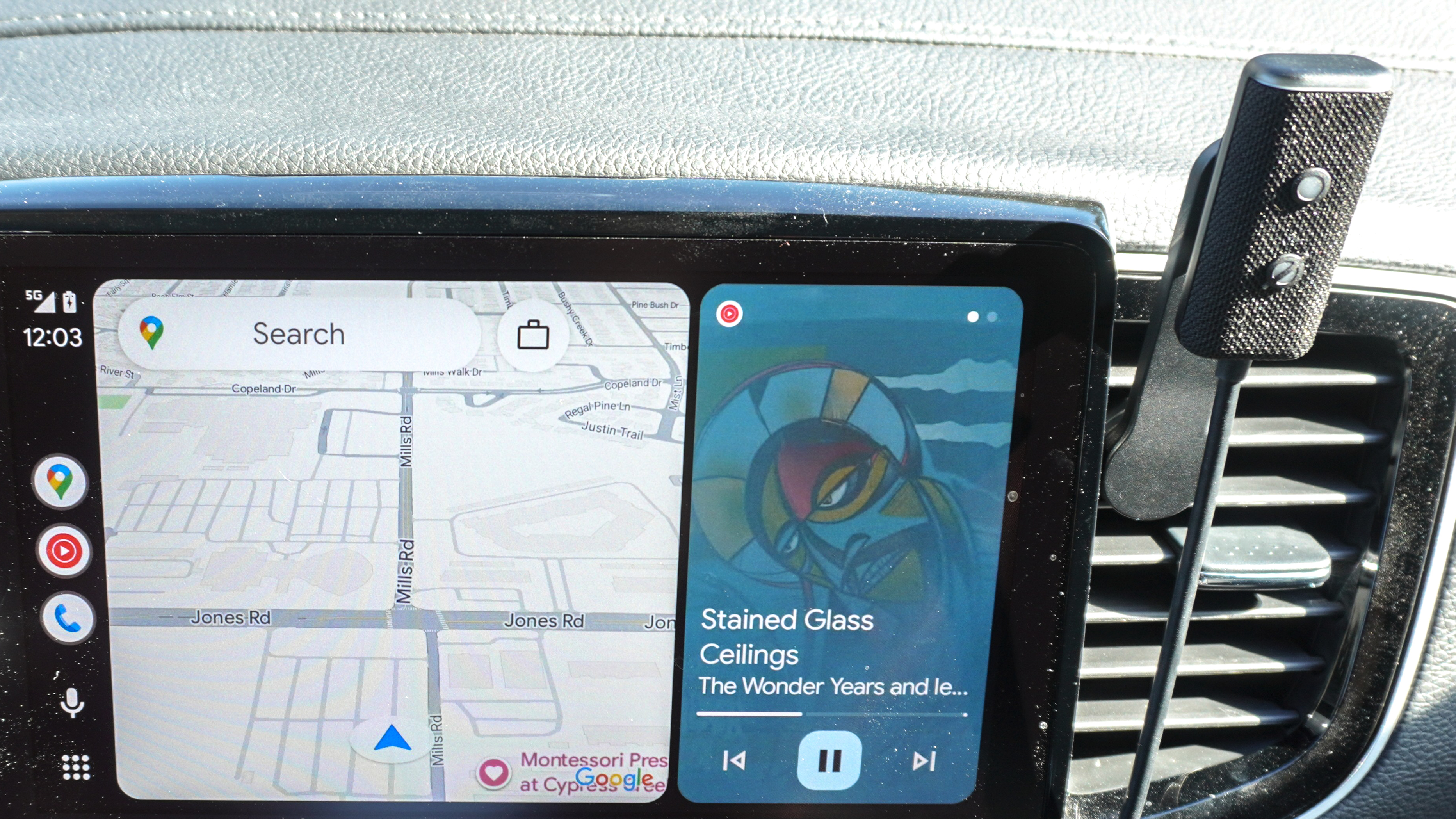

After plugging in my Echo Auto to the USB-A port under my infotainment screen and doing a bit of cable management, I was ready to go. Although this second generation model doesn’t have a detachable cable, the microphone is small enough that it was easy to weave between the cables for my dash cam. Then, like with the previous model, it magnetically attaches to the included mount. This mount has cutouts that let you install it in either a vertical or horizontal orientation on one of the blades of your car’s vents.
Even though I hadn’t used it in almost six months, my Echo Auto was immediately recognized in the Alexa app and ready to go. However, unlike the last time I used it though, it was now powered by Alexa+ instead of Amazon’s original digital assistant.
One of the biggest upgrades with Alexa+ overall is contextual memory across all of your devices. For instance, if I was discussing something with the Echo Show 11 on my desk or the Echo Show 21 on the wall in my kitchen, I can instantly jump back into that same conversation or topic without having to start over. As Alexa and I were discussing the Echo Auto before I re-installed it, she knew exactly what I was talking about when I started asking follow up questions on this topic when I hit the road to test it out.
Another thing that I really like about Alexa+ especially in this context is that I can keep my conversation going without having to say the wake word again. As long as the blue light is on, what you say after a response from Alexa+ will continue your current conversation. I found this especially useful when asking questions about some of the other vehicles I saw on the road.
Although I spent a lot of time researching my new truck, since I wanted something with a unibody design and a gas engine, my only options were the Ford Maverick, the Hyundai Santa Cruz and the Honda Ridgeline. I ended up going with the Ridgeline in the end as it feels almost identical to my wife’s Pilot but I’ve become increasingly interested in Toyota’s truck lineup.
As such, after seeing a TRD Pro on the road — which is a traditional body-on-frame truck and a lot different than my Ridgeline — I asked Alexa+ about this and she walked me through the whole lineup as I asked follow-up questions along the way.
I initially thought I’d try out Alexa+ on my Echo Auto and call it a day. However, after adding Amazon’s AI-powered digital assistant to my truck, I haven’t taken my Echo Auto down yet. Instead, I really enjoy having the convenience of an infotainment screen and the smarts of Alexa+ side by side.
Echo Auto: Outlook
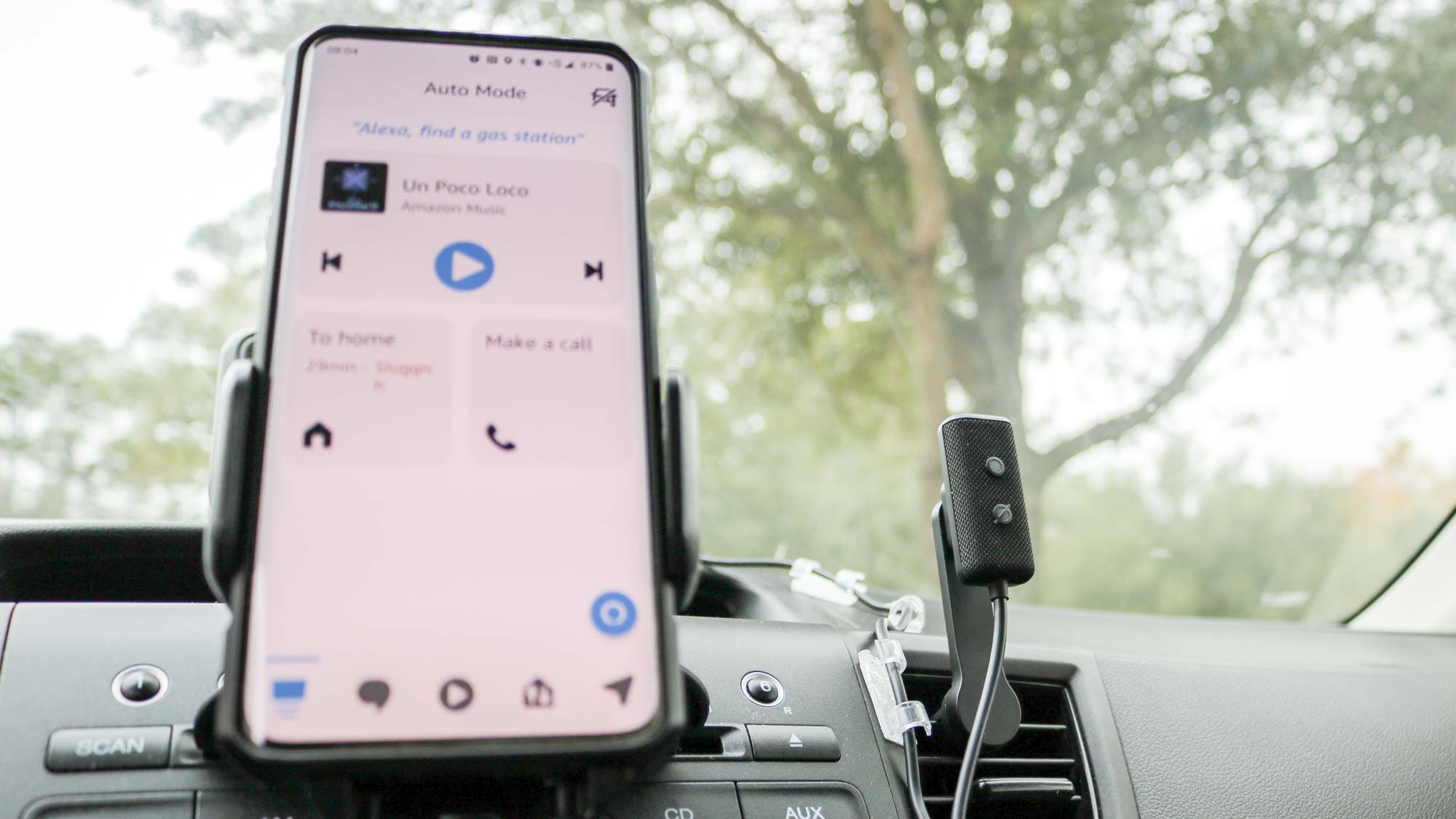
Don’t get me wrong, while I love the convenience of being able to use Alexa or better yet, Alexa+ in my car, the Echo Auto is and will always be a very niche device. Originally created as a way for those with older cars (like my 2014 Honda CRV) to make them feel a bit more modern, most people — except for die-hard Alexa users like myself — would likely be perfectly content with either Apple CarPlay or Android Auto in their vehicles.
Given that Amazon sold off the original Echo Auto at a steal before the release of the Echo Auto (2nd Gen), a new and improved version could be just around the corner. However, given that just about every modern car now comes with an infotainment system with quick and easy access to Siri or Google Assistant (and then Gemini), this could be the end of the line for the Echo Auto. I hope not though.
I’ve always enjoyed using the Echo Auto in my car even before it got a major upgrade with Alexa+’s new features. For that reason, I plan on using mine for as long as I can. In fact, part of me almost considered picking up a spare just in case given how heavily discounted the Echo Auto (2nd Gen) is right now.
If you’re tired of waiting for Apple to finally give Siri a much needed makeover or you haven’t gotten the Gemini in Android Auto update yet, at this price, the Echo Auto just might surprise you too.


Follow Tom’s Guide on Google News and add us as a preferred source to get our up-to-date news, analysis, and reviews in your feeds.