




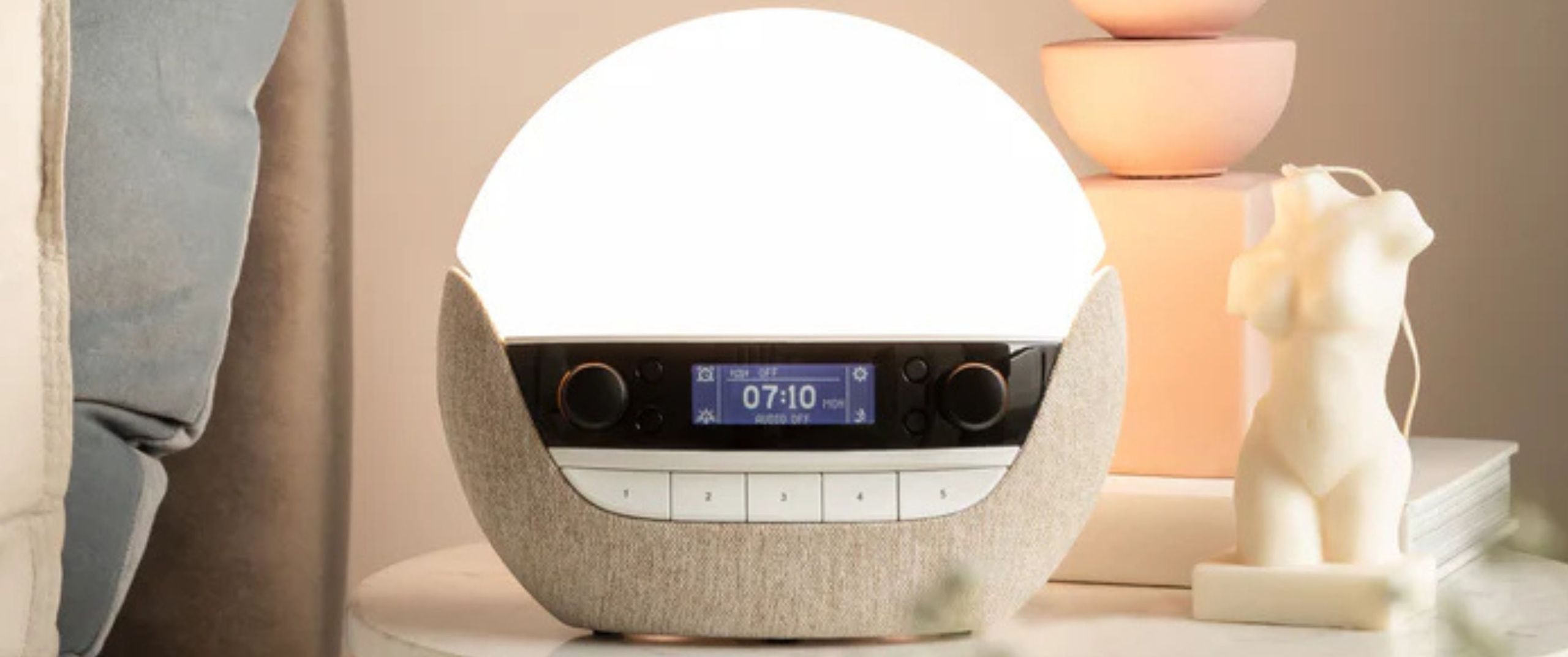
Lumie Bodyclock Luxe 700FM: Review in brief
Lumie released the first ever wake-up light back in 1992, and the Lumie Bodyclock Luxe 700FM is their most feature-rich, top-of-the-line, premium-priced sunrise alarm clock yet. After testing it from mid-September to mid-December, I can honestly say it deserves a place in our best sunrise alarm clock guide.
We’ve tested Lumie’s cheaper offerings in our Lumie Bodyclock Shine 300 review and Lumie Bodyclock Glow 150 review, and while they share features such as the sunrise and sunset simulation and phone-free controls, the Luxe 700FM stands out for its more extensive sound library and Bluetooth speakers. It’s also bigger, standing over an 1.5″ taller than the Bodyclock Glow 150.
Lumie Bodyclock Luxe 700FM
Type: Sunrise and sunset light alarm clock
Best for: Sleepers looking for a feature-rich sunrise alarm clock
Dimensions: 5.1″ L x 9″ W x 7.9″ H
Weight: 3.06lbs
Warranty: 3 years
Price: $259 at Amazon
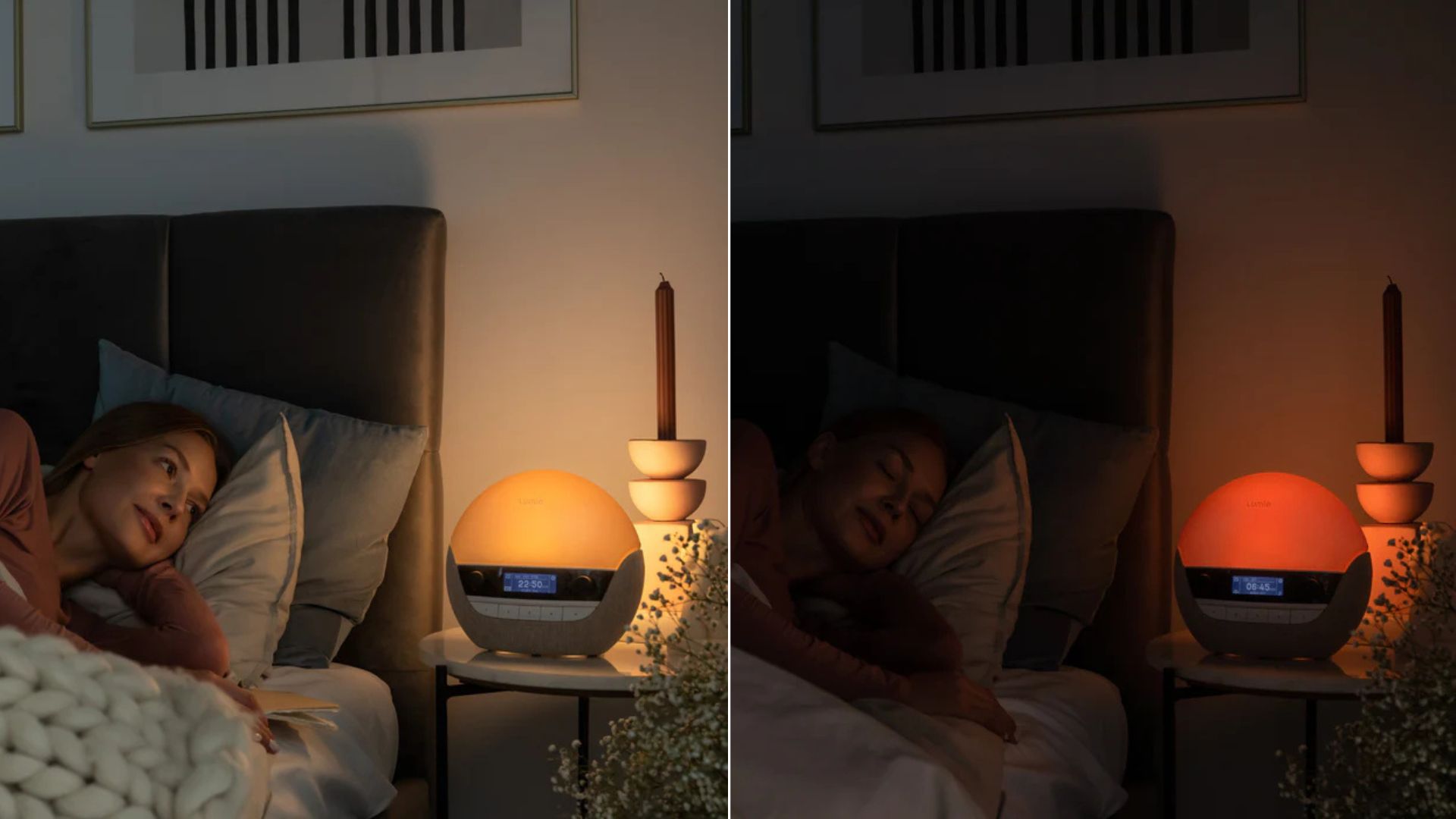
The Lumie Bodyclock Luxe 700FM primarily operates, and is marketed as, a wake-up light. Its sunrise alarm features a gradual 15 minute to 90 minute sunrise simulation, which displays an increasingly brighter white light for a gentler way to wake up.
Accompanying the sunrise is a library of over 25 sounds and, while I’ll go into more detail in the performance section below, they range from the classics (such as beeping and birdsong) to the completely unconventional (such as a ping-pong match and purring kittens). However, you can still use the sunrise alarm without any audio sounds if you choose.
The sounds don’t have to be used as alarms, as there are plenty of sleep sounds in the catalogue, too. In fact, there’s even a sunset simulator that displays warmer, gradually dimming light for an unwinding bedtime routine.

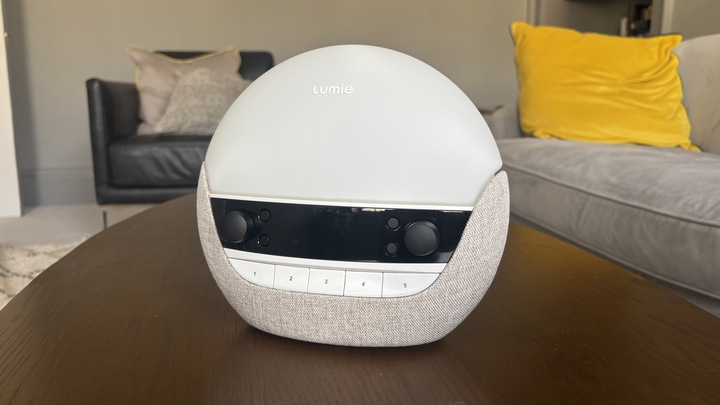
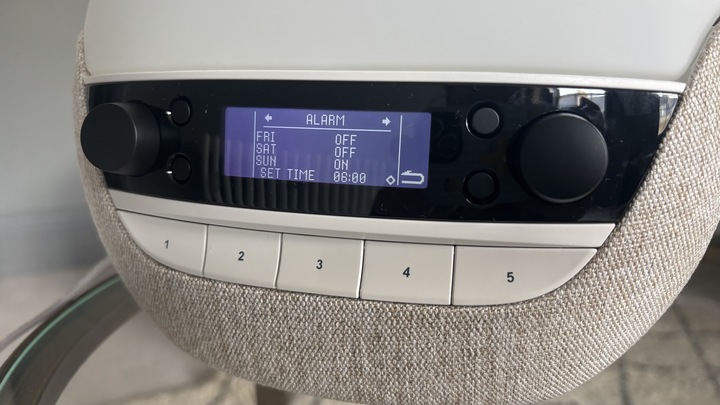
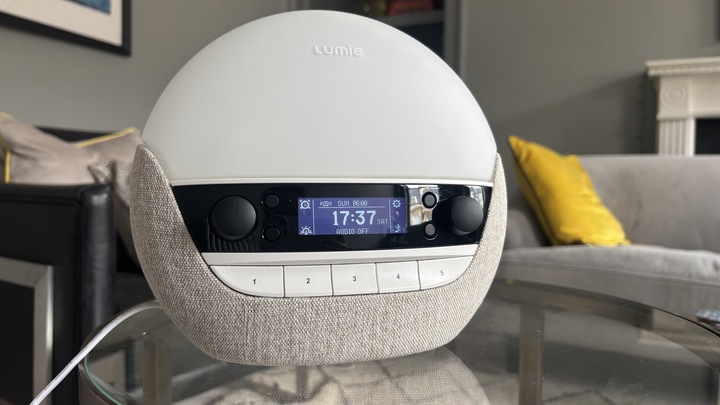
As for how it will look in your bedroom, the Lumie Bodyclock 700FM has a neutral color scheme and a glass, globe-like appearance that looks very chic and modern. The downside is that its chunky size does take up some room on your nightstand and isn’t for those who prefer compact, streamlined sleep tech designs.
As it has a phone-free buttoned control panel, you can keep your bed screen-free. However, be mindful that you may need to read the instruction manual beforehand as I found the controls not so intuitive. It does also have a slight glow-in-the-dark monitor like most digital alarm clocks, which can be helpful in the night.
The price tier may be an issue if you’re not in the market for a premium sunrise alarm (the MSRP is $259). However, we think the price is worth it if you want all the luxury features that a sunrise alarm can bring to the table.
The Lumie Bodyclock Luxe 700FM will certainly hold a permanent place on my nightstand throughout the dark winter mornings — here’s why.
Lumie Bodyclock Luxe 700FM: Price
Let’s cut to the chase: if you want a basic sunrise alarm at a mid-range or budget price, the Bodyclock Luxe 700FM is not for you. However, if you’re looking to invest in your sleep and want a device that pulls out all the stops, then we confidently recommend the Luxe 700FM as our top premium pick.
It’s $259 at MSRP, though we have seen it discounted in the Amazon Prime Day sleep sales; it was $249 during July’s Prime Day, for example. Lumie also offers a 3-year warranty and 45-day trial. Plus, there’s no hidden subscriptions cost (like with Lumie’s rival Hatch) — once you buy it, all the features are there ready for you to use.
Of course, there are cheaper high-quality models out there offering better value for money. In our Hatch Restore 3 sunrise alarm clock review, we awarded the $169.99 model the title of our favorite sunrise alarm clock on the market thanks to its excellent value for money. Just be aware that there are some subscription costs and no FM radio.
Plus, for the same below-$170 price tag, you can by Lumie’s Shine 300 model if you don’t mind fewer sounds and forgoing Bluetooth speakers..
Price score: 4/5
Lumie Bodyclock Luxe 700FM: Features
The main attraction of the Bodyclock Luxe 700FM is the sunrise-simulating wake-up light, which basically means it functions as a light that gradually becomes brighter (mimicking a sunrise) as your programmed wake-up time approaches. This light is meant to regulate and tap into your circadian rhythm, making you feel more alert upon waking.
The wake-up light also functions as a wind-down light with a sunset simulator, too, which gradually dims to mimic sundown. This is perfect to set a relaxing mood and help you switch off before bed.

What’s more, it’s a sound machine as well, with a library of 27 sounds in total. These sounds can be used as alarms or sleep sounds. There are soothing sounds (for example, there’s ocean waves and white noise) to relax during bedtime or to drown out any disruptive noise, and sounds that are more invigorating, such as robins chirping, cars racing, and goats bleating.
There’s a dimmer switch to adjust the light intensity, and it changes the colour from cold to warm when you push it.
Then there’s the integrated FM radio feature, which you can set as your a wakeup alarm, or simply use it as a music radio for recreational listening. There’s the option to play your carefully curated Spotify sleepy playlist too, thanks to Bluetooth speakers.
Features score: 4.5/5
Lumie Bodyclock Luxe 700FM: Ease of use
The Lumie Bodyclock Luxe 700FM comes with a 23-page instruction manual, complete with images and diagrams, to help you get the hang of it. And thank goodness, because the control panel isn’t the most intuitive.
While it took me no more than an hour to confidently operate the machine, I do test a lot of home tech appliances for a living, so those who aren’t the most tech iterate may need to read through the manual a couple of times or watch Lumie’s video on how to set up the Bodyclock Luxe 700FM on YouTube.
I don’t think I’d instinctively know how to operate the Bodyclock Luxe, but I will say it gets simpler to use the longer you use it. Setting up the alarm, including the time and day of the week and type of sound, was fairly straightforward after reading and watching the tutorial, though I will say it does involve a lot of button-pushing and dial twisting. That said, by the second night, I could use it without a second thought.
Image 1 of 2
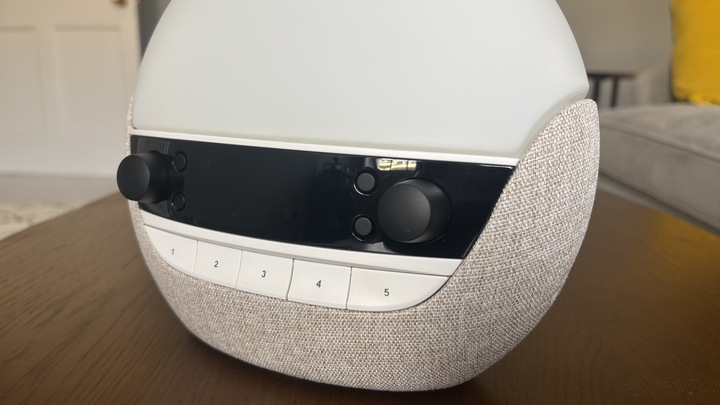
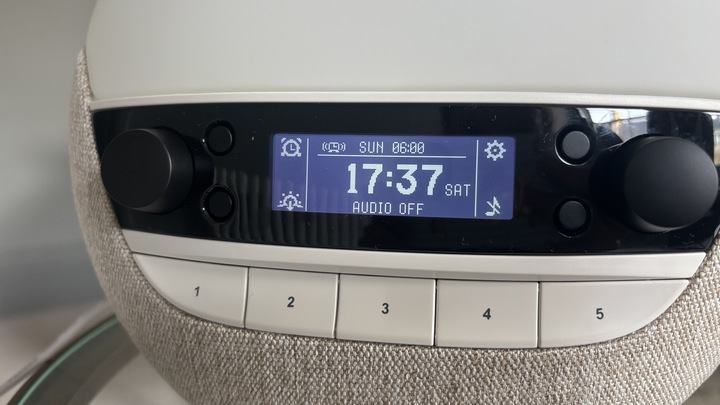
For the radio, you will have to turn the dial to tune it manually, but you can search for a station by simply clicking the right-hand dial. You can also adjust the aerial for better reception. Once you find the station you’re looking for, you can make it easier to find next time by saving it as one of five presets.
Bluetooth took a while to set up as I had to press the audio button countless times until the Bluetooth symbol appeared next to it. However, once it did appear, pairing it with my iPhone was easy and there were no issues with connecting thereafter.
One major benefit in terms of ease of use is that, bar wanting to use the clock as a Bluetooth speaker, you don’t need to subscribe or download any app to use it. Everything you need to operate the clock is right there on the clock itself.
Ease of use score: 4/5
Lumie Bodyclock Luxe 700FM: Performance
I’ve been testing the Bodyclock Luxe 700FM for three months, assessing it in key areas of performance, including ease of use, set up and general night-to-night function. Here’s how it performed in tests…
Set-up
Image 1 of 3
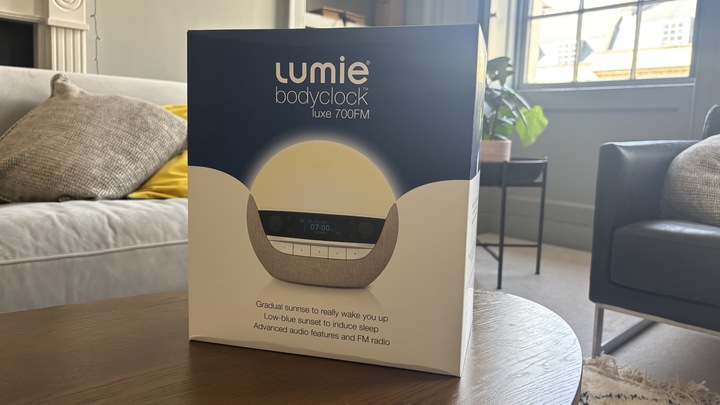
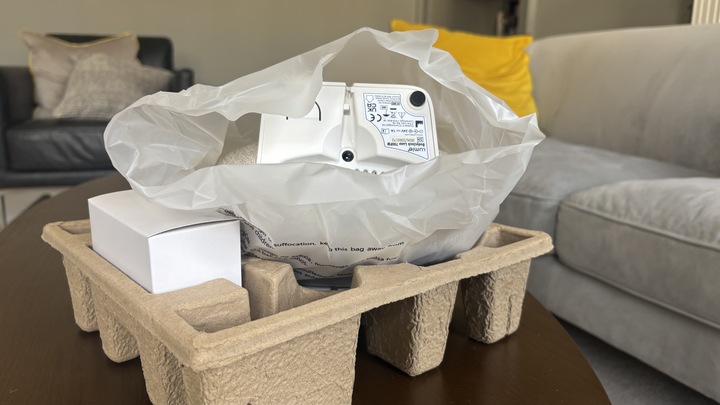

Weighing just over 3lbs, the Luxe 700FM was easy to carry and then unbox. The packaging was economical and necessary, so it didn’t take me an age to unwrap.
Setting up the Luxe 700FM was a snap as it was already assembled, and the only accessory was a mains power adaptor. To get started, all I had to do was insert the adaptor into the socket (located on the base of the clock) and then plug it into the mains power supply. Simple.
The “Getting Started” page of the instruction booklet was simple to follow and well-illustrated, and the only thing I had to do was select a language and set the time and day of the week.
Connectivity
Connectivity isn’t really that important for operating the Bodyclock Luxe 700FM, as you don’t need Bluetooth to use the sunrise alarm, radio or the sunset feature.
The only time I needed to rely on Bluetooth connectivity is when I wanted to play my Spotify playlists out loud and used the clock for its Bluetooth-operated speakers.
As mentioned in the above “Ease of Use” section, it did take a lot of button pressing for the Bluetooth symbol to appear on the clock’s display, but once it did appear, pairing was fast and connectivity thereafter was no trouble at all. The speakers’ sound quality is also clear and of high-quality.
Sunrise simulation
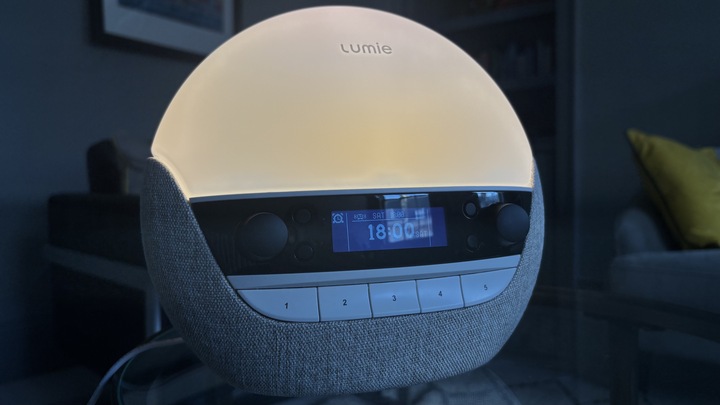
If you’re looking for a sunrise alarm clock, the main thing you want to know is whether the sunrise feature is any good. My answer? Yes, absolutely.
A sunrise alarm clock is the best investment you can make for your sleep in the winter months, as the simulated sunrise helps to wake you up during the dark winter mornings.
It also brought a much less stressful start to my days as there’s no need to rely on any harsh beeping. In fact, even when I set a sound alarm on the clock (I’ll going into the sound alarm feature in the next section), I’d often rise with the gradually brightening light before the sound began.
Overall, the sunrise light (brought to me by low-blue white and blue-enriched white integrated LED bulb) provided an effective yet gentle way to nudge me awake.
Alarms
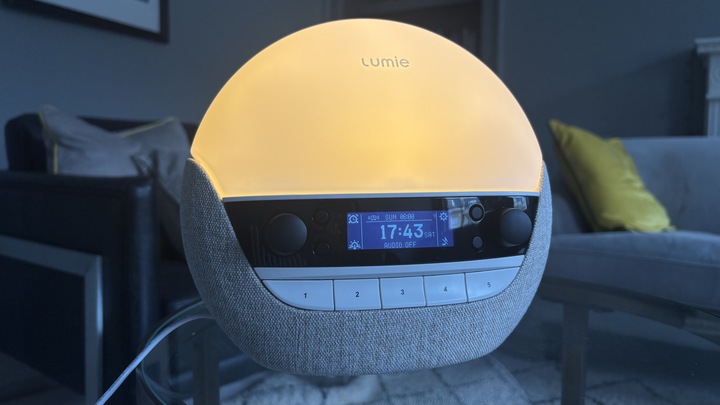
The great thing about the alarm is that you can choose between a daily or weekly option. For weekly, the alarm will automatically go off at the scheduled time without activating it the night before. I chose the weekly option as the daily option involves having to activate it before going to sleep.
The weekly option also allows you to schedule a different time for each day. While we recommend waking up around the same time every day, there are certain days where you’ll need to wake up earlier or later than usual, so this function comes very much in handy.
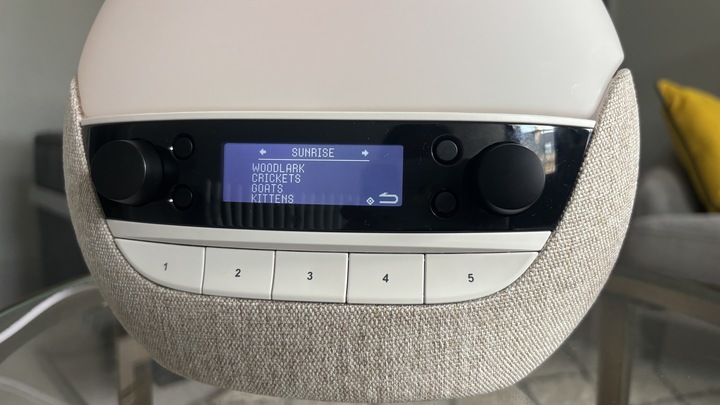
Now, on to the fun part: the sounds. Say goodbye to the grating sounds of Radar, and hello to a 27-strong sound library that includes birdsong (including hooting owls and tweeting robins), race cars burning rubber, bleating goats, chugging trains, kittens purring and the sound I always use: ambient cafe noise complete with chatting customers and clattering cutlery. You can listen to all 27 sounds at Lumie’s website.
You also have the option to make one of five radio pre-sets your alarm. Honestly, I couldn’t think of anything worse than being awakened by the inane chatter of radio hosts or an annoying jingle for car insurance, but the option is there if you do like the sound of that.
Sunset simulation
To be completely honest, the sunset simulation was the one I used the least, as I don’t need anything to signal that it’s nighttime: the 4pm sunsets do that for me.
However, I can see the benefit for those who want to create a wind-down routine, as the warm, dimming glow rally does set a calming atmosphere, and those who have seasonal affective disorder (SAD).
You can also customize the duration of the sunrise alarm to sync up with the length of your bedtime routine, so anywhere between 15 to 90 minutes (same duration range as the sunrise feature).
Sleep sounds
While there are plenty of invigorating sounds that are definitely made to be wake-up sounds, such as tropical birdsong and race cars, others are definitely made for bedtime routines and sleep. And these sounds can accompany your sunset simulstion.
Options such as ocean waves and white noise are great for drowning out distractions, crickets and running water can be used to create a nighttime soundscape, and you can even play a little 1 minute and 48 second song titled “Guzheng” , a piece of music that has sort of become Lumie’s theme as it’s played in the background of its sunrise alarm tutorial video. I find this signature tune to be pretty and relaxing, as it evokes an image of a tranquil garden.
Of course, you can also set your sunset audio to play a radio preset, so it may be a good idea to find a classical radio station that plays smooth, soothing music.
Performance score: 5/5
Lumie Bodyclock Luxe 700FM: User reviews
On Lumie’s website, the Bodyclock Luxe 700FM has accumulated 29 reviews, with an overall star rating of 4.4 out of 5. Out of these 29 reviews, 65% awarded the clock five stars. Most positive reviews commend the way it wakes them up gently and how it’s a worthwhile investment for the darker, colder months.
One reviewer says it’s “worth every penny” and makes waking up at 5.30am “much easier”. Another reviewer praises the different sound options and the ability to adjust the brightness. Meanwhile, one happy customer says she loves the sunset feature despite buying it for the sunrise light.
However, while most reviews are completely positive, there are some who express ambivalence. One customer says it is a great product and “does what it says on the tin” but was disappointed by the lack of smart tech and app controls. (I found the lack of an app-controlled system to be a plus as it keeps screens from ruining your bedtime routine, but each to their own.) Another customer complained about the quality of the Bluetooth connection, particularly when listening to the apple podcast app.
Overall, customer reviews are overwhelmingly positive.
Should you buy the Lumie Bodyclock Luxe 700FM?
Buy the Lumie Bodyclock Luxe 700FM if…
✅You want a gentle way to wake up: Use a gradually brightening glow to wake you up beep-free, or choose the sound of purring kittens or pretty birdsong as an audio accompaniment.
✅You need to wake up before dawn: Dark winter mornings can be morale-lowering when you need to wake up well before the sun rises, so this sunrise-simulating wake-up light is perfect if you’re on the early morning shift.
✅You want to create a relaxing atmosphere: Whether you want the gradually dimming glow of a sunset simulation, the sound of a classical radio station, or a speaker to play your favorite bedtime podcast or playlist, the Bodyclock Luxe 700FM has all the features you need to create a tranquil mood.
Don’t buy the Lumie Bodyclock Luxe 700FM if…
❌You want a simple, intuitive sunrise alarm: The control panel, while not app-controlled or in need of a smartphone just to function, isn’t the most intuitive design, especially if you’ve never used a sunrise alarm before.
❌You’re on a budget: The Luxe 700FM is most definitely in the premium price category, so this is not the sunrise alarm if you’re looking for a basic, entry-level model. It’s a luxury investment.
❌You have limited nightstand space: The Lumie Bodyclock Luxe 700FM is the chunkiest of Lumie’s wake-up light collection, so it does take up nightstand room and isn’t for anyone who likes their streamlined and compact tech.


