I accepted a challenge: build a real-time YOLOv8 video pipeline using vanilla ONNX Runtime. No bloated frameworks. No Python bottlenecks. Just raw C++ grit.
Let’s be honest: Python is the undisputed king of the research lab. But if you’re trying to stream live H.264 video through a neural network at scale on edge hardware? Python’s Global Interpreter Lock (GIL) and its pathological obsession with memory copying are glaring liabilities.
I was recently tasked with a simple objective: create fast inference for a video stream using a vanilla ONNX runtime and a YOLOv8 segmentation model. It sounded easy on paper. Grab FFmpeg, process the frames, and encode them back out.
In reality, it was a journey through engineering hell. Here is how I dragged a sluggish 10 FPS prototype into a rock-solid 29 FPS beast, and the “final boss” bugs I had to slay along the way.
(Full source code for the masochists: video-yolo-dash-processor)
The FogAI Sandbox: Validation Before Integration
This repository isn’t a standalone toy—it is a dedicated testbed. I use this environment to rigorously stress-test specific computer vision models, engine builds, and optimization patterns before they are promoted to the FogAI core.
If a strategy (like Zero-Copy hardware mapping) can’t survive here at 29 FPS, it has no business being inside an industrial autonomous nervous system.
Previous Chapters in the FogAI Saga:
- The Manifesto: Prompts Are Overrated. Here’s How I Built a Zero-Copy Fog AI Node Without Python
- The Career Story: Prompts Are Overrated: I Built a Zero-Copy Fog AI Node Without Python (And It Hurt)
- The Source of the Suffering: GitHub: NickZt/FogAi
The “Memory Copy Tax” Trap
Most computer vision prototypes are slow because they treat memory like a game of Hot Potato.
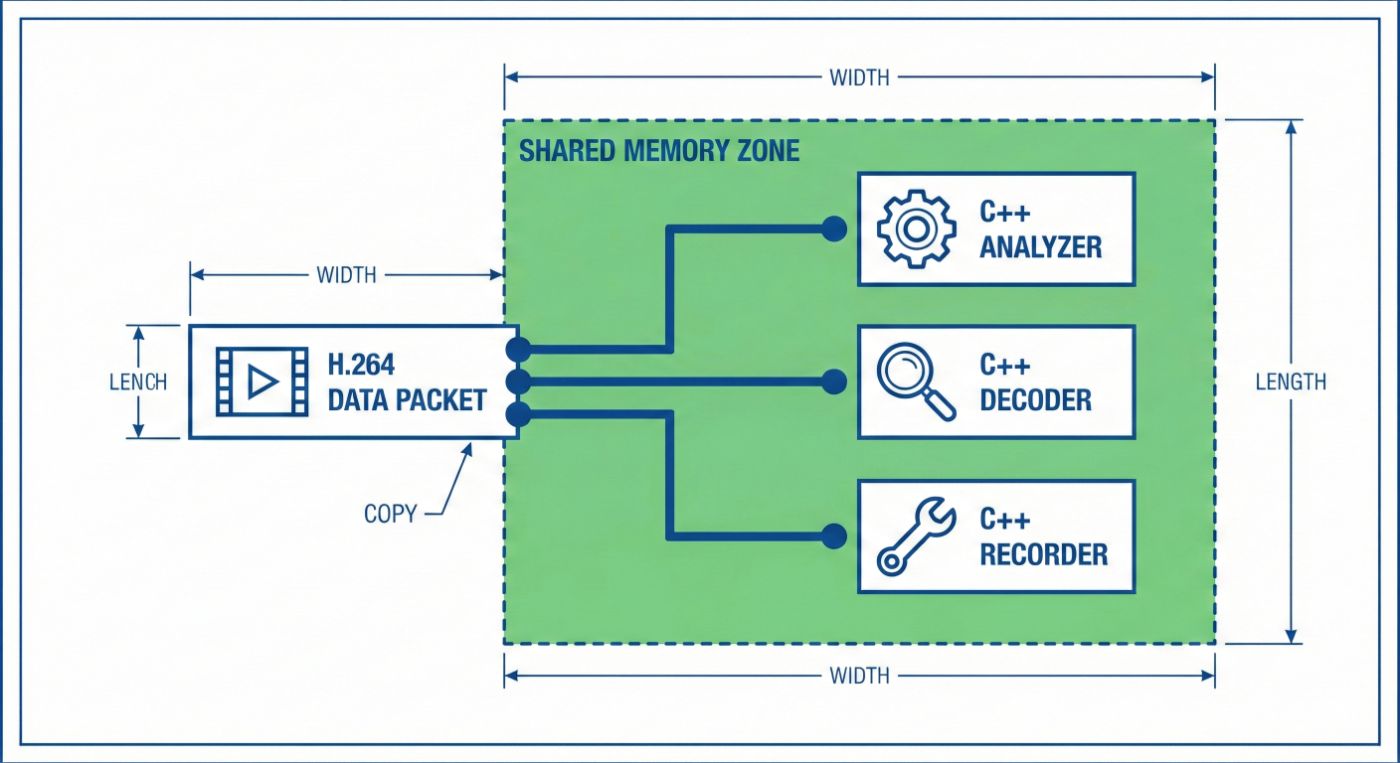
My initial architecture was the “standard” mess: FFmpeg decoded H.264 into YUV hardware formats, converted it to an OpenCV cv::Mat (BGR) to feed the model, applied masks on the RGB image, converted it back to YUV, and finally hit the encoder.
That’s three unnecessary memory copies and two heavy pixel-format conversions. On an ARM CPU processing 4K frames, that overhead burns up to 30% of your cycles just moving bits around.
I fixed this by implementing Zero-Copy Hardware Mapping. Instead of converting the frame, I mapped the AVFrame hardware Y-plane (Luminance) directly into an OpenCV cv::Mat wrapper.
C++
// Mapping the hardware Y-plane natively - zero memcpy, zero overhead.
cv::Mat y_plane(yuvFrame->height, yuvFrame->width, CV_8UC1,
                yuvFrame->data, yuvFrame->linesize);

// YOLO segmentation masks now inject binary modifications directly
// onto the hardware Y sequence.
y_plane(bbox).setTo(0, valid_mask);

By bypassing the conversion overhead, I skipped the CPU bottleneck entirely. But I was still capped at 23 FPS. Why?
Mutability and Asynchronous Reordering
Profiling showed that my threads were locked in a sequential death grip. The YOLO abstraction relies on mutating shared internal buffers. If I just spawned more threads on a single model, they contaminated each other, and the system segfaulted.
The Fix: I instantiated a concurrent pool of std::unique_ptr<YOLO_Segment> models—one unique ONNX model instance per worker thread.
But there was a catch: DASH video requires strict frame order. Since workers finish at different times, Frame 2 might finish before Frame 1, causing the video to stutter like a 90s jump-cut. I had to inject a reorder buffer using an std::map to ensure flawless H.264 synchronization.
C++
// Reorder buffer logic to keep the stream sequential
std::map<int64_t, FramePayload> reorderBuffer;
int64_t expected_pts = 0;

while (true) {
    auto payload = inferenceQueue.pop(); // Workers drop processed frames here
    reorderBuffer[payload.pts] = payload;

    // Emit frames only when the sequential timestamp flags align
    while (!reorderBuffer.empty() && reorderBuffer.begin()->first == expected_pts) {
        auto it = reorderBuffer.begin();
        encoder.writeFrame(it->second.yuvFrame, it->second.pts);
        reorderBuffer.erase(it);
        expected_pts++;
    }
}
The Final Boss: Thread Cache Thrashing
On paper, the logic was perfect. In practice, my FPS plummeted to 10 FPS. My Time-To-Inference (TTI) latencies shot up from 43ms to a horrific 890ms.
I was a victim of CPU Cache Thrashing.
Even though I had decoupled my locks, the underlying ML libraries (OpenCV and ONNX) were “helping” me by spawning their own internal threads.
- ONNX Runtime: Defaults to
hardware_concurrency() / 2threads per session. With 10 workers, it spawned 100+ internal threads on my 20-core CPU. - OpenCV: Automatically deploys workers for operations like
.setTo().
My designated workers were fighting ONNX’s threads, which were fighting OpenCV’s threads. Thousands of context switches were destroying my L1/L2 caches every second.
The fix was a brutal “No” to implicit concurrency. I stripped the libraries of their right to spawn threads:
C++
int main() {
  // Globally disable implicit OpenCV threading
  cv::setNumThreads(1);

  // Cap ONNX Runtime to a single thread per op
  Ort::SessionOptions session_options;
  session_options.SetIntraOpNumThreads(1);
  session_options.SetInterOpNumThreads(1);
}
The context-switching noise vanished. My CPU instruction cache is synchronized. The pipeline immediately hit a flawless 29 FPS with a TTI ceiling of ~329ms.
Maintenance Over Ego: The Vanilla Strategy
A common question I get is: “If you’re so focused on performance, why not fork the engine and optimize the kernels yourself?”
The answer is Technical Debt avoidance.
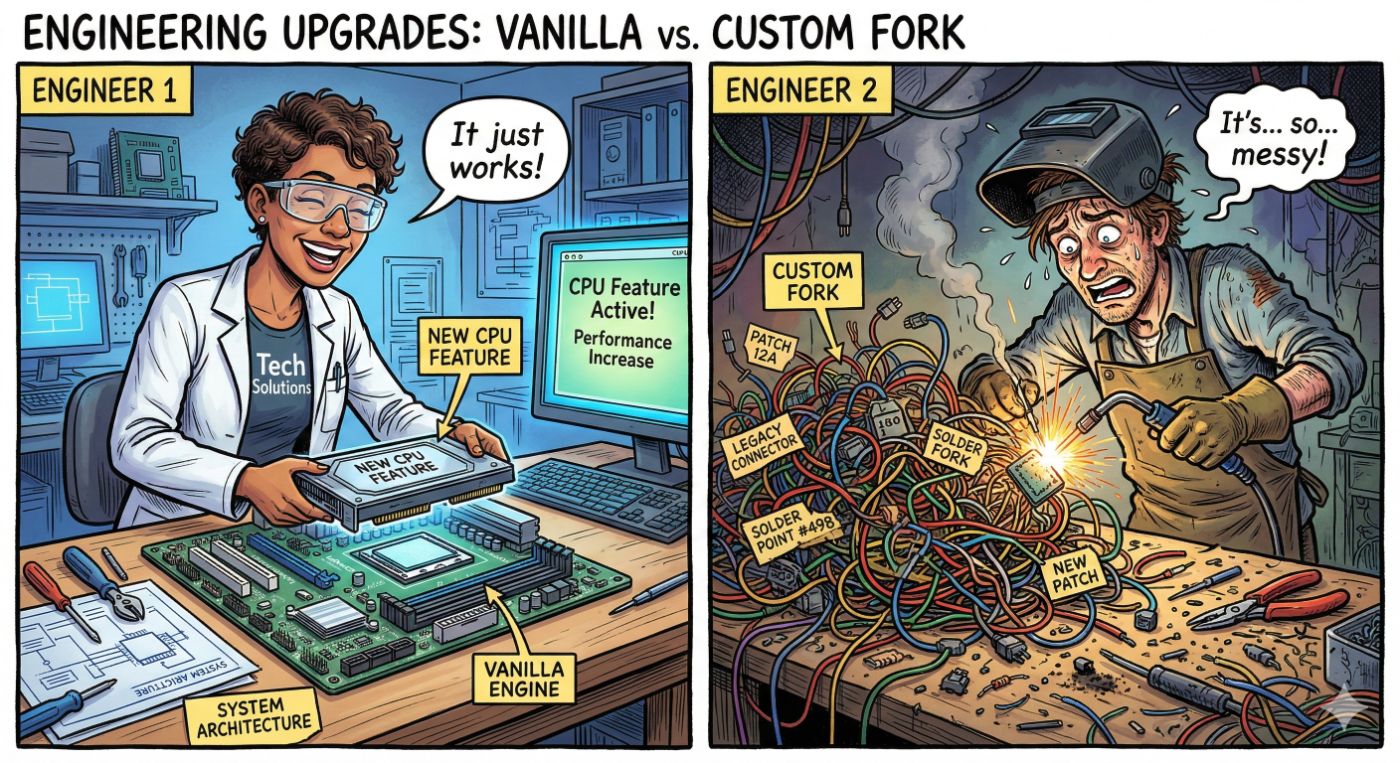
If you hack the engine’s internals, you’re signing up for a never-ending maintenance loop. Every time a new version drops with support for fresh hardware—like ARM KleidiAI (57% prefill boost) or Intel DL Boost (VNNI) — you’d have to re-port your custom optimizations manually. By sticking with a Vanilla Inference Engine, I can “catch” these hardware updates for free just by bumping a version number.
Similarly, I chose not to optimize the coding/decoding pipeline. Why? Because hardware vendors already did. Whether it’s Intel QuickSync or the Rockchip VPU, these chips have silicon-level acceleration for H.264. Focus the code on the Zero-Copy Bridge; leave the codecs to the metal they were built for.
Conclusion: Stop Guessing, Start Profiling
Scaling AI for the real world requires peeling back the layers of abstraction we’ve gotten too comfortable with. Python hides these latency taxes until you put the system into production.
If you are tasked with heavy tensor payloads on video:
- Kill pixel conversions—work on the hardware planes directly.
- Isolate your models—one instance per worker.
- Reorder sequential outputs—don’t let async finish times break your stream.
- Never let your libraries spawn their own threads.
- Stay Vanilla—optimize your architecture, not the engine, to keep tech debt low.
Next for the FogAI node? We’re prepping Grounding DINO for a zero-copy run…