- Tesla’s Holiday Update brings several useful features to owners this year.
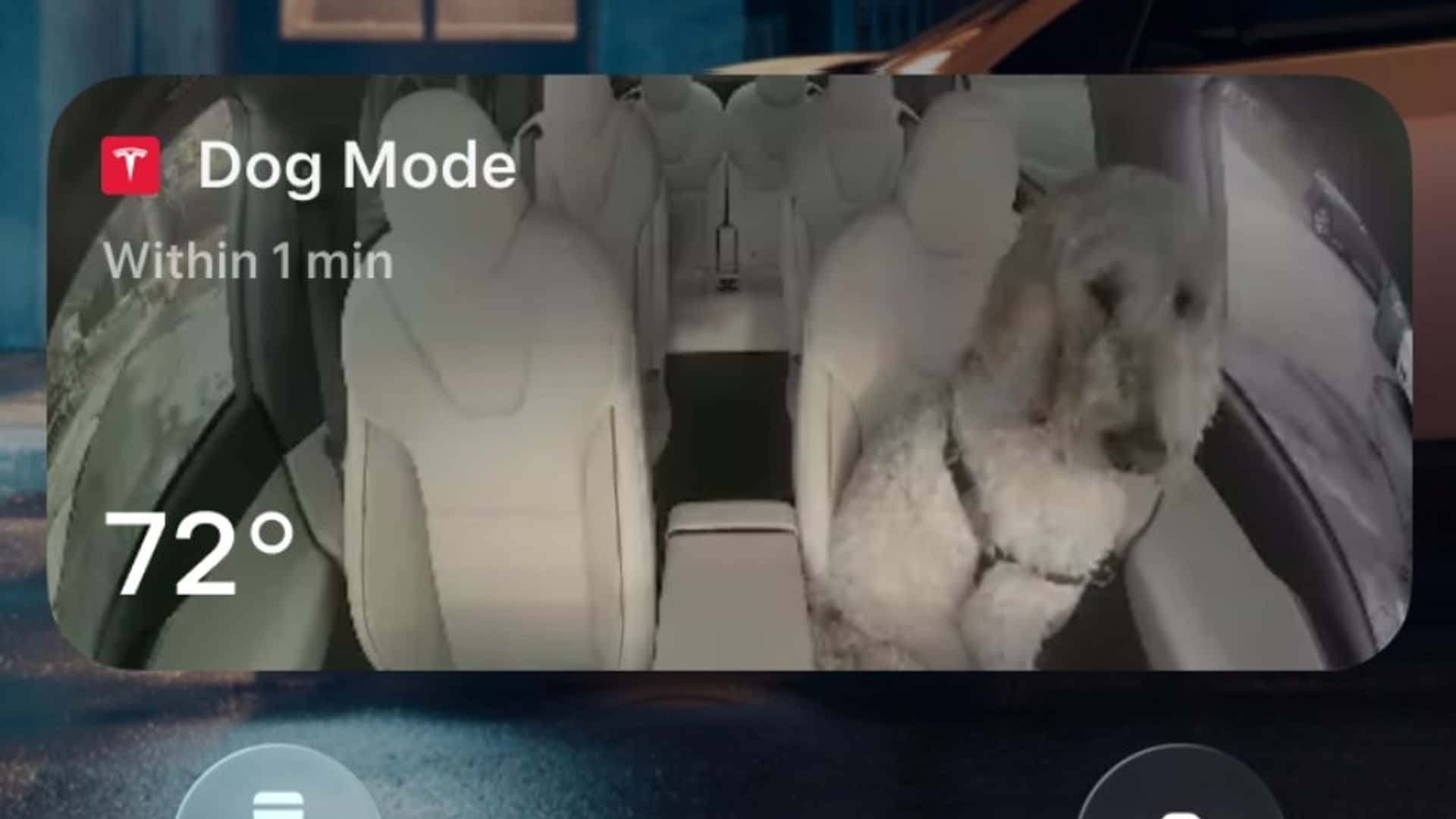
- Including 3D Supercharger maps and snapshots of your dog when you’re not in the car.
- The Dashcam app is also getting a nice update, with more data integrated into the video player.
Every year Tesla expands its software power and delivers a major software update for its vehicles. Sometimes it’s full of gimmicks, and sometimes the improvements are actually useful. This year it’s a mix of both, but it shows that the American company still has an edge over the competition when it comes to software.
Our own Patrick George said the redesigned Tesla Model Y is still the iPhone of cars, and this year’s Holiday Update proves him right. Key features include periodic snapshots of the vehicle’s cabin that appear on the owner’s iPhone when Dog Mode is active, along with live updates on temperature, battery and climate conditions.
Photo by: Tesla
Then there are the really cool 3D Supercharger maps, which show the driver real-time information about the available charging points. To be fair, the feature is currently being tested at only 18 stations, but that number will undoubtedly increase if Tesla sees that many people find it useful.
Grok, the artificial intelligence bot, can now add and edit navigation destinations via voice commands, making it easier to make adjustments without having to tap the screen. That said, drivers will have to touch the display if they want to reorder favorites and set their home or work location by tapping anywhere on the map – a feature included in this update.
Another nice improvement is the ability to set charging limits based on the car’s location. The setting is applied automatically when the car is parked and is remembered for the next charging session. This is particularly useful for people who charge at different locations during the day, such as driving drivers. They may want a near-full battery when they start their shift in the morning, but may want to keep that charge lower during the day with certain fast chargers to reduce battery wear.
The Dashcam Viewer app, exactly what the name suggests, gets new information with this latest update. After installing the latest software, owners can view details such as speed, steering angle and the state of the car’s advanced driver assistance systems on the footage recorded by the various cameras installed on the vehicle. This can be very helpful for those trying to prove that they did not cause an accident.


Photo by: Tesla
There are also some silly but entertaining new features, such as a Santa mode, which shows the car as Santa’s sleigh on the central touchscreen, along with festive snowmen and Tesla’s humanoid robot Optimus. Owners can also apply custom virtual wraps and license plates to their car and then take selfies from their Tesla, complete with filters, stickers and emojis.
The car will beep a few seconds after the doors are closed if there is a phone key in the cabin or if a phone is left on the wireless charger and no one is in it. Speaking of the wireless charger, it can now be turned on or off. And drivers who access HOV carpool lanes can tell the car to automatically select the correct lane depending on time, location, number of passengers and road restrictions.
These are just the latest additions to a software package that has already been well thought out, and it will be interesting to see if they are enough to convince buyers to buy a new Tesla now that the $7,500 federal tax credit is out of the picture.