





Robert Triggs / Android Authority
With everything moving to a subscription model and increasing cloud dependence, we are living in the era of the forever tax. Between Spotify, Netflix, and cloud storage, we pay for music, movies, and to keep our own digital memories safe. And while cloud storage started as a convenient utility with fairly minimal charges for an additional 100GB of storage when photos were all we uploaded, that’s not the case anymore. Between years of data archives, larger photo files, and even larger 4K video-first content capture being the norm, for many of us, it has morphed into a significant monthly bill that we aren’t really in a position to cancel.
Over here at Android Authority, we’ve talked about Network Attached Storage, or NAS, as a solution for the privacy-conscious or the tech-savvy enthusiasts who want to de-Google their lives and reduce their cloud dependence. We’ve even talked about data sovereignty and actually owning your files in a world that desperately wants you to rent them. But while all that is great, cost is another significant factor to consider. The fact of the matter is that a significant chunk of users considering a local storage option are only trying to reduce their monthly expenditure.
Between subscription fatigue and rising data needs, a NAS can be enticing. But does it make financial sense?
As it turns out, if you ignore the privacy benefits, security, and satisfaction of tinkering with your own server, there’s a massive chunk of the population for which cloud storage might still be the cheaper and better option. However, there is a tipping point where the economics flip in favor of owning your own hardware. There’s a very clearly defined data threshold where staying on the cloud stops being a convenience and starts being a surprisingly significant monthly expense. Here is exactly when you should stop renting cloud storage and invest in your own NAS.
Are you all in on cloud storage or have you switched to a NAS?
59 votes
The cloud pricing ladder

Karandeep Singh / Android Authority
Let me preface this by saying that I’m going to factor in pure storage as the deciding factor here. Sure, some of us run our NAS as Plex media servers and music servers. However, between the cost of acquiring legal media and the number of streaming subscriptions you’ve signed up for, there’s no real way to accurately represent a break-even point. So, for the sake of simplicity, let’s roll with pure storage costs as the clincher. With that said, let’s dive in.
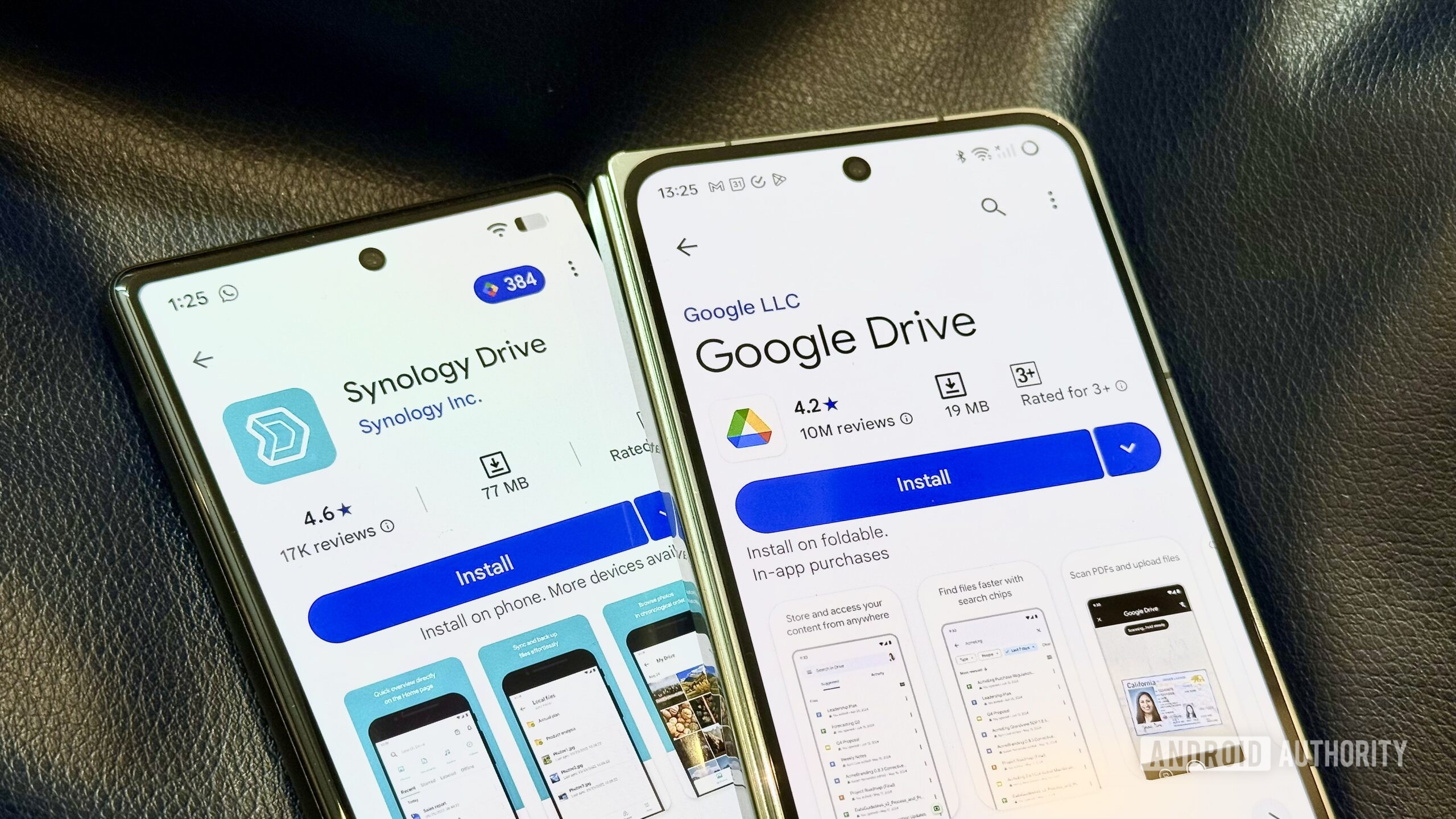
If you open up the upgrade page for your choice of cloud storage providers like Google, Apple, and Microsoft, you’ll observe that they have designed a pricing ladder that is nothing short of brilliant in terms of incentivizing an upgrade. For most people, the bottom rung 100GB plans are just about enough to get you comfortable with the idea of paying for cloud storage before you inevitably run out of the extremely limited basic tier. The 100GB or 200GB plans cost the price of a coffee, making them feel negligible, but they are a good start for very basic needs.
Next up is the 2TB tier, which has become the standard for power users, and gives you a reasonable amount of breathing room for storing a few years’ worth of photos or a couple of months of videos. Across Google One, iCloud, and Dropbox, you are generally looking at about $10 a month or roughly $100 a year for that 2TB tier. For the peace of mind that comes with seamless backups and cross-device syncing, that, honestly, comes across as a pretty fair trade. It’s the tier I subscribe to despite running NAS systems with almost 100TB of storage between them.
There is a very clear point where renting cloud storage stops making sense.
But once you cross that 2TB line, that’s where the economics stop making sense. The pricing structure for storage above two terabytes does not scale linearly. For example, if you look at Google One, the jump from 2TB to the next available tier of 5TB takes you from $99 a year to roughly $250 a year if you factor in the annual payment discount. That’s a steep hike with no middle ground. You can’t just add on a little extra storage based on your needs. You have to make the leap to the higher tier, paying for storage you might not even fill for years.
Apple is even more aggressive with its iCloud pricing. Moving from the 2TB plan to the 6TB plan costs a staggering $360 a year. That’s a fixed $30 cost a month — the 2TB plan only costs $10 per month — even if you only need 2.5TB or 3TB of space instead of the 6TB being offered. And unlike some other services, there is no annual discount available to soften the blow. Finally, Microsoft is perhaps the most frustrating of the bunch for individual power users. OneDrive effectively caps you at 1TB per user. While they advertise a family plan with 6TB of total storage, that pool is sliced into six separate 1TB accounts. If you have a single 3TB photo library or a massive archive of video projects, OneDrive is essentially useless to you unless you are willing to navigate a labyrinth of additional storage fees.
All of that to say, the financial tipping line is set at about 2TB of space. As long as you stay under 2TB of data, pricing tiers remain fairly reasonable. However, the moment you cross that, you can expect your bill to triple or even quadruple to unlock a higher amount of cloud storage.
What a sensible NAS set up actually costs

Dhruv Bhutani / Android Authority
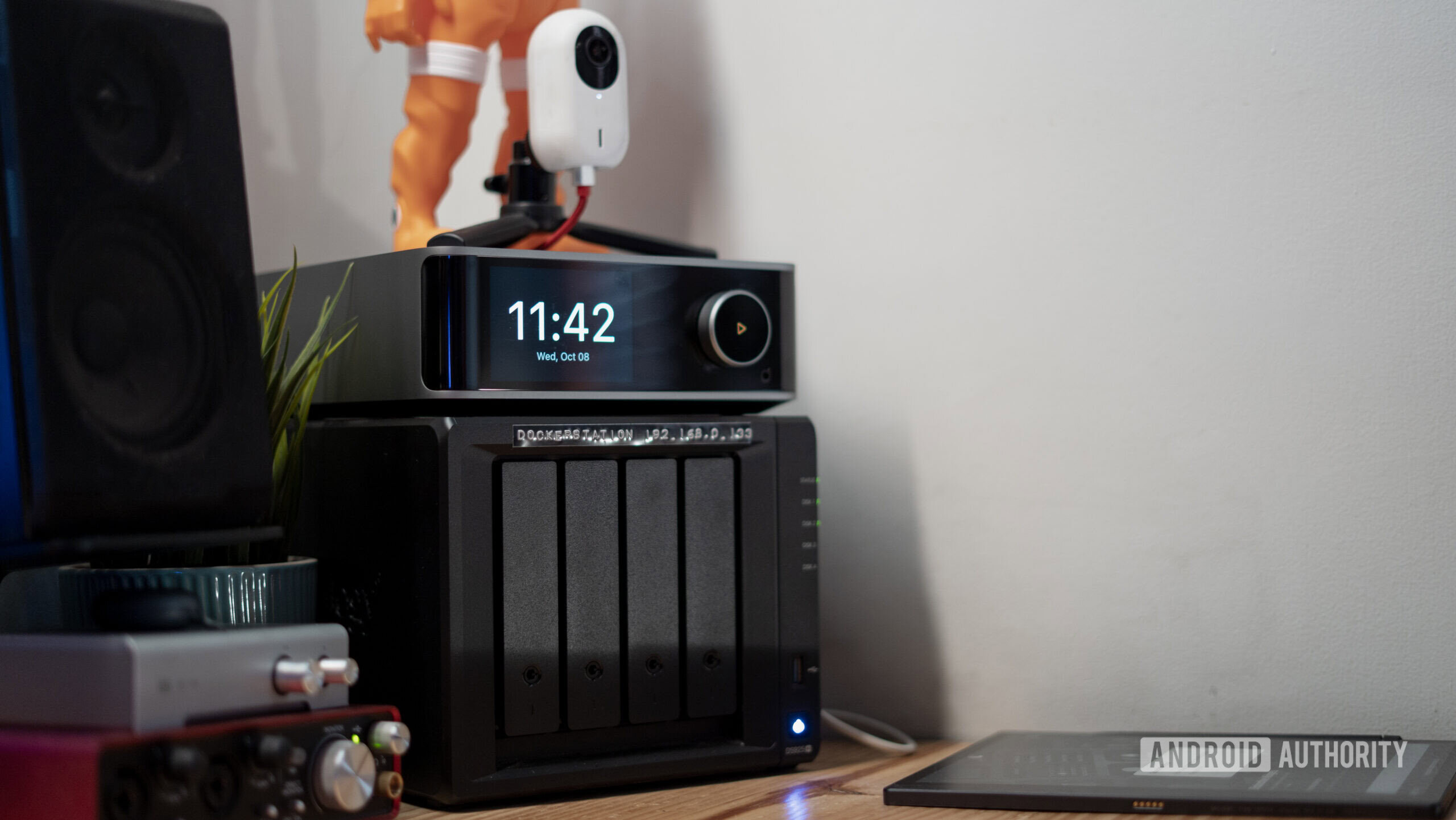
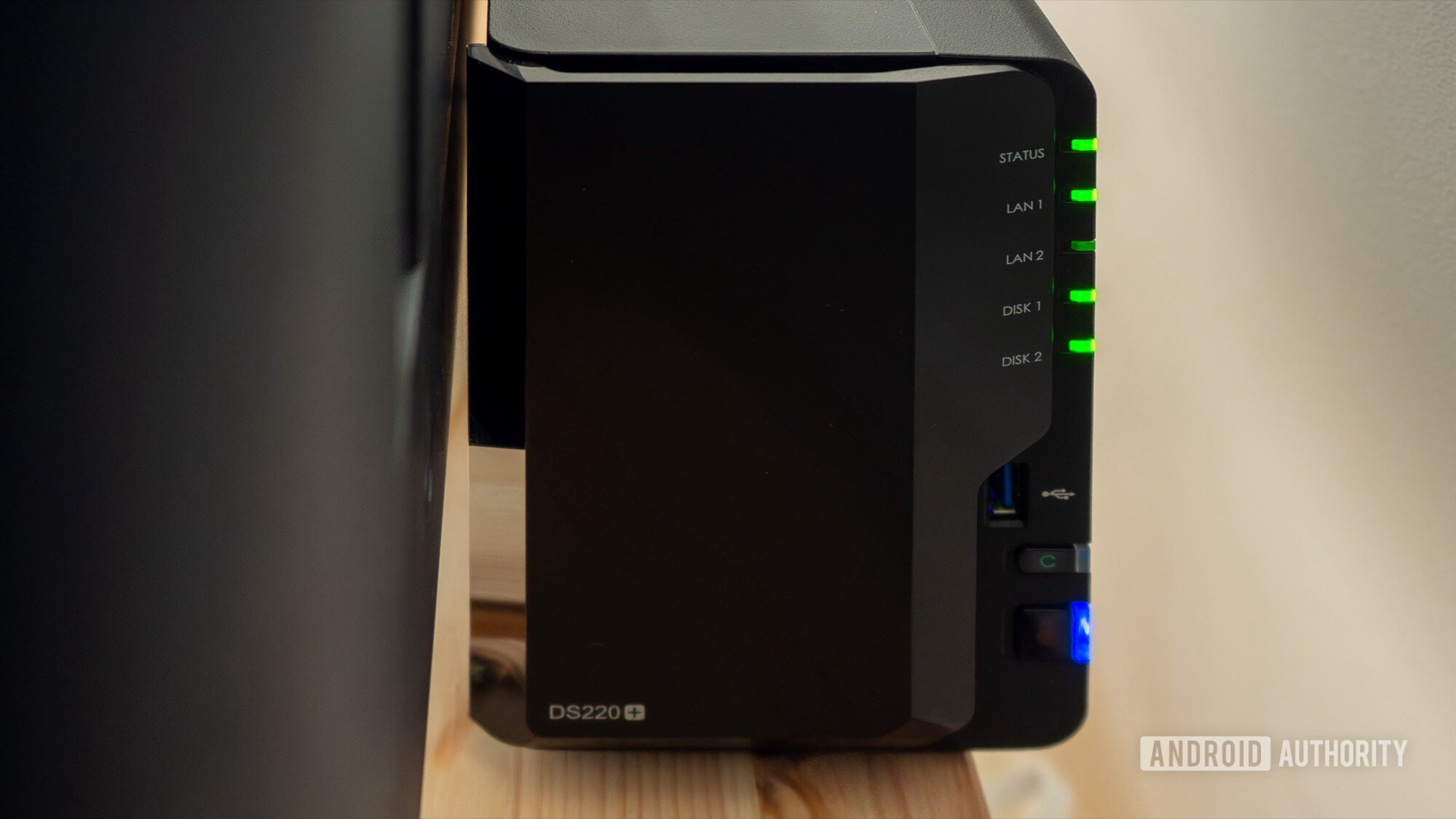
Of course, we could just end the article here if the answer was that simple. However, there are more factors at play. To understand why and when a NAS becomes the smart play here, we need to compare these cloud costs against a realistic hardware alternative. We’re not going to kit out a brand new DIY server or use repurposed enterprise gear. If you’re a pro user or a home lab enthusiast, you’ve already considered that route, irrespective of the cost. No, the goal here is to find the best bang-for-your-buck appliance-style NAS that offers a user-friendly approach and cloud connectivity. For this comparison, I decided to pick the Synology DS225+ as my baseline.
While there are slightly more affordable options on the market, Synology’s products strike an excellent balance of hardware capabilities and, just as importantly, well-thought-out apps. As for the specific model, a NAS is designed for years of use, and the company’s Plus models offer a lot more power than the budget-minded J-series. To put it simply, it is a robust two-bay NAS that strikes the perfect balance between price, performance, and ease of use for years to come.
The initial investment in a NAS looks expensive until you realize it replaces a monthly bill forever.
Looking up Amazon, the unit itself costs roughly $360, and to get it up and running, I’d recommend populating it with two 4TB NAS hard drives, which generally run about $100 each. The price difference between a 2TB and a 4TB hard drive isn’t significant enough to skimp out. Plus, a 4TB drive gives you twice the baseline storage that we established earlier, giving you enough room to spare. We’re also going to assume that the drives are set up in RAID 1 for mirroring. This means that one drive is an exact copy of the other, and if one drive fails, you have some peace of mind.
At the time of publishing, this means that your total upfront cost for this setup sits at $539. That number might seem high when you compare it to a $10 monthly subscription. However, that opinion changes quickly once you start looking at the bigger picture, since this purchase allows you to ditch that monthly fee altogether. The math here is surprisingly binary, and you likely fall into one of two very distinct camps.
At scale, cloud storage gets expensive fast

Dhruv Bhutani / Android Authority
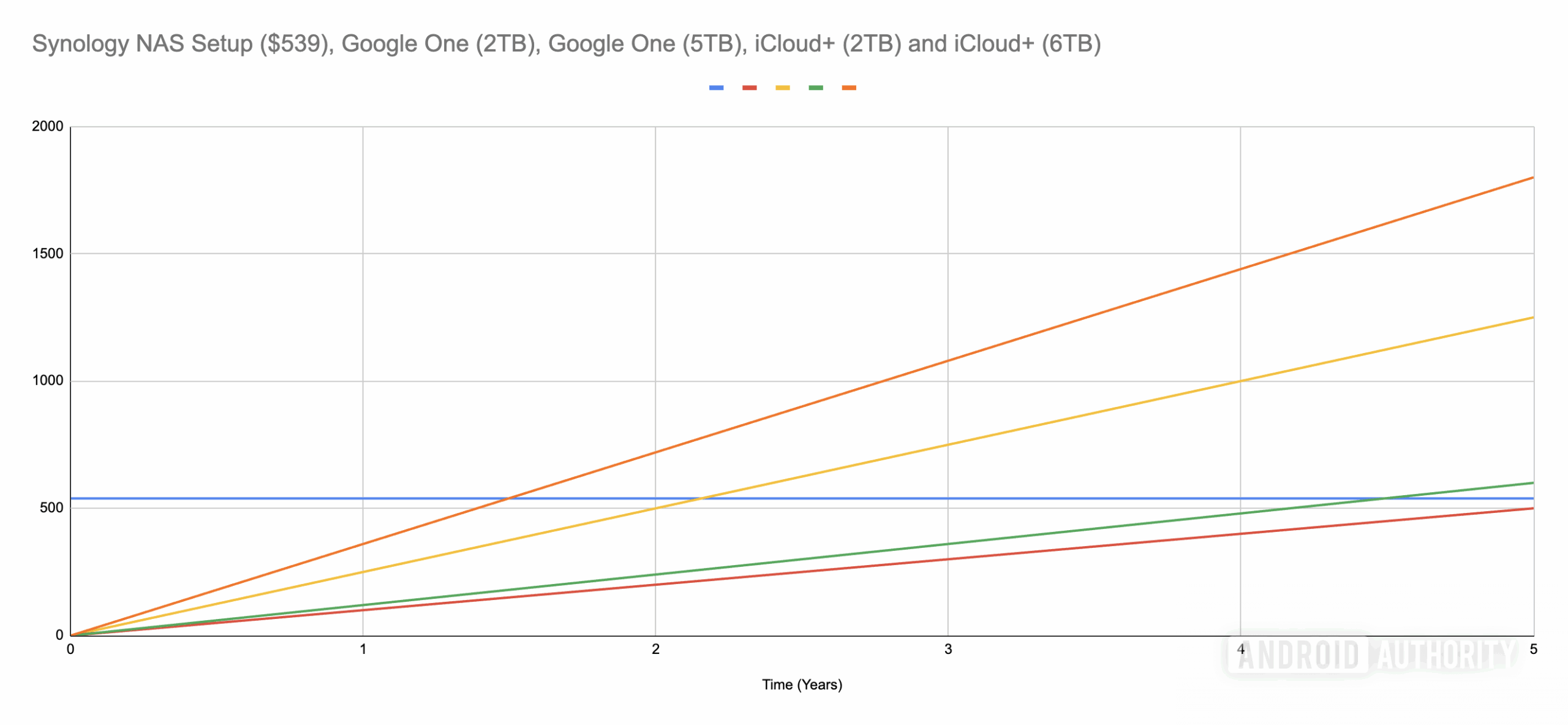
The first scenario is the casual user. If your digital life archives fit comfortably within that initial 2TB limit, the NAS is a hard sell strictly on price. If you stay on the 2TB cloud plan costing $100 a year, it would take you nearly five and a half years to break even on a $500 NAS purchase. If that’s you, sticking to cloud storage is the smart move. Five years is a long time in technology. Between potential hard drive failures, hardware getting obsolete, and electricity costs, you’re definitely paying a lot more here. Unless you value privacy above all else, sticking to a monthly cloud storage plan is the prudent choice. It’s a fair price for the convenience, and the financial incentive to switch just isn’t strong enough.
The second scenario, on the other hand, is where the math changes dramatically. This is for the creators, the data hoarders, the photographers, and even families with loads of data stored up. If you have a growing library that is anywhere close to, or about to scrape past that 2TB limit, your only real option is to splurge on premium cloud storage tiers, which is where the value proposition completely changes. Let’s look at the math over a five-year period, comparing our hardware setup against the high-capacity cloud plans.
For large libraries, the break-even point arrives shockingly fast.
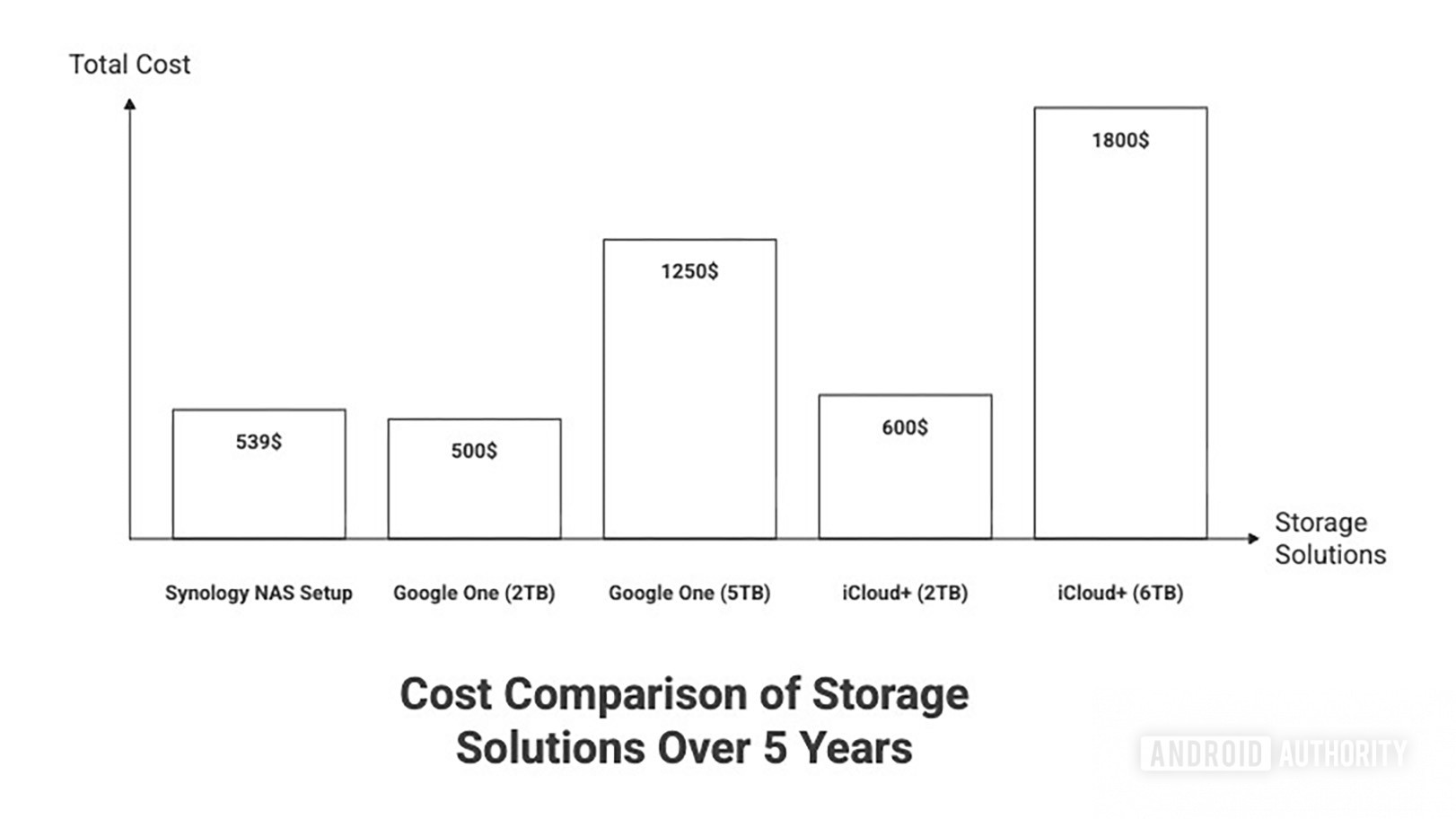
If you are an Apple user forced to jump to the 6TB iCloud plan, you are paying $360 every year. If you bought the Synology setup instead, your break-even point is just one and a half years. That is incredibly fast. Over a five-year period, the cloud cost would be $1,800. The cost of the NAS, including the initial hardware and a generous estimate for electricity usage, would barely cross six hundred dollars. If you are in the Apple ecosystem, you can save $1,200 over five years simply by owning the storage box rather than renting space on a cloud server. To put that in perspective, the savings alone are enough to buy a new NAS and fresh hard drives, or even larger hard drives every few years.
Even with Google One, which is slightly cheaper at $250 a year for the 5TB plan, the numbers are heavily in favor of the NAS. Your break-even point lands at just over two years. Over five years, staying with Google would cost you just about $1,250, while the NAS remains steady at around $600, accounting for electricity consumption. You are still pocketing $650 in pure savings.

Dhruv Bhutani / Android Authority
The conclusion here is pretty straightforward. If you are paying for these higher storage tiers, you are effectively buying the equivalent of a new NAS every 18 to 24 months. You are paying the full purchase price of the hardware repeatedly, without actually owning it.
A NAS unlocks more than just savings

Robert Triggs / Android Authority
The financial aspect is only just one part of the story, but once you have made the decision to buy a NAS based on math, you unlock a suite of perks that Google and Apple simply cannot match. These are the value-adds that make that initial investment in your own hardware feel like an absolute steal. Some of these perks are more subtle than others, but they all make a tangible difference in how you use storage.
One of the first major differences you’ll notice is speed of access. For obvious reasons, backing up your data to your own server, which is wired into your home network, is much faster than uploading it to the cloud. Nor does it eat into your monthly data cap if your ISP imposes one. While we’re at it, if you tend to edit photos and videos, you can’t really do that from cloud storage. You’ll have to download the files to your computer and then work off them. Doable, but the added friction makes it less than convenient. On the other hand, if you’re working with files that are hosted on your own NAS, you can bypass that entire step.
Then there is the issue of ownership and policy. We have all read the horror stories of people getting locked out of their entire Google accounts because an automated bot flagged a harmless photo of a toddler as a policy violation. When you rely on the cloud, you are subject to its terms and conditions, which can and do change at any time. When you own the NAS, you decide what stays and goes. No algorithm is scanning your family memories to see if they comply with corporate policy. Well, unless you run a photo hosting tool like Immich that can do face recognition. But that too is in your control. Your data sits in your home, physically under your control. In these murky times of AI and data brokering, that peace of mind is worth more than the money you save — though that’s important too.
Storage is just the starting point. A modern NAS can replace a plethora of subscription services with open-source alternatives.
Furthermore, the software ecosystem on modern NAS units has evolved to a point where it genuinely rivals the tech giants. You are not just getting a folder to dump files in. You are getting a complete application suite. Synology Photos, for example, is a near-clone of Google Photos. It offers facial recognition, map views, timeline scrubbing, and automatic mobile backups. It looks and feels very similar to the premium service you were paying for, but it runs locally on your own hardware. And if you don’t like the default experience, you can deploy a world of open-source alternatives like Immich or Ente to try out something new.
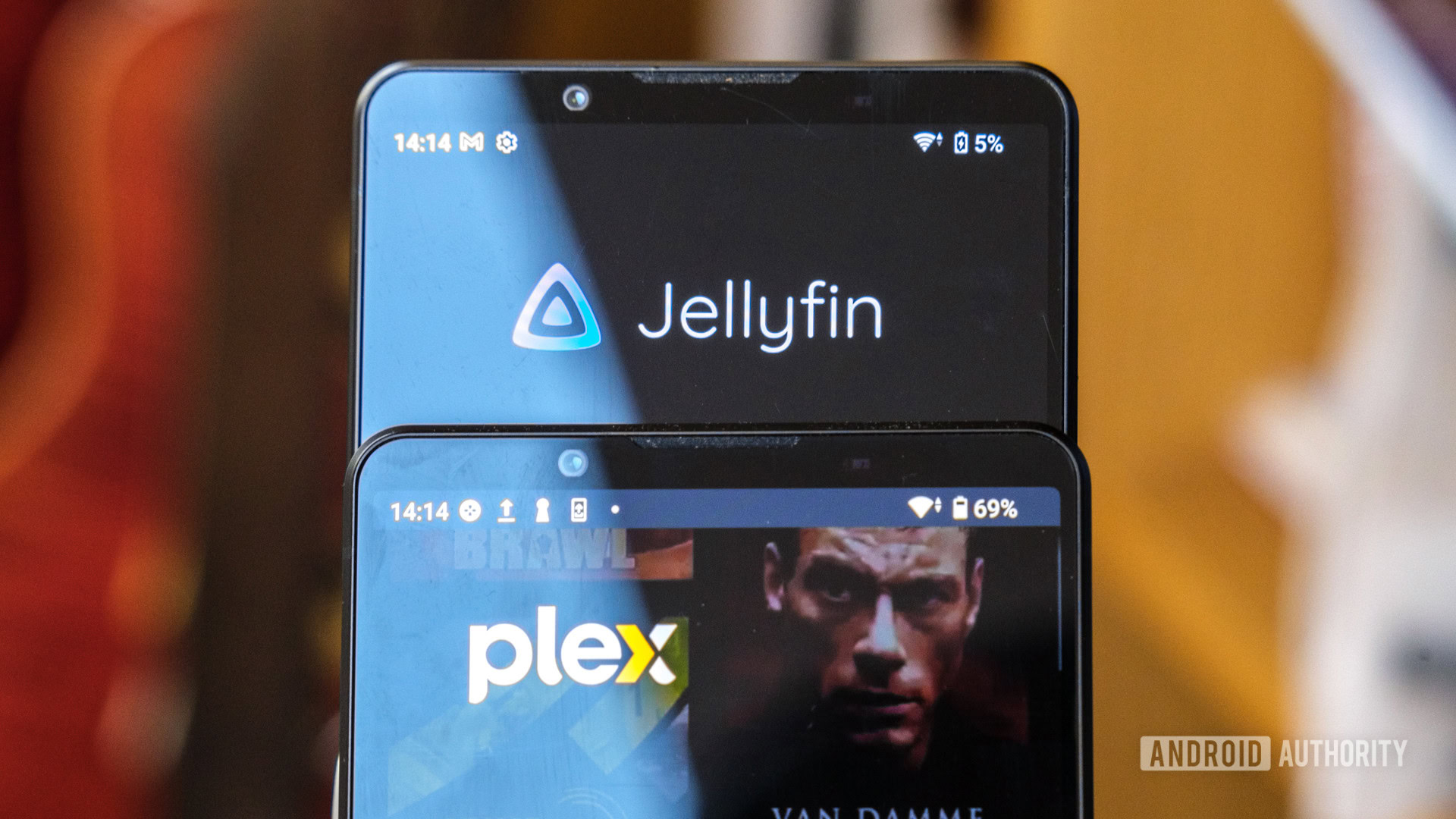
You can also run media servers like Plex or Jellyfin to build your own personal Netflix with movies and shows you actually own. Instead of paying for five different streaming services, you can curate your own library that’ll always be there. If you want to take things up a notch, you can run Home Assistant to control your smart home devices locally. Like I said, deploying your own NAS offers benefits beyond just storage. It’s effectively a low-powered server that can run dozens of services to tackle most common use cases you have. Not just storage, you might be able to ditch other subscriptions too, amping up the cost savings.
When you stack the financial savings on top of the performance gains and the software ecosystem, the argument for the cloud collapses for anyone with a large library. The cloud is fantastic for light users with very limited needs, like backing up documents or a light phone camera roll. But for enthusiasts, digital hoarders, and content creators, going the NAS route makes obvious sense.
So, should I stick to cloud storage or go the NAS route?

Rita El Khoury / Android Authority
The advice is, honestly, simple. Check the storage in your cloud provider’s dashboard and see exactly how much space you are using. If you are comfortably under 2TB, relax. The cloud is the right choice for you, and investing in a NAS won’t give you much of a cost benefit. But if you are hovering anywhere near the 75% usage mark or are sweating about that next storage full notification, it might be time to consider going a different route. The math makes it clear that crossing the 2TB line is the tipping point financially. But if the other use cases interest you, the cost savings add up very quickly.
Don’t want to miss the best from Android Authority?


Thank you for being part of our community. Read our Comment Policy before posting.


