We may receive a commission on purchases made from links.
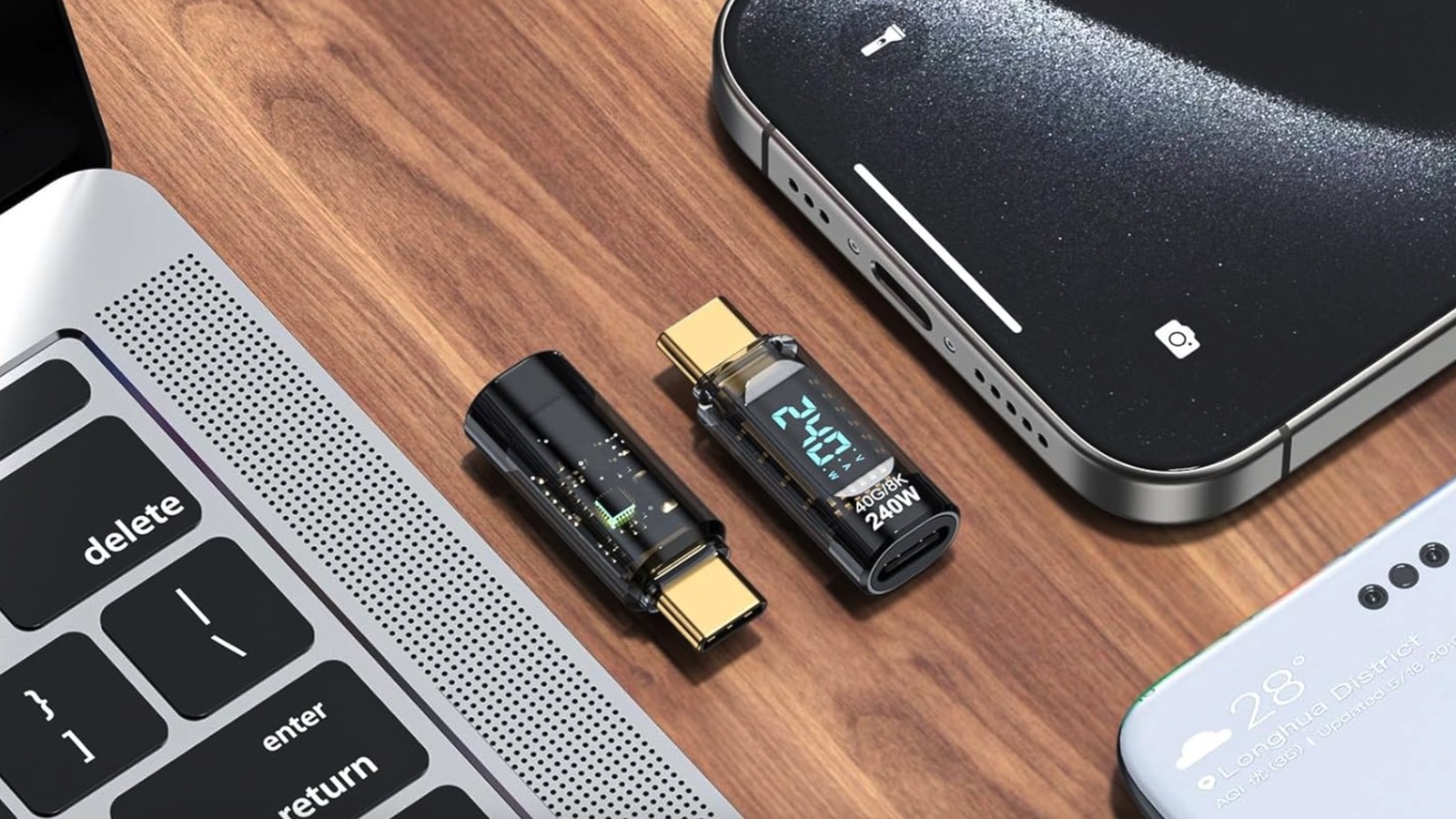
If you’ve ever needed to measure the charging power a USB-C port or cable can support, then all you need is $9.99 to get the 240W USB-C Adapter Power Meter Tester from Amazon. You may even score some temporary deals, like saving 10% at checkout. Free shipping is available if you subscribe to Amazon Prime or your order is over $35. At that price, you get two USB-C adapters that should work with all your devices that have USB-C ports. As the product name implies, the power meters will work with power draw up to 240W, which can help you identify the limitations of USB-C ports and USB-C cables.
The gadget is also a useful tool to have on hand if you want to tell various USB-C cables apart and ensure you grab the ones that support the power needs of your phone, laptop, and other devices. Also, the power meter can be used to determine whether a cable can maintain the power draw it’s rated to deliver or whether it’s damaged. The power meter will display the power (wattage), voltage, and amperage andcycles automatically between the three values.
What the power meter can’t show is the data transfer speed your port and cables support. However, the manufacturer notes in its description that the device can support up to 40 Gbps data transfer and 8K video. The power meter has a transparent design, and you can leave it plugged into your laptop if you want to monitor power readings continuously. It’s small enough to carry a spare with you in case you need to quickly diagnose your ports and cables.
How to use the $10 USB-C power meter
To get started, plug the adapter into the USB-C port you want to measure, and then connect a USB-C cable to the adapter’s other end. After that’s done, the power meter will start showing current readings. You can use the power meter in many USB‑C scenarios. You can take it to your car to measure the power its USB-C ports can provide to your fast-charging phone or laptop. If you’re traveling, use it in hotels to determine whether a wall USB-C port can recharge your phone at maximum speeds and whether the port draws enough power for a high-end MacBook Pro. The power readings on the adapter will tell you whether you need to use your charger instead of a wall solution. Then again, you may want to skip USB-C ports in public places, as hackers may use the ports for cyberattacks.
The power meter can be used to determine whether your cable and charger support the maximum charging power. For example, you may own a phone that can be recharged at 65W with a proprietary cable and charger that came with the device. You can use the power meter to test the maximum power third-party USB-C cables and chargers support.
Similarly, the gadget can be used to determine whether a laptop dock can offer enough power via USB-C during typical use. In addition, you can check if your laptop can provide enough power to a different USB gadget connected to it, like an SSD drive. One reviewer noted that the gadget’s display won’t show wattage readings when your device is charged at 100% and not in use. Speaking of reviews, the device has an average of 4.4 stars out of five on Amazon, out of 347 reviews.