Joe Maring / Android Authority
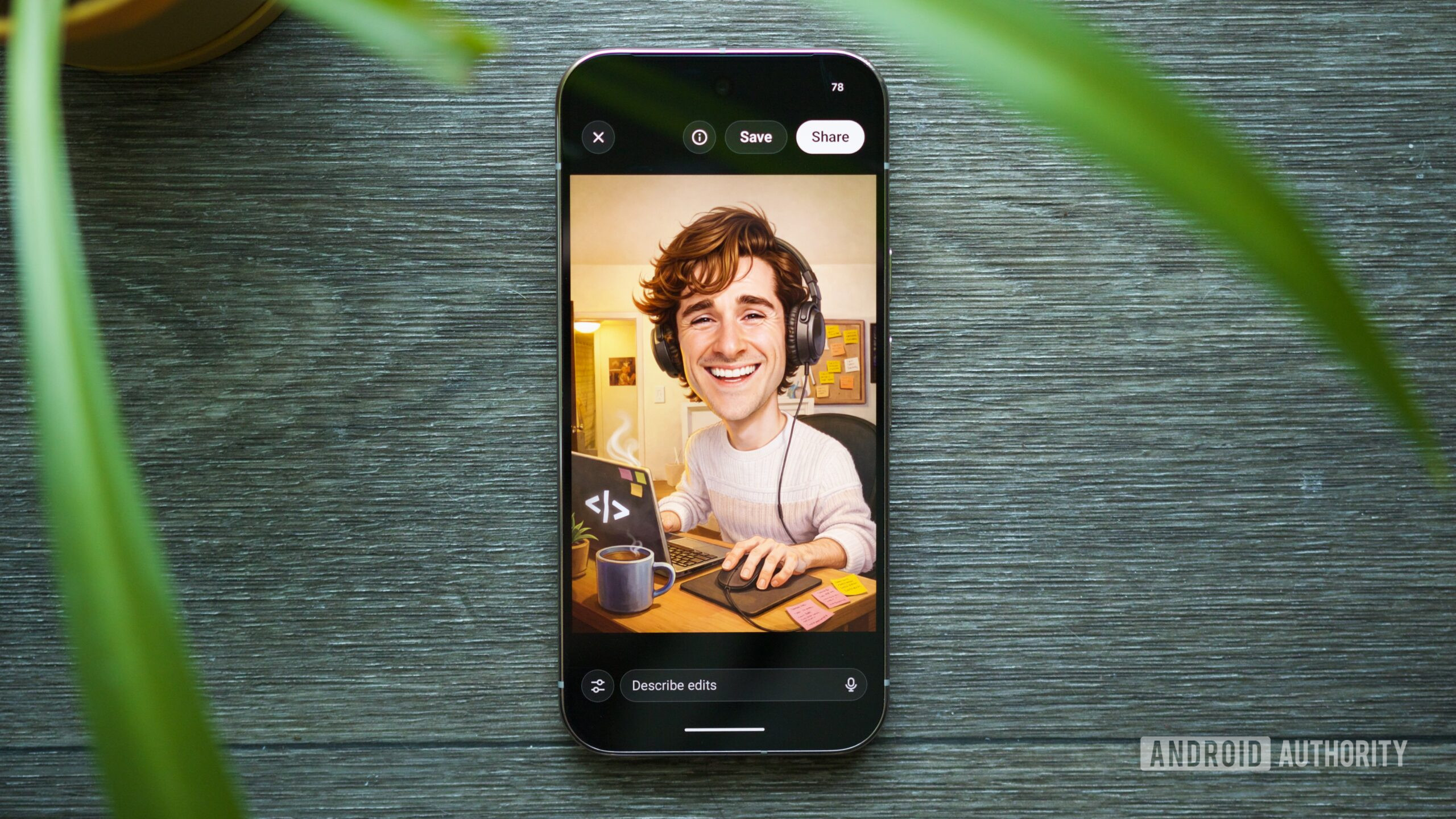
If you’ve spent any time on Instagram, Facebook, X, or any other social media app over the last few days, you’ve almost certainly seen people posting caricatures of themselves — usually accentuated with details about their job, interests, etc.
No, not everyone you know is suddenly rushing out to support local cartoonists to draw these for them — they’re using AI to make these. Last year, it was Studio Ghibli-style AI art that everyone was obsessed with posting. Now, we’ve moved on to AI caricatures.
If you need an AI caricature in your life and aren’t sure where to start, here’s what to do.
Have you made an AI caricature of yourself?
4 votes
How to make your own AI caricature

Joe Maring / Android Authority
To get started, open the ChatGPT app on your phone or visit the ChatGPT website on your computer. Technically, you could use any AI chatbot with image generation capabilities, but if you want the same style/design you see in other caricature posts, you’ll want to use ChatGPT.
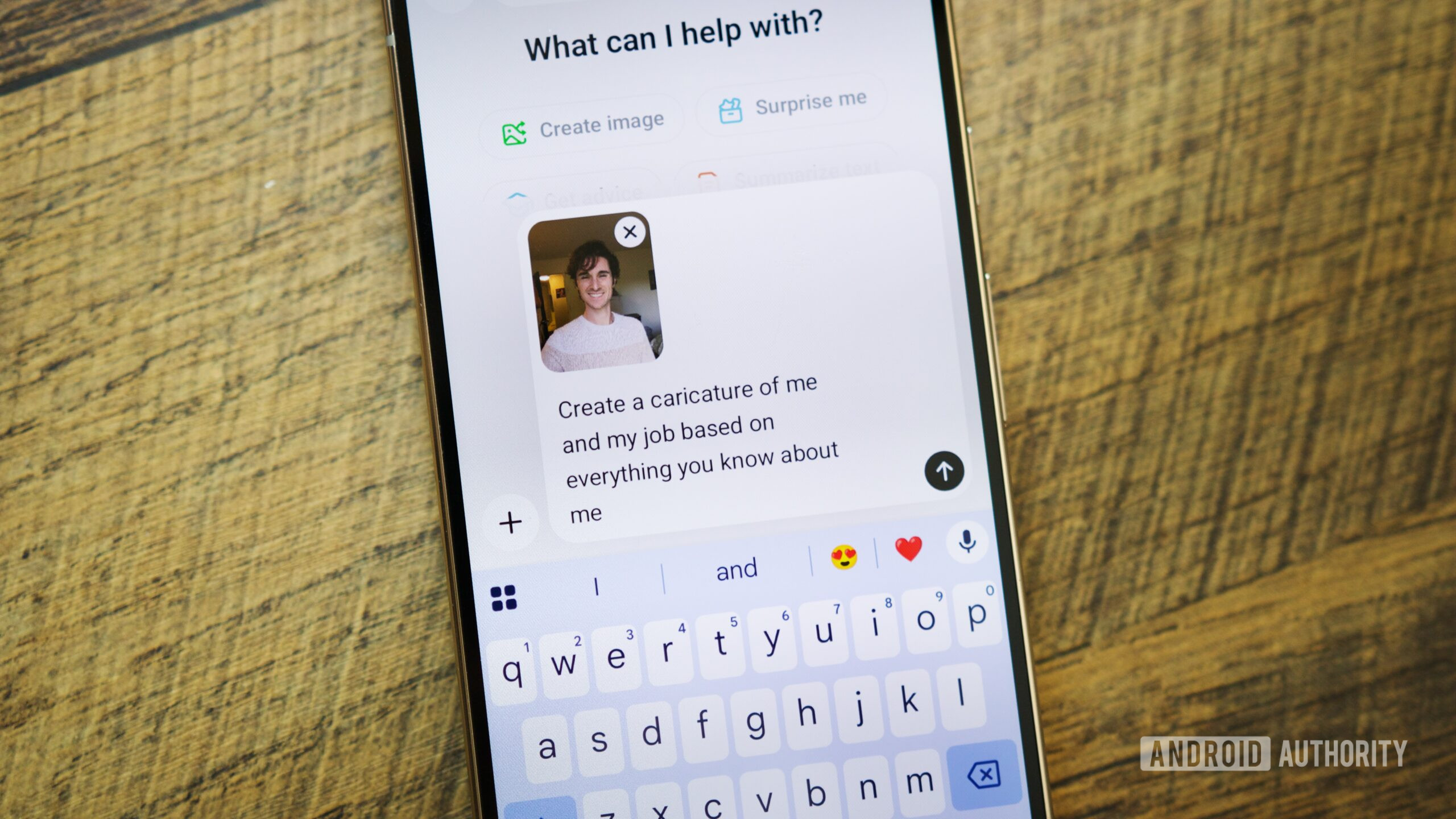
From the ChatGPT app, tap the plus icon (+) near the bottom left of your screen, tap Photos, and select a picture of yourself to upload. Close-up photos of just yourself work best (not a distant angle or a group photo with others). If you don’t have a good one to use, you can also tap Camera and snap a quick selfie.
After selecting a picture, type “Create a caricature of me and my job based on everything you know about me” into the prompt box and then tap the Enter button. The more often you use ChatGPT, the more personalized your photo will be. If you’re not a frequent ChatGPT user (like me), you may receive a follow-up question about your job before your caricature is created.
You’ll need to wait a few seconds for your image to be generated, but after a little while, you’ll have your very own AI-made caricature. If you have ChatGPT Plus, your picture will be generated faster.
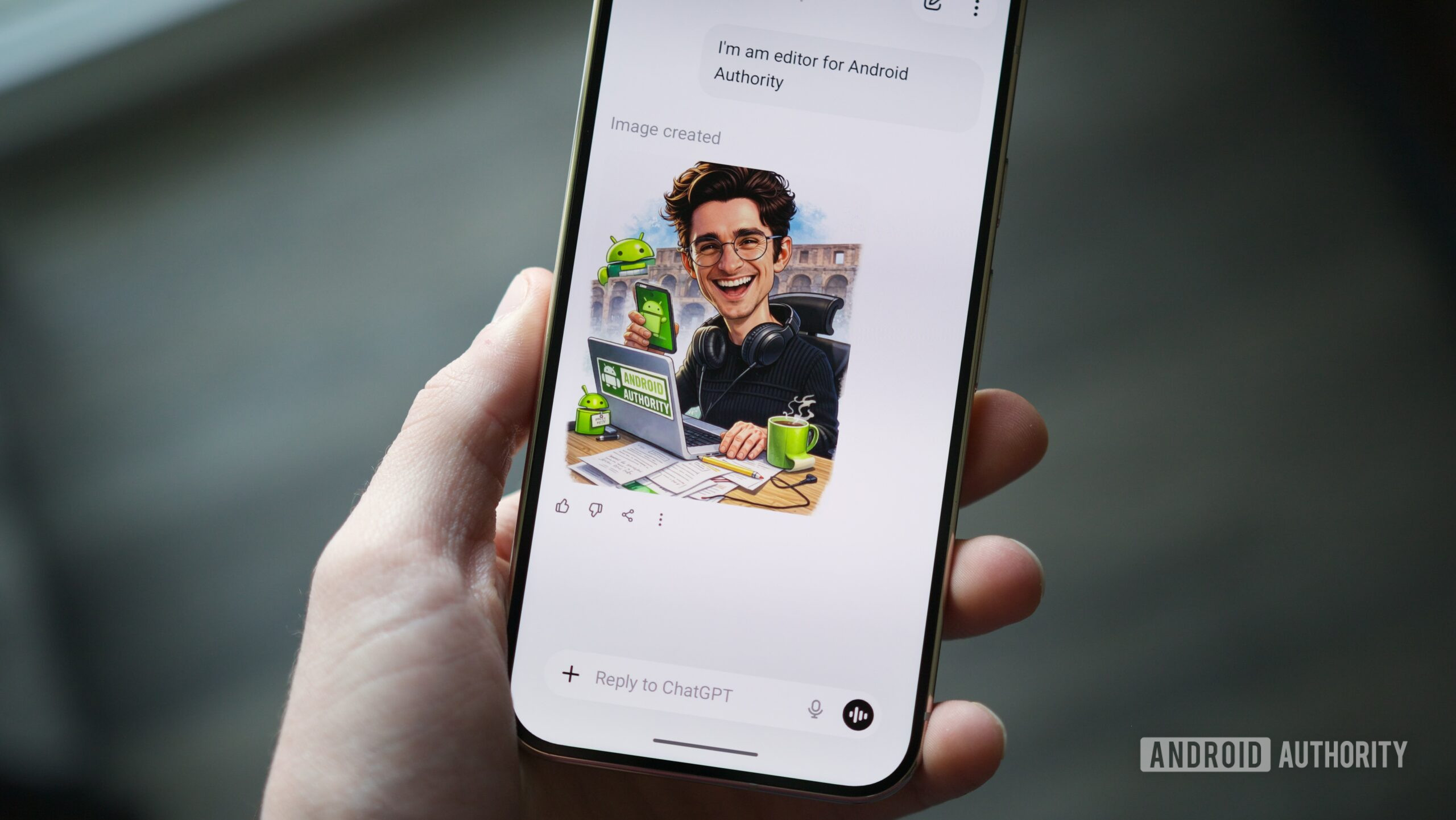
Mine turned out … fine. The photo I uploaded is of me in Rome from a vacation last year, so the Colosseum in the background is a good touch. ChatGPT also did a fine job retaining the style of my sweater, glasses, and hair. But what’s going on with the backwards phone I’m holding? Or the double-sided pencil? Or the weird growth on my coffee cup? I guess we’ll chalk those up to “artistic” choices.
Once you have your caricature, tap it to save a copy to your phone, share it on social media, or make edits to further refine it. Or, if you want to try it again, you can upload another photo of yourself for a completely new version.
Should you join the viral AI caricature trend?

Joe Maring / Android Authority
As you can see, joining this AI caricature trend is simple enough. But is it something you should do? That’s something you’ll need to decide for yourself.
If you regularly use ChatGPT and/or other AI chatbots, you’ve likely already handed over a fair amount of personal info about yourself. Uploading a profile picture and asking ChatGPT to create a caricature from it isn’t a significant increase in privacy concern. On the flip side, if you rarely or never use ChatGPT — whether out of ethical concerns or other personal reasons — you probably don’t want to upend that by handing ChatGPT a photo of yourself.
There’s also the environmental factor to consider, as image generation is one of the more resource-intensive AI functions you can use. While one single photo may not make a big difference in the grand scheme of things, it’s still something to think about.
Personally, I don’t think these AI caricatures are high-quality enough to be worth the privacy and environmental trade-offs — but that’s just me. If you like how the caricatures look and want to hop on the bandwagon yourself, now you know how.
Don’t want to miss the best from Android Authority?


Thank you for being part of our community. Read our Comment Policy before posting.