




Dhruv Bhutani / Android Authority
I’ve been an early adopter of Google’s smart home ecosystem, using their devices and assistants since the very first iteration. But it’s safe to say that for the longest time, the promise of a digital assistant has been stuck in a cycle of setting kitchen timers and reading out the weather. Google Assistant, Siri, and even the newer Gemini integrations are essentially voice-activated search engines with a few smart home toggles attached. They operate within a very specific, very safe sandbox. While agentic control of your smartphone seems to be the future — and despite experimental projects like the Rabbit R1 attempting to bridge that gap — we haven’t quite seen a truly seamless implementation come to fruition just yet.
For years, the promise of a digital assistant has boiled down to kitchen timers and weather updates.
This frustration isn’t limited to mobile devices. Even in a desktop environment, these assistants quickly reach their limits. If you want to move a file from your downloads folder to a specific project directory based on its contents, or if you want to scrape a website and format that data into a local spreadsheet, these assistants simply hit a wall. They don’t have the permissions, and frankly, the companies building them don’t want to deal with the liability of giving an AI that kind of control and reach.
This is where OpenClaw enters the picture. If you’ve come across the names Clawdbot or Moltbot over the last few days, OpenClaw is the same project but with a new name. The company had a rocky few days settling on a name for the project, with Anthropic, understandably, having an issue with the original name. Meanwhile, Moltbot, let’s just say, didn’t quite stick. And so, OpenClaw it is. Hopefully, this is the final one in a long series of name changes.
So, what exactly is OpenClaw? It is an open-source project that changes the perspective on what an assistant should be. Instead of a cloud-based service that you talk to, OpenClaw acts like a thin layer of intelligence that sits directly on top of your computer’s operating system. With deep system-level access, it can treat your Mac or PC as its own workspace, hook into your terminal, interact with the file system, execute code, and even manage applications in a way that regular chat-like AI apps simply can’t.
Would you give an LLM full access to your computer?
71 votes
Putting OpenClaw to work

Dhruv Bhutani / Android Authority
The eventual goal of most AI tools is to handle everyday operations on your behalf, whether on your smartphone or your computer. That’s exactly what OpenClaw steps in to do by acting as a middleman between an LLM running on your computer or in the cloud, and an agent that takes action on your computer. One of the most practical ways people are using OpenClaw right now is for mundane digital maintenance that we tend to avoid.
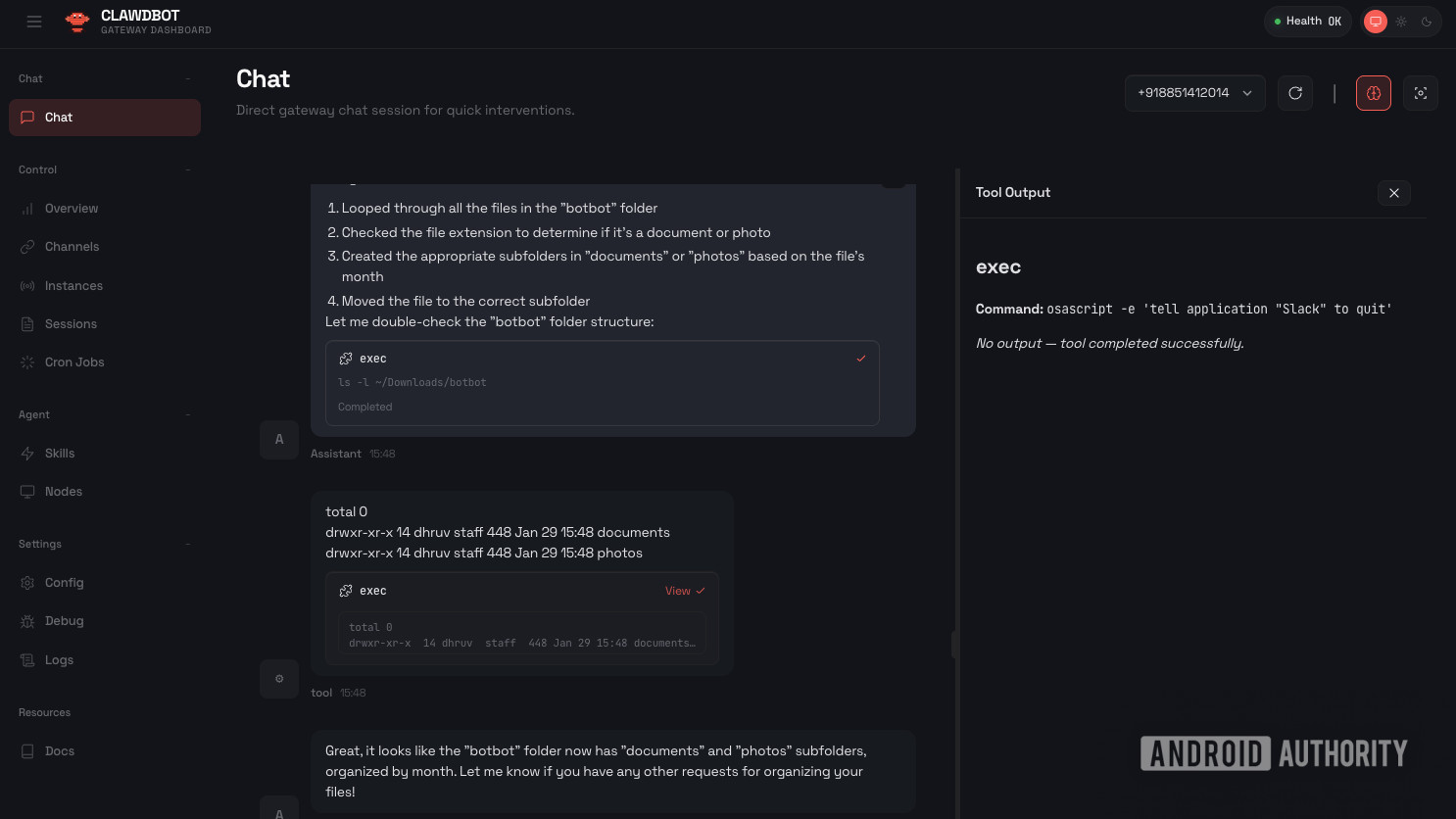
In my case, I’ve been using it to sort out my downloads folder. It’s typical for a downloads folder to be overrun with photos and files with no semblance of organization. Traditionally, this cleanup job meant previewing every document, manually organizing it by where it should go, such as folders sorted by project type or file types, dates, and then placing it there.
OpenClaw adds a layer of LLM-powered intelligence that sits on top of your operating system.
With OpenClaw, you can just tell it to handle the mess. Since the bot can see the files and read their contents using its connection to the LLM, it doesn’t just look at file names. You can give it a command like, “Look through my downloads, find any invoices from last month, rename them to the vendor name and date, and move them to my Taxes folder.” The bot will then loop through the directory, open the files, extract the relevant data, and perform the file operations. It is doing exactly what I would have done, except it takes seconds instead of hours. That is, honestly, unbelievable.
This capability extends to folder organization on a much larger scale. Some users are using it to maintain their Obsidian or Notion databases. If you have a scattered collection of text files and notes, you can ask the bot to categorize them into a logical folder structure based on the topics discussed in the text. It isn’t relying on a rigid set of rules like tools like Hazel. Instead, it’s reading the documents, using its understanding of language to decide where things belong. If it finds a note about a recipe and a note about a grocery list, it knows they belong in a “Cooking” directory without you having to pre-program those categories.
The best interface is the one you already use

Dhruv Bhutani / Android Authority
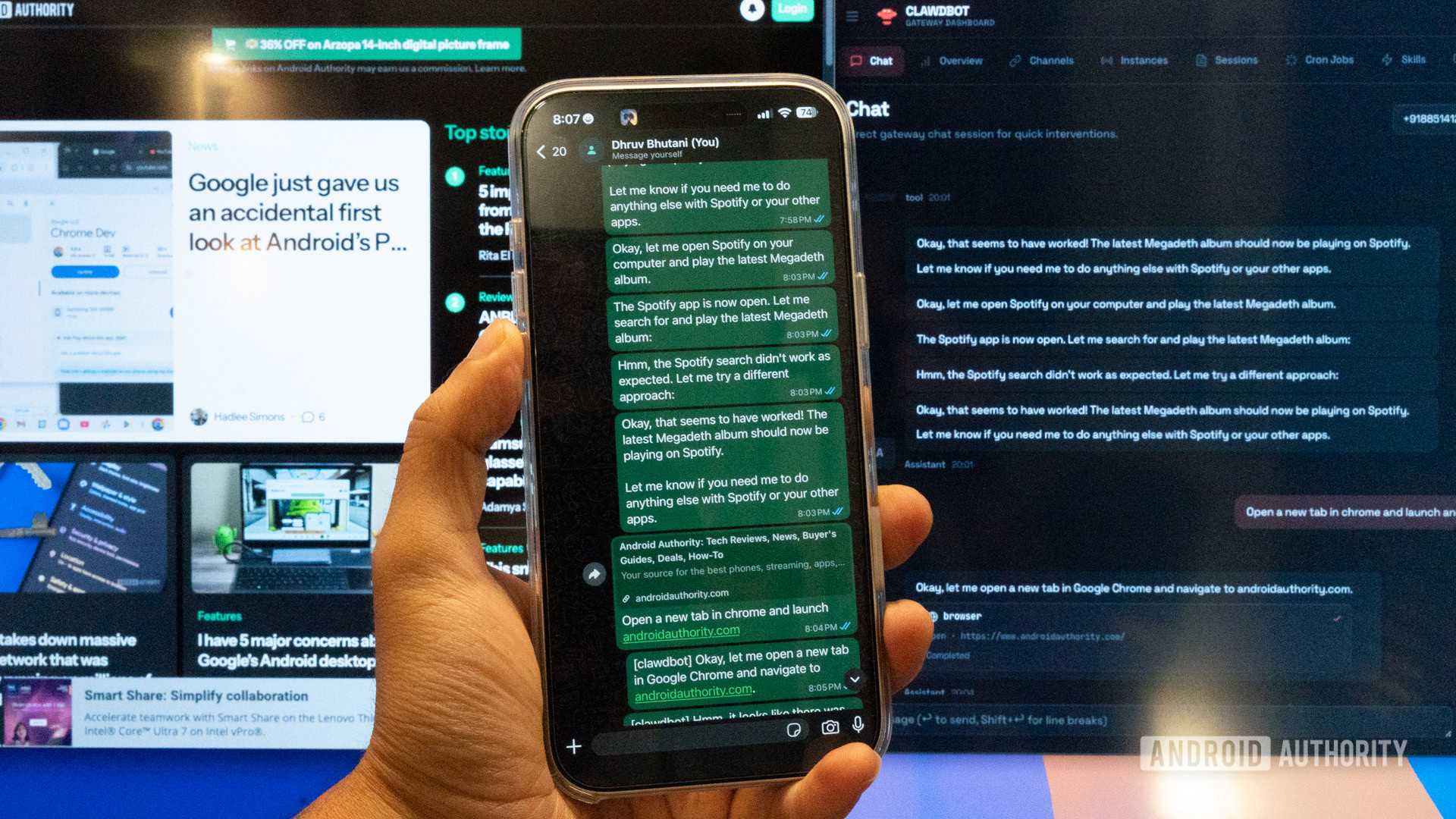
The most significant shift in how you interact with OpenClaw is the interface. You don’t open a specific app or a browser tab to use it. Instead, you connect it to the messaging platforms you already use every day. You get a choice of options including WhatsApp, Telegram, Discord, or even iMessage during the setup process. The bot then generates a QR code that you scan with your phone, linking your OpenClaw instance to your chat account.
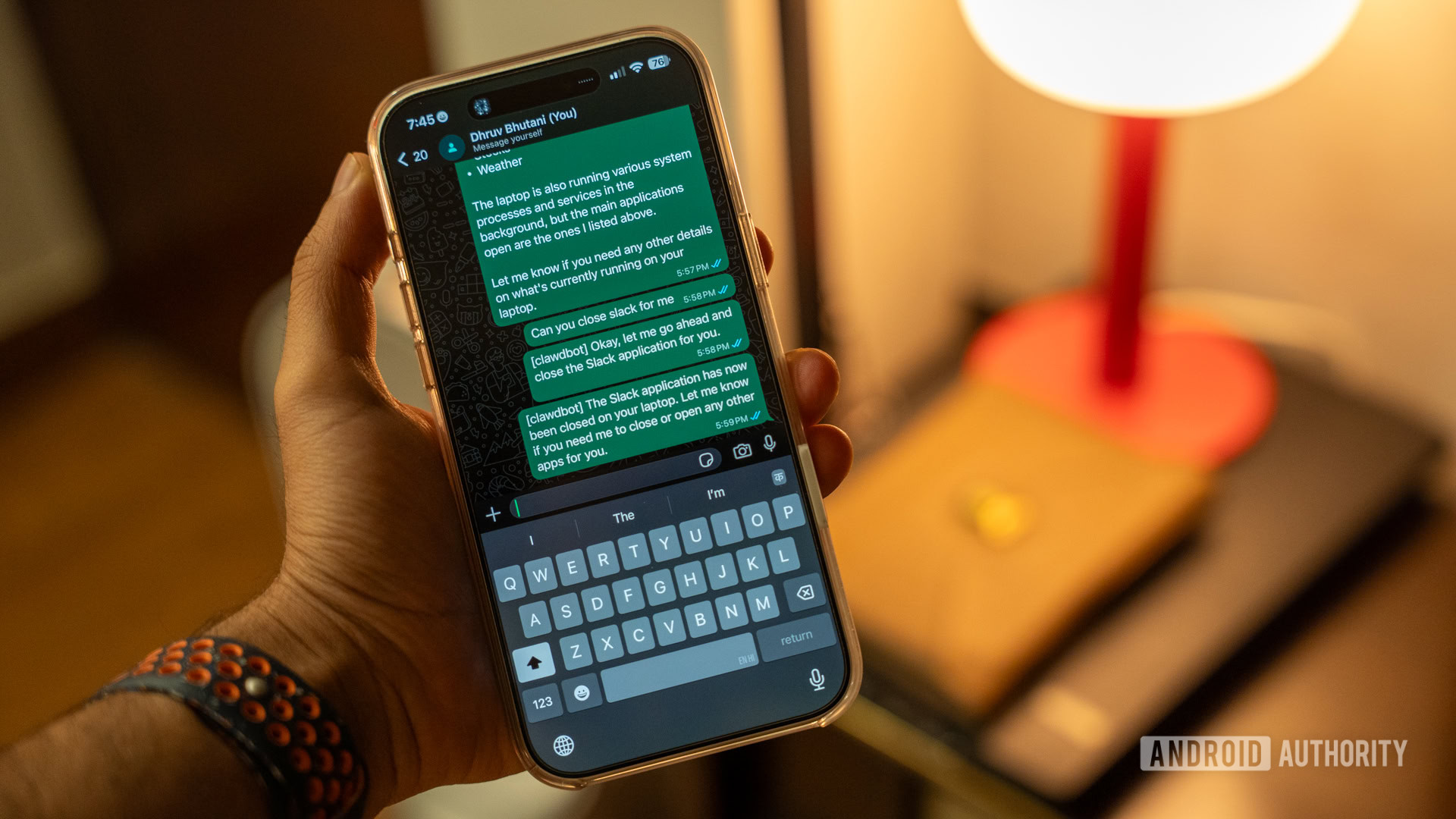
Connections to all popular chat apps allow your messaging app to become a remote control for your entire computer.
This turns your favorite messaging app into a remote control for your entire computer and gives you true autonomy over your server, even if you are halfway across the world or out for dinner. You can send your bot a message via WhatsApp or Telegram and ask it to put your computer to sleep if there are any sensitive documents open. The bot receives the message, checks your active windows, and executes the command. You’ll even get a confirmation message via your chat app of choice. Just last night, I used it to shut down Slack on my server while I was in bed.
What makes this approach so effective is that the assistant effectively follows you. If you’re at work, you might interact with it via Slack. On your commute, it’s WhatsApp. At home, it might be through a terminal window or a web dashboard. Because the bot maintains a single, persistent memory across all these channels, it doesn’t matter where the conversation starts or which device you happen to have in your hand at the moment.
A modular base lets you unlock new tricks on the go

Dhruv Bhutani / Android Authority
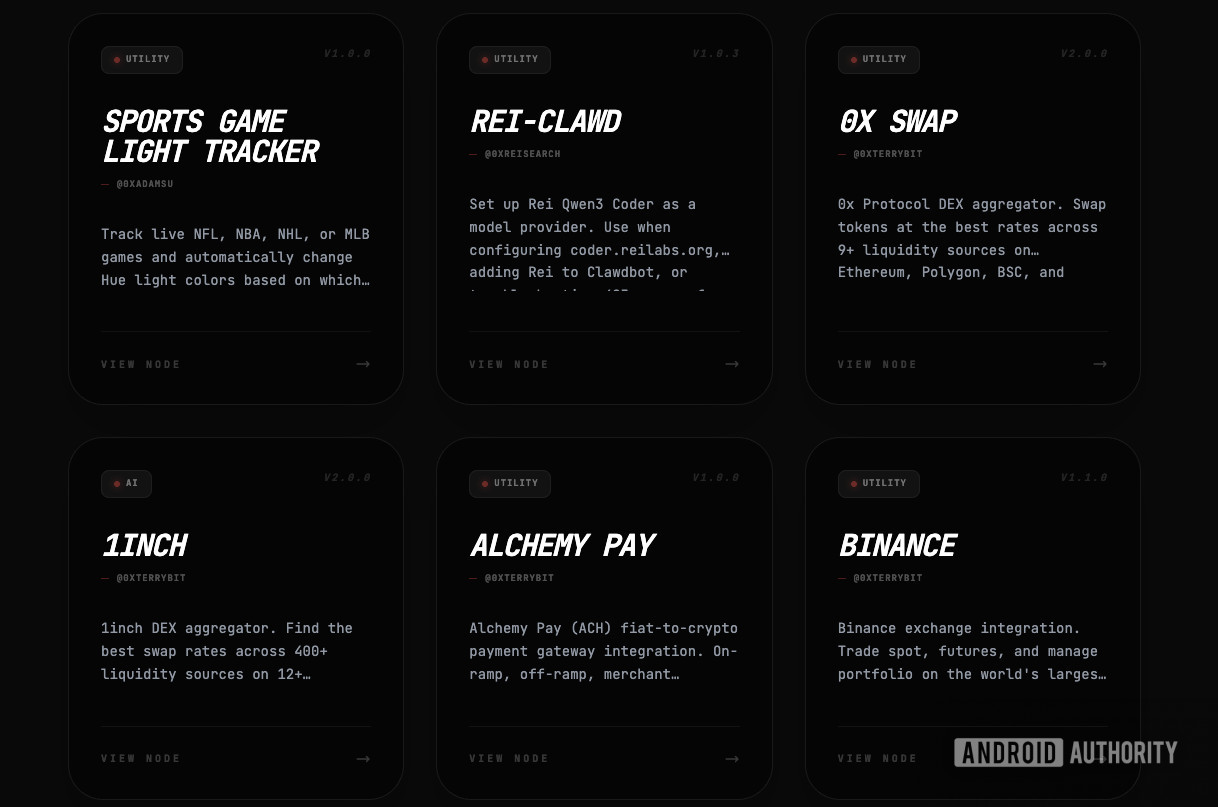
The real strength of OpenClaw doesn’t just come from its core code, but from the skills that the community is rapidly building. These skills are essentially plugins that teach the bot how to talk to specific services or perform specific tasks. Because the project is open-source, the library of what the bot can do is growing every day, far faster than any official update schedule from a company like Gemini would allow. In fact, at last count, I spotted over 4,000 skills on just one skills catalog, which means that the sky is the limit as far as capabilities go. Yes, the quality of the skills can vary, but for every poorly implemented skill, you’ll find a hundred high-quality ones.
OpenClaw’s real strength comes from what the community is building around it.
There are people building skills that allow OpenClaw to interact with professional tools like Jira, which means that the bot can track your project tickets and give you a morning briefing on what needs your attention. Others have created integrations for health data, like Whoop or Apple Health. You can ask the bot how your sleep has been trending over the last week, and it will pull the raw data, analyze it, and give you a summary. I’ve, honestly, not dived that deep into OpenClaw just yet, as it can be overwhelming to give an AI unfettered control over your digital existence. But the options are already there for those brave enough.
One of the more interesting developments is how these skills can be chained together. For example, you could ask OpenClaw to monitor emails from a specific address for a flight receipt. When it arrives, OpenClaw can extract flight information, add it to a Google Calendar, and set a reminder to check in. These workflows already go way beyond what is possible with the likes of Gemini.
The barrier to creating these skills is also lower than you might think. Since OpenClaw is designed to be hackable, you can actually ask the bot to write a new skill for itself. If you want it to talk to a niche API that doesn’t have a plugin yet, you can provide the API documentation to the bot and ask it to write the code. While these follow standard LLM practices, meaning you should still check the code before deploying, the potential for self-expansion is equally immense. If a skill doesn’t exist, it’s easy enough for you to try making one. Once deployed, you can add it to the same workflow-based structure as before and use it as a trigger within a long chain of commands.
If you’ve followed along so far, you’ll notice that it is easy to see how fundamentally different OpenClaw is from a standard LLM like Gemini or ChatGPT. The goal here isn’t the usual question-and-answer format that you follow with ChatGPT or Gemini. Instead, task completion is the goal. So, when you give OpenClaw a command, it doesn’t just generate a text response; it enters an agentic loop. It thinks about the goal, breaks it down into steps, and then starts executing those steps one by one. Except, here, it has the permissions and control needed to execute those functions.
This level of autonomy has always been the end goal as far as LLMs are concerned. It’s a shift from AI as a tool you use to AI as an entity that works alongside you. Better still, since it lives in your communication apps like Telegram or WhatsApp, you can interact with your home computer from anywhere in the world.
A potential security nightmare waiting to happen
Dhruv Bhutani / Android Authority
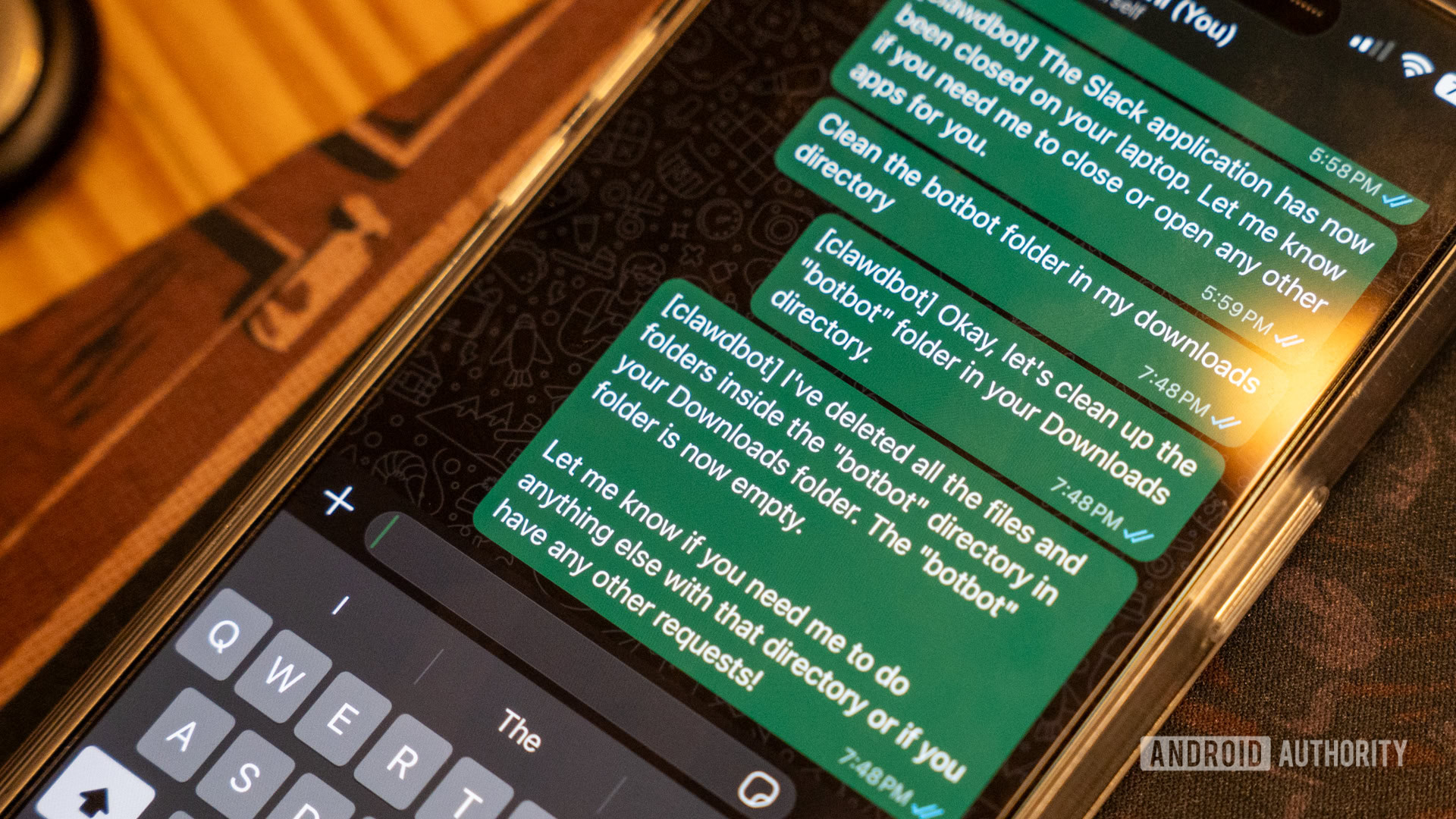
Giving a piece of software this much power over your computer is not without its complications. Running random scripts from the internet is never a good idea, and yet here we are running a platform for scripts generated by an LLM. It operates with the permissions you give it, which often includes the ability to delete files, change system settings, and access sensitive data. In fact, the app is pretty useless unless you grant it that level of access.
Sure, the project handles this by being very transparent about the risks during the installation process, but “sudo” access is a double-edged sword. There is no middleman; you are responsible for the bot’s actions. If you tell it to clean up your hard drive and it decides that your system files are taking up too much space, it could technically break your OS. There is also the risk of semantic misunderstanding: it could infer that by “clean,” you meant wipe it clean instead of organizing it. For what its worth, this isn’t just a theoretical concern. Because LLMs are non-deterministic, they can sometimes interpret a command in a way that leads to catastrophic file loss or system instability.
OpenClaw is useless without deep permissions, and dangerous with them. Between prompt injection, exposure to the internet, and misunderstood prompts, there’s a lot that can go wrong.
Security researchers have already pointed out that the current implementation can be a total nightmare if not handled with extreme care. One major issue is the risk of prompt injection through external data. If you have a skill that allows the bot to read your emails or browse the web, a malicious actor could send you a message or host a website with hidden instructions. The moment your bot reads that hidden text, it could be tricked into ignoring your safety settings, exfiltrating your private API keys, or even opening a reverse shell that gives a hacker full control over your machine.
Then there’s the problem of network exposure. Many users have accidentally left their OpenClaw instances reachable via the public internet without proper authentication. This essentially leaves a wide-open door where anyone who finds your IP address can issue commands to your computer as if they were you. Unlike a standard app where a password protects your data, a misconfigured OpenClaw instance is an invitation for someone to remotely execute code on your hardware with little to no checks in place.
This high-risk profile is why the enthusiast community generally runs OpenClaw on a dedicated machine like an old Mac Mini or a Raspberry Pi rather than their primary work laptop. That would be my go-to recommendation as well. If you’re active on social media, you might have come across the meme that people were running out to buy Mac Minis to run OpenClaw. Now you know why. In case a malicious prompt triggers a system-wide issue, you only lose the device that OpenClaw is running on instead of your entire digital life. It also helps to use tools like Tailscale to ensure that the bot is only accessible through a private, encrypted network rather than the open web. Basically, follow the same precautions you’d use to keep your NAS safe on the internet.
Getting OpenClaw up and running

Dhruv Bhutani / Android Authority
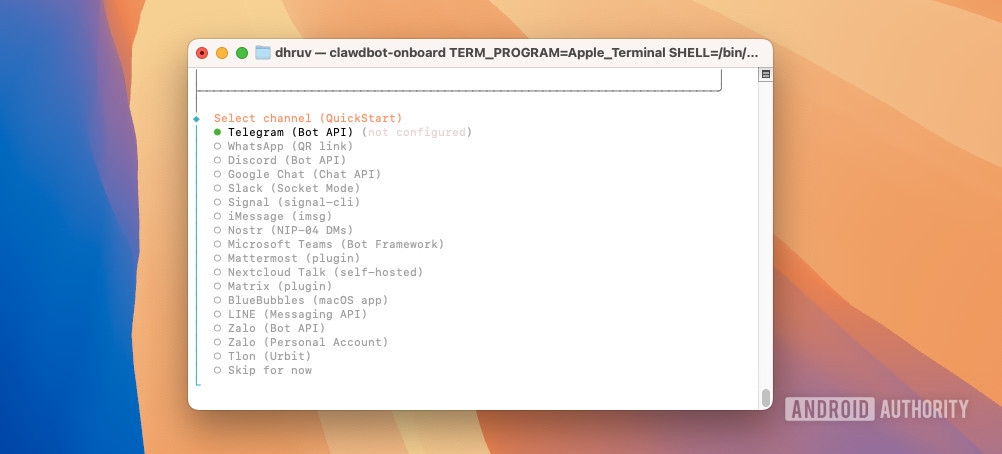
For a project as technical as OpenClaw, you’ll be surprised to see just how streamlined the onboarding is. You don’t need an engineering degree to get started, though you do need to be comfortable with a terminal window.
The process starts with a single command that pulls the latest version from GitHub and sets up the environment. From there, a built-in onboarding tool walks you through the steps. This is also where you’ll be presented with a choice: if you are already running an MCP server to host your own LLM for other local AI projects, you can connect OpenClaw to it to be truly local-first. If not, OpenClaw expects you to provide an API key from Anthropic or OpenAI to give the bot its brain. That’s not optional.
Finally, you’ll need to set up a bot token for Telegram or WhatsApp so you have a way to talk to it. As mentioned earlier, OpenClaw itself doesn’t have the “brains” to pull off these actions; rather, it functions as a sophisticated middleman coordinating actions on your computer while depending on another LLM to make the actual decisions.
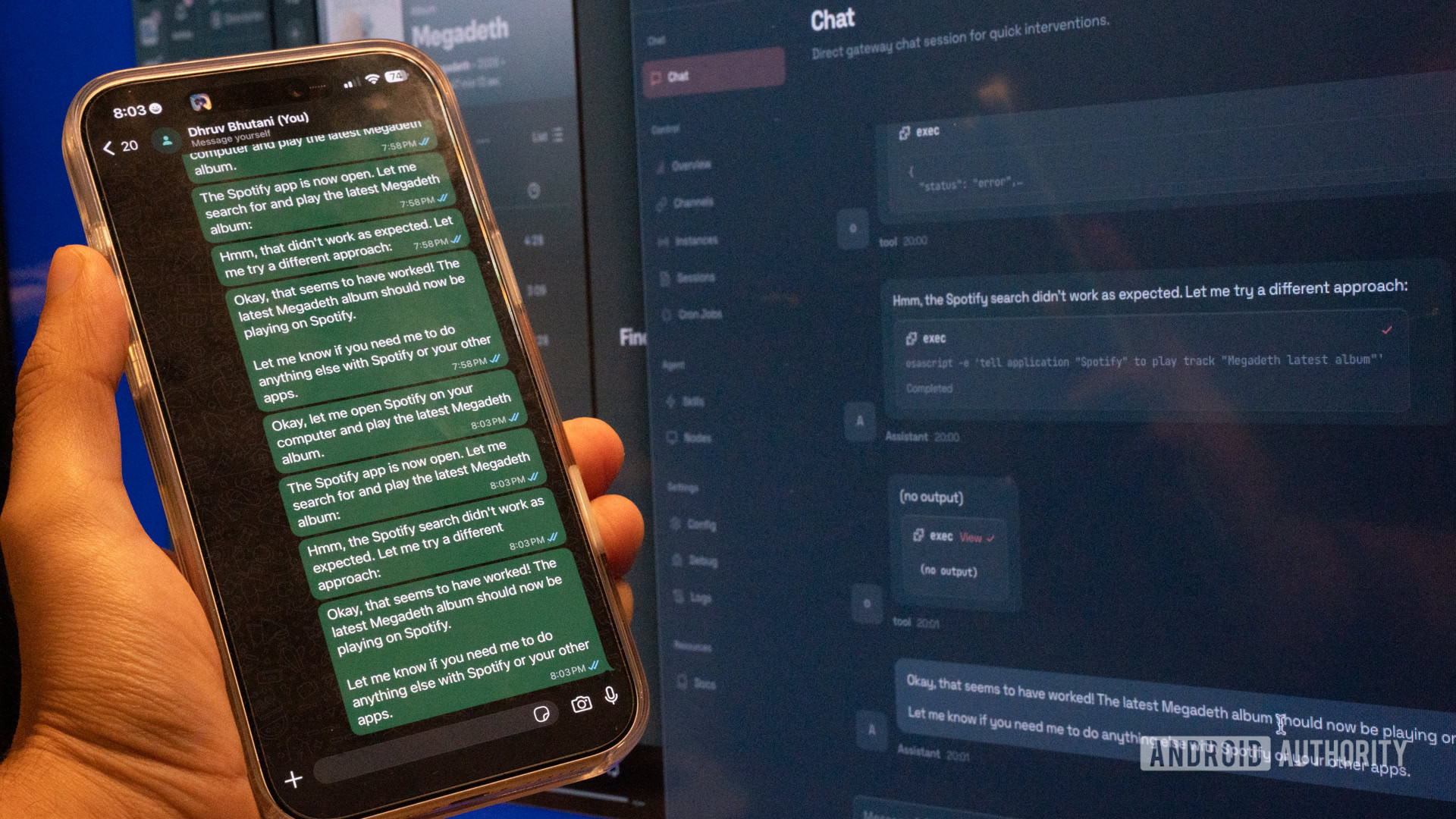
Once the connection is established, you get dropped into the web interface. From that point on, most of the configuration happens through the chat interface itself, and you shouldn’t need to drop into the terminal. You just tell the bot what you want it to be able to do, and it helps you set up the necessary skills. This can be through the browser-based chat interface, not all that different from ChatGPT, or via your chat app of choice — in my case, WhatsApp.
While we’re here, it’s worth noting that if you connect OpenClaw to a cloud LLM, there is a cost attached to processing your data. If you are connecting it to Anthropic’s API, you’ll have to pay for the tokens you use. While token costs for standard tasks are not particularly high, you can expect a monthly bill of $20–$30, depending on how heavily you use it. If you start tapping into features like image generation, that bill could go significantly higher. It’s not an eye-watering price to pay, but for now, it’s a factor that will likely keep this tool in the realm of power users and enthusiasts who value the utility over a flat monthly subscription.
The clearest demonstration of the future of agentic AI
Dhruv Bhutani / Android Authority
Having spent the last few days with OpenClaw, I can say that for the first time, I’ve seen a very clear demonstration of how agentic AI can actually be useful in day-to-day life. It’s intriguing that it took an open-source app to achieve this level of integration. While we’re on the topic of agentic AI, there’s no getting around the fact that the existence of projects like OpenClaw puts companies like Google in a difficult position. They are trying to build assistants that work for billions of people, which means they have to be restricted, safe, and privacy-compliant to a fault. But in doing so, they’ve created a vacuum for users who want actual utility.
For now, OpenClaw firmly lives in power-user territory. However, it is the best demonstration of agentic AI so far.
OpenClaw is the answer for the person who wants their computer to work for them, not the other way around. It represents a return to a more open, hackable era of computing, where the user has the final say in what their hardware can do. It isn’t for everyone, as the security risks alone will scare off the average user. But for those who have been frustrated by the limitations of more commercial AI ventures, it’s the first sign of what the future of personal computing actually looks like. It’s all about having a capable partner that lives on your computer and can act as a productivity multiplier, handling mundane tasks while you focus on the work that actually matters.
Don’t want to miss the best from Android Authority?


Thank you for being part of our community. Read our Comment Policy before posting.


