Rita El Khoury / Android Authority
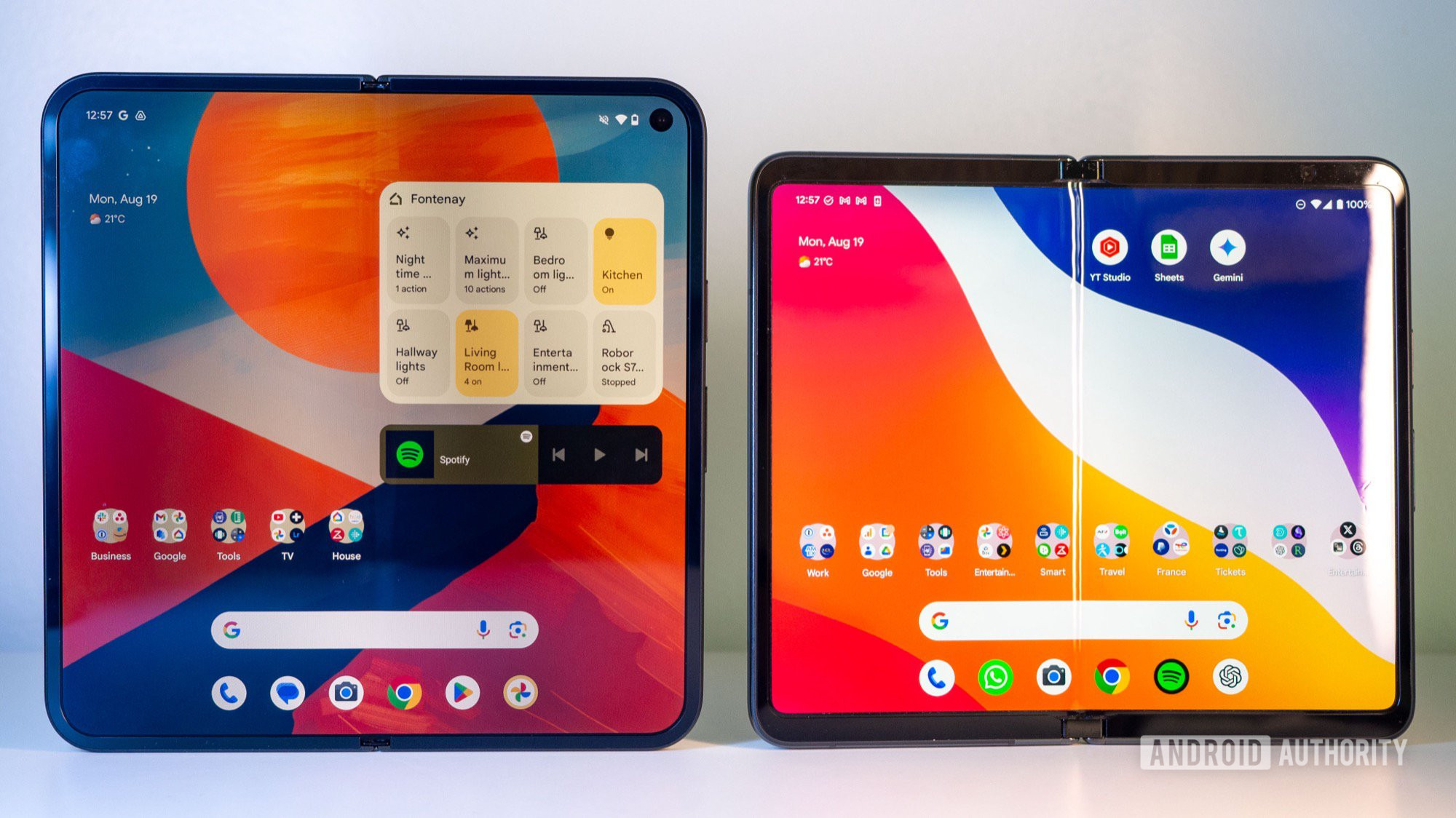
Until today, most foldables have followed a very similar form factor that resembles a regular smartphone when folded and opens up to a square-ish display. Few models have eschewed that trend, though, starting with the Microsoft Surface Duo (technically not a foldable display, but a dual-display foldable phone) and then the first Google Pixel Fold, both of which adopted a shorter and wider design. Even OPPO had gone for a landscape-first design on the Find N and Find N2.
But where did the wide Android foldable go? Both Google and OPPO rejoined the masses with their next foldables, opting for designs that open in portrait orientation first, and no other company dared mess with that equation until now. Rumor has it that Samsung has a new “wide” Galaxy Z Fold in the works, and that made me realize something: It’s all Android’s fault — to a certain extent.
Tall fold or wide fold? Pick one.
1744 votes
Why Android originally killed the wide foldable

Rita El Khoury / Android Authority
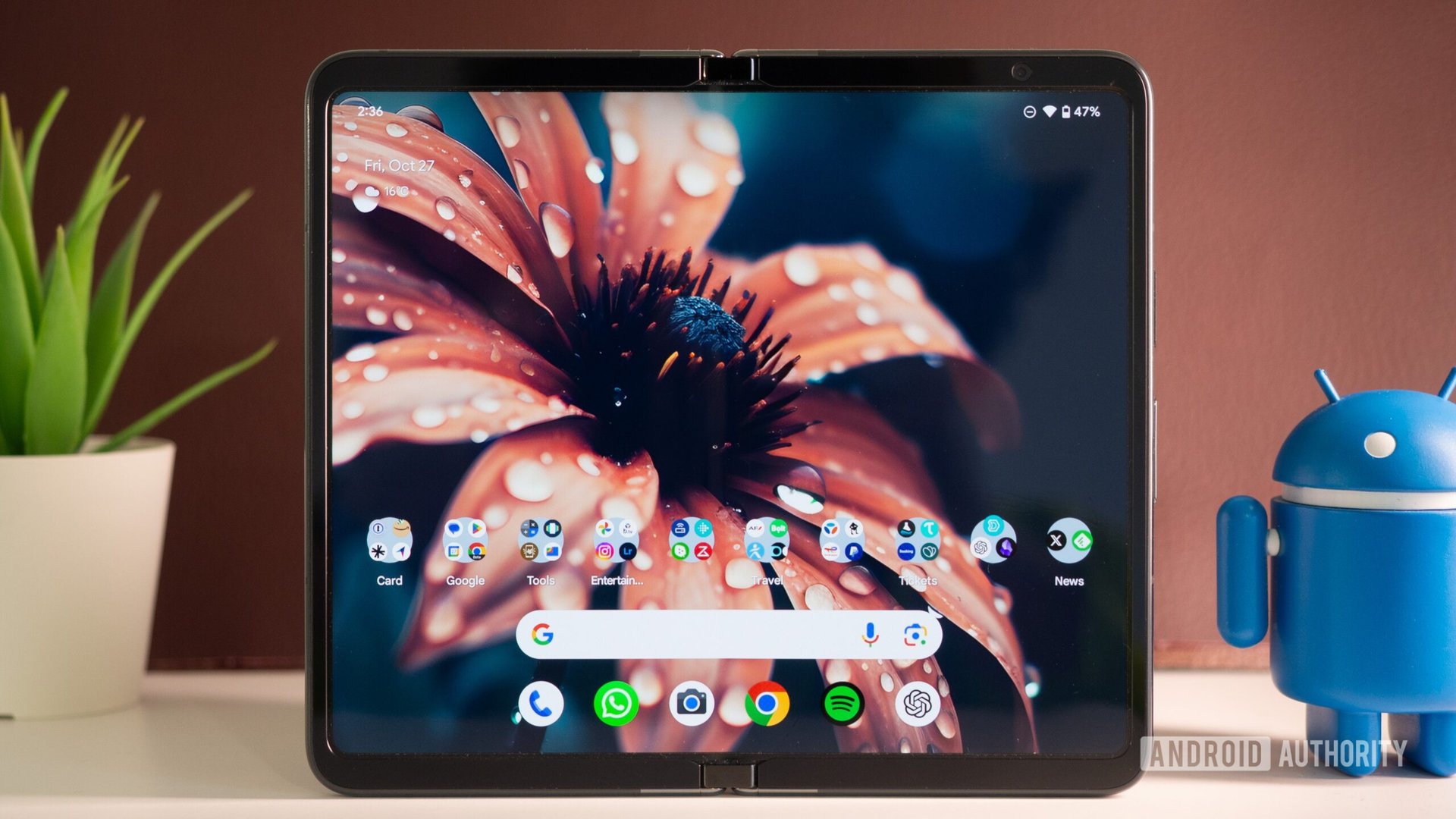
Google’s first foray into foldables with the Pixel Fold received a mitigated response from testers and users. The phone had a few hardware issues, to say the least, but what left everyone a bit confused was how it handled apps on the inner display.
See, Google had gone for broke in 2022 when it introduced compatibility modes to Android 12L, which let the system read whether an app was optimized for tablets and large displays, then letterbox it (add black bars on the sides) if it wasn’t. Previously, Android stretched apps to fill the screen regardless, without asking any questions, but often at the expense of usability and aesthetics.
Google hoped it would force developers to adapt their apps to large screens with Android 12L. Instead, it ruined the user experience.
By showing those ugly black bars on Android 12L onward, Google made sure that an app wouldn’t stretch beyond its intended design, wouldn’t break, and wouldn’t display icons or menus somewhere where they’d become harder to reach. It was also hoping to light a fire for lazy developers and force them to update their apps to make them more adaptable to larger screens. Ensuring these apps are less useful and less pleasing on a large display was supposed to be an incentive, a necessary evil on the way to better apps.
What happened in reality was that few developers cared. Even popular apps from big companies like Instagram, Booking, Roborock, Deliveroo, Tiqets, GetYourGuide, Too Good To Go, and more kept their bad, unoptimized apps. To this day, in 2026, these apps are still not properly optimized for multiple display sizes and orientations.
This created a bad experience for tablet users and Pixel Fold users when the phone first launched. I used to open unoptimized apps like Booking.com on my large Fold and see them take up nearly half the screen. But if I rotated the phone in my hand, the app would now see this as a “portrait” screen and fill up the entirety of the display. The orientation dilemma was inconvenient and annoying. I wanted to hold my phone open like a book, not like a laptop, and enjoy my apps on the glorious full display, but I couldn’t.
I wasn’t the only one annoyed by this; it was just a bad overall user experience. Tablets were a lost cause, but foldables had an orientation joker. I theorize it’s why the Pixel 9 Pro Fold switched aspect ratios. Since the square-ish inner display is slightly narrower than it is tall when the phone is open, unoptimized apps see it as portrait and go full-screen instantly, stretching to fill the full width. Rotating the phone around showed the portrait design on a landscape screen, but because of the more square form factor, they almost appeared to be in full-screen mode even though they were still partly letterboxed on the sides.
Google had seemingly solved the lazy-developer problem on the Pixel 9 Pro Fold by avoiding it entirely, and since every other Android foldable manufacturer had settled on the square form factor too, it looked like Google had lifted the rug, swept the issue underneath it, and pretended this wasn’t happening.
How Android has been resurrecting wider folds

Rita El Khoury / Android Authority
But if you’ve been keeping an eye on tablets and foldables in recent years, you’d know that Google had another solution in the works. Even though this wasn’t needed for the newer square-ish foldables, it was essential for tablets that users will often hold and use in landscape. It didn’t make sense to keep apps letterboxed in portrait there.
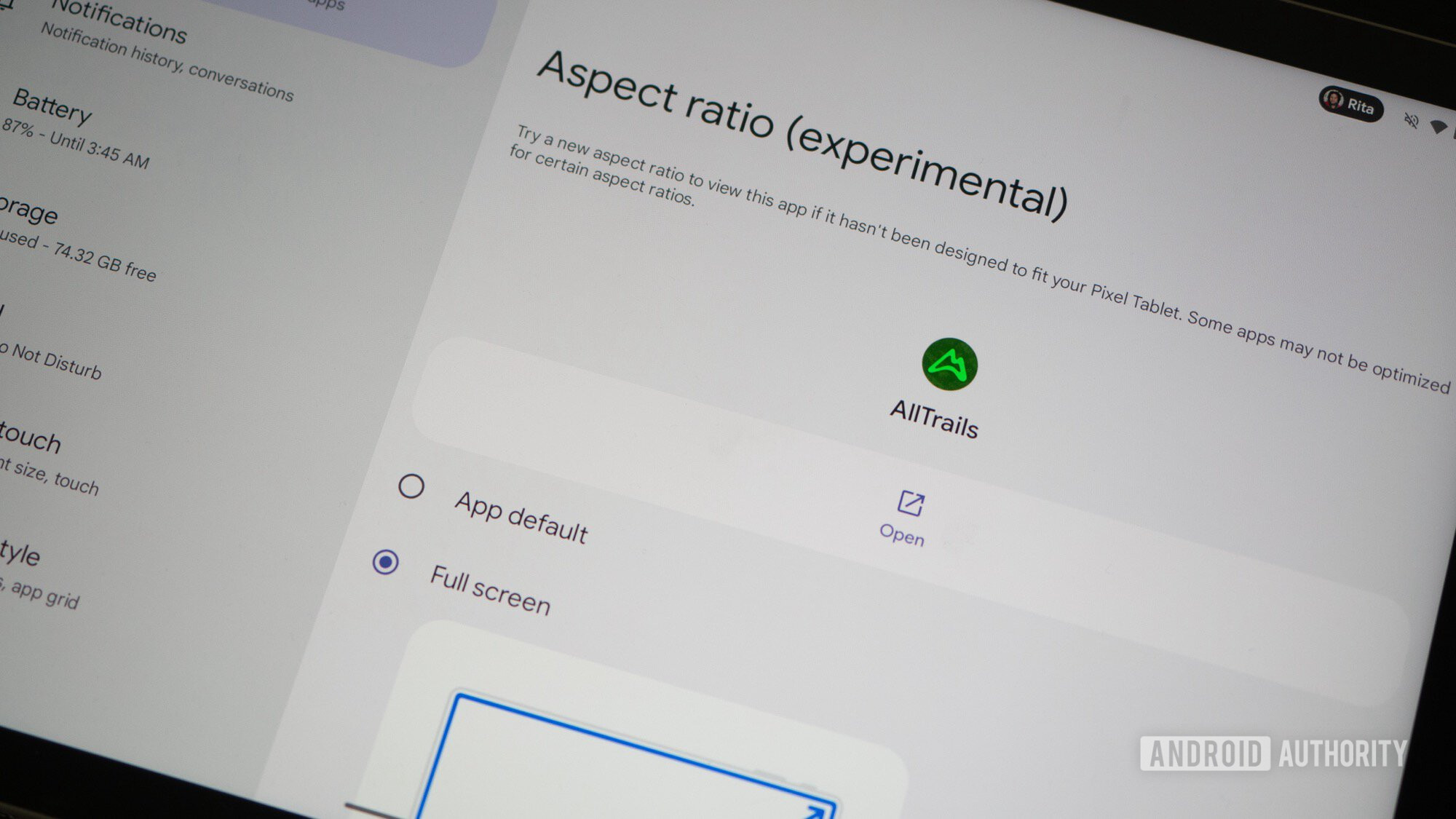
If a stubborn app like Booking.com wanted to appear as a portrait app on my tablet or wide foldable like the Pixel Fold, I could go into App Info > Aspect ratio and switch between the App default, Full screen, and Half screen. Android also surfaces a little icon on letterboxed apps to let you quickly go into full screen without knowing exactly where the setting is.
A single tap now resizes letterboxed apps to full screen, and that fixes the biggest issue with wide foldables.
I haven’t encountered any issue when forcing all my insubordinate apps to full screen; none of them break or crop important parts. Yes, there’s some extra stretching happening, but because most modern Android apps are built with a responsive design that ensures they can work on a variety of screen sizes and shapes, most apps can technically reflow to fill a large landscape orientation even if they don’t necessarily flag this for the system. Check how elegantly Booking.com handles the forced full-screen ratio. It looks as if it was always made for a wide fold, right?
Android 16 and 17 are taking this compatibility mode even further. On Android 16, the system ignores the app’s preference on the wide screens of large foldables and tablets, but it lets developers still opt out. On Android 17, the opt-out option is gone. Apps targeting its API level 37 must be resizable and should support the aspect ratio we choose.
This completely changes the equation for wider foldables. Anyone picking up a Pixel Fold today will find it very easy to tap the button that switches apps into full-screen mode. And once an app switches, it will default to that aspect ratio from then on. It takes one tap to fix the most annoying problem with wide foldables. Now, the form factor is no longer limited by small, disappointing apps that ruin the user experience. On top of this, some apps have taken the opportunity to actually implement a responsive design.
Since 2023, Android 12L reduced the usability of wide foldables, Android 14 brought it back, and Android 17 will make it more resilient and foolproof. This makes 2026 the perfect time for manufacturers to resurrect this foldable form factor. Of course, Apple having opted for a wider iPhone Fold is an extra incentive.
Don’t want to miss the best from Android Authority?


Thank you for being part of our community. Read our Comment Policy before posting.