Joe Maring / Android Authority
TL;DR
- Google has rolled out a redesign to the “My Stuff” folder in the Gemini app.
- The redesign introduces new “Media” and “Documents” sections to the folder.
- The Documents section is where your Deep Research reports and Canvas creations will be stored.
In December 2025, we conducted an APK teardown of the Google app, which revealed that some tweaks to Gemini could be coming in the future. These tweaks involved a new layout for the “My Stuff” folder. Instead of everything you’ve created being lumped together, this new layout would introduce separate sections for “Media,” “Documents,” and “Purchases.” It appears this update is starting to roll out now.
Don’t want to miss the best from Android Authority?


In the side panel in Gemini on the web, you’ll find the My Stuff folder that holds all of your previous creations. Spotted by 9to5Google, this folder now features the Media and Documents sections we have been expecting. However, it appears that the Purchases category is missing.

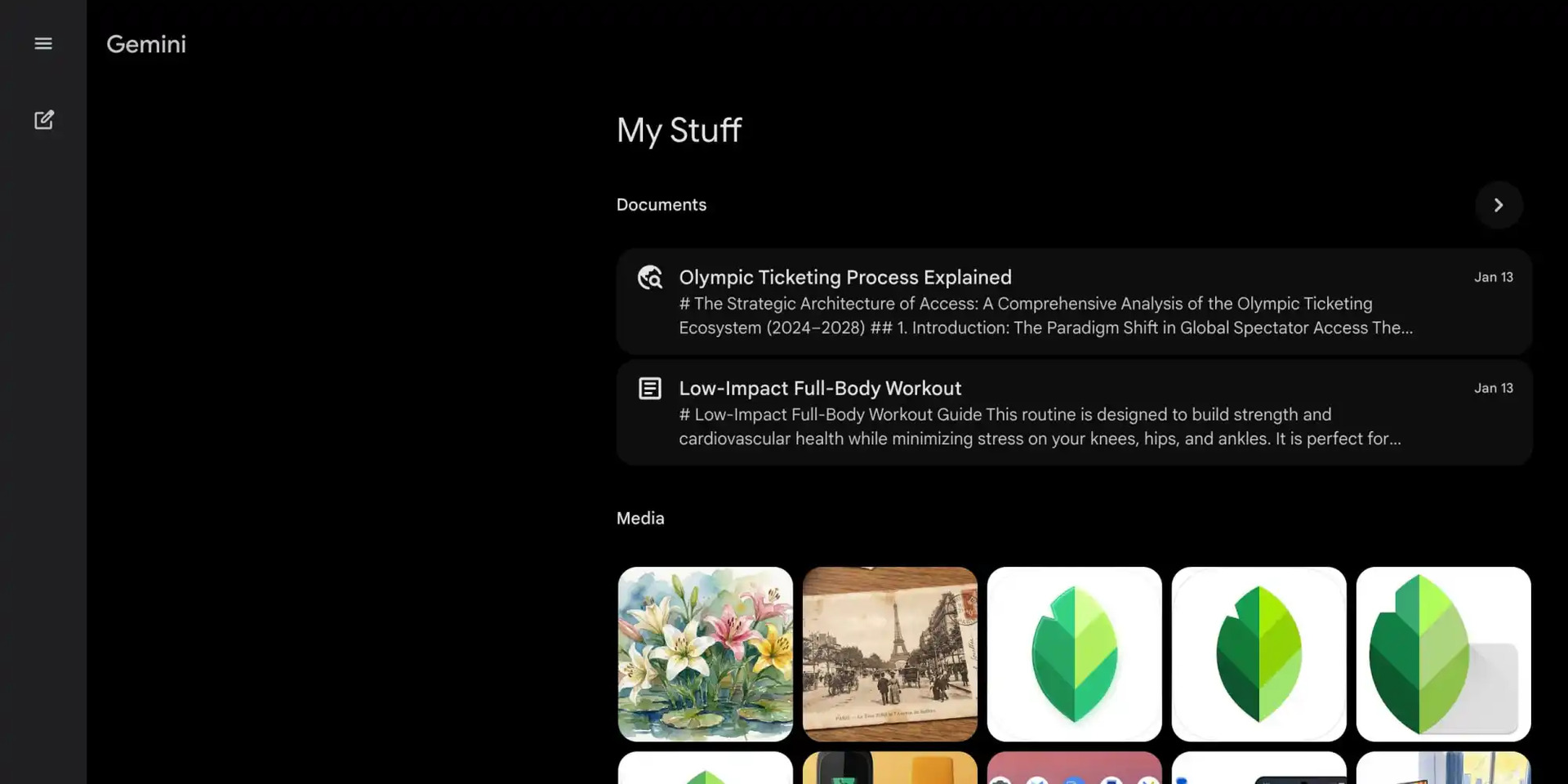
As you can imagine, all of your images and videos will be located in the Media section. Meanwhile, Documents will contain your Deep Research reports and Canvas creations, including text documents and coding projects. The Documents section will show your two most recent documents, but you can click on the arrow to view the full list.
This update is expected to come to mobile as well. But it appears the rollout has yet to reach Android or iOS. While we wait for those changes, mobile did get something new. The mobile apps now have a NotebookLM shortcut, similar to the one you’ll find in Settings & help menu on the web. However, tapping on this shortcut will open the website, whether you have the app installed on your device or not.
Thank you for being part of our community. Read our Comment Policy before posting.