Install Python packages
Once you have completed the basic installation of Python, the next step should not be to install the packages directly using Pip (the Python Package Manager) – even if you only want to use Python for a single project. Instead, it is recommended to set up virtual Python environments and install the packages within these environments. This means the basic installation remains “clean”.


Managing a variety of projects with virtual environments can be challenging. We recommend taking a look at the Poetry command line tool.
Install multiple Python versions in parallel
Things get really tricky when you want to install several different versions of the programming language in parallel. There are two things you should pay particular attention to here:
-
Always install any Python version in a separate directory.
-
Make sure the system paths refer to the Python version firstwhich should be used by default.
Setting up virtual environments for each individual project is highly recommended if different Python versions are to be used in parallel: This ensures that the correct version of the coding language is always automatically used when the corresponding virtual environment is activated. Windows users have another option in this regard: the Py Launcher app. This can be added as part of the installation process and allows you to use command line flags to select which Python version should be used for the respective script.

Manage multiple Python versions on Windows
Until now, it wasn’t really possible to manage Python versions installed on Windows. This changes from version 3.14 with a tool that the Python core team has newly developed. The Python Installation Manager for Windows is intended to be the tool of choice in the future for managing installations under Windows. Because the new Installation Manager itself is just a normal Windows app, there are several ways to install it. This works via:
The previous one pytool is to be replaced by the Installation Manager in the future, with the new tool significantly surpassing the old one in terms of functionality. The commands that worked before can still be used. You can get a useful overview of all important commands py help on:
IDG
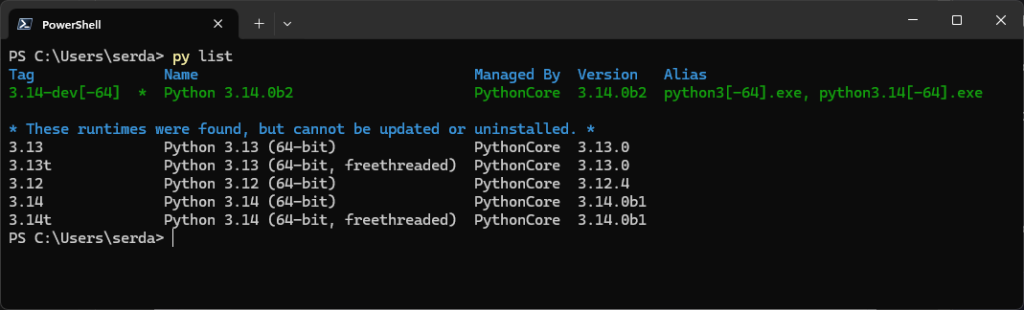
To see which Python versions already exist on your Windows system, use the command py list:

IDG
If you want to make changes to Python instances that are already installed, you must remove them manually and then reinstall them using the Installation Manager. This is incredibly simple:
- Include Python versions
py installadded, - call them after installation
py -on, and - to use
py uninstallfor uninstallation.
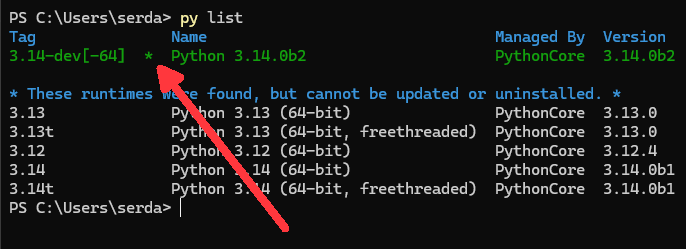
To see which Python versions are available through the manager, use py list --online. The Python installations listed here can also be done with the command py list -f=json Export in JSON format (CSV and JSONL are also available). The default Python version is marked with an asterisk in the listing:

IDG
Once you receive the command py enter, this standard version will be called. If you want to change this, you can define an environment variable. To set Python 3.12 as the default version, you would feed Powershell with the following command:
$Env:PYTHON_MANAGER_DEFAULT=„3.12“

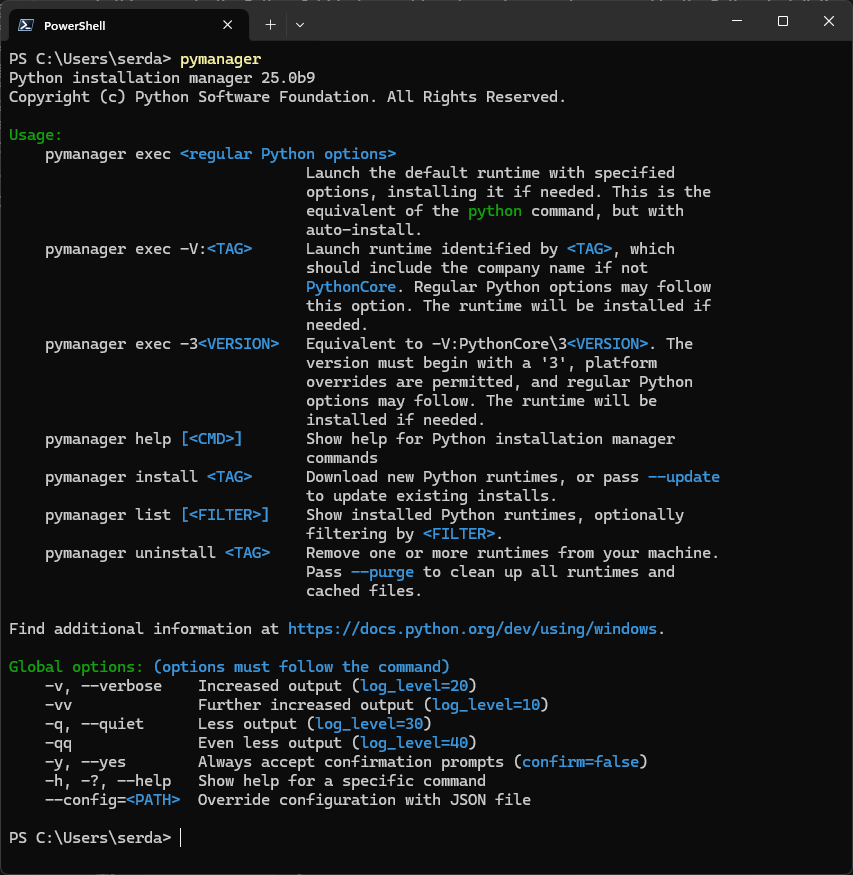
A command like py install However, it could easily conflict with preconfigured commands in virtual environments or with another alias. To avoid this, you can pymanager as a unique name for the Installation Manager. All commands remain unchanged, only the name of the executable changes.

IDG
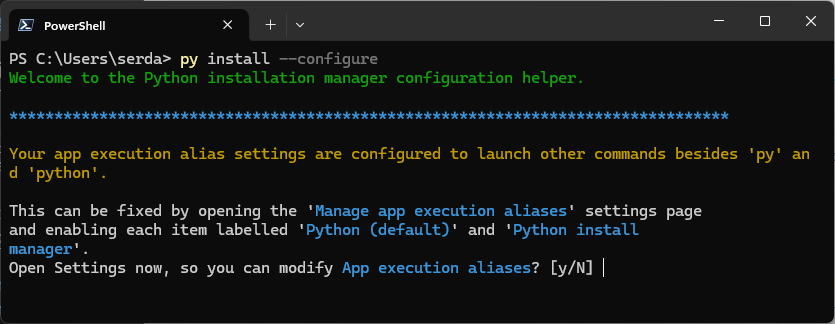
In addition, it is also possible to use the Windows App Execution Aliases for commands like python and python3 to adapt. All you have to do is give py install --configure a. You will then be prompted to change your system’s aliases:

IDG
Upgrade Python properly
Less extensive Python revisions (e.g. from 3.7.2 to 3.7.3) usually do not pose a problem: under Windows, the installer automatically recognizes the installed version and triggers the corresponding upgrade – usually the same under Linux and MacOS. However, any virtual environments you have created must also be upgraded – this does not happen automatically.
However, for large revisions (e.g. from 3.12 to 3.13), you should create new virtual environments within the individual project directories. Most IDEs that support Python (for example, Microsoft Visual Studio Code) detect this automatically and allow you to switch back and forth between different virtual environments.
This article originally appeared at our sister publication Infoworld.com.