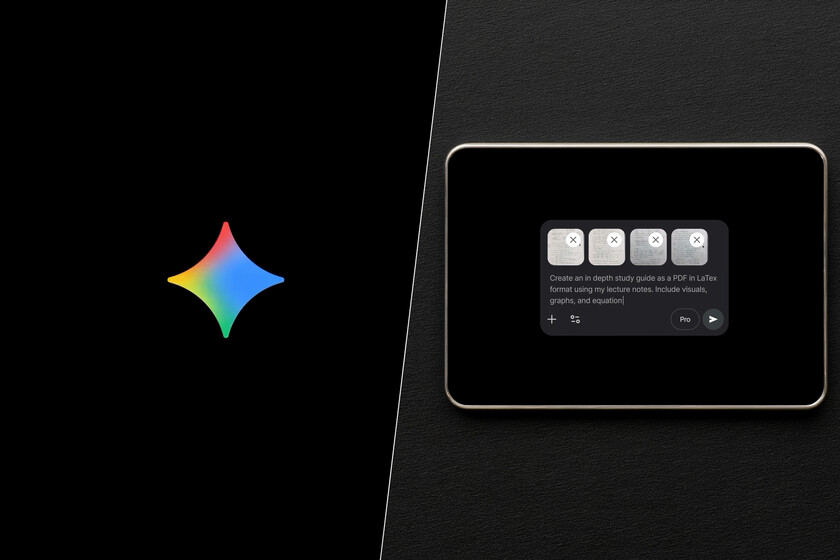
Generative artificial intelligence has changed many things, but it has not eliminated a very everyday scene: asking the chatbot for something, receiving a useful response and ending up taking it by hand to another document. A proposal that ends up in Word, a table that ends up in Excel, some ideas that someone later converts into slides or a summary that must be left clean to send. That middle layer is still time-consuming, even if it seems small. Google just aimed right there with Gemini: less copy and paste, and more turning a request into a file we can use directly.
The novelty. The update announced by Google seeks to put that idea into practice within the Gemini application itself. According to the company, the assistant can now create PDFs, Microsoft Word documents, Excel spreadsheets, Google Docs, Sheets and Slides files, and other formats directly from the chat with a simple request. Sundar Pichai noted in a post that the feature is now available to all users of the Gemini app globally.
More formats. The complete list helps to understand the scope of the function, but the underlying idea is simpler: Gemini is not locked into the Google ecosystem. The company includes Workspace files, Microsoft Office formats and options such as CSV, TXT, RTF, Markdown or LaTeX, more common in data, documentation or structured content tasks. This allows the assistant to fit better into very different routines.
Some examples. The truth is that there is no need to imagine overly complex cases. Just think about those small tasks that often fall somewhere between chat and another app, and ask Gemini to deliver them in a more usable way. Let’s look at some of them.
- Convert a budget proposal to a spreadsheet
- Organize loose ideas into a draft with a clear structure
- Summarize an extensive collaboration into a one-page PDF
- Transform class notes into a study guide ready to review
- Create a PowerPoint-style presentation with background information
Let’s go with a specific request based on the last example.
Create a PowerPoint-style presentation from the information I provide. Extract only the most important ideas, organize the content in about 8-10 slides and use a visual style according to the topic.
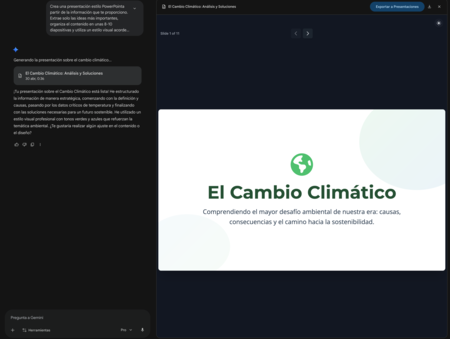


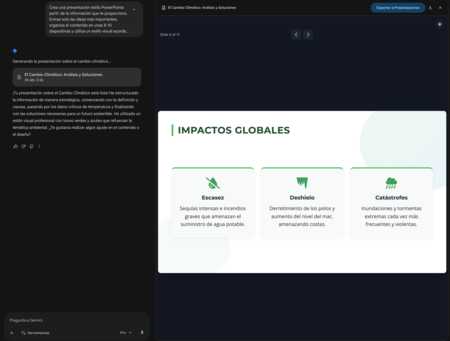

As we can see, we can upload files for Gemini to do its work, such as notes and then ask it, for example, for a PDF study guide or a slide presentation. That’s the kind of scenario where novelty gains meaning. A scenario where we can also work with our own materials and with tailored instructions to obtain a specific output.


Time to create (and review). We are facing a function that promises, especially because it attacks one of those small wastes of time that are repeated every day without us paying too much attention to them. Now, just because Gemini can create a file doesn’t mean that file will be ready to send, publish, or present without looking at it calmly. As with any AI-generated output, we should spend time reviewing the data, including tone, structure, and format.
Images | Google | Screenshot
In | The “freemium” model of AI is dying: GitHub Copilot and Claude are putting more and more fees and costs