9. Send and schedule messages at different times
Foundry
Never forget a birthday again: You can easily pre-schedule messages in Google Messages, Telegram or Gmail. Write the text, hold it Send button pressed and select date and time. Android then sends the message on time – even in the middle of the night when you’re still dreaming about the upcoming birthday party.
10. Predictive Back: Never close the wrong page again

Foundry
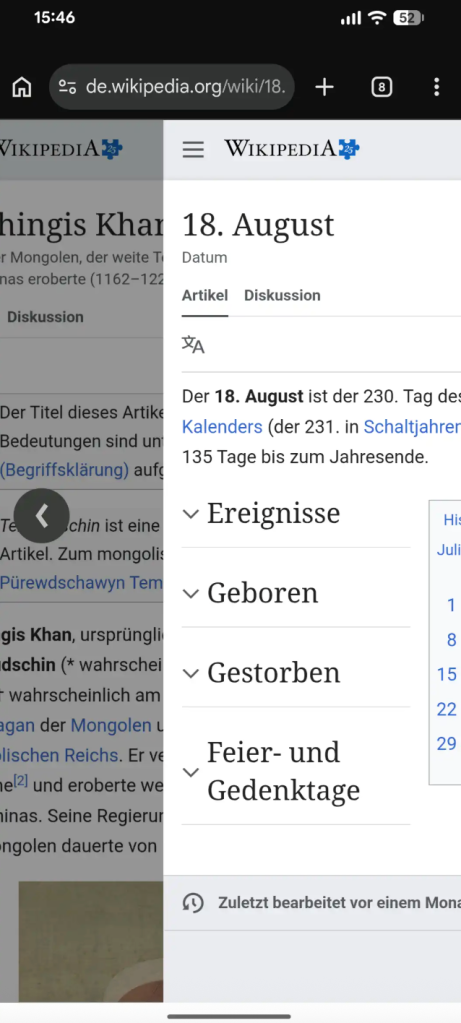
Do you know that? You want to go back a page, but suddenly you end up on the home screen – great. This no longer has to happen on many current devices: thanks to the forward-looking back gesture (Predictive Back). It shows you a live animation of the previous page as you slowly swipe from the edge. This way you can immediately see whether you would go back within the app or leave it when swiping.
A notice: The prerequisite is that it is activated Gesture control in the system settings. In addition, Google apps in particular currently support such as Chrome the animation in full; In other browsers such as Firefox, the standard arrow is currently often displayed.
11. Hidden guest mode or second user account

Foundry
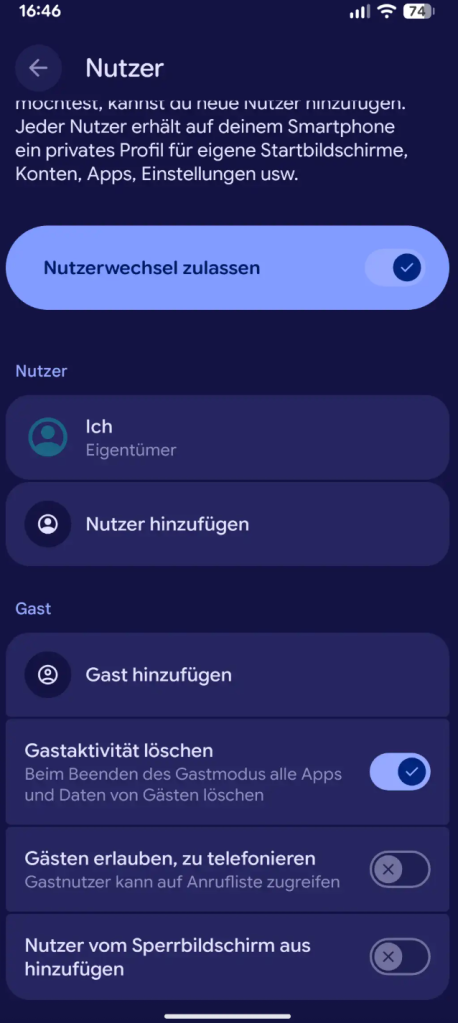
Your friend wants to use your cell phone for a moment? Then you better activate it Guest modeinstead of revealing private data. Go for it Settings → System → Users and enable the “Add Guest” option. The system launches a fresh user profile without access to your photos, messages or apps. After use, you can delete the guest with one tap – safe, clean, uncomplicated. You can also give a guest permission to make phone calls in the settings if you want to allow this.
Instead of typing through menus, just open the Search bar in Android settings. For example, enter “battery”, “theft” or “Gboard” and your system will show the correct menu. This means you can find the tips and tricks presented here in seconds, without having to remember complex function trees, which tend to vary from manufacturer to manufacturer.
(PC-Welt)