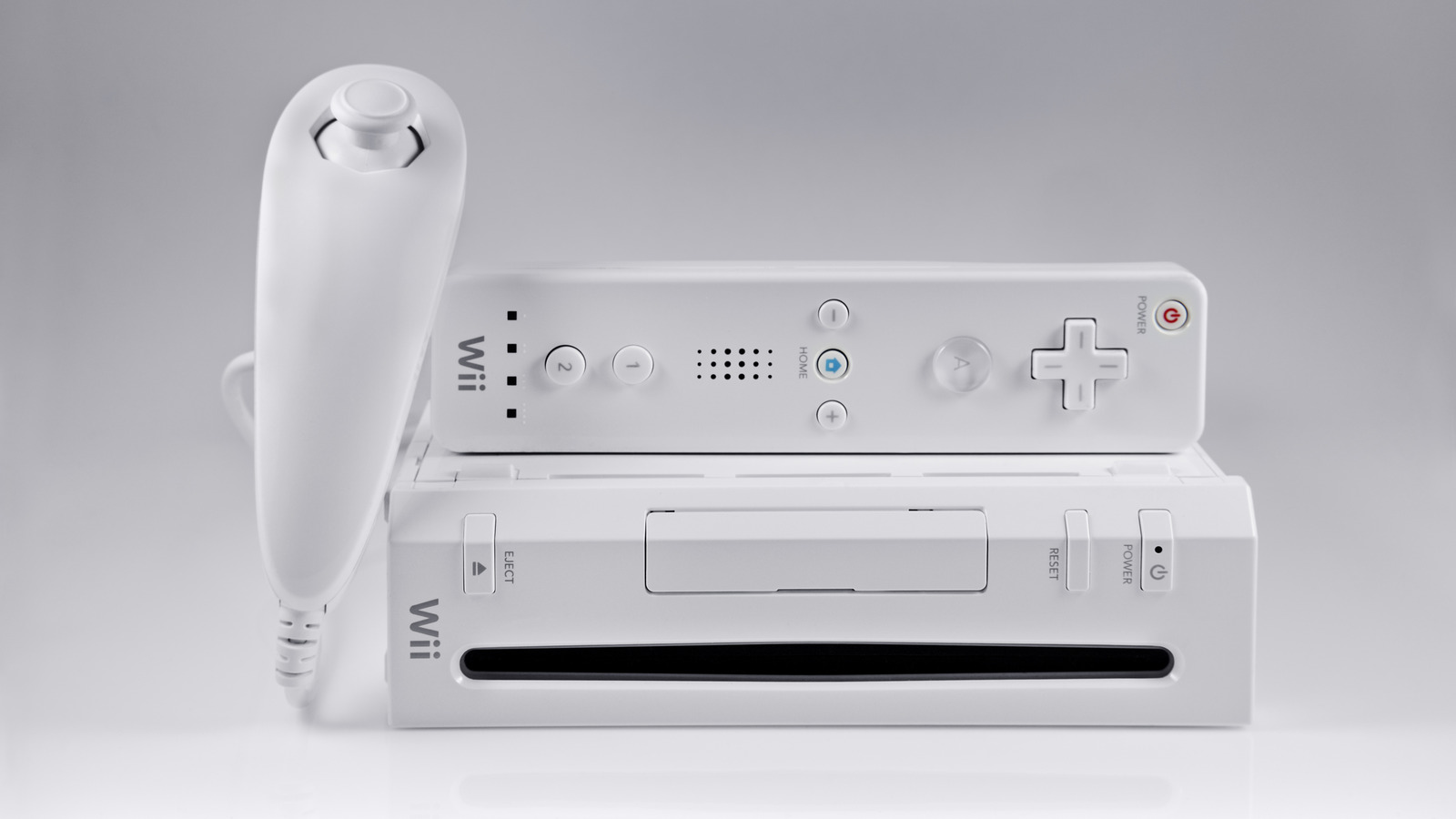
You likely have an old Nintendo Wii sitting somewhere in your house if you were a console gamer between 2006 and 2013. It was part of the seventh generation of gaming consoles, considered by many as a golden era. Not only did it offer some amazing games, but it also brought us some of the best consoles, such as the Xbox 360 and the Wii. The Wii became so mainstream that people were still lining up to snag a unit two years after it launched, with the supply line finally settling down three years after the console’s 2006 debut.
“Wii Sports” became a global phenomenon during the mid-2000s, thanks to mini-games like bowling. Everybody wanted to experience Nintendo’s newfangled motion controls, enshrining the Wii’s place in console history as the best-selling console of the seventh generation with 101 million units sold to date.
But if you want to use your Wii today, you’ll have problems. Nintendo shut down the console’s online service and store back in 2019, relegating the console to playing installed or disc-based games locally, unless you take matters into your own hands. Even though the Wii is now 20 years old (yes, you read that right), there are still a few clever uses that can breathe new life into your old Wii.
Mod it and run homebrew games
As someone who modded a Wii back in the day, I don’t think getting homebrew games up and running is all that difficult. Sure, the Wii’s modding scene isn’t what it used to be 20 years after the fact, but at the end of the day, all of the guides and software created still mostly work. You still have a large amount of resources at your disposal, no matter if you want to run custom apps or games.
You can find several guides online to install the Homebrew Channel; despite it no longer being in development, the Homebrew Channel is still the most convenient way to download and run homebrew games on your Wii. Couple this app with the Homebrew Browser, and you can track down all of the popular hobbyist games for the Wii. This includes simple titles like chess and poker, as well as ported classics like “Abe’s Amazing Adventure” and “Pingus.” This way, you can expand your Wii library with games you’ve yet to experience on the console.
If you mod your Wii, you can replace the connection to Nintendo’s now-dead servers with WiiLink to recover online gaming functionality and play or communicate with anyone else using a modded Wii and WiiLink, all while having the ability to revive Wii Connect24 channels like the Forecast Channel and the News Channel.
Turn it into a media center

Once you mod your Wii to install homebrew, you open yourself up to a laundry list of apps that can run on the console. One of the more noteworthy is called WiiMC, a media center application that can open images and play audio or video, supporting common formats like H.264, MPEG-4, and MPEG-2 up to 720 pixels by 480 pixels. Best of all, this media center app reads both FAT32 and NTFS drives, allowing you to store media on an SD card or an external hard drive and play it on the Wii. Combine this functionality with the console’s built-in DVD player, and you have yourself a solid media center that the entire family can utilize. Not bad for 20-year-old hardware.
Of course, you’ll have to consider the video quality of your media, as WiiMC won’t play high-definition content like 4K video, since the Wii is underpowered compared to modern hardware. For video files, stick to standard-definition content rather than high-definition, since the WiiMC downscales these 720p files to 480p. That’s why it’s easier to store 480p video on your Wii’s expanded storage directly.
Ultimately, if you’re uninterested in gaming on your Wii, you may find it useful for playing media. While WiiMC won’t stack up to add-ons for media center apps like Kodi, setting up a no-frills media center that excels at playing SD video through disc or file makes for a worry-free setup perfect for a guest or child’s bedroom.
Go all-in on classic game emulation
Being able to turn your Wii into a dedicated media center is pretty cool, but there’s still no denying that the Wii was primarily developed for playing games. But what if you’re tired of replaying your disc-based games and downloads? Emulation to the rescue.
Once your Wii is modded and can install homebrew apps, an entire world of classic emulation is at your fingertips. You don’t have to install them one by one, because RetroArch is very much available for the Wii, not only supporting classic Nintendo consoles like the Nintendo Entertainment System, Super Nintendo, Game Boy, Game Boy Color, and Game Boy Advance, but also Master System, Genesis, Game Gear, along with many other classic consoles and arcade systems like TurboGrafx-16 and CPS2. You get it all from one app, which is about as convenient as retro-console emulation on the Wii can get, compared to the other option of installing single-system emulators.
RetroArch on the Wii is pretty versatile, with many classic consoles and arcades being supported. And since you can easily use SD cards or USB sticks to expand your console’s storage, you can build huge libraries of classic games for the many emulators within RetroArch. Essentially, you can turn your old Wii into a dedicated emulation system that can play all of the classics up to the first PlayStation. That’s a lot of games, a lifetime’s worth in the thousands, providing ample opportunity to revisit favorites and also explore previously missed titles.