We may receive a commission on purchases made from links.
In North America, Roku leads the charge when it comes to media streaming devices. This is surprising if you consider the rest of the market consists of giants like Amazon Fire TV and Apple TV. The West appears to love these devices for their simplicity, affordable price, and features, including Roku’s useful hidden features. However, tech enthusiasts know that Amazon is ahead in some regards. The Alexa ecosystem and better app selection are two notable advantages.
Both are prominent contenders for affordable streaming sticks, and overall functionality works well on both platforms. The 4K versions are relatively affordable, and they provide a host of features that give cord-cutters a seamless smart TV experience. But choosing between them isn’t as simple as picking a brand; you need to make a decision based on features that fit your lifestyle. Roku has a more “set-it-and-forget-it” experience, focusing on core functionality, while Amazon wants the Fire TV to be your entertainment and smart home hub.
But which one offers the better experience for the average consumer? In this comparison, we’ll break down three key areas where Roku proves it’s a Fire TV alternative that’s worth buying, and three areas where Amazon’s Fire TV shines with more polish and integration.
Roku Offers a Cleaner, Less Ad-Cluttered Interface
In our world of subscription services, tailored algorithms, and endless daily releases, decision fatigue is a real problem. These days, there isn’t a major smart TV interface that doesn’t have ads front and center. Roku isn’t exempt from this, which leads to some people hating the platform because of the ads. Sadly, Amazon Fire TV and Google TV aren’t any better. Ads are unavoidable, but with Roku, at least you’re getting an easier-to-use interface.
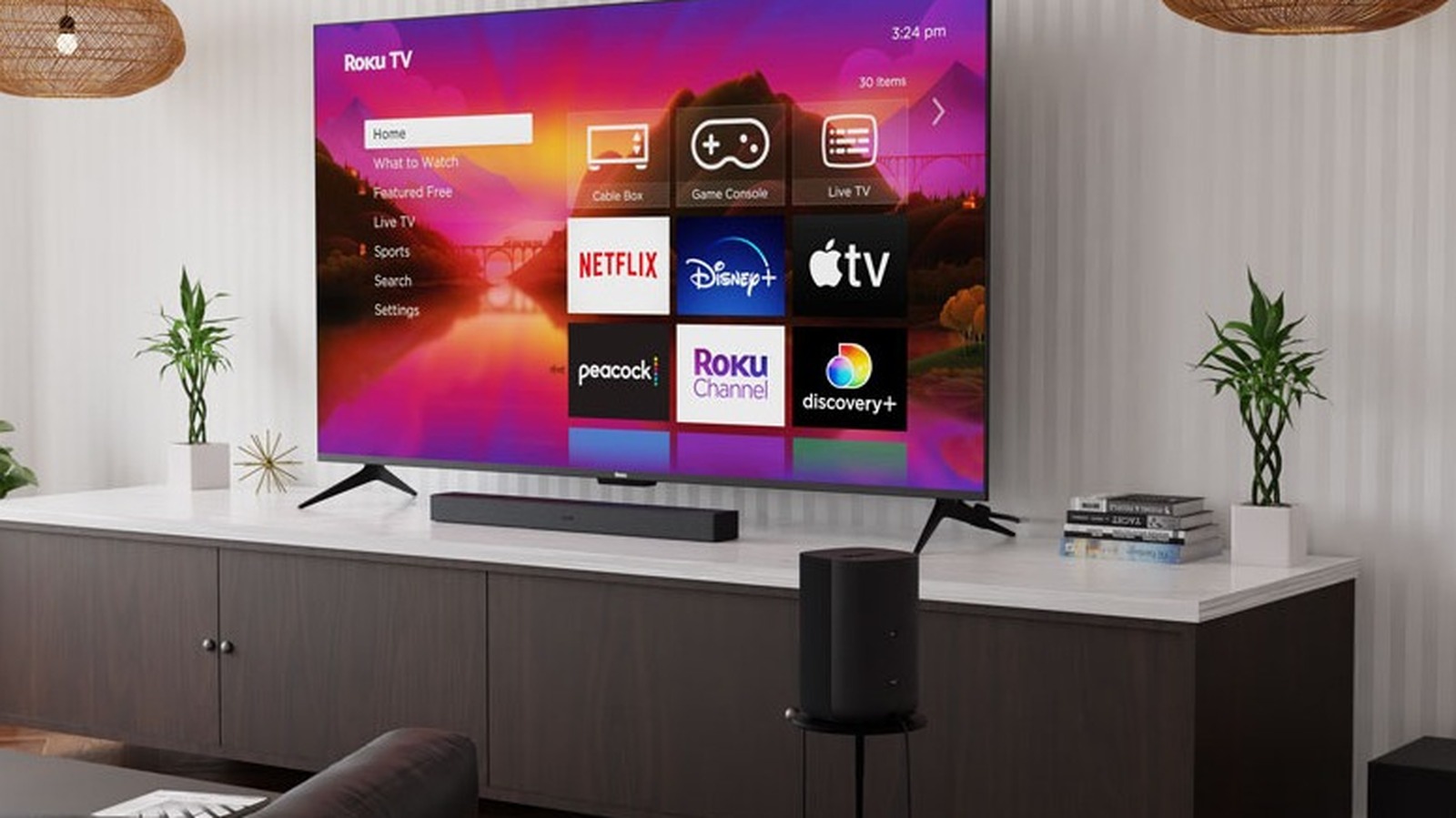
Roku features a grid-based UI with large icons, and the idea is to quickly get into your favorite streaming services without drowning in recommendations. You may find that the Fire TV menu does look more visually appealing, but it’s noticeably busier than the Roku interface. The home screen is filled with rows upon rows of content recommendations, sponsored titles, and, of course, Amazon Prime programming.
As pointed out by Mashable and a variety of users, the Fire TV Stick feels noticeably slower than Roku. This is likely due to the heavy UI and sheer amount of content/ads on the home screen. Again, Roku also has ads, but they are usually on the side and stay out of your way.
Roku Supports Apple AirPlay and Private Listening
For those of you with an iPhone or iPad, Roku devices might be the better choice simply because of their native Apple AirPlay support. AirPlay allows you to route music from your Apple devices to your speakers or TV, and also lets you mirror your phone screen to your Roku device. This is particularly useful when you have friends and family around and want to show off some pictures or videos on the bigger screen.
Strangely, Amazon doesn’t offer native AirPlay support on its Fire TV sticks, even though the feature exists on select “Fire TV Edition” TVs. However, both platforms do support Miracast, an older wireless display standard that allows mirroring from Windows devices and Android phones.
Roku also has an edge with its Headphone Mode feature. Every current Roku device supports this feature through the app, allowing up to four people to listen privately with wireless headphones. This is great for when you want to binge-watch a TV show late at night without disturbing others in your home. Technically, you can do this with the Fire TV and a pair of Bluetooth headphones, but Roku has extensively worked on its implementation to minimize audio-sync lag.
Roku Delivers Competitive Everyday Value and Portability
Here’s what the current Roku lineup looks like: Roku Streaming Stick HD ($30), Streaming Stick Plus ($40), Streaming Stick 4K ($50), and the feature-rich Roku Ultra ($100). The Streaming Stick HD is 1080p only and lacks Dolby Vision and Dolby Atmos. The Streaming Stick Plus enables 4K support and HDR10+. Upgrading to the Streaming Stick 4K gets you Dolby Vision HDR, while the Roku Ultra adds a rechargeable remote, Wi-Fi 6, and Dolby Atmos.
Amazon’s lineup is a bit more packed: Fire TV Stick HD ($35), TV Stick 4K Select ($40), TV Stick 4K Plus ($50), TV Stick 4K Max ($60), and Fire TV Cube ($140). Out of all these, the TV Stick 4K Plus and Max are the best value, as they offer Dolby Vision, HDR10+, Dolby Atmos, and Wi-Fi 6/6E, respectively.
But between all of the Amazon and Roku options, the Roku Streaming Stick 4K is the best bet. It lacks Dolby Atmos support, but it has everything else you need for an enjoyable 4K experience at $50 (often lower with sales). Sure, the maximum difference you’ll find between Amazon and Roku is $10-$15, but it’s impressive that Roku keeps up. Unlike the Fire TV Stick 4K, the Roku Streaming Stick 4K doesn’t need a wall adapter. It can just get power from a USB port on your TV, and for the lower-end Roku models, you can simply plug them into an HDMI port and not worry about power at all.
Amazon Fire TV Has Better Voice Control and Smart Home Integration
Roku’s TV remote offers voice search and controls, and you can also control first-party Roku Smart Home devices directly through the Voice Remote or the app. However, Amazon’s smart home offerings with the Fire TV are more robust. It’s more of a platform-wide service that works with a wide variety of non-Amazon products. With Alexa, you can dim your compatible third-party smart lights, check your Ring doorbell feed, or even adjust the thermostat.
The Fire TV Stick is great, but the Cube is even better in this regard. While the Fire TV Stick requires you to press a button on the remote to speak voice commands, the Cube gives you true hands-free control. The Roku Ultra allows you to do this as well, but again, you’re limited by the Roku ecosystem. Last year, Amazon introduced Alexa+, which enables more complex smart home routines. Even if you don’t care about all this smart home stuff, simple phrases like “show me movies with Timothée Chalamet” work better on Fire TV devices.
Amazon Includes More Advanced Features
Roku’s streaming devices can often be cheaper or priced competitively against Amazon, but Fire TV wins in terms of features and hardware. For example, the Roku Streaming Stick 4K is $10 cheaper than the Fire TV Stick 4K Max, but Amazon’s offering has better Wi-Fi (Wi-Fi 6E), Dolby Atmos for better audio, and the ability to sideload apps. Since Fire OS is built on Android, you can install third-party media players, VPNs, and custom tools that aren’t available with Roku. Not everyone will care for that, but it’s nice to have the option for tinkerers.
To get all those features in one device from Roku, you’ll have to spend $100 and get the Roku Ultra. While it’s a snappy and powerful media player, it loses its value when compared to the Fire TV Cube. For $30 more, the Cube offers the same 4K HDR performance, the smart home integration mentioned earlier, and HDMI pass-through with Alexa overlay. So if you connect your Xbox to the Cube, you can turn it on with a voice command.
Fire TV is Better for Gamers
If you’re a traditional gamer who has a dedicated console for gaming, then you don’t really need a streaming device for the extra features. However, if you care about cloud gaming, watching live esports, or even just playing casual games without buying a $500 console, a Fire TV Stick can help you accomplish that.
Devices like the Fire TV 4K Select, Plus, and Max feature the Xbox app, allowing you to stream hundreds of quality games like “Halo” or “Forza” through Xbox Cloud Gaming. You’ll need a controller and a Game Pass subscription to do this, but there’s not much to the setup process other than that. You also get access to Amazon Luna, Amazon’s own cloud gaming service that’s included with a Prime membership.
If you plan on watching Twitch streams directly on your TV, the experience on Roku is subpar. Roku removed the official app from its devices years ago, and you now have to use unreliable third-party apps or other workarounds to watch Twitch. This obviously isn’t a problem with Fire TV, as Amazon owns the platform directly and offers a polished, integrated experience without issues.