We may receive a commission on purchases made from links.
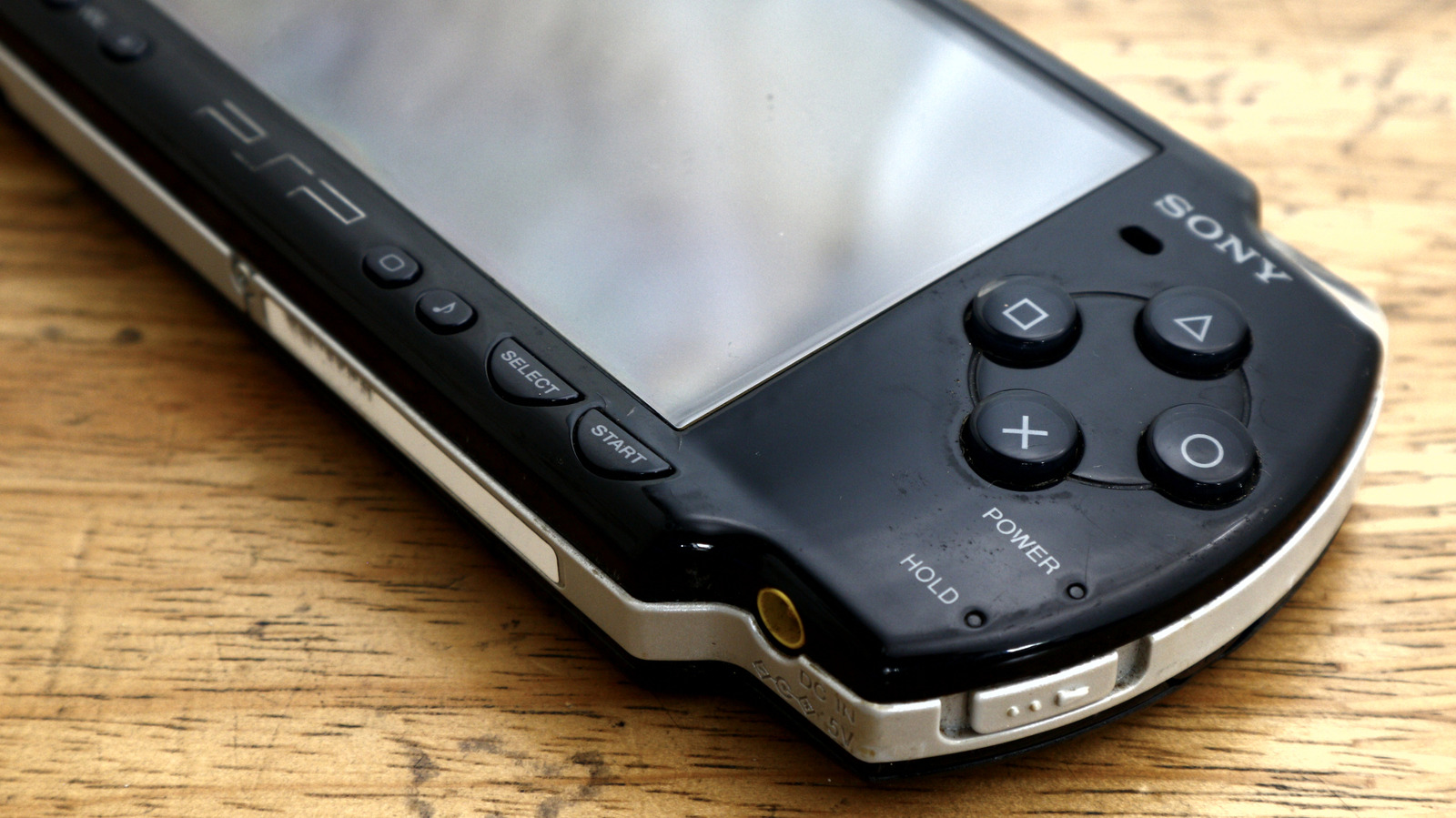
The Sony PlayStation Portable (PSP) launched in the US in 2005 and is now 21 years old. During its heyday, it sold 80 million units over its ten-year lifespan. It also birthed some notable franchises like “Monster Hunter,” “Patapon,” and “God Eater.” But there’s another side to the PSP beyond high sales and significant franchises; it proved fairly early on to be incredibly easy to hack. The homebrew scene that was built around the PSP is still going to this day, with a recent resurgence in popularity thanks to a growing audience for retro gaming.
That’s all to say that if you just so happened to have a spare PSP collecting dust somewhere, there are some clever uses you may not have considered, but probably should if you’d like to breathe new life into the handheld. From hardware mods to software hacks to retro emulation and custom game launchers, not to mention an easy solution to work around the device’s proprietary expanded storage problem, here are some of the top uses for your old PlayStation Portable.
Modify your PSP hardware
Retro gaming has seen a resurgence over the last few years. Maybe it’s because of cheaper manufacturing, or maybe it’s AAA gaming’s high prices. But whatever the reason, it’s been an absolute boon for retro hobbyists, with the 2025 market sitting at $3.8 billion, and projected to grow by over a billion more in 2026. With this popularity comes products to sell to the audience. Even though the PSP is over two decades old, you can easily purchase modern parts, like replacement shells, buttons, and even new screens. Of course, you need to be cognizant of your specific model, since there are five: the 1000, 2000, 3000, E1000, and the Go, each of which requires specific parts.
The good news is that each PSP model is fairly well represented in the aftermarket, especially if you’re looking specifically for custom parts like third-party shells. There are more than enough colors to choose from. Even better, replacement parts are also easy to find, from OEM joysticks (say, if yours are drifting or broken) to new battery packs. No matter if you’re interested in modding for looks, functionality, or simply to fix up an old and dying PSP, the parts are out there, and pretty affordable. This is ultimately a big part of the appeal of retro gaming, and modding your old PlayStation Portable is certainly a clever way to extend its life.
Jailbreak your PSP
Modding hardware has its perks, but jailbreaking to mod a handheld’s software brings some pretty big benefits, too. Once a PSP is jailbroken, all manner of new options become available, such as running unsigned code (i.e., homebrew). Once a system is cracked with the ability to load homebrew, custom firmwares are rarely far behind, and of course, there are a few to choose from, like Ark4 and Pro.
With custom firmware, you can run game backups and boot games from storage rather than the disc drive (which can mechanically wear out over time as the laser degrades). While replacement drives are certainly available, the necessary teardown and reassembly to replace one might not sound appealing. Thus, jailbreaking so you can install custom firmware to legally play your own game backups can help reduce wear and tear on your device’s more delicate parts.
Running games from storage rather than a drive can improve load times and, in turn, battery life, since there is no need to power a laser and a motor that spins a disc. Running custom firmware also opens the door to reprogram which buttons do what, which can be handy for swapping the X and O button functions on imported Japanese hardware. Custom firmwares also have built-in functionality to adjust your CPU clock speeds, up or down, allowing you to conserve battery life by underclocking or boost game performance by overclocking.
Create custom PS1 EBOOTs for your PSP
Once you’ve jailbroken your PSP and installed custom firmware, the device’s inherent ability to play PS1 games sold through the PlayStation Store broadens to any PS1 game you’ve turned into an EBOOT. The community built a handy tool called PSX2PSP, which lets you turn a legally ripped PS1 ROM into an EBOOT file that plays on your PSP like any official PS1 game that was sold in Sony’s store.
Basically, rather than being stuck with the PS1 games you purchased from the PlayStation Store before it was shut down for the PSP, now you can play any ripped PS1 game in your collection. Seeing that Sony had only sold about 100 PS1 titles for the PSP, jumping to the ability to play the entire 1,200+ US library(out of 4,000+ for the entire world) makes quite a difference in overall library size, especially when the PSP’s native library in the US is estimated by the community at a little over 600. With custom PS1 EBOOTs, you’ve doubled the library of playable titles.
The best part is that any custom firmware built on 3.03 OE-A or later will offer the custom PS1 EBOOT feature, so you can choose any of the newest custom firmwares you wish in order to take advantage of the larger PS1 library, a clever use for your old PSP indeed.
Turn your PSP into an retro emulation handheld
Jailbroken PSPs can run plenty of unsigned code known as homebrew, and as a fairly mature platform, there are tons of homebrew apps available for the PSP, including a boatload of emulators. It can generally emulate anything up to and including the 16-bit era, like TurboGrafx-16 and Sega Genesis, with some 32-bit support, which, of course, includes PS1 support with EBOOTs. More or less, with the help of a few emulators, you can turn your PSP into an emulation machine to play giant libraries of classic console games up to the 4th generation (though be warned, some SNES games can struggle with slower speeds or skipped frames).
Much like adding expanded PS1 EBOOT support by installing custom firmware to greatly expand the playable library on the PSP, should you install emulators for classic consoles and arcade machines like the Game Boy, Game Boy Advance, NES, SNES, Genesis, TG16, MVS, NGP, and CPS1/CPS2, you’ll have drastically grown your playable library into the mid to high thousands. This is why gamers still consider the PSP one of the best handhelds for emulation. It predates the burgeoning Android emulation scene by quite a few years; it’s the OG retro gaming handheld, and it still holds up.
Add microSD support to your PSP
This one is one of the easiest options in today’s roundup. There are adapters on the market designed specifically for using a microSD card with the PSP 1000, 2000, 3000, and E1000 models (the Go uses Sony’s Memory Stick Micro). This way, rather than relying on Sony’s dead Memory Stick standard, you can use something like the Funturbo PSP Memory Stick Adapter. Sony never officially announced that it moved to microSD, but it doesn’t manufacture the Memory Stick Duo or Micro anymore. Thankfully, these adapters are cheap; you just need to jailbreak your PSP to take advantage of one.
However, if you’re planning on using a PSP Go, there are sadly no microSD adapters for its Memory Stick Micro (M2) reader. However, there is a solution. You can also easily mod in a microSD card reader in place of the M2 reader. This mod component is custom-made as a whole-part replacement, and this even increases the supported capacity from 16GB to 128GB. The best part is that the Micro SD Memory Card Adapter for the PSP Go only costs a few more dollars than the Duo adapter. No matter which PSP model you wish to add microSD support to, you can cleverly do so with minimal investment.