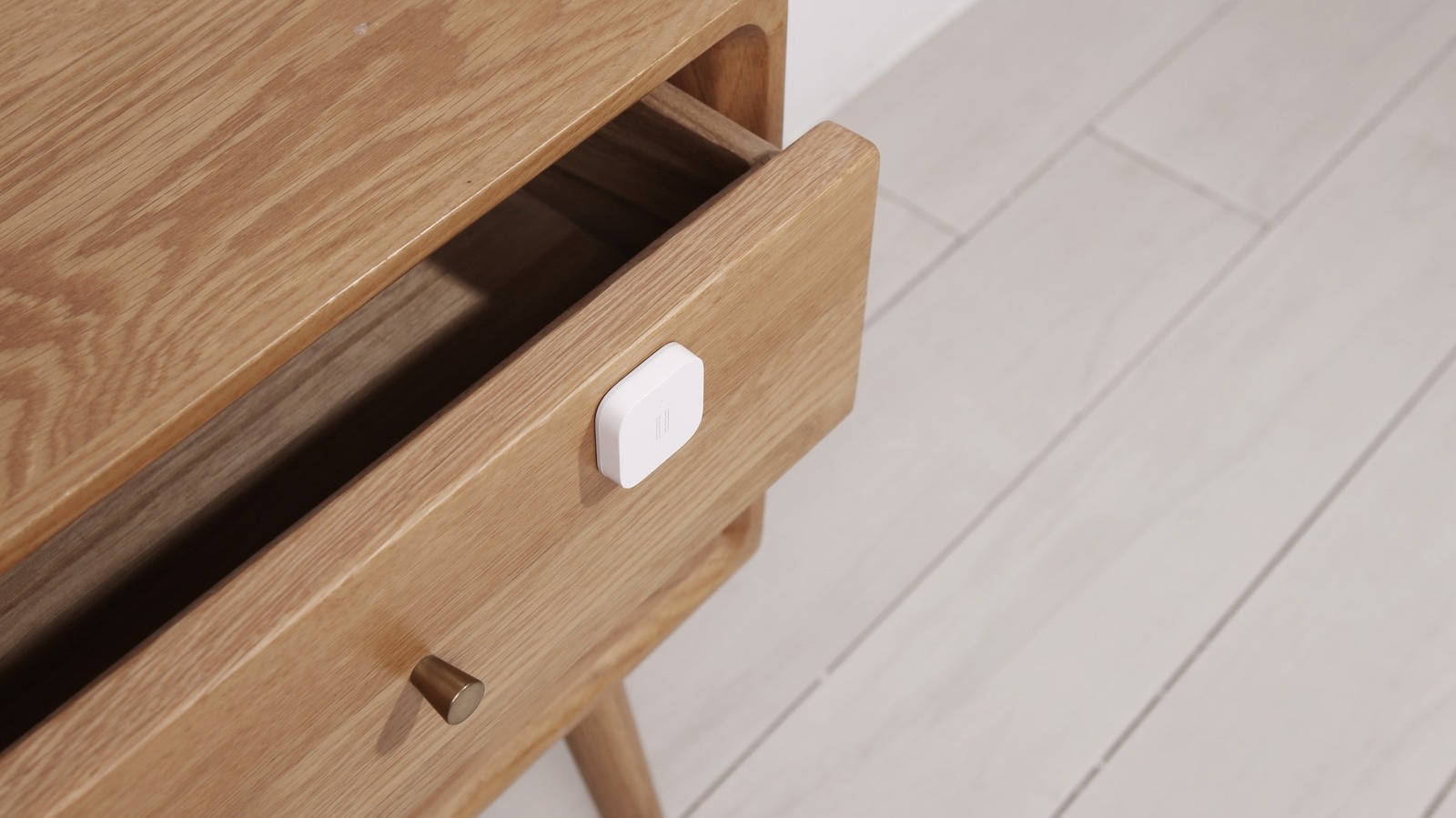
There are countless smart home devices, varied in gadgetry and practicality, that you can place piecemeal throughout your home and configure any way you want. From voice assistants to smart locks, security cameras, smart appliances, smart blinds, and lighting, you can augment almost anything in your home with connectivity these days.
While the options are almost endless, there are certain smart home essentials everyone should be using. Some of these are ideal for casual smart home users, like smart speakers and smart TVs, while others are more useful for those who are looking to automate their homes — vibration sensors being a perfect example. These are small placeable devices meant to give you digital feedback when an event occurs — for instance, they can tell you when a door is opened, when a mailbox is interacted with, when a washing machine has finished its cycle, and any number of various occurrences.
To use a vibration sensor, you place the device wherever you want, like on a sliding glass door, and when it detects vibrations, tilt, drops, or general movement, it will send an alert to your phone or smart home hub. This can help improve the security of entry points, but it can also simply keep you informed about the goings-on around your house — like when the washer or dryer has finished and it’s time to move clothes between machines or fold them. Ultimately, there are some pretty clever ways you can put vibration sensors to use around your home and property, and we’ll explore a few options below.
1. Know instantly when a door or window is being opened
The most obvious use for a vibration sensor is to cover an entry or exit point for your home, including doors and windows. For example, you could place a sensor on your front door, a side door, a bedroom window, your garage door, or even a patio or sliding glass door. When the door opens, or when someone fiddles with it if it’s locked, you’ll know via the vibrating sensor. This is an excellent way to further improve your home’s security setup if you already have cameras, a smart lock, and other similar devices. Of course, it can still be helpful even if it’s the only security device you’re using.
A smart lock on your front door might tell you someone is coming or going, but a vibration sensor on a side or less-prominent door can do the same there, especially when it doesn’t make sense to install expensive smart locks on every doorway in your home. It can also tell you when windows, garage doors, and even an off-limits office or den door are being engaged. Even more clever, you could place a sensor on a cat or pet door to let you know every time your furry friend goes in or out.
2. Create a tamper-proof storage system
Adults will be adults, and we all have our vices. Liquor, adult substances, mature materials, weapons, valuables — there are lots of things around the house that you might want to keep out of the hands of children or potential thieves. Liquor in a locked cabinet, weapons in a safe, other items tucked away in a lockbox, you get the idea. A vibration sensor can be placed on these storage items to not only protect what’s inside, but also to keep you informed about when someone is interacting with them.
When the vibration sensor picks up signs of movement or tampering from your safe or lockbox, you can be notified right away and have time to react accordingly. You could use such a setup to know when to check on the liquor cabinet to make sure no one is raiding what’s inside. This mostly applies if you have children or younger residents, but in some cases, it might still be useful to keep an eye on roommates in this way. It all depends on your particular household, but vibration sensors have strong potential for adding an extra layer of security to something you have locked up or hidden away.
3. Keep tabs on your appliances
Washers and dryers, as well as dishwashers, are designed to automatically complete their core cycles, giving you time to relax or get other chores done. Sometimes, you want to know right when they’re done so you can hop back over and finish the job — like when a washer completes its cycle and you want to move your clothes to the dryer before that mildewy smell starts setting in. Sure, some of these appliances offer audible alerts to let you know they’re done, but depending on where you are in the house, you might not always hear them. That’s where vibration sensors come into the equation.
These appliances tend to shake or move during use, which is exactly the type of thing a vibration sensor is designed to detect. When that movement stops, you can get an alert and head over to do what you need to. The only thing to keep in mind here is that some washers and dryers pause for a few moments between cycles, so you’ll want to observe them operating a time or two to figure out how long that might be, and then set a delay on the vibration sensor so it’s not sending you false alarms.
4. Automate virtually anything in ways other devices can’t
One of the best things about smart home devices like vibration sensors is that they can be further enhanced through automations. Think of these as programmed events set to occur when a particular trigger is detected, or simply, cause and effect. You could place a vibration sensor in your favorite recliner and set up an automation in your smart home system so that when you sit down, your lights, TV, and other related devices turn on automatically. Similarly, you can place a vibration sensor with the goal to trigger other smart devices, like speakers, fans, thermostats, locks, and robot vacuums. In fact, setting up automations is one of the best ways to take full advantage of your smart home.
The beauty here is in the simplicity and versatility. With the right devices and automations, you can pretty much build out anything you want, within reason. Schedule a particular light to turn on when a door opens. Put a vibration sensor in your desk chair and set up an automation that turns on the office AC or heater. Or, attach one to a bedside table so when you climb into bed, an automation turns the lights off and starts playing sleep sounds and ambient noise out of a nearby speaker. The sky’s the limit.
5. Set up trash day and other chore reminders
It’s all too easy to forget trash day until it’s too late. If you forget to take the can to the curb, you’re stuck with old trash until next week. It would be nice to have a reminder on trash day in the morning, but it would be even nicer to have one that knows whether you’ve already done the task or not. That’s where the humble vibration sensor comes into play. You can place one on a trash can and have your smart home hub send an alert if the sensor doesn’t detect movement by a certain time, all via smart automations.
Knowing this is possible, it’s easy to see how a similar setup might be used for other tasks. Perhaps you’re supposed to move your car every day for your partner, or maybe you need to take a pill from the medicine cabinet by a certain time each day. You can use vibration sensors by placing them in the same way, and when no movement is detected within a certain timeframe, configure an automation to send alerts as gentle reminders. It’s a great way to keep up on your chores, but there are lots of other clever ways to use sensors around your home that haven’t been discussed here. Don’t be afraid to experiment and get weird with it.