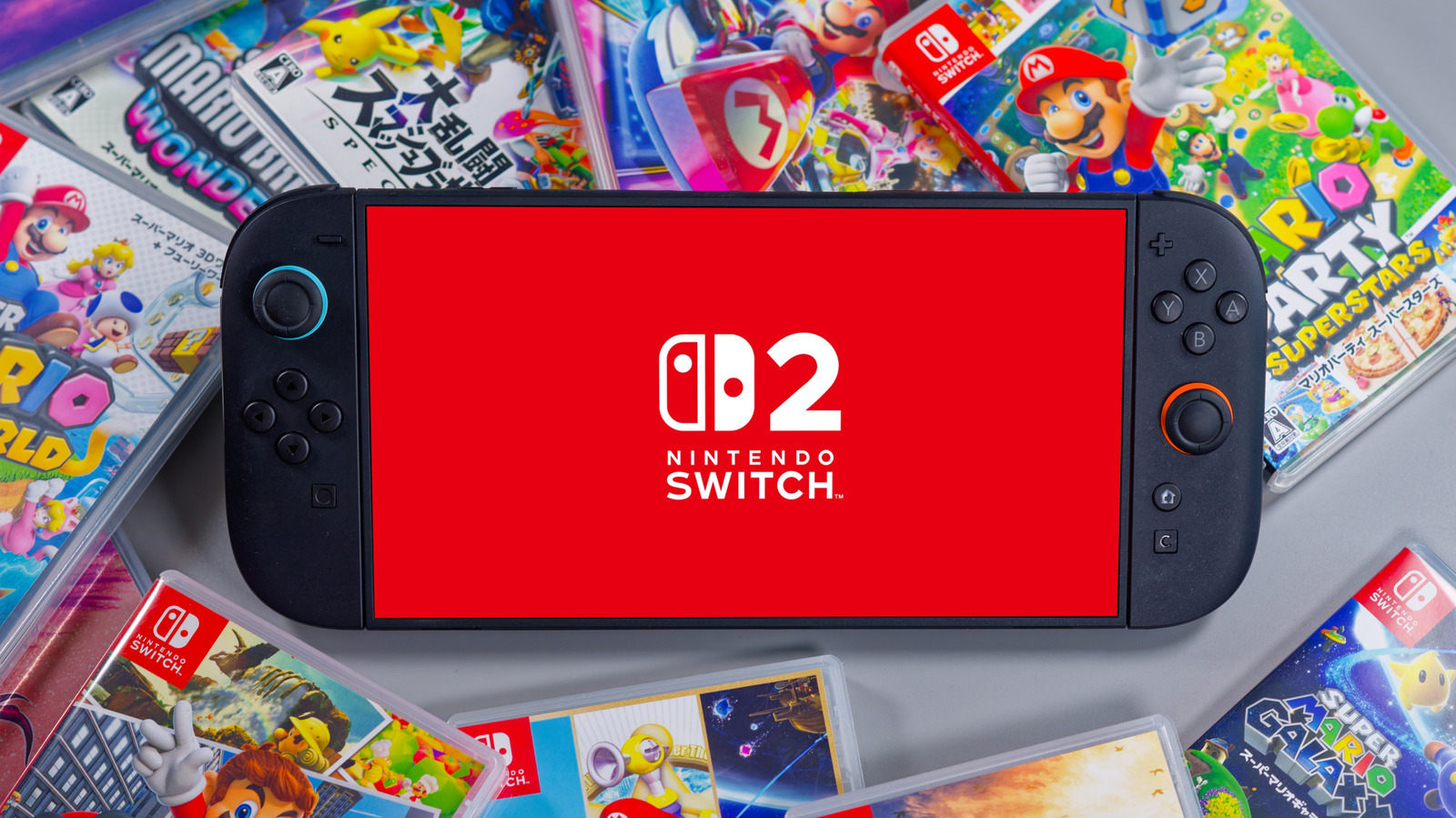
There are several ways you might be killing your Nintendo Switch 2 battery life while using the console, but there are some solutions for that. The Switch 2 is a huge evolution from its predecessor, coming with much more powerful hardware and upgrades to the screen, which now supports up to a 120Hz refresh rate. However, those upgrades also come with trade-offs in battery life when in handheld mode.
Nintendo Switch 2 also got a battery upgrade, with a 5,220 mAh version, which is a bit higher than the 4,310 mAh that was present on the Switch 1. However, while playing, it ends up having less screen time overall, thanks to the powerful hardware and demanding games. So titles like “Cyberpunk 2077” drain the battery even faster.
If you are far from a power outlet, there is a chance you might need to abruptly pause your gameplay because your console’s battery runs out. The good news is that there are some habits that can help it last longer, allowing you to play for more time and enjoy a bit more of its handheld appeal.
Disable the Handheld Mode Boost when away from an outlet
Nintendo added the Handheld Mode Boost feature to the Switch 2 through an update and it was a game-changer for many players. This feature lets users play Switch 1 games with some enhancements when in handheld mode, since the setting tricks the console to think that it is running them in docked mode, despite being undocked. Many games, for example, look much better on the 1080p screen that the Switch 2 has.
The problem is that this boost changes the console’s energy consumption, since it considers that the game is being played in TV Mode, so the processor and GPU start working harder to deliver the same performance. At the same time, this makes the battery drain faster, which can have up to a 25% difference when you’re playing with the Handheld Mode Boost active.
If you have a charging spot next to you while playing, this isn’t really a big deal as the enhancements are worth it. Many games really look better when playing in handheld mode and with the feature activated; especially those that didn’t receive a graphics enhancement update. However, if you know you’re going to be without charging for a while, it’s worth considering disabling this boost mode to make the battery last longer.
Limit the battery charge to 90%
If you want to keep the Nintendo Switch 2’s battery healthy for a long time, you should only charge it up to 90%. The console uses lithium-ion cells, which can lose capacity when they are always at 100% and the “Stop Charging Around 90%” option in the settings helps you reduce this wear, which is helpful for those who play more in docked mode.
This is important since lithium batteries wear down more when they are at 100%, mostly because of the stress caused by a full charging cycle. Constant wear over a prolonged period can even cause the lithium-ion battery to catch fire in extreme cases. To avoid it, Nintendo Switch offers an option that limits this and ensures that the cell retains more of its capacity over time. While you may lose around 10% of charge per session, this might be a fair trade-off considering the long-term use and that a console can last for years.
At the same time, because of the way lithium batteries work, it’s also worth preventing your console from fully discharging before you plug it in again. By letting it reach 0% constantly, you might degrade the console’s battery capacity in the long run, so it’s better to start charging it when it gets to around 15-20% battery.
Turn on airplane mode when playing offline
Turning on airplane mode when playing offline and away from the dock is one of the simplest ways to save battery on your Nintendo Switch 2. The mode turns off Wi-Fi and Bluetooth, preventing the console from constantly searching for nearby devices to connect to, something that also drains the battery while you play.
So, if you are playing something that doesn’t have online features, it’s a waste to spend extra battery on Wi-Fi and Bluetooth. However, the difference is more seen in less demanding games, while in AAA titles you might only gain a few minutes, but still, this time can make a difference when you are far from an outlet.
Besides that, when the console is in airplane mode, it also prevents the Joy-Cons from being connected via Bluetooth. Typically, they need to be physically attached to the Nintendo Switch 2 in handheld mode, but you can toggle on the Bluetooth and continue using the Joy-Cons from a distance, with some hit to battery life.
Disable HDR and 120Hz refresh rate
HDR is one of the most exciting Switch 2 features, since enabling this option contributes to making some games look even more beautiful with the color contrast in the image. But this beauty also comes with a direct cost to the console’s battery, since the option forces the display to consume more energy.
The 120Hz refresh rate also affects battery consumption, since to operate at this frequency, the screen is forced to work more to deliver the desired output. Some games don’t need these features, so it’s worth disabling them for a while to save some battery. A more practical approach is to turn both HDR and the 120Hz refresh rate off when playing in handheld mode to extend your battery life. You can then turn them on when you’re plugged in and playing on TV, since you can enjoy all the graphics enhancements without worrying about the battery.
Avoid playing demanding games in handheld mode
Nintendo Switch 2’s handheld mode is very capable of running most of the demanding games released on the console without major compromises, especially when compared to the docked mode. However, at the same time, it’s worth considering that those games are also the ones that drain the console’s battery faster. So, you may want to switch to some not-so-demanding games if you’re planning to use your console in handheld mode without charging it.
For example, for many of the heavier titles on Nintendo Switch 2, the battery may last only around two hours. For indies like “Stardew Valley,” the consumption is much lower and with some trade-offs, like reducing the screen brightness a bit, the duration can reach close to 5 hours, which is great when you are away from an outlet for some time.
Fortunately, the library of indie and other less demanding games on the Nintendo Switch 2 is quite wide. It’s possible to play many of the biggest classics of the genre on it, such as “Stardew Valley” itself, but also “Hollow Knight” and many others. Even though these games do not offer the same visuals as an AAA game, they’re still great experiences for many players.