Rita El Khoury / Android Authority
I thought that I had my phone factory reset process down to an art, thanks to the frequency with which I reset and send back review devices. But recently I had to reset an older device — and just before I was about to start the process, I decided to go back and check if it had missed anything important. That’s when I realized it had a few things I actually hadn’t backed up.
After all, the data on a temporary or secondary device is generally less important than the data on one that you used as a daily driver. In my case, I was also selling the device, so I didn’t have the option to simply leave it as-is in case I needed to recover something later.
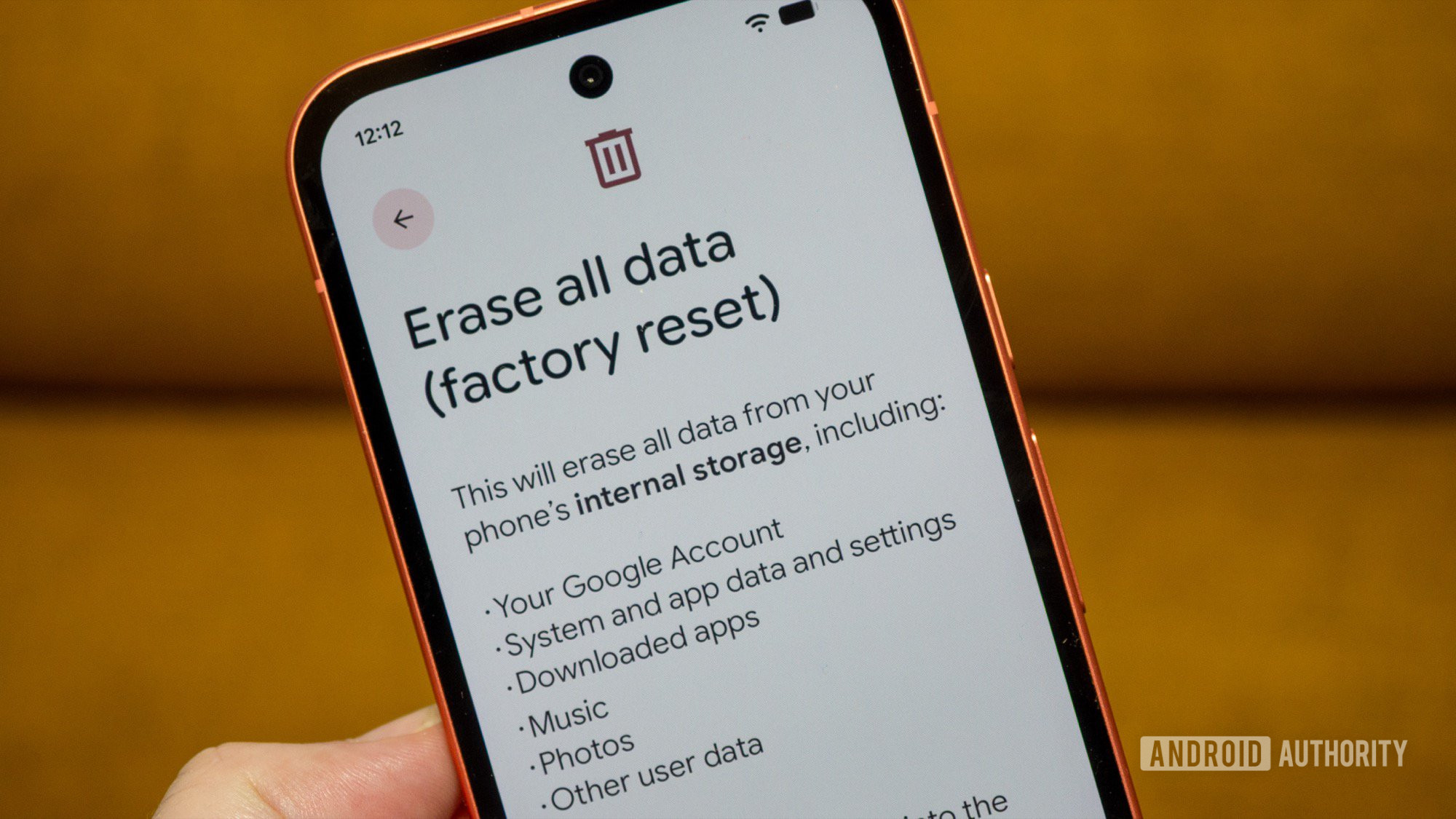
The incident prompted me to take a closer look at my process and adjust it accordingly. So when it comes to factory resetting your old phones, what are the steps you should take to make sure that you don’t lose data?
Are there any steps you’ve forgotten before factory resetting a phone in the past?
78 votes
1. Recovering photos and videos

Megan Ellis / Android Authority
Keeping backups of your photos and videos is easier than ever, thanks to services like Google Photos. However, if you don’t upload your pictures at their original quality, or you have folders that aren’t saved to cloud services, it’s worth taking a look to see if there’s anything important that you want to save.
In my case, I realized that the old device hadn’t actually been set up to sync with Google Photos. Some of the pictures were generic landscape images that I wouldn’t have missed, but there were also some pretty adorable photos of my cat. In this case, I was glad that I went back to double-check what was there.
Cloud services make these backups easy, but it’s good to make sure you haven’t missed any important folders.
It’s also worth checking folders like your WhatsApp media folders and ones from your image editing apps if you don’t upload these to the cloud. I also used to have a pretty comprehensive folder of Twitter and Reddit memes that I lost after switching to a new phone — and I’ve never quite been able to recapture its glory again.
2. Checking for important audio and documents

Megan Ellis / Android Authority
Audio files and documents are a bit easier to overlook than photos and videos, especially since they aren’t included in backups for popular services like Google Photos. But it’s worth checking if you have anything important stored in these device folders that you can’t access elsewhere.
Most of my audio recordings are interviews that I no longer need copies of. But there are some that are actually sentimental.
My sister-in-law sends me voice notes on WhatsApp that include my nephews singing Happy Birthday, as well as the occasional message from them. While my WhatsApp account is backed up, I’ve found that it’s inconsistent when it comes to restoring audio (and even certain media). So I prefer to have another copy available to be on the safe side.
Audio and document folders aren’t synced to services like Google Photos but can still contain sentimental or important files.
I also have some audio recordings of my cats. They’re not easy to replicate, especially because my one cat hardly ever meows. But when she does, she sounds like the ghost of a cat from the Victorian era, which is the whole reason I started trying to record the occasional haunting by her. Meanwhile, my male cat will sometimes meow in response when I’m talking to him. For me, these are audio recordings worth keeping.
3. Moving over authenticator apps

Joe Hindy / Android Authority
I rely on email and text 2FA for most of my services, but I also have a few logins that require an authenticator app to access. Luckily for me, I’ve always had my old device lying around when I’ve realized that I forgot to move over to a new device (except for one occasion when I was in a different city).
I’ve started making a concerted effort to remember this step whenever I set up a new smartphone because of these hiccups in the past.
More services are moving towards requiring 2FA, and you can really land in a difficult situation if you reset your old device without transferring your credentials over. Many apps include a recovery option, but this adds to the inconvenience and doesn’t help when you need to log into a service immediately.
Transfer your 2FA apps, including the less obvious ones like the Steam mobile app.
While dedicated authenticator apps are the most obvious ones to move over, there are other apps that act as authenticators that you might forget about. For example, the Steam mobile app acts as a Steam Guard authenticator. This is the main one that I’ve forgotten to move over in the past.
4. Unlinking banking apps

Hadlee Simons / Android Authority
Depending on which banking app you use, you may only be allowed to have one device linked to your account at a time. For the app I use, only one device can be used to approve transactions and logins. Since many of my transactions require secondary approval through the app, losing access to this functionality would be a disaster.
Again, there is likely a way to set up a new device without access to the old one, especially since people get their phones stolen all the time. But I’d rather avoid the hoops I’d need to jump through and the delay caused by something I could have easily prevented.
5. Removing your Google Account

Edgar Cervantes / Android Authority
Now, this is one step I’d missed up until my colleague Rita El Khoury pointed out how we’ve been factory resetting our phones incorrectly. Why? Because most of us don’t remove our Google Account before going through the reset wizard.
You don’t have to worry about people accessing your Google Account, since the reset process removes your account from your device. But it doesn’t remove the device from your account. You may have noticed this if you’ve ever selected which device to download an app to on the Google Play Store and you’ve seen a myriad of old devices in the menu.
If you don’t remove your Google Account before resetting your device, your account ends up with a bunch of ‘ghost’ devices listed.
I always wondered why this was the case and now I know. The list of devices linked to my account no longer includes very old devices (they were all last used in 2025), but it still includes ones I’ve reset and given to somebody else.
If you’ve made this mistake in the past, you can at least hide the device in your Play Store menu by going to play.google.com/library/devices. You can also see a longer list of devices by going to myaccount.google.com/device-activity and try unlink the device there. But it’s honestly easier to just remove the account before you factory reset your phone.
6. Exporting data from local-only apps

Megan Ellis / Android Authority
In 2025, I started trying out more open-source and privacy-focused apps. In some cases, this meant that the data from the apps was only stored locally on the device. As a result, I’ve had to be more purposeful about remembering to back up my data to transfer it to my new device.
Some apps only include syncing as part of a paid plan, so in these cases you would also need to export your data if you don’t want to have to set up your app all over again.
This is what I plan to do with my Subby data when I change phones again. It’s one of the apps that make my life easier, and I can export my data to upload it to the app on another device. If you have any apps that allow you to copy over your data, you should remember to back them up before resetting your device.
Don’t want to miss the best from Android Authority?


When switching to a new phone, I’d always recommend keeping your old one around for a while before resetting it just in case you’ve forgotten to back up something. This has saved me from hassles in the past.
At the same time, I know that we don’t always have this luxury. And even if you’re not getting rid of your old phone, there is value in backing up its important data anyway so that you don’t lose it.
Thank you for being part of our community. Read our Comment Policy before posting.