
By using this site, you agree to the Privacy Policy and Terms of Use.
Accept
World of SoftwareWorld of SoftwareWorld of Software
  • News
  • Software
  • Mobile
  • Computing
  • Gaming
  • Videos
  • More
    • Gadget
    • Web Stories
    • Trending
    • Press Release
Search
  • Privacy
  • Terms
  • Advertise
  • Contact
Copyright © All Rights Reserved. World of Software.
Reading: Can A MacBook Get A Virus? Here’s How To Protect Yourself In 2025 – BGR
Share
Sign In
Notification Show More
Font ResizerAa
World of SoftwareWorld of Software
Font ResizerAa
  • Software
  • Mobile
  • Computing
  • Gadget
  • Gaming
  • Videos
Search
  • News
  • Software
  • Mobile
  • Computing
  • Gaming
  • Videos
  • More
    • Gadget
    • Web Stories
    • Trending
    • Press Release
Have an existing account? Sign In
Follow US
  • Privacy
  • Terms
  • Advertise
  • Contact
Copyright © All Rights Reserved. World of Software.
World of Software > News > Can A MacBook Get A Virus? Here’s How To Protect Yourself In 2025 – BGR
News

Can A MacBook Get A Virus? Here’s How To Protect Yourself In 2025 – BGR

News Room
Last updated: 2025/10/16 at 12:07 AM
News Room Published 16 October 2025
Share
Can A MacBook Get A Virus? Here’s How To Protect Yourself In 2025 – BGR
SHARE


Ardasavasciogullari/Getty Images

There’s a common misconception that Macs can’t get viruses. Although Apple has systems in place to protect users, it is not immune to malware, as is commonly thought. This includes worms, viruses, and Trojan horse programs. Most of the time, malware is used to steal your personal information, which can be especially damaging if they manage to gain access to your bank account or other crucial login details.

Sometimes, it can be difficult to determine if you have a virus. This is why it is important to protect yourself to mitigate the chances of your computer becoming infected. One way is to use third-party anti-virus software like Norton or McAfee. 

Not everyone wants to fiddle with extra programs and subscriptions, though. For those people, it’s recommended that they check how protected their device is from a malicious hijacking. This is done in the settings menu of your device, and can be configured depending on how secure you want your device to be.

An important security setting

Settings menu on a macbook
PixieMe/Shutterstock

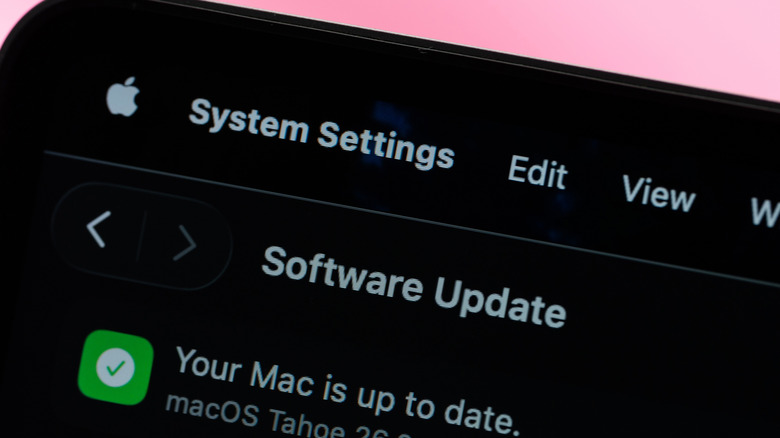
This tutorial covers the newest and impressive macOS Tahoe 26. Note that these steps may be different if you are using an older or outdated version of the Mac operating system. To adjust your protection setting, follow these steps:

  1. Open the Apple Menu on your Mac (this is done by clicking the Apple logo that is by default at the top left corner of your screen).
  2. From the dropdown, select System Settings.
  3. Scroll down and click Privacy & Security.
  4. Select the Allow Applications From option from the menu.

On this screen, you will be presented with a choice. Selecting “App Store” will prevent your computer from installing programs that are outside of the Mac App Store. The second option, “App Store and Known Developers,” allows you to open programs from developers registered with Apple. These apps aren’t always available on the Mac App Store, so there is less oversight by Apple. There is a hidden third option: The “Open Anyway” option typically appears for only around an hour after you attempt to open a program from an unverified source. Choosing this will let you open any app on the computer.

To minimize your risk of infection, choose the first option, as every app in the store is reviewed by Apple for safety and security. This will restrict what you can install, but it will provide you with a layer of defense against malicious apps, making sure you get plenty of the great apps available for your updated Mac.



Sign Up For Daily Newsletter

Be keep up! Get the latest breaking news delivered straight to your inbox.
By signing up, you agree to our Terms of Use and acknowledge the data practices in our Privacy Policy. You may unsubscribe at any time.
Share This Article
Facebook Twitter Email Print
Share
What do you think?
Love0
Sad0
Happy0
Sleepy0
Angry0
Dead0
Wink0
Previous Article Changan Automobile and JD Group sign strategic partnership to boost smart supply chain · TechNode Changan Automobile and JD Group sign strategic partnership to boost smart supply chain · TechNode
Next Article Mississauga Masters Confirm BTZO as Non-Lead Arm Jersey Sponsor for Canada Super 60 2025 Season | HackerNoon Mississauga Masters Confirm BTZO as Non-Lead Arm Jersey Sponsor for Canada Super 60 2025 Season | HackerNoon
Leave a comment

Leave a Reply Cancel reply

Your email address will not be published. Required fields are marked *

Stay Connected

248.1k Like
69.1k Follow
134k Pin
54.3k Follow

Latest News

What did global mobility look like for Africa’s tech workers in 2025?
Computing
I forced Gemini and ChatGPT to fight over Android vs iOS, and we finally have a winner
News
AWS Launches Network Firewall Proxy in Preview to Simplify Managed Egress Security
News
Apple seeks to appeal against £1.5bn ruling it overcharged UK customers
News

You Might also Like

I forced Gemini and ChatGPT to fight over Android vs iOS, and we finally have a winner
News

I forced Gemini and ChatGPT to fight over Android vs iOS, and we finally have a winner

10 Min Read
AWS Launches Network Firewall Proxy in Preview to Simplify Managed Egress Security
News

AWS Launches Network Firewall Proxy in Preview to Simplify Managed Egress Security

4 Min Read
Apple seeks to appeal against £1.5bn ruling it overcharged UK customers
News

Apple seeks to appeal against £1.5bn ruling it overcharged UK customers

7 Min Read
It’s never too late to resurrect your old Kindle
News

It’s never too late to resurrect your old Kindle

4 Min Read
//

World of Software is your one-stop website for the latest tech news and updates, follow us now to get the news that matters to you.

Quick Link

  • Privacy Policy
  • Terms of use
  • Advertise
  • Contact

Topics

  • Computing
  • Software
  • Press Release
  • Trending

Sign Up for Our Newsletter

Subscribe to our newsletter to get our newest articles instantly!

World of SoftwareWorld of Software
Follow US
Copyright © All Rights Reserved. World of Software.
Welcome Back!

Sign in to your account

Lost your password?