

By using this site, you agree to the Privacy Policy and Terms of Use.
Accept
World of SoftwareWorld of SoftwareWorld of Software
  • News
  • Software
  • Mobile
  • Computing
  • Gaming
  • Videos
  • More
    • Gadget
    • Web Stories
    • Trending
    • Press Release
Search
  • Privacy
  • Terms
  • Advertise
  • Contact
Copyright © All Rights Reserved. World of Software.
Reading: Are Old Google Home Speakers Still Supported? Here’s What You Need To Know – BGR
Share
Sign In
Notification Show More
Font ResizerAa
World of SoftwareWorld of Software
Font ResizerAa
  • Software
  • Mobile
  • Computing
  • Gadget
  • Gaming
  • Videos
Search
  • News
  • Software
  • Mobile
  • Computing
  • Gaming
  • Videos
  • More
    • Gadget
    • Web Stories
    • Trending
    • Press Release
Have an existing account? Sign In
Follow US
  • Privacy
  • Terms
  • Advertise
  • Contact
Copyright © All Rights Reserved. World of Software.
World of Software > News > Are Old Google Home Speakers Still Supported? Here’s What You Need To Know – BGR
News

Are Old Google Home Speakers Still Supported? Here’s What You Need To Know – BGR

News Room
Last updated: 2025/10/18 at 1:23 PM
News Room Published 18 October 2025
Share
Are Old Google Home Speakers Still Supported? Here’s What You Need To Know – BGR
SHARE


In early October 2025, Google confirmed that the Gemini AI assistant would officially be replacing Google Assistant in its smart home products. This has already been happening with Pixel phones like the new Pixel 10 and Pixel Watches, but it’s the first time Google is bringing Gemini into the smart home in such a big way. With it comes tons of new capabilities, more natural conversations, and AI processing power for inquiries and actions.

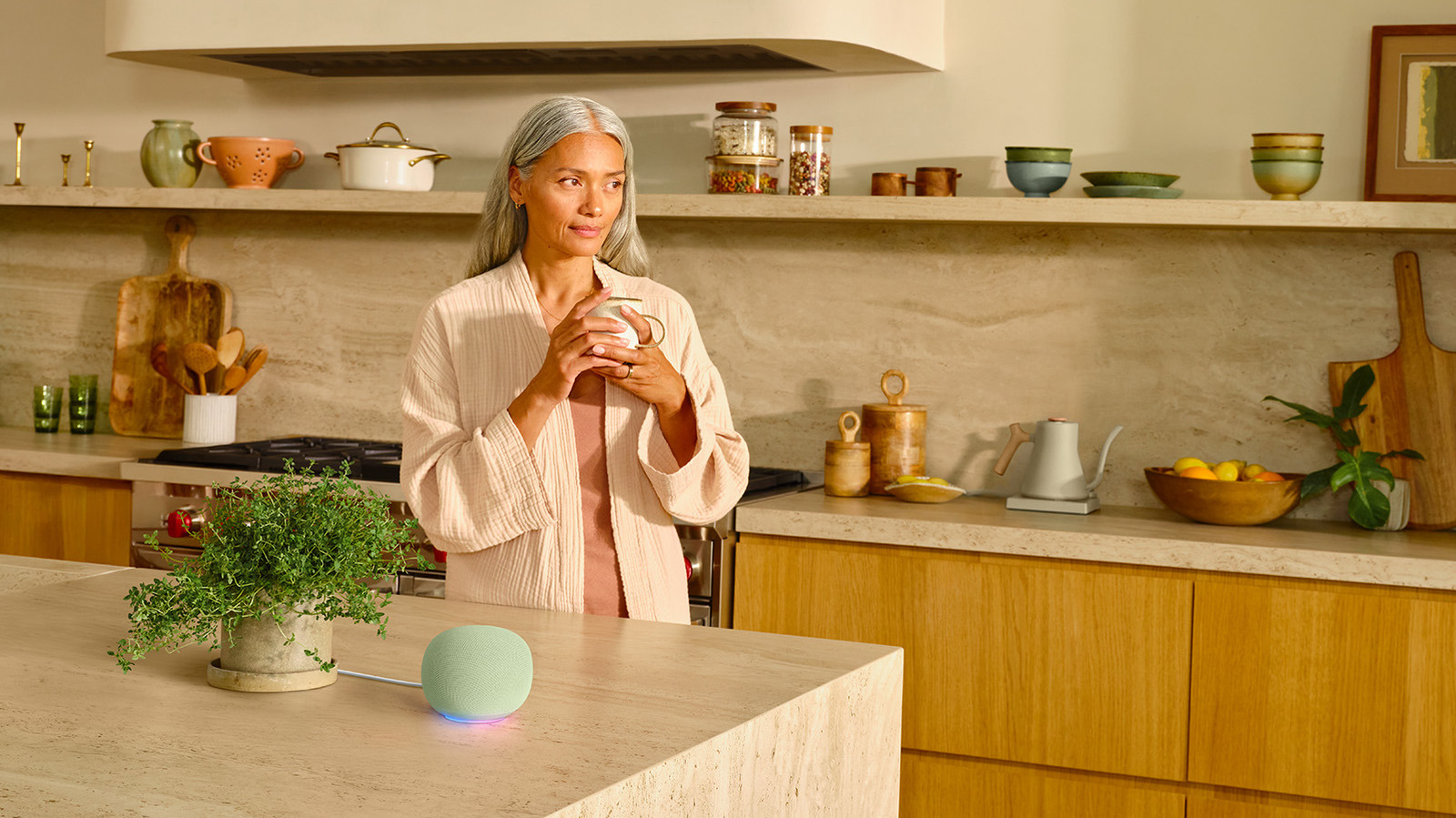
Alongside the announcement comes new hardware, including a refreshed Google Home Speaker that is designed to handle the more natural conversational style of Gemini Live and the on-device processing required for advanced AI features. You’ll get faster and more fluid actions with this speaker, along with other audible upgrades. But it isn’t a necessity to upgrade just yet. If you have an old favorite Google speaker, you can still use it. That’s because Gemini will be accessible on all Google and Nest products introduced over the last decade. While you won’t get as seamless of an experience as with the new model, including fast and fluid interactions, you can still use these speakers for the foreseeable future.

Which Google speakers are still supported?

Google is extending Gemini support to its Google Home and Nest products that were introduced since 2015, so you can continue to use them as you have with the latest access to Gemini. With respect to smart speakers specifically, this includes the Google Home (2016), Google Home Mini (2016), Google Home Max (2017), Nest Mini (2019), and Nest Audio (2020). With smart displays, which add a screen to the experience, you can use the Nest Hub (2018), Nest Hub Max (2019), and Nest Hub 2nd-gen (2021). Additionally, support extends to security cameras and video doorbells you may also have within the ecosystem.

Gemini Live requires a subscription, but you’ll still get a more natural experience versus the standard, robotic commands and answers to which you have become accustomed with Google Assistant. Most importantly, the speakers will understand context. You could ask Gemini to add ingredients for Spaghetti Bolognese to your grocery list and it will know which items to add and might even ask how many people you’re serving to adjust quantities as necessary. Say you’re starting your workday and ask it to turn on the lights — Gemini will know you mean in the home office.

Some features are behind a paywall

Keep in mind that while your ancient Google Home smart speaker will convert to Gemini, in order to use advanced functions like a back and forth Gemini Live conversation, you need a Google Home Premium subscription, which starts at $10 per month. With the subscription, you can Ask Gemini and start chatting without needing a hotword like “Hey Google.” Nonetheless, even if you don’t sign up, you can still enjoy basic Gemini functions.

The features are slowly being rolled out, so you might have to wait until the end of October 2025 to gain access. If you’re especially eager, open the Google Home app and select your Profile icon in the upper-right corner. Choose Home Settings > Early access, then wait for a notification once it’s ready. The app itself, it should be noted, is also being completely redesigned. You’ll get upgrades like a consolidated view of all your connected devices, new gestures, an Activity Tab, Automation Tab, and more. While using your existing smart speaker is a great way to test the waters with gear you already have, you’ll get an even better experience with the newest model, so consider an eventual hardware upgrade.



Sign Up For Daily Newsletter

Be keep up! Get the latest breaking news delivered straight to your inbox.
By signing up, you agree to our Terms of Use and acknowledge the data practices in our Privacy Policy. You may unsubscribe at any time.
Share This Article
Facebook Twitter Email Print
Share
What do you think?
Love0
Sad0
Happy0
Sleepy0
Angry0
Dead0
Wink0
Previous Article One conspiracy theory says that all the instruments in the world are poorly tuned. And of course it includes the Nazis One conspiracy theory says that all the instruments in the world are poorly tuned. And of course it includes the Nazis
Next Article MX Master 4 Review: Logitech’s popular Mac productivity mouse just got even better – 9to5Mac MX Master 4 Review: Logitech’s popular Mac productivity mouse just got even better – 9to5Mac
Leave a comment

Leave a Reply Cancel reply

Your email address will not be published. Required fields are marked *

Stay Connected

248.1k Like
69.1k Follow
134k Pin
54.3k Follow

Latest News

The Best Apple Arcade Games for 2026
News
Serval raises M at B valuation to automate help desk request processing –  News
Serval raises $75M at $1B valuation to automate help desk request processing – News
News
Scan signatures, receipts, and memories instantly with this app — now  for life
Scan signatures, receipts, and memories instantly with this app — now $28 for life
News
Dell Technologies Forum 2025: Exploring the future
Mobile

You Might also Like

The Best Apple Arcade Games for 2026
News

The Best Apple Arcade Games for 2026

9 Min Read
Serval raises M at B valuation to automate help desk request processing –  News
News

Serval raises $75M at $1B valuation to automate help desk request processing – News

5 Min Read
Scan signatures, receipts, and memories instantly with this app — now  for life
News

Scan signatures, receipts, and memories instantly with this app — now $28 for life

3 Min Read
Microsoft Introduces Postgres-Compatible Azure HorizonDB
News

Microsoft Introduces Postgres-Compatible Azure HorizonDB

4 Min Read
//

World of Software is your one-stop website for the latest tech news and updates, follow us now to get the news that matters to you.

Quick Link

  • Privacy Policy
  • Terms of use
  • Advertise
  • Contact

Topics

  • Computing
  • Software
  • Press Release
  • Trending

Sign Up for Our Newsletter

Subscribe to our newsletter to get our newest articles instantly!

World of SoftwareWorld of Software
Follow US
Copyright © All Rights Reserved. World of Software.
Welcome Back!

Sign in to your account

Lost your password?