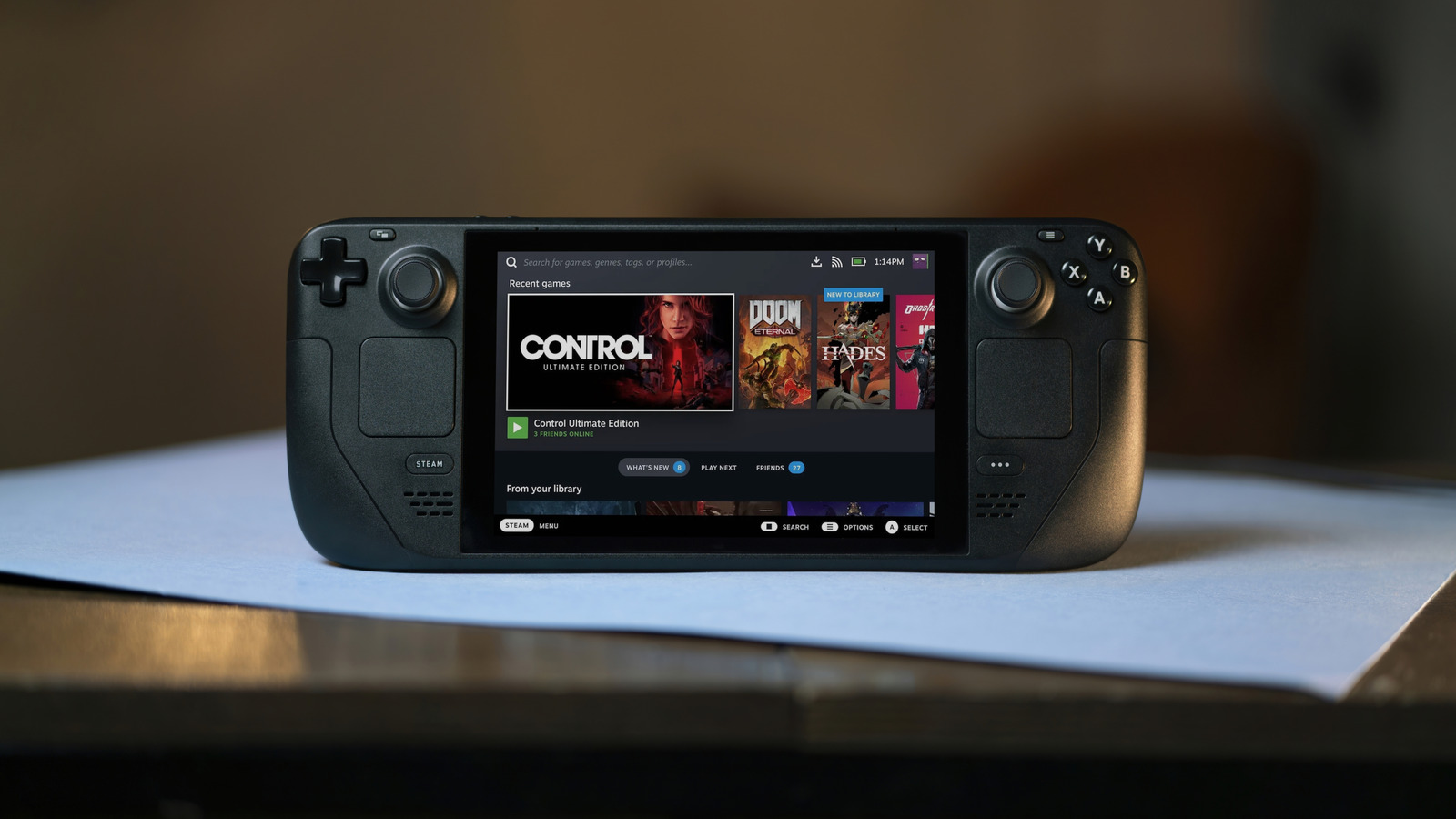
Tinkering with customizable gadgets can be a lot of fun. For example, grab any one of the best retro handhelds out there, and when you first get it, some setup is necessary. You’ll be installing themes, apps, and games, adjusting layouts, and more. The Steam Deck is very much the same. Even if you stay with the stock experience, you have to install games, third-party launchers if you want to access their content and adjust various settings. But what makes the Deck great is that it also offers a ton of personalization. That Steam home screen you’re probably used to by now isn’t the only appearance option for your system. You can customize the look and feel in various ways. You can also install emulators, and through a unique set of tools, you can display individual classic games just as you would any other Steam game.
Of course, you can give the Steam Deck’s home screen a total overhaul, namely by installing an app called Decky Loader and then a plugin called CSS Loader to work with a repository from Deck Themes. If you don’t want to deal with third-party tools, Steam even offers official customizations in the Points Shop for keyboard color changes and bootup animations. So, there’s really a ton you can do to customize your Deck and get it looking the way you want. You can always explore these options yourself, but here are some quick tips to help you navigate the Steam Deck customization experience.
Customizing the home screen with CSS Loader themes
Say you want to go with a theme that makes the Steam Deck home screen reminiscent of the Nintendo Switch interface. There’s a theme for that called Switch-Like Home on DeckThemes. Beyond that, there are other stylish options to adjust how everything looks with tilted game art, full-screen views, and much more. Step one to get this working and set up new themes is to install Decky Loader. Honestly, it’s an app that every Steam Deck owner should install because it adds a lot of interesting functions, accessible from the quick access menu (three dots). After that, it’s a matter of installing the CSS Loader plugin from the Decky marketplace: Menu button > Decky menu > Marketplace (store icon in top right) > search for or browse to CSS Loader and choose Install.
With CSS Loader added, you open the plugin the same way as you installed it: Menu button > Decky > CSS Loader. Then, after selecting it in the side menu, you can begin downloading themes from Deck Themes or you can select ones you have already downloaded. The download icon in the top right is where you can search themes natively. Choose a theme or modification you want and then click Install on the dedicated page. It’s that simple. Go ahead and get real weird with it. If you search through available themes, you’ll also notice there are modifications like turning all the button prompts white, disabling animations, and so on. You can install those just like you would a standard theme.
Customizing game art with SteamGridDB
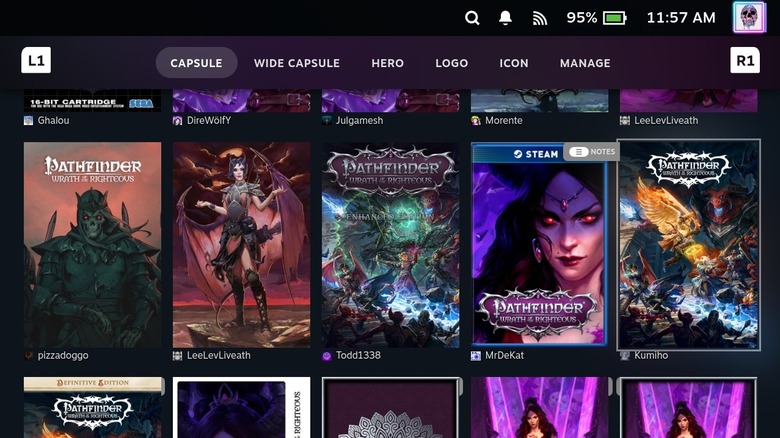
Another plugin you can install through Decky Loader connects to SteamGridDB to allow you to personalize game art on your device. You can swap out the game art files for any game, like the wide or tall images that appear for box art on your home screen. Not only can you change to static custom images, but also you can swap with animated art, too.
Make sure you’ve installed the SteamGridDB plugin through the Decky marketplace. Once you’ve done that, highlight a game with box art you want to change either on the home screen or in library views then press Start (three horizontal lines). Select Change Artwork from the sub-menu, and it will take you to the SteamGridDB interface with artwork for that game. A capsule image is the tall box art, wide capsule is the wide version of that, hero is the banner artwork that appears on the game page, and logo and icon images are self-explanatory. Simply select the art from the list that you want and it will automatically apply. The last tab in that menu labeled Manage allows you to adjust existing images you have applied for any of the box art or logo options. You can delete images or add custom ones through this menu, as well. Enjoy! With that out of the way and the software customized to your liking, now you might consider customizing the outside with cases, joystick caps, or Steam Deck accessories you can get for less than $50 – some of them are must-haves.