- Comprehend the essential role a VPN plays in safeguarding your digital life
- Gain a deep understanding of how VPNs function under the hood
- Develop the ability to distinguish fact from fiction in VPN promotions
YouTube Age Restriction Bypass: A Simple Guide 2025

Why Does YouTube Ask for Age Verification?
YouTube asks for age verification to ensure that underage users don’t access mature or age-restricted videos. This helps YouTube comply with regulations like the Children’s Online Privacy Protection Act (COPPA) in the U.S. and similar laws worldwide. That way, YouTube can maintain a safe environment and avoid legal penalties related to child protection laws.
YouTube typically asks for age verification when you’re accessing mature, explicit or potentially harmful material, such as:
- Sexual or nudity-related content
- Violence and disturbing imagery
- Harmful or dangerous acts
- Strong language and mature themes
- Education or documentary footage with adult themes
YouTube now has an AI-powered system that flags accounts based on the videos you search for, the categories of your watched videos and your account’s longevity. YouTube claims it’s currently applying this model in the U.S., Switzerland, the U.K. and countries in the European Economic Area.
How Does YouTube Make Users Prove Their Age?
You can verify that you’re above 18 years old by uploading a credit card or a government-issued identity card plus a selfie. This process is especially important because YouTube’s AI algorithm isn’t foolproof, and it might wrongly flag your account as underage.
Final Thoughts
A VPN is the best way to watch age-restricted videos on YouTube. You’ll have to connect to a server where YouTube doesn’t conduct age verification. I recommend using NordVPN thanks to its large server spread and fast speeds. Other excellent options are Surfshark and ExpressVPN.
Have you experienced difficulties with YouTube’s age-restricted videos? Which of the VPNs on this list would you use? Share your thoughts and experiences with us in the comments section below. As always, thanks for reading.
FAQ: YouTube Without Age Restrictions
You can remove YouTube age restrictions using a VPN. Connect to a VPN server in a country where YouTube restrictions aren’t active.
Restricted mode is an optional setting that can help filter out mature and inappropriate content from your YouTube search results, recommendations and playlists.
Before you can access 18+ content on YouTube, you’ll need a Google account that shows you’re an adult.
You can change your age on YouTube by updating your date of birth in your Google account settings.
YouTube has introduced AI-powered age verification for viewers in the U.S. The tool assesses user ages based on several indicators, including how long your account has been around and what kind of videos you’re watching. When the algorithm identifies that you’re under 18, it will limit personalized advertising and the content you see.
However, the system can incorrectly flag your account as under 18, and you’ll need to upload an ID to fix the error. If you want to avoid YouTube’s AI age verification, I suggest using one of the best VPNs, like NordVPN, to change your location. In this article, I’ll show you a step-by-step guide and two other VPNs to bypass YouTube’s age verification.
How to Bypass YouTube Age Restriction With a VPN
To watch age-restricted YouTube videos, you’ll need to connect to a VPN server. Below, I present an easy-to-follow guide to setting up a VPN. I’ll use NordVPN in this instance, but similar steps apply to other VPNs.
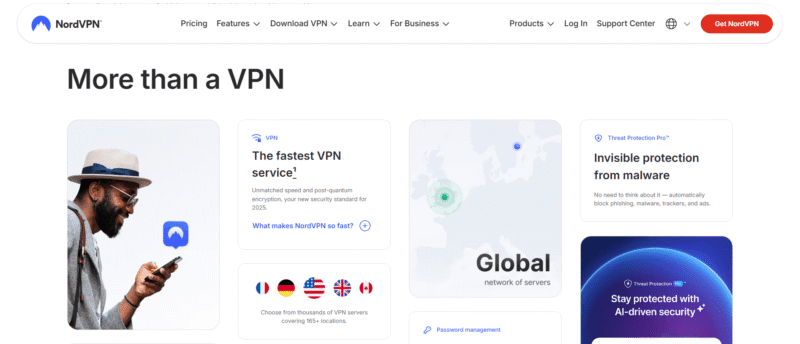
- Subscribe to a VPN
Go to NordVPN’s website and purchase a plan. I recommend one of the long-term plans because they often have discounts.
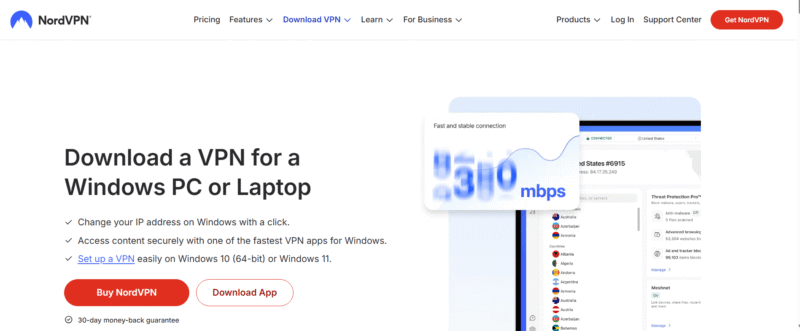
- Install the VPN
Download NordVPN’s app from its website or your device’s app store, and follow the installation prompts to set it up.
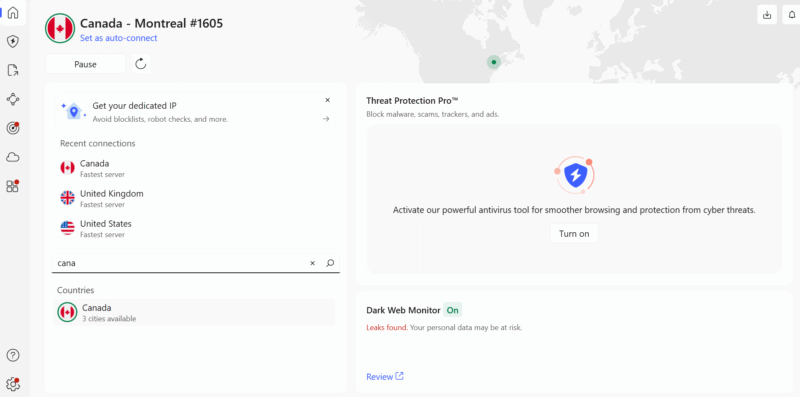
- Connect to a Server
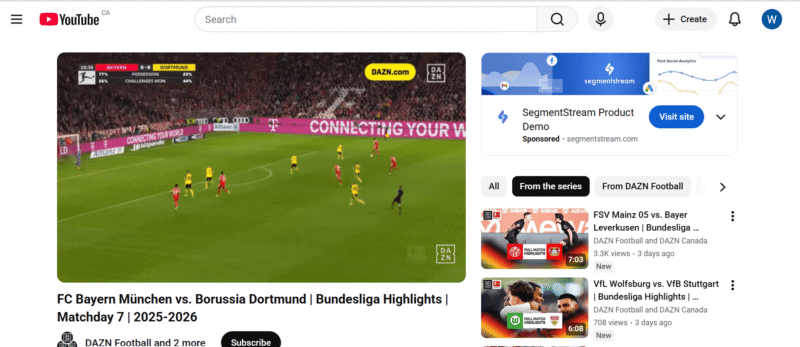
Open NordVPN’s app and search for a server in a country where YouTube’s AI age restrictions don’t apply, like Canada.
- Open YouTube and start watching your favorite videos.
Open YouTube and start watching your favorite videos.


The Best VPNs for Bypassing YouTube Age Restriction
My checklist of the best VPNs for bypassing age restrictions includes a large server network, fast speeds and robust security features. I tested multiple top VPNs and arrived at the list below:
- Comprehend the essential role a VPN plays in safeguarding your digital life
- Gain a deep understanding of how VPNs function under the hood
- Develop the ability to distinguish fact from fiction in VPN promotions
Why Does YouTube Ask for Age Verification?
YouTube asks for age verification to ensure that underage users don’t access mature or age-restricted videos. This helps YouTube comply with regulations like the Children’s Online Privacy Protection Act (COPPA) in the U.S. and similar laws worldwide. That way, YouTube can maintain a safe environment and avoid legal penalties related to child protection laws.
YouTube typically asks for age verification when you’re accessing mature, explicit or potentially harmful material, such as:
- Sexual or nudity-related content
- Violence and disturbing imagery
- Harmful or dangerous acts
- Strong language and mature themes
- Education or documentary footage with adult themes
YouTube now has an AI-powered system that flags accounts based on the videos you search for, the categories of your watched videos and your account’s longevity. YouTube claims it’s currently applying this model in the U.S., Switzerland, the U.K. and countries in the European Economic Area.
How Does YouTube Make Users Prove Their Age?
You can verify that you’re above 18 years old by uploading a credit card or a government-issued identity card plus a selfie. This process is especially important because YouTube’s AI algorithm isn’t foolproof, and it might wrongly flag your account as underage.
Final Thoughts
A VPN is the best way to watch age-restricted videos on YouTube. You’ll have to connect to a server where YouTube doesn’t conduct age verification. I recommend using NordVPN thanks to its large server spread and fast speeds. Other excellent options are Surfshark and ExpressVPN.
Have you experienced difficulties with YouTube’s age-restricted videos? Which of the VPNs on this list would you use? Share your thoughts and experiences with us in the comments section below. As always, thanks for reading.
FAQ: YouTube Without Age Restrictions
You can remove YouTube age restrictions using a VPN. Connect to a VPN server in a country where YouTube restrictions aren’t active.
Restricted mode is an optional setting that can help filter out mature and inappropriate content from your YouTube search results, recommendations and playlists.
Before you can access 18+ content on YouTube, you’ll need a Google account that shows you’re an adult.
You can change your age on YouTube by updating your date of birth in your Google account settings.