Ryan Haines / Android Authority
I have an app for almost everything I could ever need. Whether I’m craving pizza, need to calculate compound interest, find a tailor for a shirt alteration, or check the current Premier League scores, I can accomplish all of these tasks with an app of some description. So naturally, when it comes to customizing my phone’s wallpaper, I’ll use a dedicated wallpaper app.
According to a recent reader poll, though, not every Android Authority reader agrees. Most of you get wallpapers directly from the internet, swatting apps like Panels to the wayside. However, there’s a problem with relying on apps and the internet for customization: these wallpapers aren’t entirely yours. With this in mind, I’ve made a point to go a step further with my phone customization and create my own wallpapers to bring a real personal touch to my device. For those who want to do the same, here are some ways I go about this.
Do you make your own wallpapers for your phone?
16 votes
I learned how to draw (and turned it into a hobby)

Andy Walker / Android Authority
The most obvious way to create your own wallpaper is to quite literally “create” it. I’ve been on a mission to unleash my creativity in recent years, and doodling is a core part of this. For me, this means pulling out my trusty old Samsung Galaxy Note 9, complete with its still-functioning S Pen. Sure, it’s ancient at this point, still runs Android 10, and is achingly slow with any modern processing workload, but it has become my digital art book.
Drawing is a wonderful way to decompress, and you get a brilliant wallpaper out of it!
However, you don’t necessarily need a stylus or an S Pen to draw on your phone. Apps like Sketchbook make it easy to doodle or create art on your phone with your finger. Sure, there is a learning curve, but it’s nothing that cannot be overcome with a few minutes a day. Notably, creating art has its advantages, from developing a skill and offering a relaxing break from doom-scrolling to fine-tuning fine motor skills.
Look, not everything I doodle is worth using, but it’s the process that I find important.
I use shots from my photo roll (and make photography a habit)

Rita El Khoury / Android Authority
If you’re anything like me, chances are your phone storage is stacked with unique shots of the world that you’ve lovingly framed and captured. That being said, how often do you use these as your wallpapers? This may seem like an obvious suggestion, but I’ve only recently started using these shots as backgrounds for my home screens. Boy, was I missing out.
I tend to snap landscapes and abstract scenes, which are perfect for using as phone backgrounds. And again, photography is a muscle that’ll grow the more you exercise it. By using your smartphone’s screen as a literal frame, you’ll slowly learn how to capture scenes and subjects that fit your device perfectly. It’s worth noting that not everything will look good straight out of the camera. In fact, there are many shots that I reserve for Google TV screensaver duty rather than prioritizing my smartphone customization efforts. Others may need to go through a few editing steps. Snapseed remains an excellent basic image editor, while the likes of Lightroom offer even more options for highlighting elements in landscape shots.
I cheat! (and let my phone do everything for me)

Edgar Cervantes / Android Authority
Look, not everyone has time to run around town and snap new wallpapers or finger paint on their smartphone. To ease some of these demands, why not let your smartphone create its own wallpapers for you?
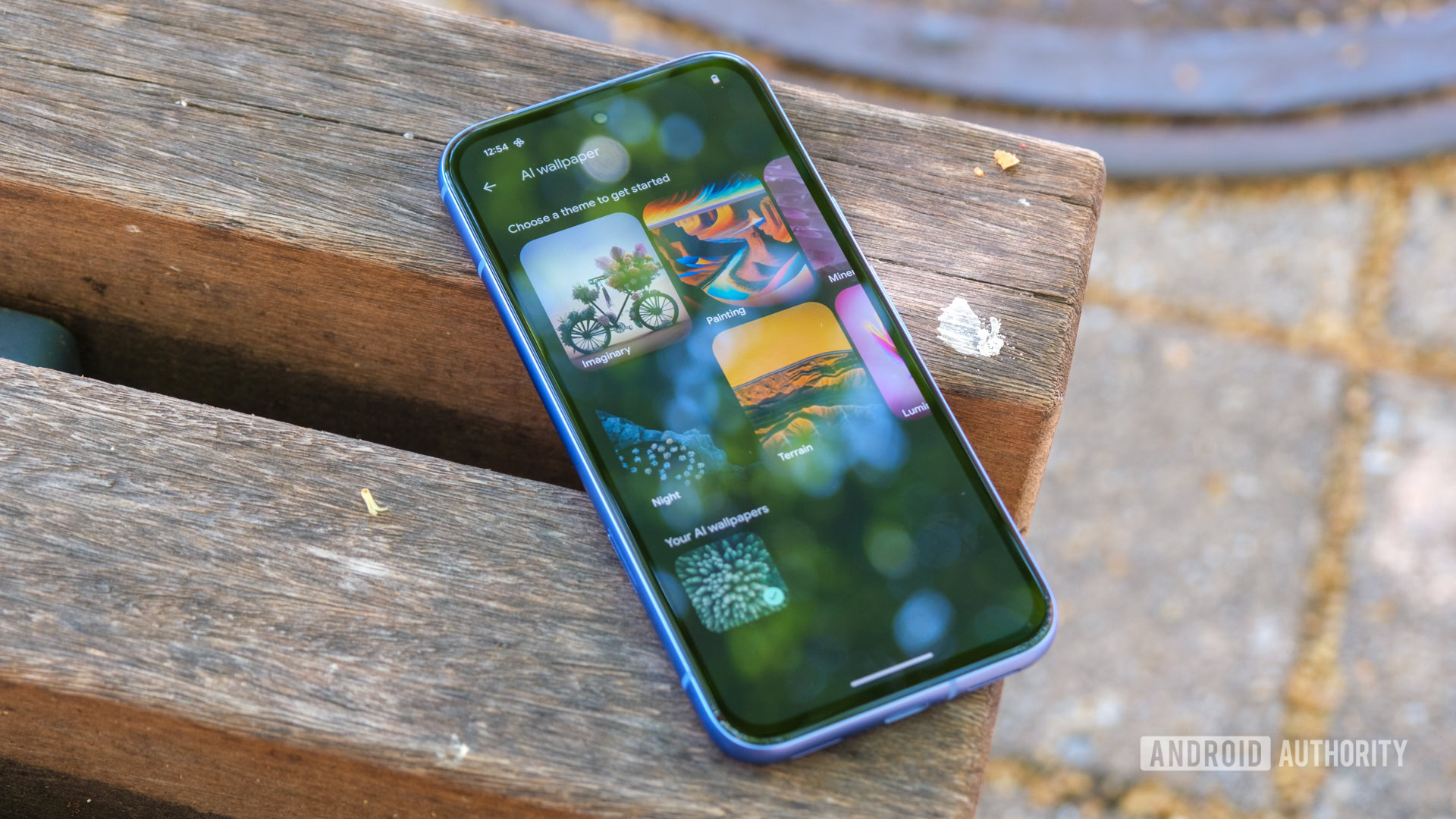
If you own a Google Pixel, you can easily generate a new wallpaper by long-pressing the home screen, selecting Wallpaper and style > More wallpapers > AI wallpaper or Emoji workshop. The former will ask you to select a theme and construct a prompt. The latter will ask you to add up to 14 emojis, pick a pattern, and choose colors. Both features create visually pleasant wallpapers, and if you’re devoid of ideas, you can always tap I’m feeling lucky on both. Of course, there’s Magic Portrait, too.
There’s no shame in letting your phone take the wallpaper wheel.
If you own a Samsung Galaxy phone, long-press the home screen, select Wallpaper and style > Change wallpapers > Generative > select a template or category > complete the prompt > Generate. It’s similar in process to the Pixel, but the results are arguably far more AI-like. That might be a pro for some and a con for others. I rather prefer Samsung’s results over Google’s.
Granted, you aren’t actually “creating” a wallpaper here, but you are given control over the prompt. That means you have some degree of agency in the process. It’s good enough for me!
I use a wallpaper creator (when I feel brave)

Megan Ellis / Android Authority
Finally, if you’re willing to invest a little more time in the craft, you could learn how to use an online art creation tool or app. The obvious option is Canva, which offers a host of premade wallpaper templates. You will need to create an account to access the service’s tools, but if you plan to use it regularly, it’ll be well worth it.
Other options include Kapwing, which I’ve really enjoyed using. It’s free, easily accessible, includes various elements that can be used in the wallpapers themselves, and supports layers for those who want even more control over their designs.
While I still have a pile of wallpapers that I’ve downloaded from our own best wallpaper lists and elsewhere on the internet, I have been trying to create more art myself. It’s a process that demands some learning and time, but that’s the allure. At the end of the day, you can enjoy a wallpaper that’s entirely yours, and there’s something truly wonderful about that. If you create your own wallpapers, let me know how you do it.
Don’t want to miss the best from Android Authority?


Thank you for being part of our community. Read our Comment Policy before posting.