By using this site, you agree to the Privacy Policy and Terms of Use.
Accept
World of SoftwareWorld of SoftwareWorld of Software
  • News
  • Software
  • Mobile
  • Computing
  • Gaming
  • Videos
  • More
    • Gadget
    • Web Stories
    • Trending
    • Press Release
Search
  • Privacy
  • Terms
  • Advertise
  • Contact
Copyright © All Rights Reserved. World of Software.
Reading: You Can Control Your Roku TV With An Android Phone – Here’s How – BGR
Share
Sign In
Notification Show More
Font ResizerAa
World of SoftwareWorld of Software
Font ResizerAa
  • Software
  • Mobile
  • Computing
  • Gadget
  • Gaming
  • Videos
Search
  • News
  • Software
  • Mobile
  • Computing
  • Gaming
  • Videos
  • More
    • Gadget
    • Web Stories
    • Trending
    • Press Release
Have an existing account? Sign In
Follow US
  • Privacy
  • Terms
  • Advertise
  • Contact
Copyright © All Rights Reserved. World of Software.
World of Software > News > You Can Control Your Roku TV With An Android Phone – Here’s How – BGR
News

You Can Control Your Roku TV With An Android Phone – Here’s How – BGR

News Room
Last updated: 2025/12/07 at 9:15 AM
News Room Published 7 December 2025
Share
You Can Control Your Roku TV With An Android Phone – Here’s How – BGR
SHARE


Joshua Westbrook/Getty Images

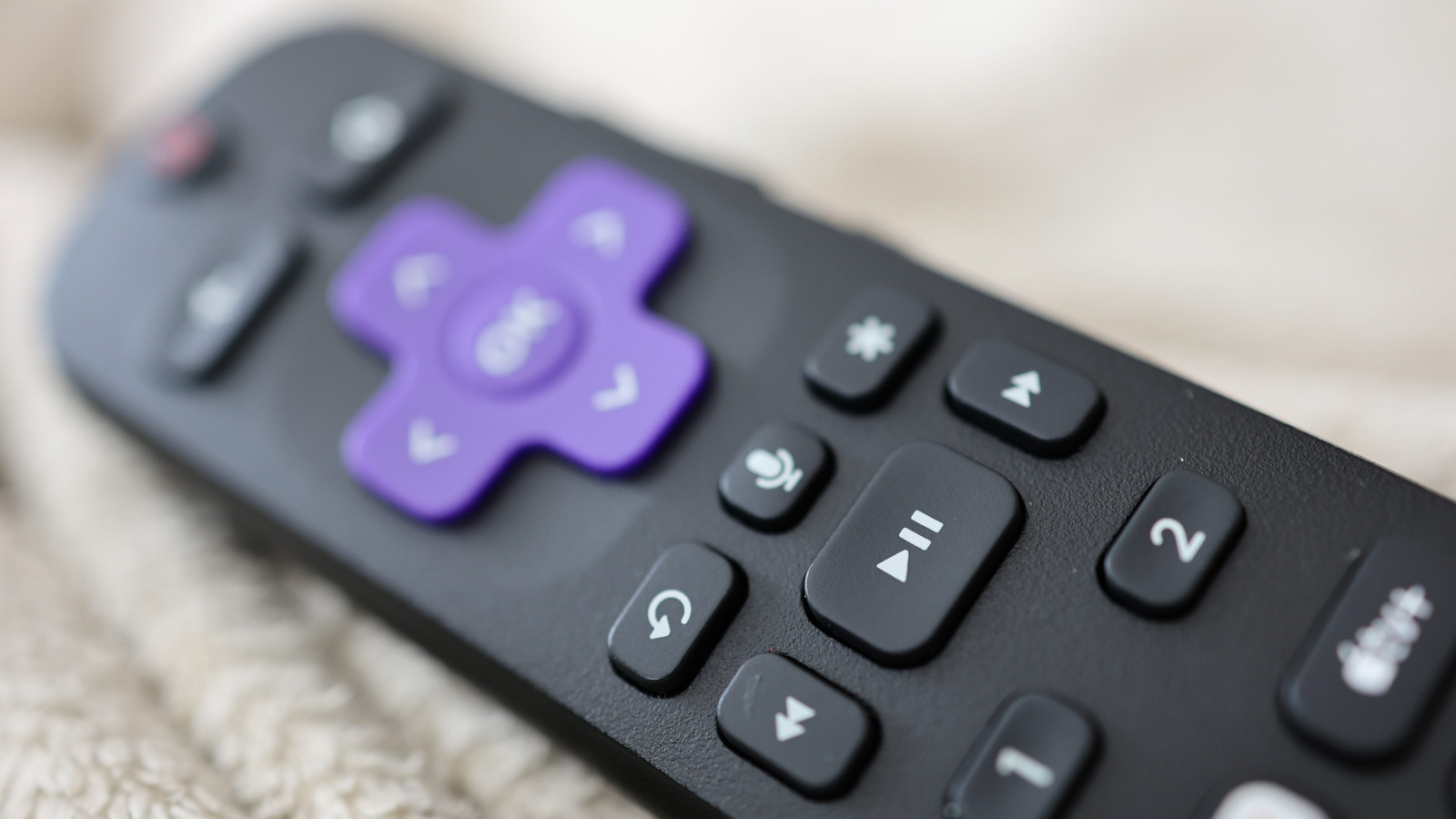
Roku streaming devices and smart TVs give you access to all kinds of streaming platforms, including these five essential Roku TV apps everyone should be using. All Roku hardware comes with a remote, many of which can be programmed to control TV power and volume — even if it’s not a Roku-branded TV. But did you know you can also control most aspects of your Roku-streaming experience with your Android device or iPhone?

The Roku mobile app (for Android and iOS) is a free download that consolidates a number of Roku remote functions onto an intuitive dashboard screen. To get to these controls, you’ll first need to sign in to your Roku account through the app. Once you’re logged in, you’ll be taken to the Home panel, which should feature options like Continue Watching, Trending Now, and Save List. Tap the Remote icon at the bottom of the screen to pull up the mobile controller, and use the dropdown at the top to choose which Roku streaming device or TV you want to use. You can also tap the Device icon to select your hardware, then tap Remote to pull up controls for the device you chose.

With the Roku app’s built-in remote, you’ll be able to play, pause, rewind, and fast-forward whatever content you’re watching on any Roku device connected to your Wi-Fi. You can even turn on private listening (when you have headphones paired to your phone), use the Roku voice assistant, and adjust various Roku device settings.

Making the most of the Roku mobile app
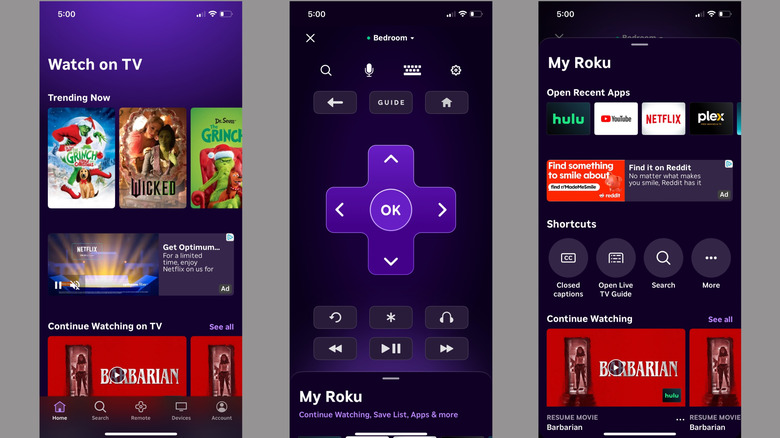

Various screens and menus from the Roku mobile app.

When you’re on the Remote panel, you should see the top of the My Roku menu at the bottom of the screen. Swipe up on the pull-tab, and you’ll find a handful of useful shortcuts and extra features. The Open Recent Apps scroll will let you quick-launch a streaming service you were recently using with just one tap. Continue Watching will let you resume a movie or show, and automatically opens the correct app to restart your stream.

We’ve already talked about the four essential Roku TV settings and tips that can speed up your device, and the Roku mobile app is another great tool you can use to control and manage your Roku experience. You’ll even be able to tap the Account icon to tweak device settings, change account info, update your payment method, and more.

Are you thinking about buying a Roku Streaming Stick or a Roku-powered smart TV? It’s hard to beat the performance and affordability that any Roku product brings to the table, and the Roku mobile app is a solid extension of the company’s user-friendly OS.


Sign Up For Daily Newsletter

Be keep up! Get the latest breaking news delivered straight to your inbox.
By signing up, you agree to our Terms of Use and acknowledge the data practices in our Privacy Policy. You may unsubscribe at any time.
Share This Article
Facebook Twitter Email Print
Share
What do you think?
Love0
Sad0
Happy0
Sleepy0
Angry0
Dead0
Wink0
Previous Article sfsnBuy,nVsn,nsshvy
Next Article Honeycomb’s observability platform increasing trust in AI –  News Honeycomb’s observability platform increasing trust in AI – News
Leave a comment

Leave a Reply Cancel reply

Your email address will not be published. Required fields are marked *

Stay Connected

248.1k Like
69.1k Follow
134k Pin
54.3k Follow

Latest News

ICEBlock developer sues Trump administration over App Store removal
News
Vector Databases Aren’t Enough: Why AI Needs Multi-Modal Memory Architectures | HackerNoon
Computing
Dimon on Trump Media debanking: 'People have to grow up here'
News
Best Mac apps in 2025 from the App Store and beyond
Gadget

You Might also Like

ICEBlock developer sues Trump administration over App Store removal
News

ICEBlock developer sues Trump administration over App Store removal

2 Min Read
Dimon on Trump Media debanking: 'People have to grow up here'
News

Dimon on Trump Media debanking: 'People have to grow up here'

0 Min Read
Galaxy XR’s new feature makes video calls feel face-to-face
News

Galaxy XR’s new feature makes video calls feel face-to-face

2 Min Read
Google details security measures for Chrome’s agentic features |  News
News

Google details security measures for Chrome’s agentic features | News

4 Min Read
//

World of Software is your one-stop website for the latest tech news and updates, follow us now to get the news that matters to you.

Quick Link

  • Privacy Policy
  • Terms of use
  • Advertise
  • Contact

Topics

  • Computing
  • Software
  • Press Release
  • Trending

Sign Up for Our Newsletter

Subscribe to our newsletter to get our newest articles instantly!

World of SoftwareWorld of Software
Follow US
Copyright © All Rights Reserved. World of Software.
Welcome Back!

Sign in to your account

Lost your password?