By using this site, you agree to the Privacy Policy and Terms of Use.
Accept
World of SoftwareWorld of SoftwareWorld of Software
  • News
  • Software
  • Mobile
  • Computing
  • Gaming
  • Videos
  • More
    • Gadget
    • Web Stories
    • Trending
    • Press Release
Search
  • Privacy
  • Terms
  • Advertise
  • Contact
Copyright © All Rights Reserved. World of Software.
Reading: This One HDMI Setting Can Make Almost Any TV Look Better – BGR
Share
Sign In
Notification Show More
Font ResizerAa
World of SoftwareWorld of Software
Font ResizerAa
  • Software
  • Mobile
  • Computing
  • Gadget
  • Gaming
  • Videos
Search
  • News
  • Software
  • Mobile
  • Computing
  • Gaming
  • Videos
  • More
    • Gadget
    • Web Stories
    • Trending
    • Press Release
Have an existing account? Sign In
Follow US
  • Privacy
  • Terms
  • Advertise
  • Contact
Copyright © All Rights Reserved. World of Software.
World of Software > News > This One HDMI Setting Can Make Almost Any TV Look Better – BGR
News

This One HDMI Setting Can Make Almost Any TV Look Better – BGR

News Room
Last updated: 2025/12/15 at 7:02 PM
News Room Published 15 December 2025
Share
This One HDMI Setting Can Make Almost Any TV Look Better – BGR
SHARE


Stokkete/Shutterstock

You might be aware of the many ways to enhance the picture on your TV when you’re watching lower-resolution content, as many TVs offer upscaling that improves 1080p or 720p video so that it looks better on a 4K screen. But there’s also a useful HDMI setting that makes movies, TV shows, and video games look even better when you are watching 4K content on one of the best 4K TVs, too.

With HDMI Enhanced, you can ensure an optimized picture by increasing the bandwidth to support content that requires the extra speed. This provides a higher frame rate and high dynamic range (HDR) signals that can pass through, including 4K at 120Hz and Dolby Vision. You still need a compatible source device, like one of the best streaming devices, a gaming console, a receiver, a compatible 4K TV with a 4K content subscription, and other equipment, like the proper HDMI cables. But with this small tweak, you may enjoy a noticeably better picture.

What is HDMI Enhanced?
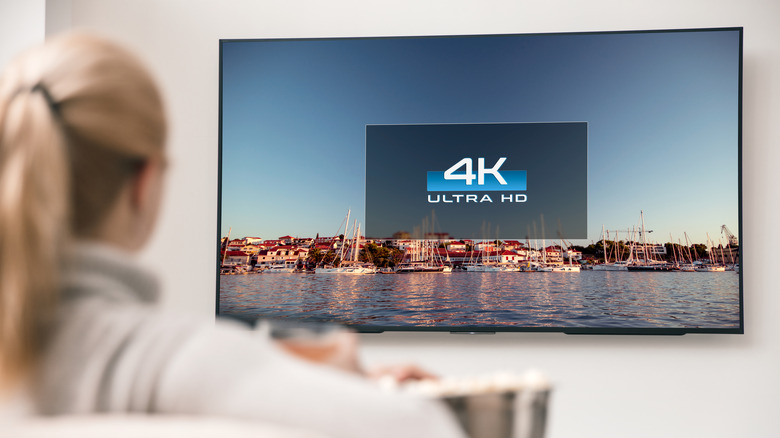

A woman sitting on a couch watching a 4K TV.
Baloon111/Getty Images

HDMI Enhanced is an improved signal format you can enable in the settings menu of some receivers and TVs to receive high-resolution 4K signals. With a Sony receiver, for example, press AMP Menu, select HDMI and SIGNAL FMT, and choose the desired input, like your gaming console. If you can receive high-res 4K signals, choose Enhanced to get the improved signal.

Keep in mind that it’s recommended to use a premium high-speed HDMI cable with Ethernet to ensure seamless transmission. The cable should be able to support a bandwidth of at least 18 gigabits per second. You may find that some source devices don’t work well in this mode, like Blu-ray players or cable boxes. If you notice issues, you’re better off reverting to Standard. You also don’t have to use this mode to enjoy 4K HDR content.

Additionally, check to see if your TV itself has this option. Visit the Settings menu and look for high-bandwidth video format or HDMI signal format. If you’re not sure where to find it, consult your TV’s manual.

Other ways to enhance the picture

A woman with popcorn holding a TV remote in front of a TV.
Kaspars Grinvalds/Shutterstock

HDMI Enhanced is only for improving the picture with higher-quality signals and higher-resolution content. But to take advantage of it, every device within the setup, including the TV, source, and cable, needs to support it. If the stars align, you’ll enjoy deeper colors and higher frame rates to keep up with fast-moving action in video games, sports, or action movies. But most people won’t need it for everyday viewing.

To improve your TV’s picture quality overall with high-res sources, adjust other settings, such as vivid mode and sharpness. Some TVs have specific modes depending on what you’re watching, like Cinematic, Sports, or Gaming, that are worth using. The latest TVs leverage AI to adjust this automatically by intelligently analyzing what you’re watching.

Another setting worth looking at is motion smoothing. Some people find that motion smoothing makes content look off, or even too real. It’s described as a “soap opera effect” because it resembles the 60 frames-per-second content of daytime soap operas. Turn that feature off (if it’s on) to see if that improves the picture. In other words, HDMI Enhanced is just one small setting to consider when trying to improve the image on your 4K TV.


Sign Up For Daily Newsletter

Be keep up! Get the latest breaking news delivered straight to your inbox.
By signing up, you agree to our Terms of Use and acknowledge the data practices in our Privacy Policy. You may unsubscribe at any time.
Share This Article
Facebook Twitter Email Print
Share
What do you think?
Love0
Sad0
Happy0
Sleepy0
Angry0
Dead0
Wink0
Previous Article Here’s Why Your UEBA Isn’t Working (and How to Fix It) | HackerNoon Here’s Why Your UEBA Isn’t Working (and How to Fix It) | HackerNoon
Next Article Study Finds Software Testers Often Misjudge Which Techniques Work Best | HackerNoon Study Finds Software Testers Often Misjudge Which Techniques Work Best | HackerNoon
Leave a comment

Leave a Reply Cancel reply

Your email address will not be published. Required fields are marked *

Stay Connected

248.1k Like
69.1k Follow
134k Pin
54.3k Follow

Latest News

OpenShot 3.4 Video Editor Released: One Of Their Largest Updates Ever
Computing
This AI tool is a content creator’s best friend, and now it’s just  for life
This AI tool is a content creator’s best friend, and now it’s just $60 for life
News
All I want for Christmas is a ChatGPT nativity scene… | Computer Weekly
News
Chip Foundry TSMC Crosses Over Into Honey With “Ji Mi” Brand · TechNode
Computing

You Might also Like

This AI tool is a content creator’s best friend, and now it’s just  for life
News

This AI tool is a content creator’s best friend, and now it’s just $60 for life

3 Min Read
All I want for Christmas is a ChatGPT nativity scene… | Computer Weekly
News

All I want for Christmas is a ChatGPT nativity scene… | Computer Weekly

10 Min Read
2 Uses For Your Roku TV Streaming Device’s USB Port – BGR
News

2 Uses For Your Roku TV Streaming Device’s USB Port – BGR

5 Min Read
Google proves it hasn’t forgotten the original Pixel Buds Pro with new update
News

Google proves it hasn’t forgotten the original Pixel Buds Pro with new update

2 Min Read
//

World of Software is your one-stop website for the latest tech news and updates, follow us now to get the news that matters to you.

Quick Link

  • Privacy Policy
  • Terms of use
  • Advertise
  • Contact

Topics

  • Computing
  • Software
  • Press Release
  • Trending

Sign Up for Our Newsletter

Subscribe to our newsletter to get our newest articles instantly!

World of SoftwareWorld of Software
Follow US
Copyright © All Rights Reserved. World of Software.
Welcome Back!

Sign in to your account

Lost your password?