Dhruv Bhutani / Android Authority
I’ve spent the last decade chasing a very specific kind of device. My love for all things E-Ink is well documented, and for years I’ve wanted a device that can combine the benefits of E-Ink with the versatility of a full-fledged tablet. I want a single device that can swap out my paperback, take notes as responsively as an old-school notepad, and handle a modern digital workflow without breaking a sweat. It sounds simple enough. We’ve had E-Ink readers for years, and we have had tablets for even longer. The logical endpoint, the holy grail, would be a fast and fluid color E-Ink reader. Imagine a screen that can render comic books in full color, handle highlighting for PDFs, and manage color-coded calendars, all while giving me the benefits of all-out sunlight readability and battery life. Sounds perfect to me.
I’ve spent years chasing a device that can merge the magic of E-Ink with the flexibility of a real tablet.
On paper, the Boox Note Air 5C is exactly that device. It’s certainly not the first color E-Ink tablet on the market, but it does strike an effective balance of hardware, software, and support to seemingly bridge the gap between a Kindle and an iPad. It runs full Android, has a stylus that can get pretty close to the Apple Pencil experience on my iPad, and it does this in full color. So far, so good. But after using the device for the last few weeks, I’ve come to a frustrating conclusion. As incredible as the technology package is, it breaks pretty much all the rules that make E-Ink so special.
Have you considered a color e-ink tablet?
11 votes
Where the Boox Note Air 5C absolutely shines

Dhruv Bhutani / Android Authority
Before I get into why I’m returning to my monochrome screens, I need to give credit where it’s due. The software experience on the Note Air 5C is leagues ahead of anything Amazon or Kobo is doing. Opinions like these tend to be very personal, of course, but if you are coming from a Kindle Scribe or similar tablet, you’ll love the openness on offer. Instead of a locked-down e-reader, the Boox Note Air 5C gives you a full-fledged tablet that just so happens to have an E-Ink screen.
That means you have full flexibility to customize your interface and install whatever apps you need. There’s no walled garden problem here. On my Kindle, getting a PDF or long-form article from the web is a long-winded process. On the Boox, I just grab it from my emails or open the browser. For long-form reading, I’ve got my preferred subscription app, Magzter, as well as Readwise Reader installed. This gives me my entire saved article library in a familiar interface with all the benefits of an E-Ink display. I’ve even downloaded Obsidian and Notion for some on-the-go productivity.
Full Android support gives the Boox Note Air 5C an openness that Amazon and Kobo simply do not offer.
This is where the Boox Note Air 5C shines. Full-fledged Android support gives you access to any app you want. If you’ve been color coding your notes in, say, OneNote, they’ll show up exactly like that on the tablet. Even web browsing is usable thanks to Boox’s refresh rate optimizations, though I wouldn’t try watching YouTube on this tablet. Basically, the tablet lets you carry forward your usual workflow with minimal concessions.
The hardware story is equally enticing. Boox has nailed the experience of digital writing. As far as E-Ink tablets go, I’d reckon only the Remarkable Paper Pro does it better, and even there the difference is marginal at best. Circling back to the Boox though, the matte screen offers just enough resistance to make the stylus feel like a ballpoint pen on high-quality paper. That’s a big step up over the iPad. Add to that the color E-Ink screen that lets you swap colors for highlighting, notes, and more, and the note-taking experience here is good enough that I’ve completely swapped over from my notebook.
But if versatility were the only metric, this device would be perfect. However, the beauty of an E-Ink device is in its screen, and there are serious compromises that come with color.
The reality of daily driving a color E-Ink screen

Dhruv Bhutani / Android Authority
Practically every color E-Ink screen on the market right now is using a Kaleido 3 panel. The Note Air 5C uses that too. And these panels are effectively fighting physics. To produce color, the screen places a Color Filter Array over a standard black and white E-Ink panel. It’s like a printed transparency sheet that’s layered on top of a page. However, this filter absorbs light. A lot of it.
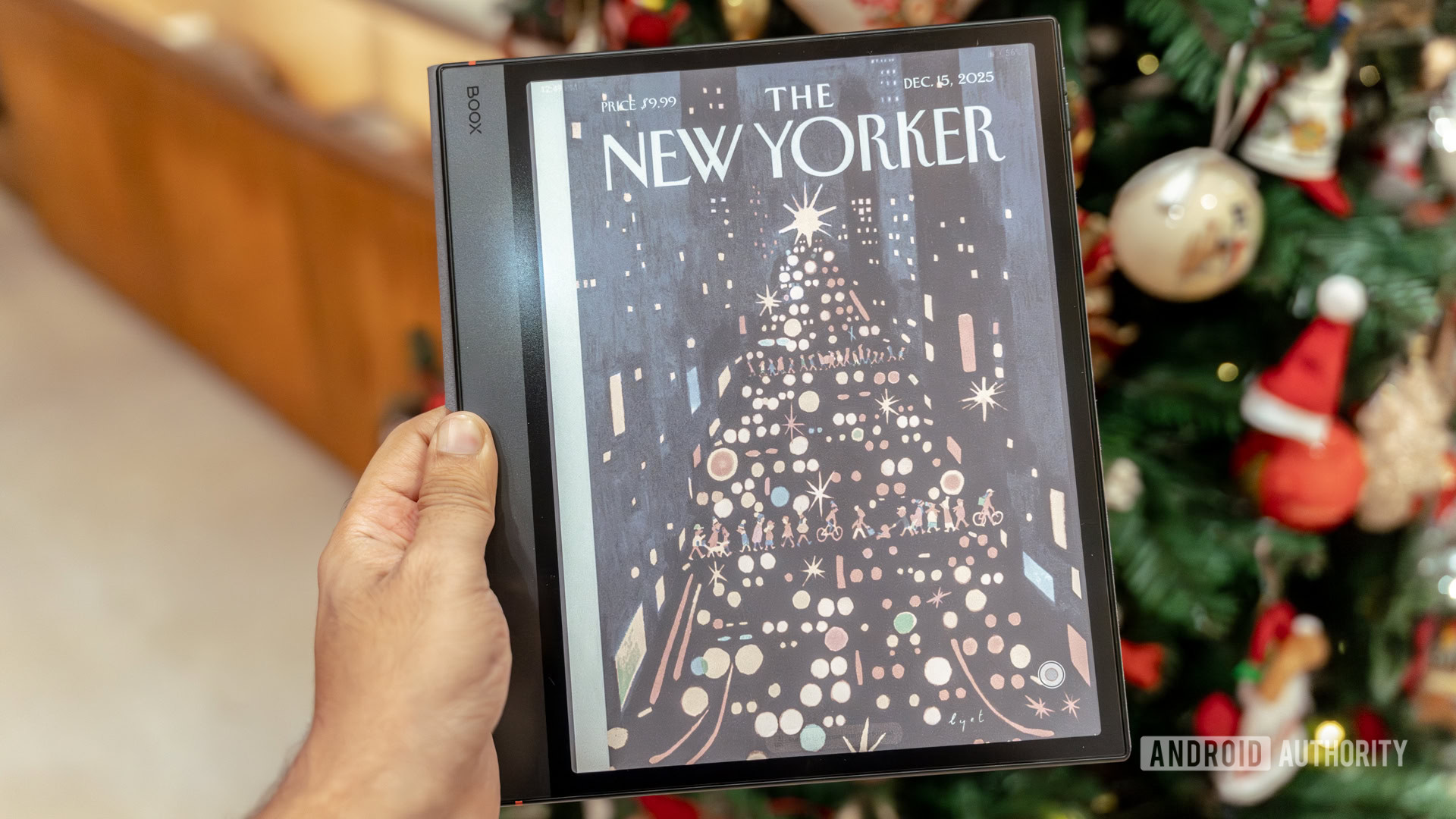
It takes placing the Note Air 5C next to a standard Kindle Paperwhite or even a monochrome Boox Note Air to see the difference. And the difference is shocking, to say the least. To start with, you can’t really get a paper-like white background on a color E-Ink screen. With the backlight switched off, it almost gives off a grey, wet newspaper-like look. That’s a far cry even from my dated Kindle Oasis. Contrast also takes a big hit because of the color filter array, and black text looks nowhere close to being as crisp as on a regular E-Ink screen. Much as I like the advantages of a color E-Ink screen, most of the time I’m reading monochrome text, and this blurriness is a big setback, as it creates a sense of visual muddiness that never really goes away.
With color E-Ink panel’s CFA array, most of the time you are staring at a dim, low contrast display that strains your eyes.
When you are reading a vibrant graphic novel or a magazine, the color distracts you from the off-color background. But for the 90% of the time when you are reading plain text or writing notes, you’ll find you’re staring at a dim, low-contrast display. It strained my eyes in ways that standard E-Ink never did, defeating the entire purpose of an E-Ink display.
But that’s not all. The magic of a traditional E-Ink display is that it looks incredible in natural light. Sitting out on my balcony or even with a nightlamp in bed, I don’t always need to turn on the front light on my Kindle. Not so here.
The Note Air 5C flips this dynamic on its head. Because the screen is so naturally dark due to that color filter, you basically need the front light. In a dimly lit room where a monochrome device would be readable with ambient light, the color screen is illegible. Even in a moderately lit office, I found myself keeping the front light at 50% brightness just to make the “white” background look acceptable. This fundamentally changes how you use the Boox Note Air 5C. It no longer feels like a digital facsimile of a paperback and instead becomes closer to a regular tablet. At which point, I might as well just use a regular tablet. The charm of E-Ink is the feeling that the text is as good as physically resting on the surface. But when you have to crank up the front light to actually see the content, blurry content at that, you take away one of the biggest benefits of an E-Ink display.

Dhruv Bhutani / Android Authority
There are other compromises, too. Color E-Ink has lower resolution for color content than it does for black and white. While text is sharp enough, albeit behind that filter, any interface elements or images in color look noticeably pixelated.
Brightness isn’t the only issue. You’ve got the screen door effect and ghosting to contend with as well.
There’s also the screen door effect to contend with. If you look closely at the white parts of the screen, you can see the faint diagonal grid of the color filter array. It adds a subtle texture to the background that makes it look grainy. Once you see it, you cannot unsee it. It is always there as a constant reminder of the limitations of the tech.
Ghosting is also more prevalent. Because the screen is trying to manage color states alongside black and white particles, you often see faint afterimages of the previous page. Boox has implemented some clever refresh modes to mitigate this, allowing you to choose between speed and clarity. But you are constantly toggling these modes. You can switch to the fast refresh mode if you want to scroll through a web page smoothly, but then the text looks fuzzy. Or you switch back to the HD mode to read. However, that causes the screen to flash aggressively every time you turn a page. It is a constant management task that distracts from the work you are trying to do.
But that’s not the last of the issues. This overreliance on the front light to keep the screen visible drastically bumps up battery consumption, too. Long battery life is one of the key reasons to invest in an E-Ink tablet, and in my use, the Boox barely lasts a day or two on a charge. Between the power-hungry Android OS, the constant Wi-Fi background processes syncing my apps, and the fact that the front light needs to be on almost constantly, the battery drains at an alarming rate. More often than not, I’m actively managing things like airplane mode or dimming the screen to uncomfortably low levels to optimize battery life. Coming from the weeks-long battery life of my other E-Ink devices, that’s a huge setback.
If I really pushed it with a long writing session and some web browsing, I could drain a significant chunk of the battery in a single afternoon. It introduces a low-level battery anxiety that simply shouldn’t exist in this product category. At that point, I might as well use a regular tablet.
Color E-Ink has its uses, but it isn’t ready for everyday use just yet

Dhruv Bhutani / Android Authority
If all of these sound like criticisms of the Boox Note Air 5C, they’re not. If anything, these are reflections on the limitations of color E-Ink displays. There’s a reason why Amazon’s most popular Kindles continue to be monochrome devices, and cost isn’t the only reason. The Boox in itself isn’t a bad device. If you are an academic who reads PDF papers with color-coded charts and graphs, this device is a godsend. If you are a comic book fan who wants to read massive libraries of digital comics without burning your eyes out on an iPad, the Boox is fairly serviceable, too. The colors are muted, more like newsprint than glossy magazine paper, but that actually suits the comic aesthetic perfectly. It is also great for people who live and die by their calendar. Being able to see your Google Calendar on an always-on E-Ink screen, with your work meetings in blue and personal items in green, is genuinely helpful.
If your goal is reading or writing, the trade-offs of color E-Ink stack up far too quickly.
But if your primary use case is reading, journaling, or note-taking, color E-Ink isn’t quite there yet. The trade-offs are just too high. You are trading contrast, battery life, and clarity for a feature that is mostly just nice to have rather than an essential.
I want to like color E-Ink. And I have no doubt that in a few years, the technology will improve. But as it stands, it just isn’t there yet, and I’ll be going back to my monochrome E-Ink tablet.
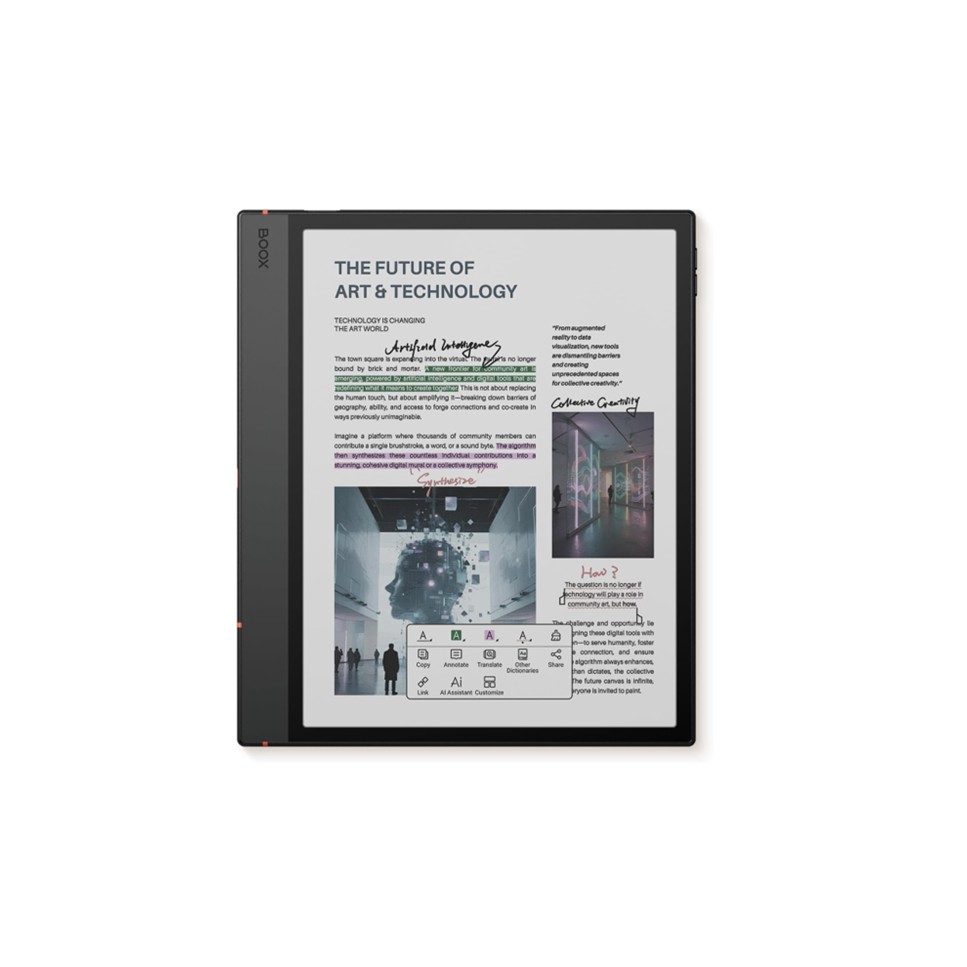
BOOX Note Air5 C
Kaleido 3 color display • Stylus input • Android 15
Large color ePaper tablet
The BOOX Note Air5 C is a 10.3-inch color ePaper tablet featuring a Kaleido 3 E Ink display with 300ppi in monochrome and 150ppi in color. Running Android 15, it includes 6GB of RAM, 64GB of storage, Wi-Fi, Bluetooth 5.1, stylus input, fingerprint unlock, dual speakers, and front lighting.
Don’t want to miss the best from Android Authority?


Thank you for being part of our community. Read our Comment Policy before posting.