

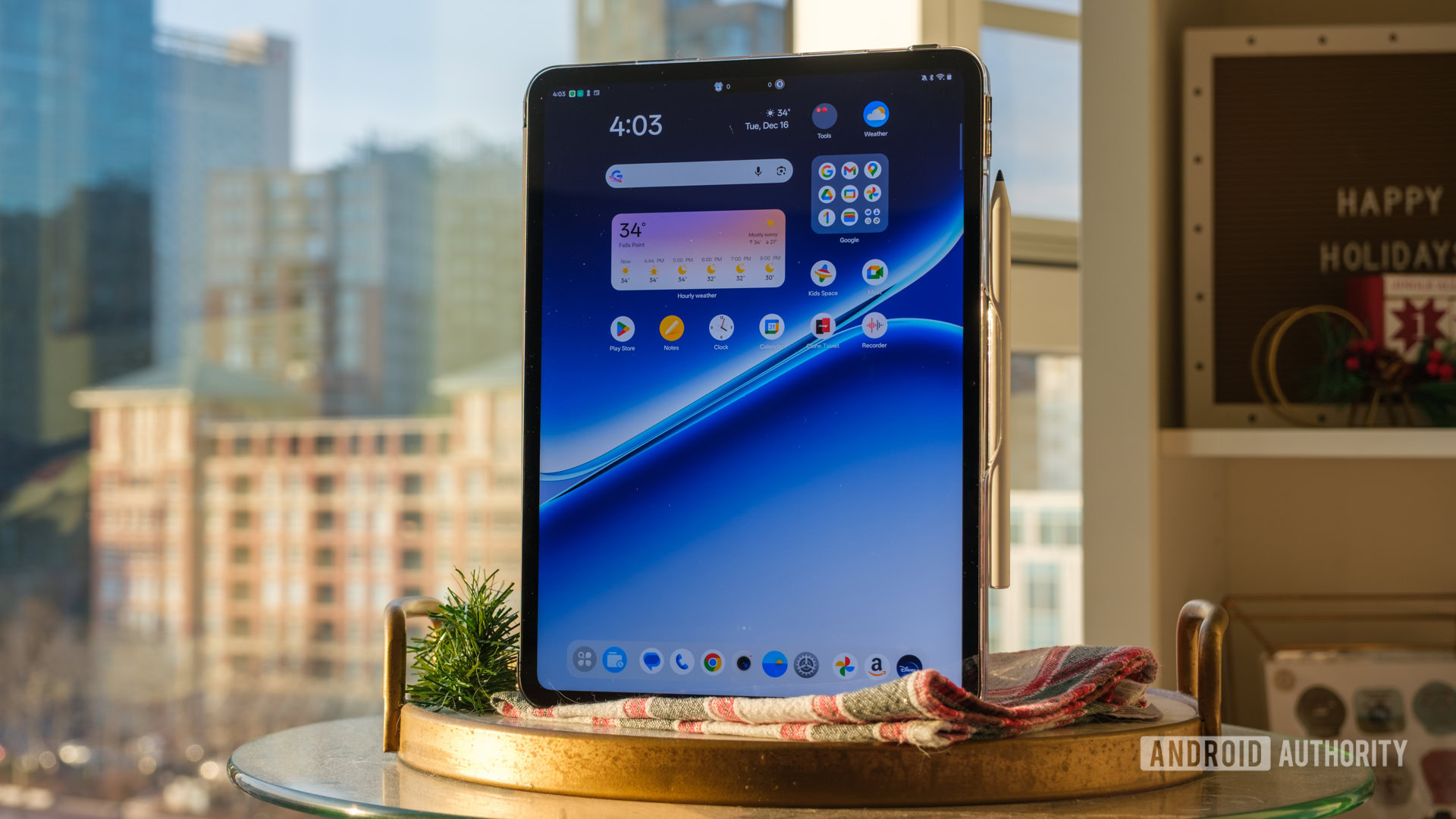
The OnePlus Pad Go 2 understands a lot of what makes the vanilla iPad so popular, and it follows in its well-trodden footsteps to deliver a competent Android alternative. It lacks a little on raw power and its accessory ecosystem, but the software support is excellent, and its balanced aspect ratio and quad speakers make it a versatile choice for any media on the go.
Apple’s base iPad lives in a special space. Somehow, it has become the go-to tablet against which all others are compared, and its name has become synonymous with the large-screen experience — on par with Kleenex and Xerox in terms of recognition. It’s dispatched would-be rivals over and over again, seemingly proving that Cupertino has the secret sauce when it comes to simple, straightforward tablets.
And yet, I’ve never really loved the base iPad. It’s always felt too much like a jack of all trades but a master of none, so I’ve been waiting patiently for an Android alternative to beat Apple at its own game here in the US.
Now, I might have my option. After the original Pad Go skipped these shores, OnePlus has decided to fill out its Pad lineup in the US with a mid-range option, and it’s checked all of my boxes so far. Here’s why I think the OnePlus Pad Go 2 might be Android’s best answer to the entry-level iPad, even if it’s not a perfect challenger.
Just the right shape, just the right size

Ryan Haines / Android Authority
Perhaps the number one thing that the iPad has going for it, at least these days, is recognition. No matter who you are or what tech you take with you daily, you can almost certainly draw an iPad from memory. Why? Well, there’s only one design. Every iPad looks the same, with even bezels, a Touch ID-enabled power button, and — usually — a single camera in the top left corner. The iPad Pro is the dual-camera exception, but even then, the flat sides and familiar buttons make it undeniably an iPad.
So, for OnePlus to cook up its best take on the iPad, it seems like it had to draw some design inspiration. This is nothing new, of course, as the truly excellent OnePlus Pad 3 heavily cribbed from the iPad Air series and came out with one of the best overall Android tablet designs we’ve seen in years. And honestly, I’m all about treating imitation as the sincerest form of flattery. When you try this hard to walk the Apple walk, it often works out.
It walks like an iPad and talks like an iPad, but it’s much better… the OnePlus Pad Go 2 is all Android.
For the OnePlus Pad Go 2, this means flat side rails, even bezels around the 12.1-inch LCD, and comfortable buttons that sit nestled around a single rear camera housed in a circular ring. Perhaps the most significant difference between the two is that Apple’s entry-level iPad offers a smaller 11-inch Liquid Retina display, but even then, you might not notice too much if you’ve been out of the tablet game for a while. Well, there’s also the fact that the Pad Go 2 only comes in Shadow Black and Lavender Drift finishes, which is the opposite of the iPad’s vivid pink, blue, and yellow hues.
All of this is to say that, to me, the OnePlus Pad Go 2 feels like just the right amount of tablet. It’s a little easier to handle than something like the Galaxy Tab S10 FE Plus, but nor is it on the small side, like Lenovo’s Legion Tab Gen 3. I’ve even managed to slide it comfortably into a laptop pocket alongside my 15-inch MacBook Air and gone about my day without feeling like I had a board strapped to my back.
Honestly, though, my preferred way to take this tablet on the, well, Go, is to tuck it under an arm and head out to a coffee shop. I haven’t really been able to do that with the recent snow and ice we’ve gotten in Maryland — I need all available hands for balance — but I can guarantee this one is coming home with me for the Christmas holiday.
And yes, part of the reason it’ll be coming on another interstate trip is that I can pack it away so easily, but it’s also because I love the 12.1-inch LCD that OnePlus selected. It’s the right size for an airplane tray table, as I discovered while flying to Sacramento, California, and back. The 120Hz refresh rate (which drops as low as 30Hz when needed) is flexible enough for streaming, browsing the web, and a bit of gaming, though I’d love to see it drop to 1Hz when I use it as an e-reader.
What really makes the OnePlus Pad Go 2’s display special, though, is the same thing I loved about its flagship Pad 3 sibling: the 7:5 aspect ratio is the perfect middle ground. It’s not quite as square as an iPad (usually a 4:3 ratio), so you don’t lose that much real estate to letterboxing while watching a movie, yet it’s not as narrow as a Galaxy Tab (typically 16:10), which can be a little too tall and unwieldy when playing vertically oriented games or reading articles. Instead, the Pad Go 2 strikes a balance between the two, making the most of both streaming and reading, as it’s about the size of a printed magazine.

Ryan Haines / Android Authority
I will, however, say that the base iPad probably has a better suite of accessories to choose from, as it offers more case options and supports multiple generations of Apple Pencil.
The OnePlus Pad Go 2, for its part, offers a specialized Pad Go 2 Stylo, which attaches to the side of its optional folio case and charges via USB-C. It works well enough, connecting via Bluetooth 5.4 and offering more than a week of battery life (20 hours of usage on a single charge), but I just don’t love the idea that you’ll then need another stylus should you decide to upgrade to a flagship OnePlus Pad.
The Pad Go 2’s balanced aspect ratio lets you make the most of both streaming and reading.
While I’d say I’m probably on board with about 95% of the OnePlus Pad Go 2’s design, I do have a few bones to pick with it. For starters, there’s no fingerprint reader. I don’t think I’m surprised by this, as there wasn’t one on the OnePlus Pad 3 either, but I’m still disappointed. I would much rather be able to tap the power button every time I make a purchase instead of having to type in my security PIN. Samsung gets it, I’m not sure why OnePlus doesn’t.
Also, there’s no IP rating to be found here. This is on par with anything from Apple, but Samsung’s similarly priced Galaxy Tab S10 FE offers a full IP68 certification against both water and dust. I’ve already mentioned that I’ve been worried about the Pad Go 2 in snow and ice, and the lack of protection is a significant reason why. Even if OnePlus settled on an IP54 rating, I’d feel better about bringing the tablet on adventures, but right now it’s resigned to life indoors.
Barely enough power for life on the Go

Ryan Haines / Android Authority
Usually, the other thing reviewers will point to as a reason to pick up the base iPad is that it, as usual, has a flagship-level chipset. No, maybe it doesn’t have the latest A19 chip that you’ll find in the iPhone 17 series, but the 11th-generation iPad packs the same A16 Bionic chip that powered the iPhone 14 Pro and iPhone 15 series, which were no slouches when it came to performance. So, for the OnePlus Pad Go 2 to really steal Apple’s lunch, it just has to keep up with a chipset from late 2022. Unfortunately, it doesn’t.
Yes, it tries its very best, pairing a MediaTek Dimensity 7300 Ultra chipset with 8GB of RAM and 128GB of fixed storage, but it doesn’t quite meet our expectations in our benchmarking tests. I fired up the Pad Go 2 for a round of CPU-intensive testing in both the Geekbench 6 and PCMark Work 3.0 tests, and could hardly believe the results.
On the one hand, yes, the Pad Go 2 achieved scores equal to about three-quarters of what the similarly equipped Lenovo Idea Tab Pro achieved. I’m relieved to see that, as Lenovo’s chosen 4nm Dimensity 8300 chipset is pretty similar to the Dimensity 7300 Ultra that OnePlus picked out. Against other competition, though, the results tail off, especially as the Pad Go 2 only scored around one-third of what the iPhone 15 managed.
Of course, this isn’t an entirely fair comparison as hardware dimensions and thermal management play a big factor in performance, but the iPhone 15’s A16 chip gives us a fair idea of where the 2025 base iPad stacks up against the OnePlus Pad Go 2.
Multi-core performance is just as disappointing, as it only surpasses the single-core mark of the A16 and fails to match the capabilities of the flagship OnePlus Pad 3. It does, at the very least, maintain its pace at roughly 75% of what the Idea Tab Pro put up, which is a relief, and the good news is that OnePlus’s more comprehensive PCMark score is a bit better, closing the gap to about 75% of what the Pad 3 achieved, but it’s still a tough look.
I wish I could say things got better when I switched to the GPU-intensive Wild Life stress test, but I can’t do that, either. The Pad Go 2 kicked off with the worst performance of the four devices I was comparing, and it maintained that position. Sure, it held 99% efficiency and barely tailed off from its first run, but it’s not really a performance worth praising, as it once again didn’t quite keep up with the comparable Idea Tab Pro.

Ryan Haines / Android Authority
So, if you’re considering picking up the OnePlus Pad Go 2 to replace your laptop or a flagship tablet from a few years ago, maybe think again. It quite simply isn’t that. Instead, it’s a decent tablet that you tote around to kill time while traveling, waiting for an appointment, or when relegated to your parents’ basement because it’s the only quiet place in the house over the holidays. For all of that, though, the Dimensity 7300 Ultra chipset is all you really need.
In fact, I don’t know if I would have realized the benchmarking numbers are as dire as they are if I hadn’t gone back to run the tests. See, the OnePlus Pad Go 2 arrived at my apartment just a few hours before I was due to catch a cross-country flight, so I set it up and downloaded a few titles to stream, just in case Southwest’s options weren’t to my liking.
I also loaded up the Kindle app, figuring that I could always hop in and keep up with The Buffalo Hunter Hunter once I finished my movies. Honestly, all of that went just fine — I got my chapters in, and I enjoyed The Fantastic Four: First Steps along the way.
Alright, well, that’s mostly true, at least. Although I enjoyed both my reading and the movie, I found that whenever I would lock the Pad Go 2, it would lose my place in the film, sending me back to the Disney Plus home screen. Thankfully, I always remembered just how far along I was, but I could easily imagine forgetting if I’d happened to take a nap mid-flight. I didn’t have this issue in the Kindle app, which was nice, but it makes it tough to trust the Pad Go 2 if I’m not using it consistently.
There’s… seemingly not much ultra about the Dimensity 7300 Ultra chip.
On the bright side, the 10,050mAh battery lasts a good long time. I took my OnePlus Pad Go 2 out of the box with roughly a 50% charge, and I didn’t have to juice it back up until I was relaxing in Sacramento a full five days later, after running my second marathon of the year.
In that time, I’d used my Pad Go 2 to stream and read, as mentioned, but I also turned to it as my TV in my Airbnb, a rental that happened not to have an actual TV. It filled in nicely for watching Thursday Night Football, the Big Ten Championship game, and some early morning Premier League, which was actually early morning due to the rude awakening of Pacific Standard Time. OnePlus’s four-speaker setup was punchy enough for all of the action above, too, delivering good balance and getting loud enough that I could hear the respective games from across my Airbnb.
And, when I knocked out the Pad Go 2’s battery, I had a 33W SuperVOOC charger included in the box to get me back on my feet. Now, I know what you’re thinking, and no, 33W is nowhere close to the 80W speeds you get from the regular OnePlus Pad 3, but the Pad Go 2 is nowhere near as expensive, either.
It’s also a little behind the 45W speeds Samsung and Lenovo boast on the Galaxy Tab S10 FE and Idea Tab Pro, respectively, which can usually be had for roughly the same price. Either way, it takes about two hours to charge the OnePlus Pad Go 2 — fine for a tablet but not particularly exciting.
I’m learning to live with OnePlus AI

Ryan Haines / Android Authority
Where the OnePlus Pad Go 2 has a chance to actually leapfrog the base iPad, though, is with its AI features. And no, I don’t think I’m quite yet ready to recommend a tablet based solely on said features, but it’s nice to have them amid the continued rollout. Besides, I think OnePlus actually did a decent job of centering its AI features around what a tablet like the Pad Go 2 needs, rather than throwing everything at the wall to see what sticks.
Of the AI features that OnePlus has packed into its mid-range tablet, the AI Recorder is easily the most useful. I’ve been letting the Pad Go 2 record various briefing sessions off to the side while I focus on the notes, and then reviewing its generated summaries later on. I still receive a full transcript, too, which is nice, because there are still times when I’ll find a gap in the summarized information.
OnePlus stuck to the productivity basics, and then gave its cheapest tablet its best update commitment.
One of the smarter AI options that the Pad Go 2 opens the door to is cross-platform sharing with devices like the OnePlus 15. Yes, it works with other Android phones as well, but using OnePlus’s own flagship is your best option. I’ve started slinging photos back and forth from one device to the other for editing purposes, and it’s allowed me to make the most of their respective tools. Granted, the options are pretty much the same between the two, allowing me to unblur and sharpen details on either device, but I like the extra screen real estate when fine-tuning some of the details.
You can also easily link your Pad Go 2 to a laptop or desktop via O Plus Connect, which provides a DeX-like experience. My travels haven’t given me a lot of time to mirror my mid-range tablet over the last few weeks, but I’ve used the same feature on the OnePlus Pad 3 with good results, so I plan to take advantage of the shared screen experience as I wrap up my holiday shopping.
Honestly, the extra screen real estate has been a game-changer in terms of reviewing press kits as well. It’s much easier to download and review a dense document when I can comfortably shuffle it off to the side with Open Canvas to make notes, only to bring it right back when I’m ready to continue. By the way, Open Canvas remains such a good approach to multitasking that Google has now copied it as well. And, since we’re talking about Google, yes, you get access to Gemini and Circle to Search on the Pad Go 2, too.
The thing I didn’t expect about OnePlus’s latest tablet-tuned flavor of Android 16, though, is its update commitment. Shockingly, the OnePlus Pad Go 2 has the best promise of support of pretty much any OnePlus device ever, pairing a surprising five years of Android updates with six years of security patches. That’s longer than the commitments for both the OnePlus 13 and the OnePlus 15, and also beats the twice-as-expensive OnePlus Pad 3 by a comfortable two years.
OnePlus Pad Go 2 review verdict: I like it… at least I think I do

Ryan Haines / Android Authority
At the end of the day, I think OnePlus took a valiant swing at the base iPad, and it seems like it mostly landed the blow. Does it necessarily keep up in terms of performance? No, at least not in a controlled environment. Does it offer as many accessories or quite as seamless connectivity? No, not that, either. However, I think it brings a significantly improved design over the original OnePlus Pad Go, a design that eliminates the central camera ring and flattens its sides to fit into a more modern market.
And, if you ignore the underwhelming benchmarking performance, I think you’ll have plenty of fun with the Pad Go 2 experience. Open Canvas continues to make me smile, and I’ve actually found uses for a few tablet-based AI features — not something I thought I’d be sitting here saying.
Premium power aside, the OnePlus Pad Go 2 checks all the boxes for a $400 Android tablet.
Mix in battery life that’s good enough to stream movies and shows on long car trips, an aspect ratio that works beautifully for reading, watching, and maybe the lightest gaming, and there’s not too much that’s actually outside of this mid-ranger’s reach. Besides, with several years of updates in the future, the already reasonable price of $399 becomes much easier to spread over time.
In some ways, it’s the same niche that the base iPad has always filled. It does everything, and it does it all pretty decently, but it’s not necessarily going to outshine a more expensive tablet. Yes, you could absolutely get more for your money on the Android side out of the OnePlus Pad 3 ($649.99 at Amazon) or something like the Samsung Galaxy Tab S11 Ultra ($1199 at Amazon), but you’ll spend twice as much money.
The OnePlus Pad Go 2 does have a few similarly priced rivals that could draw you away, though. Of them, I think that Samsung’s Galaxy Tab S10 FE ($499.99 at Amazon) is the best one if you’re already in the Galaxy ecosystem, with an S Pen in the box, faster wired charging, and a more durable IP68 rating. Its display is a bit smaller, and its refresh rate is limited to 90Hz, but Samsung sells a keyboard cover that lets it dance closer to the laptop replacement segment, and you can tap into a 5G version for even more power on the go.
If you’re not locked into Samsung’s setup, you might actually find that Lenovo’s Idea Tab Pro ($379.99 at Amazon) is the Pad Go 2’s absolute best competitor — especially because it’s a few bucks cheaper. No, it doesn’t top OnePlus’s software promise, and the 16:10 aspect ratio falls into the same Samsung trap, but it does offer faster charging, better overall performance, and a smoother 144Hz refresh rate, making it a better bet for gamers. Oh, and there’s a fingerprint sensor built into the power button, because it’s really not that hard, OnePlus.
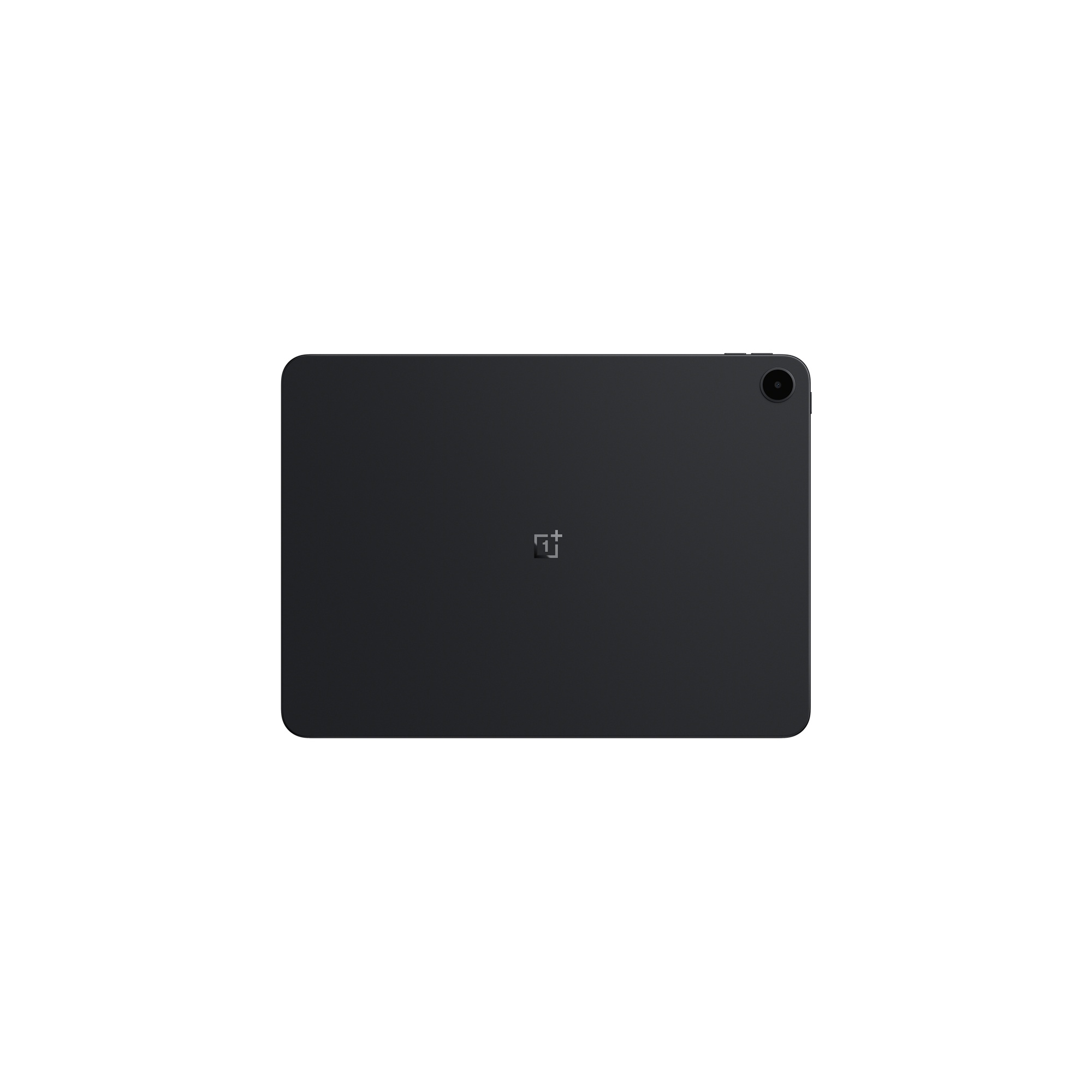

MSRP: $399.99
The OnePlus Pad Go 2 is a solid budget choice featuring a 12.1-inch 120Hz screen and a 10,050mAh battery. For $399.99, buyers get a Dimensity 7300 chip and five years of software updates, surprisingly beating the brand’s flagships in support longevity.
Positives
- Solid build quality
- Excellent display
- Reliable battery life
- Impressive update support
- Punchy speakers
Cons
- Mediocre chipset
- Limited refresh rate
- Middling accessories
Thank you for being part of our community. Read our Comment Policy before posting.


