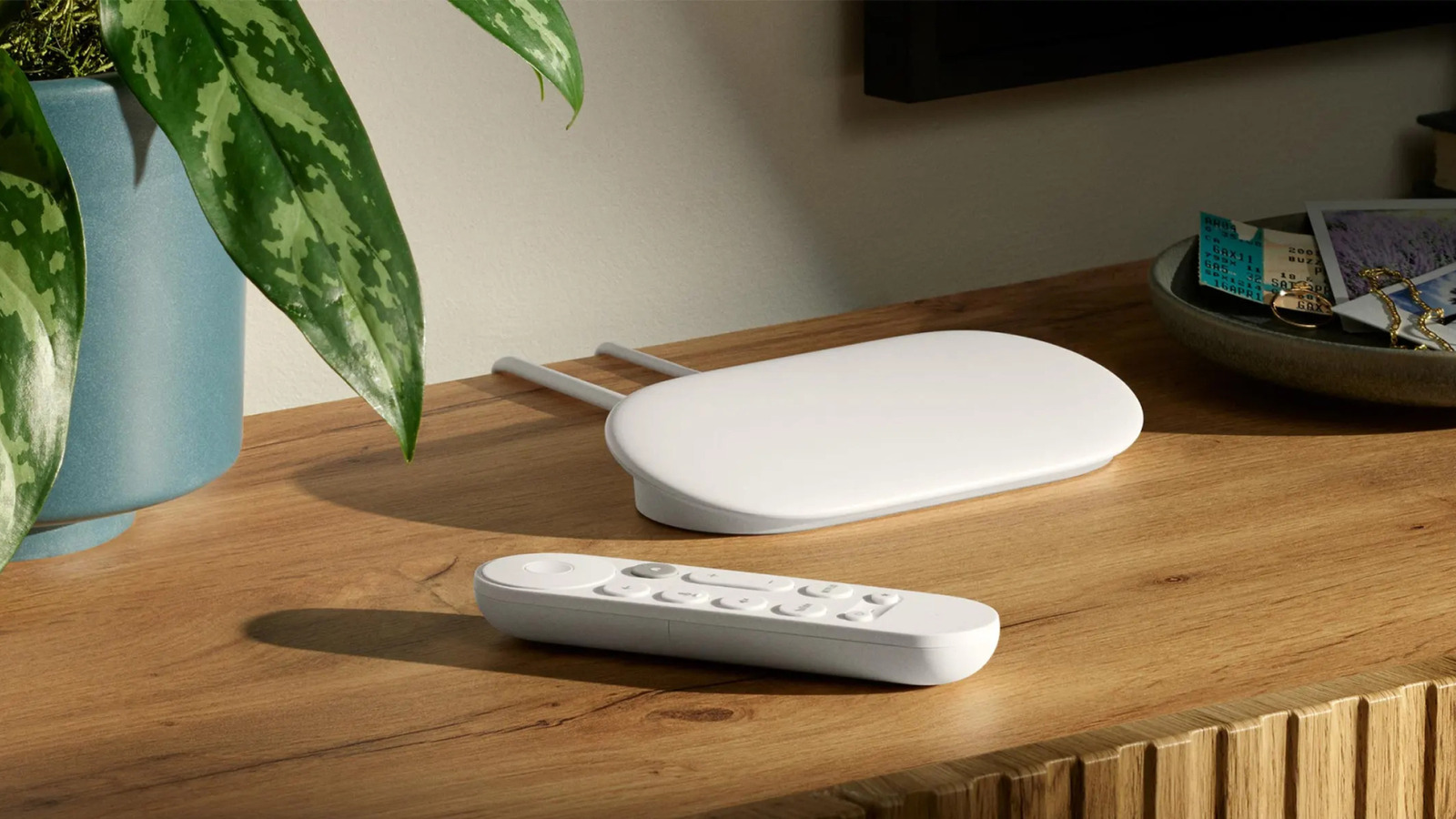
The Google TV Streamerlaunched in 2024, is currently the only streaming device that the company sells. With this gadget, Google replaced its long-running Chromecast brand. In our Google TV Streamer review, the device performed well, so if you were impressed by the specs and picked up a unit, you certainly made a good choice.
As a Chromecast replacement, the Google TV Streamer is one of the best streaming devices you can get, especially if you want to access Google TV on any television. But despite being one of the best, it doesn’t come with every handy app that you might need. You have to install some extra ones to improve your experience.
Because it runs Google TV, you can install a variety of apps from the Google Play Store and other sources. However, before you even start using your device, you should add some essential apps that will come in handy in various situations. We dive further into how we picked these apps at the end of the article, but all of them are useful for different TV functions and are available on the Google Play Store.
LocalSend
You may need to send files from your phone or laptop to your TV from time to time. For instance, you may want to play a file you’ve downloaded on your phone directly on your TV. Sure, you can get the file on your TV directly (and later, we’ll give you a solid TV browser you can use), but it’s tedious. It’s better to do all the browsing and downloading on any other device and then send the files to your TV.
LocalSend makes this a cinch by allowing file sharing across devices and ecosystems without any complicated setup. All you have to do is install the app on your Google TV Streamer and any other supported device (macOS, Windows, Linux, iOS, or Android), connect the two devices to the same Wi-Fi network, and you’ll be set.
Because the app assigns each device a unique name, you’ll see the TV name on any device that has LocalSend installed and open. What’s cool about this app is that you can share files in any direction. Thanks to this, if you need to send something from your Google TV Streamer to your laptop, desktop, or phone, you can do it. LocalSend is available for download from the Google Play Store and is free to use. There are no in-app purchases or even ads.
Button Mapper
Like TVs and other devices, the Google TV Streamer comes with its own remote. This remote has buttons dedicated to opening Netflix and YouTube directly. Chances are, you may not be a Netflix subscriber or use YouTube that much. And if you use both, there could still be another button on the remote that you won’t need.
Button Mapper can repurpose such buttons, since it’s an app that allows you to map them to specific actions. You can, for example, remap the remote’s Netflix button to open Amazon Prime Video or HBO Max. But what makes Button Mapper such an essential app for every Google TV Streamer is that it allows you to do more with the remote by assigning actions to single, double, and long presses.
Thanks to this, you can let your single press of a button do one action, like open Netflix, then assign different actions that run when you double-press or long-press the same button. Button Mapper is free to download from the Google Play Store, and while you can customize your remote buttons to some extent, you’ll have to pay about $4.99 to unlock the app’s full functionality. For instance, you can’t customize the Back button without paying for the Pro plan.
VLC
Even with the proliferation of streaming services, you may still want to play files offline on your Google TV Streamer from time to time. Once you send your media files to your device using LocalSend, the best way to play them is to use VLC. It’s a well-known media player that’s free, open-source, and available on nearly every platform, including Google TV. The reason it’s popular is because of the powerful features that make it an essential app for playing media files.
VLC supports a variety of video formats, including MKV, MP4, AVI, MOV, and OGG, and can also play audio files such as MP3, FLAC, and AAC. The app has built-in support for closed captions and subtitles, and VLC has even added real-time subtitles powered by AI, so you may not even need to download them beforehand. With the right permissions, the app can discover your media automatically, which saves you from the hassle of navigating to the appropriate folders on your Google TV Streamer.
But VLC isn’t limited to playing local content. You can also use the app to play remote content from your network-attached storage (NAS). Additionally, VLC is capable of finding content you’ve shared from other devices on the network via protocols like SMB and DLNA. If you have DLNA enabled on your Plex or Jellyfin server, for instance, the app can automatically pick that content. You can get VLC from the Google Play Store.
TV Bro
As noted before, using your TV’s built-in browser doesn’t provide the best experience. Using a remote to type and scroll can feel clunky, but if you absolutely want to browse on your TV, use TV Bro. That spot would’ve easily gone to one of the major browsers, such as Chrome, Firefox, or Brave, but unfortunately, the only way to install them is by sideloading. Even then, they won’t work properly as they aren’t optimized for TV use.
TV Bro is a web browser for Android TV that is free to install and use. The app has built-in remote support, which allows you to use your Google TV Streamer remote to browse the web. It works like your typical web browser: You can search for information, navigate, view your history, bookmark favorite pages, and open multiple tabs.
TV Bro has a built-in download manager to help you keep track of your downloads. It supports voice search as well, which is really handy since typing with a remote is slow and tedious. You can get TV Bro from the Google Play Store.
Cx File Explorer
The Google TV Streamer includes 32 gigabytes of internal storage to install extra apps and store files. You can use external storage devices like a flash drive or solid-state drive if you need more, but you certainly need a way to manage your files. Otherwise, when that 32GB of internal storage fills up, your device will feel sluggish — one of the most common issues with smart TVs that a streaming device isn’t immune to.
Cx File Explorer gives you the power to manage the storage of your Google TV Streamer. The app has an easy-to-use interface and organizes your files into different categories, making it easy to view storage usage and remove anything you don’t need.
It brings all the basic functionality of a file management app to your TV, including copying, moving, deleting, and renaming files. Additionally, you can use the app to access files in cloud storage services such as Google Drive and any network-attached storage devices. You can download Cx File Explorer for free from the Google Play Store.
How we selected these apps
To come up with this list of apps, we only focused on those that are useful when using your Google TV Streamer. All the apps from this list are from different categories and can help make your life easier in one way or another. We ruled out streaming apps such as Netflix, Prime Video, and HBO Max because if you pay for any of them, you’ll install them anyway, and some might even be pre-installed.
Another key factor we considered when selecting these apps is how well they work on a TV, because not all apps available on the Google Play Store are TV-optimized. And while you can sideload apps on your Google TV Streamer, we only focused on apps that are available in the Play Store for ease of installation.