The barrier to entry for building unique software applications is dramatica
lly decreasing, but historically, the barrier for developing hardware solutions has remained high. You usually need money, shipping time, and specific parts.
However, that is changing. Today, I’m going to show you how to get started with robotics without owning a single piece of hardware using Wokwi and Google Gemini.
In this tutorial, we will build a car parking sensor system, first digitally, and then I will show you how to port it to real hardware.
The Tools
- Wokwi: An online simulator for microcontrollers like the ESP32 and Arduino. It allows you to simulate circuitry and code right in your browser.
- Google Gemini: We will use AI to write our C++ code and handle the complex wiring connections via JSON.
Step 1: Explore the Baseline Simulation
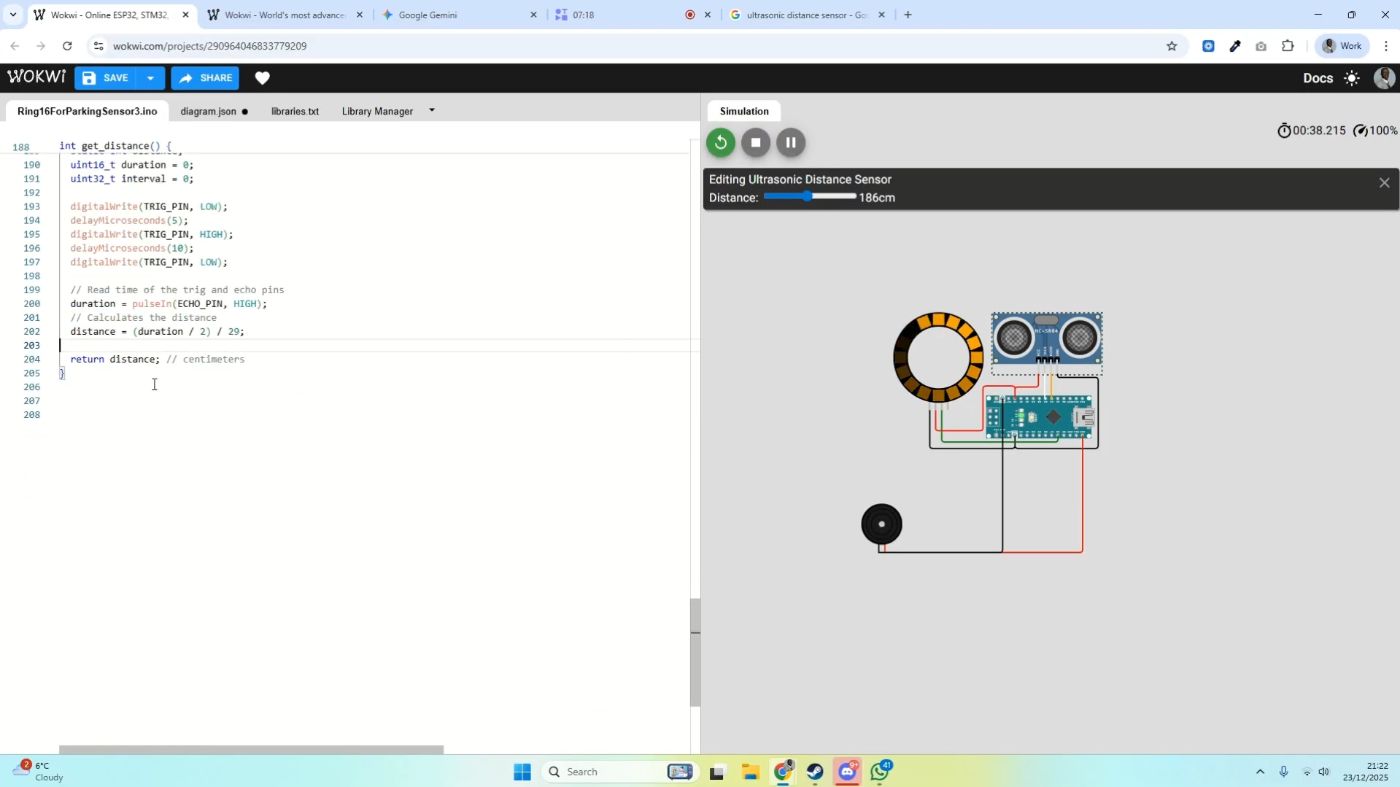
We start with a pre-existing simulation in Wokwi (an ESP32/Arduino simulator). Currently, we have a visual-only parking system.
When you hit Start Simulation, you see an Ultrasonic Distance Sensor and an LED ring.
- Green/White: The object is far away.
- Yellow: The object is approaching.
- Red (Flashing): The object is critically close.
While this looks great, a real parking sensor needs sound. We need to add an audio component.
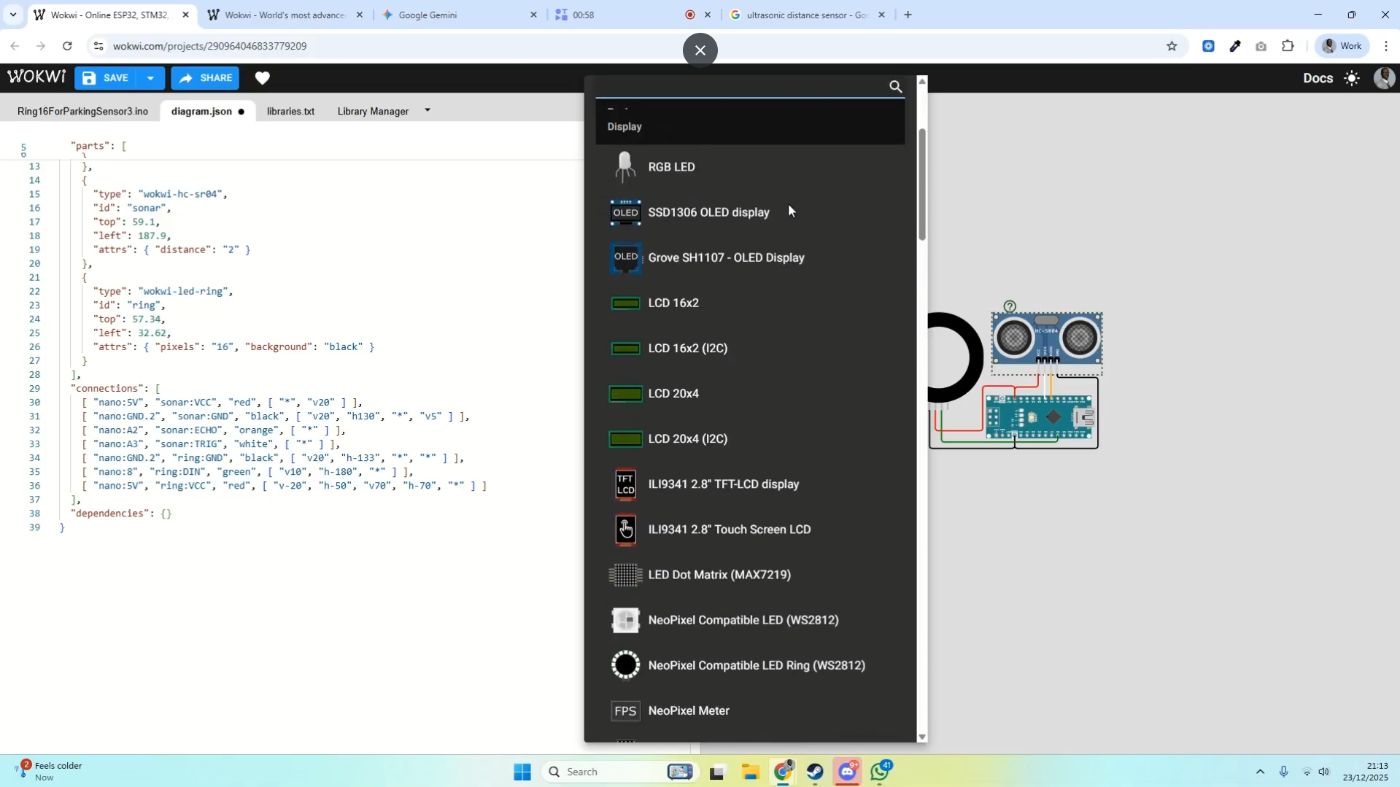
Step 2: Sourcing Virtual Components
Before we write code, we need to add the hardware to our virtual board.
- Stop the simulation.
- Click the “+” (Add Part) button in Wokwi.
- Search for a Buzzer (Piezo).
- Place it on the canvas.
Note: In the real world, this is the moment you would Google the part. If you search for “Ultrasonic Distance Sensor,” you’ll see they only cost about £2-£3. This makes moving from simulation to reality very affordable later on.
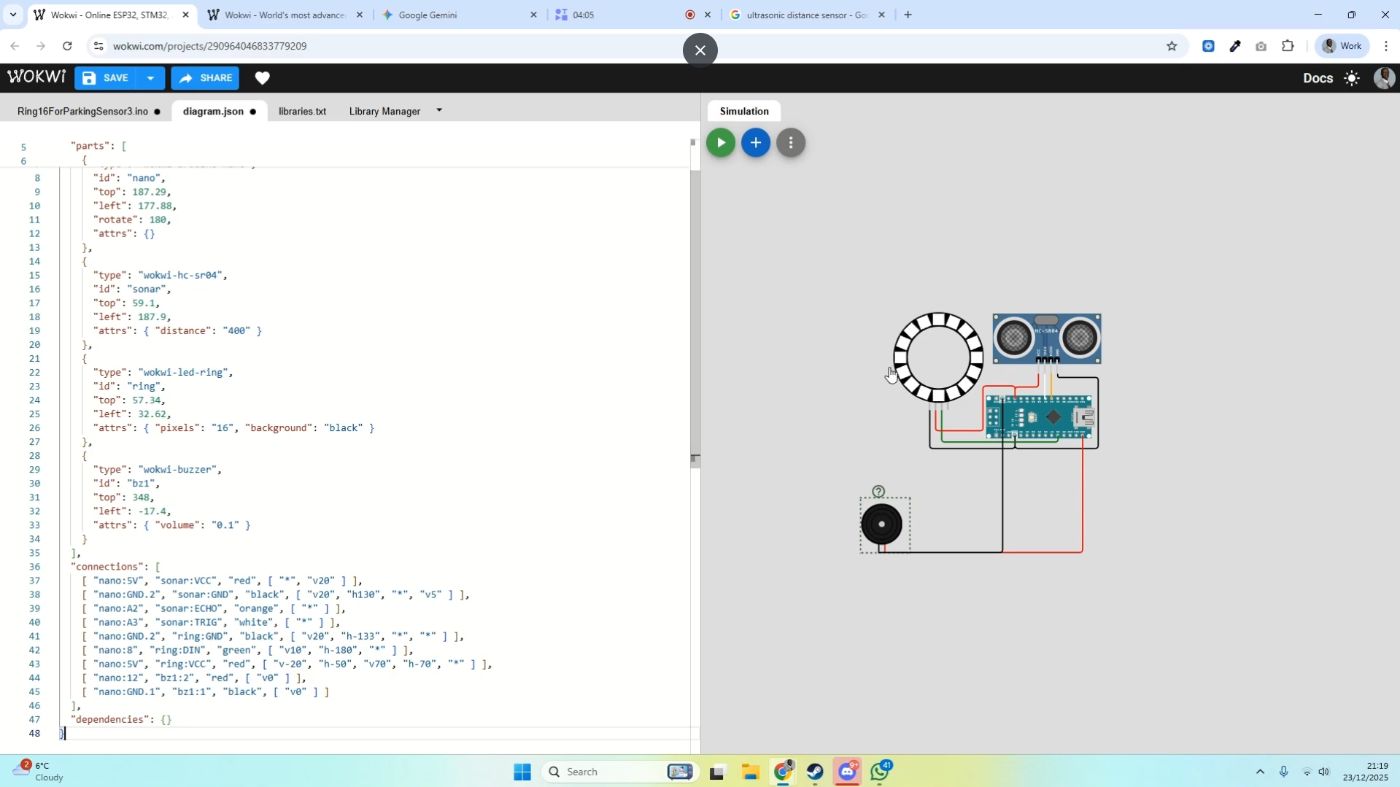
Step 3: The “Lazy” Wiring Method (Using AI)
We now have a buzzer floating on our screen, disconnected. Instead of manually dragging wires to pins, we will use Google Gemini to handle the connections for us.
I provided Gemini with two context files:
- The JSON for the Diagram (the physical layout).
- The JSON for the Code (the logic).
The Prompt:
“Connect the buzzer to the board.”
(I initially asked it to connect to a Raspberry Pi, but Gemini was smart enough to correct me and note that the diagram actually used an Arduino. It then generated the corrected wiring JSON.)
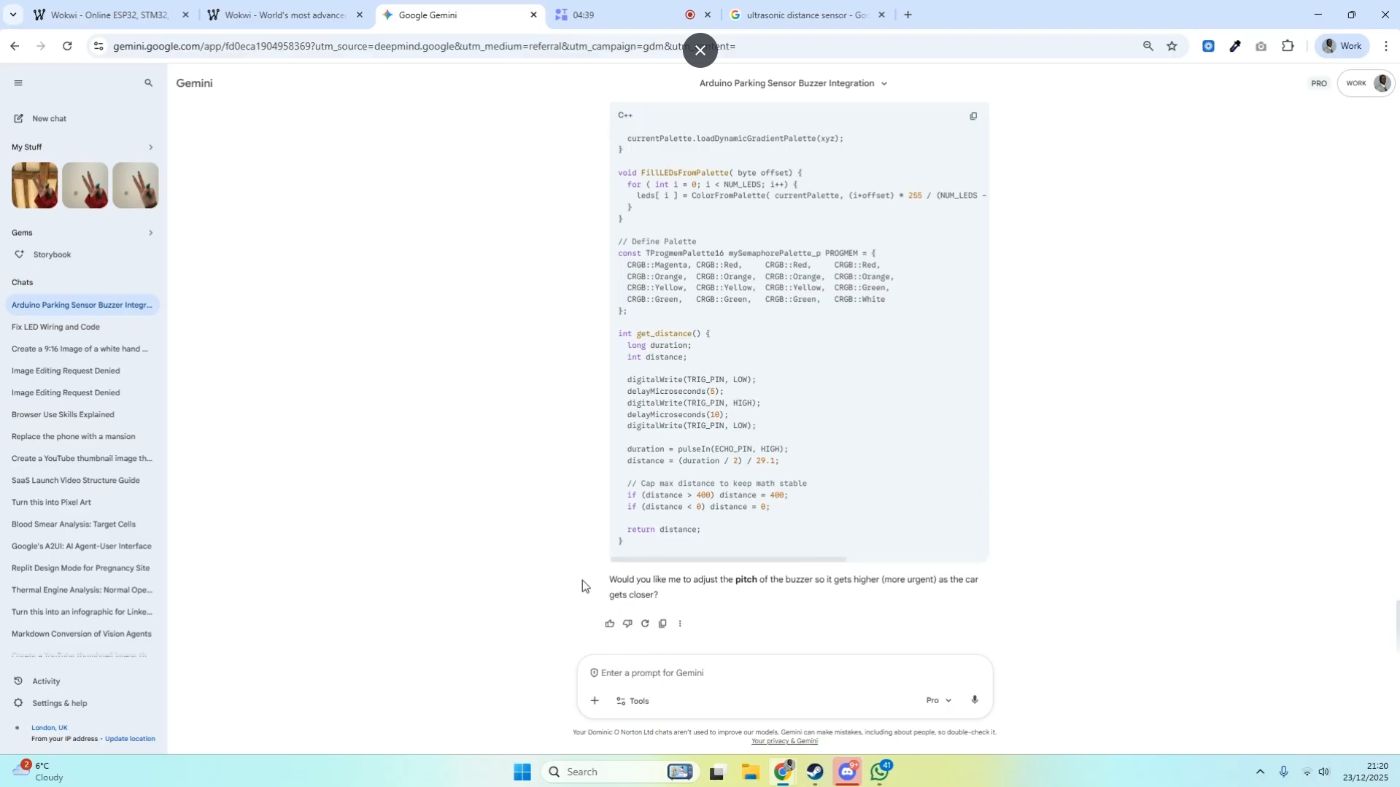
Step 4: Generating the “Urgency” Logic
We have the buzzer connected, but it doesn’t make sound yet. We want the pitch and frequency of the beep to change based on distance, just like a real car.
The Prompt:
“Would you like me to adjust the pitch of the buzzer so it gets higher and more urgent as the car gets closer?”
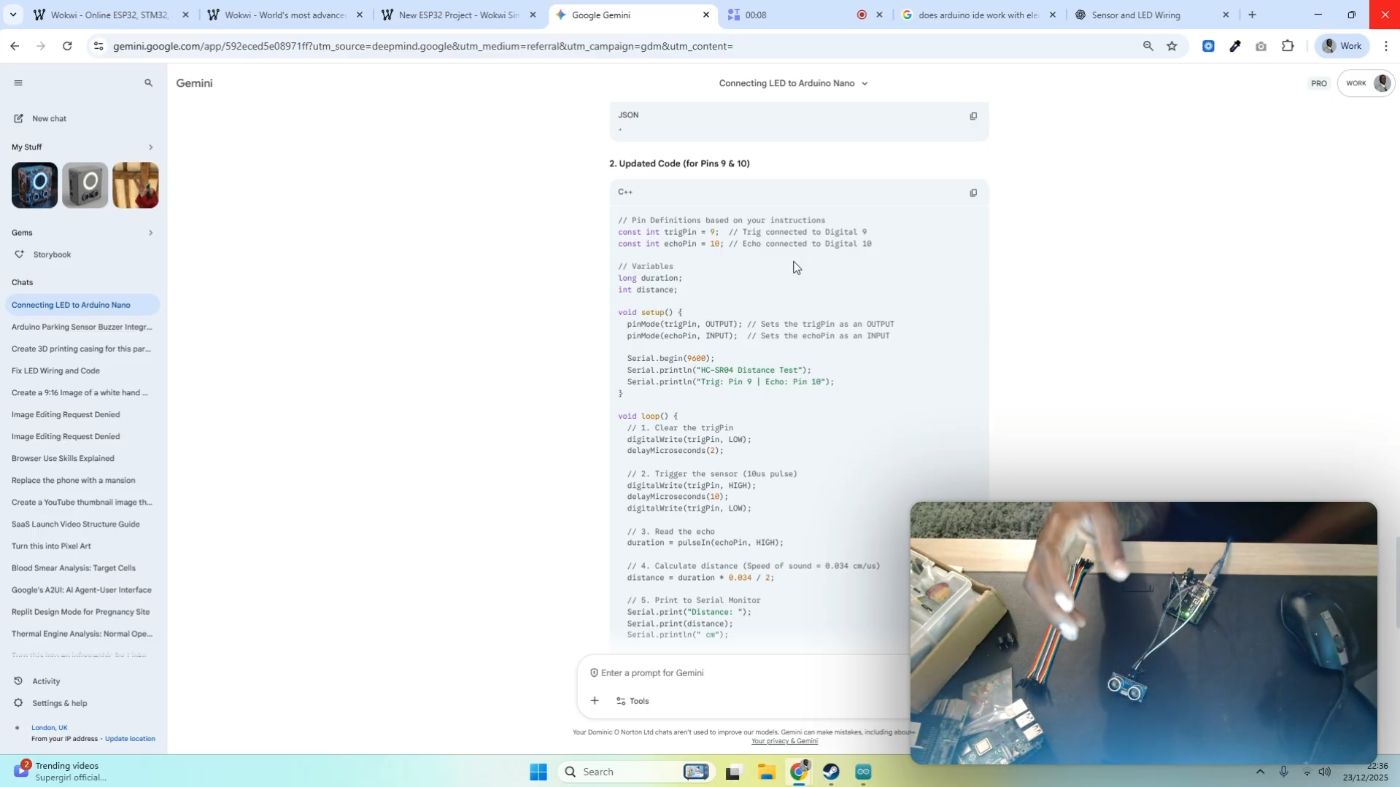
Gemini confirmed this logic and generated the C++ code required to drive the buzzer based on the sensor’s data.
Step 5: Testing the Simulation
- Copy the C++ code from Gemini.
- Paste it into the main
.inofile in Wokwi. - Hit Start Simulation.
- Click on the Ultrasonic Sensor to simulate an object moving closer.
You should hear the pitch rise and the beeping accelerate as the “distance” decreases. We have built a working prototype in under 30 minutes.
Step 8: Transitioning to Physical Hardware
I happen to have the real components here: an Elegoo Arduino board, an HC-SR04 sensor, and a buzzer.
We are going to use the exact same code we just wrote in the simulator.
- Connect your Arduino board to your computer via USB.
- Open the Arduino IDE.
- Select your board and port.
- Hit Upload.
Step 9: Verifying with the Serial Monitor
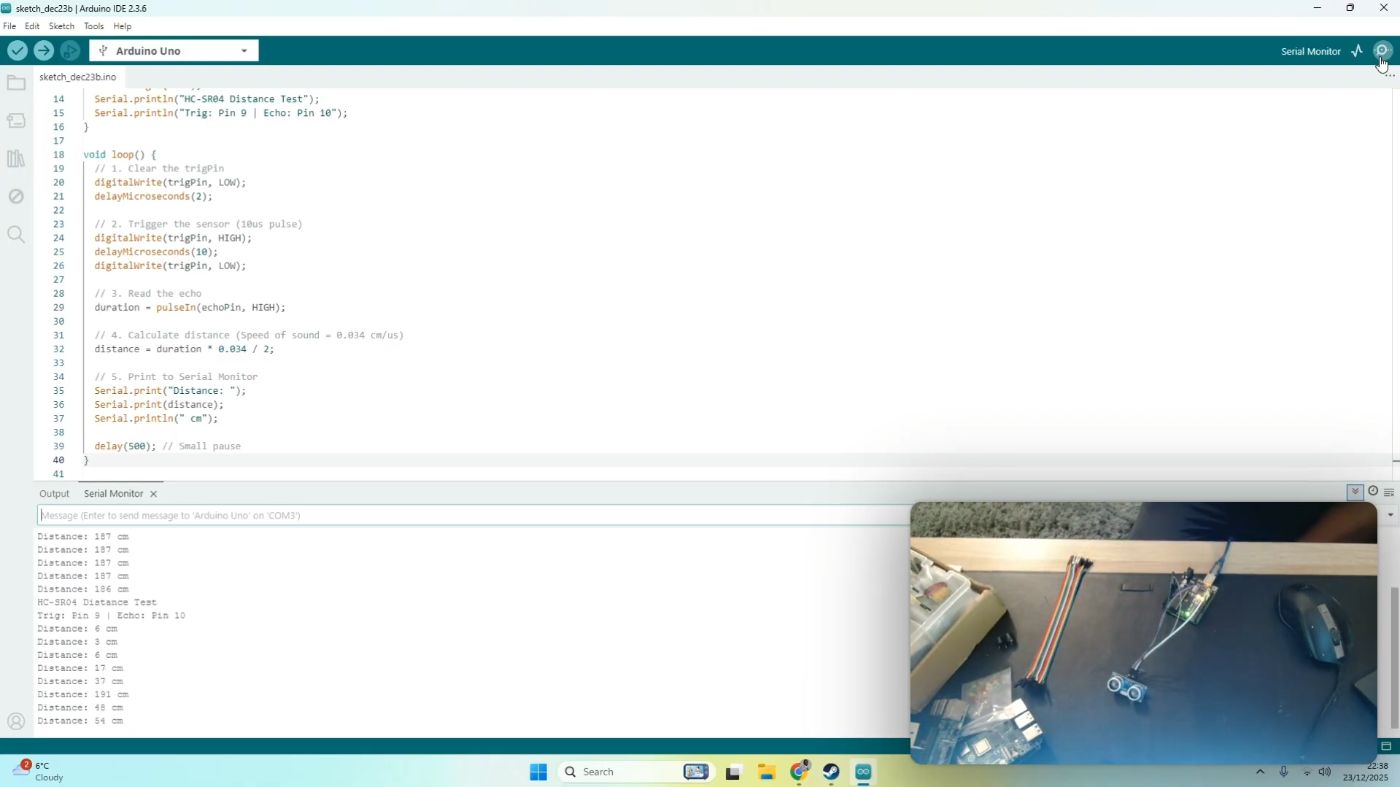
We need to verify the data.
- In the Arduino IDE, open the Serial Monitor (usually in the top right corner).
- Watch the numbers scroll by.
These numbers represent the distance in centimeters. If you move your hand in front of the sensor, these numbers should change. This confirms the sensor is working correctly.
Step 10: The Final Integration Test
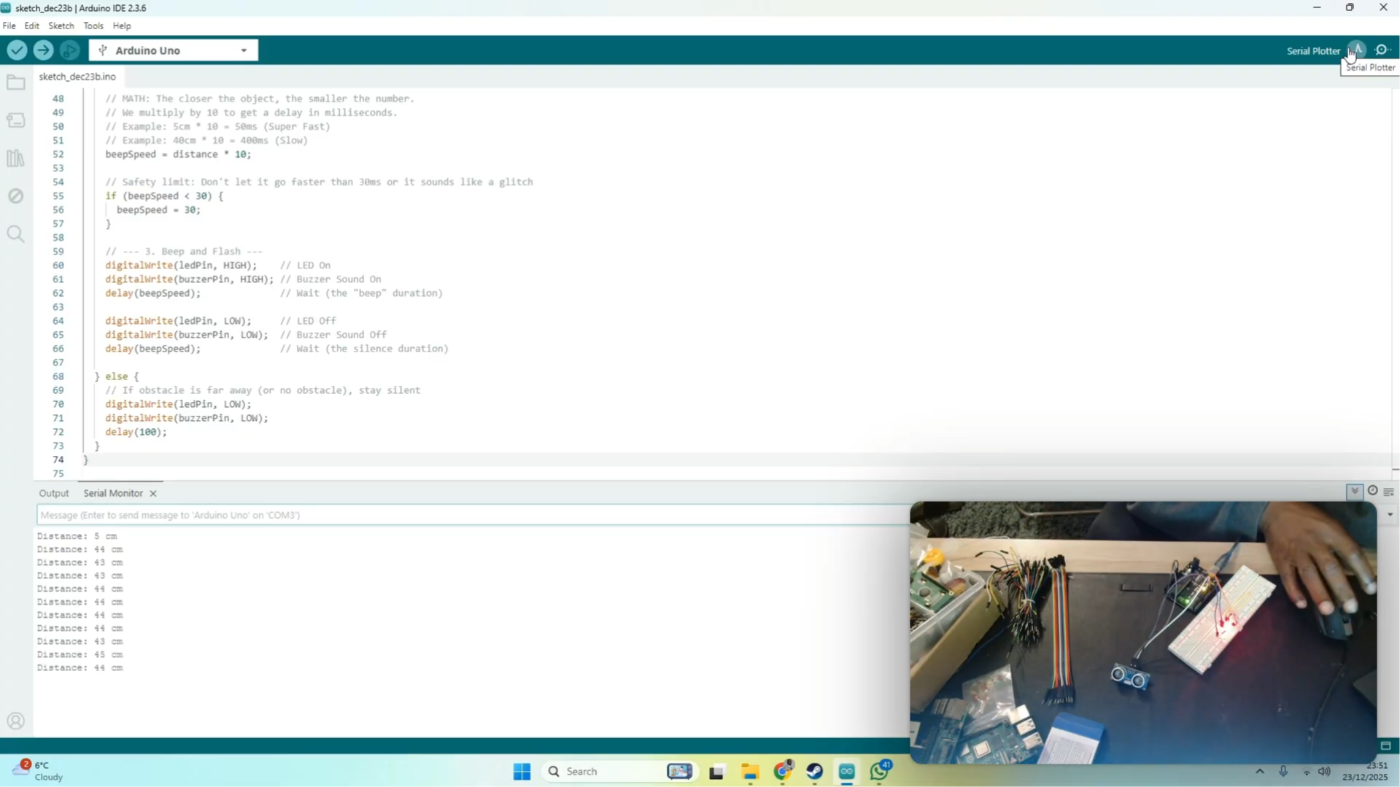
Now, we look at the full build.
- Move your hand close: The LEDs flash Red rapidly, and the buzzer screams with high-pitched urgency.
- Move your hand away: The flashing slows down, and the beeping becomes deeper and slower.
We have successfully successfully mirrored our digital simulation in the physical world.
The barrier to entry for robotics has never been lower. You no longer need to wait for shipping or invest in expensive components to start prototyping complex ideas. By combining the virtualization power of Wokwi with the coding intelligence of Gemini, you can build, break, and iterate on hardware solutions entirely in the cloud. However, remember that AI is most powerful when used as an assistive tool rather than a replacement for understanding. Don’t just ask it to write the code, ask it to teach you why the code works. Open your browser, fire up the simulator, and start building.
Follow me:
https://www.x.com/dominiconorton
www.linkedin.com/in/ dominiconorton
https://www.github.com/dnorton94
https://huggingface.co/dominiconorton