By using this site, you agree to the Privacy Policy and Terms of Use.
Accept
World of SoftwareWorld of SoftwareWorld of Software
  • News
  • Software
  • Mobile
  • Computing
  • Gaming
  • Videos
  • More
    • Gadget
    • Web Stories
    • Trending
    • Press Release
Search
  • Privacy
  • Terms
  • Advertise
  • Contact
Copyright © All Rights Reserved. World of Software.
Reading: You Can’t Turn Off Ads On Roku, But You Can Stop Them From Tracking You – BGR
Share
Sign In
Notification Show More
Font ResizerAa
World of SoftwareWorld of Software
Font ResizerAa
  • Software
  • Mobile
  • Computing
  • Gadget
  • Gaming
  • Videos
Search
  • News
  • Software
  • Mobile
  • Computing
  • Gaming
  • Videos
  • More
    • Gadget
    • Web Stories
    • Trending
    • Press Release
Have an existing account? Sign In
Follow US
  • Privacy
  • Terms
  • Advertise
  • Contact
Copyright © All Rights Reserved. World of Software.
World of Software > News > You Can’t Turn Off Ads On Roku, But You Can Stop Them From Tracking You – BGR
News

You Can’t Turn Off Ads On Roku, But You Can Stop Them From Tracking You – BGR

News Room
Last updated: 2025/12/28 at 1:30 PM
News Room Published 28 December 2025
Share
You Can’t Turn Off Ads On Roku, But You Can Stop Them From Tracking You – BGR
SHARE


Erman Gunes/Shutterstock

We may receive a commission on purchases made from links.

Roku streaming devices and smart TVs are available just about anywhere consumer tech is sold. Once powered and connected to Wi-Fi, its hardware provides a user-friendly interface for accessing apps, live TV channels, screen mirroring, and more. One of the only drawbacks of Roku TV OS is the ads scattered about the home screen and screensaver. We ranked every Roku streaming device from worst to best, but no matter how much money you drop on one of these streaming peripherals — or Roku-powered smart TVs — ads are going to be an unavoidable part of your user experience. Roku can also monitor your search history and share this data with other companies.

Fortunately, Roku users do have some control over the type of ads they will see. They also have a say in who has access to their personal information. Starting with the latter, go to Settings > Privacy > Privacy Choices, and check the box that says, “Do not share/sell my information.” You may also want to check the box that says, “Limit use of sensitive information.” To avoid seeing certain types of ad content (e.g., alcohol, politics, violence), go to Settings > Privacy > Advertising > Sensitive ad content, then choose the categories you would like to opt out of. Once you press OK, these preferences will be saved and applied to all devices tied to your Roku account.

Roku limitations you should know about

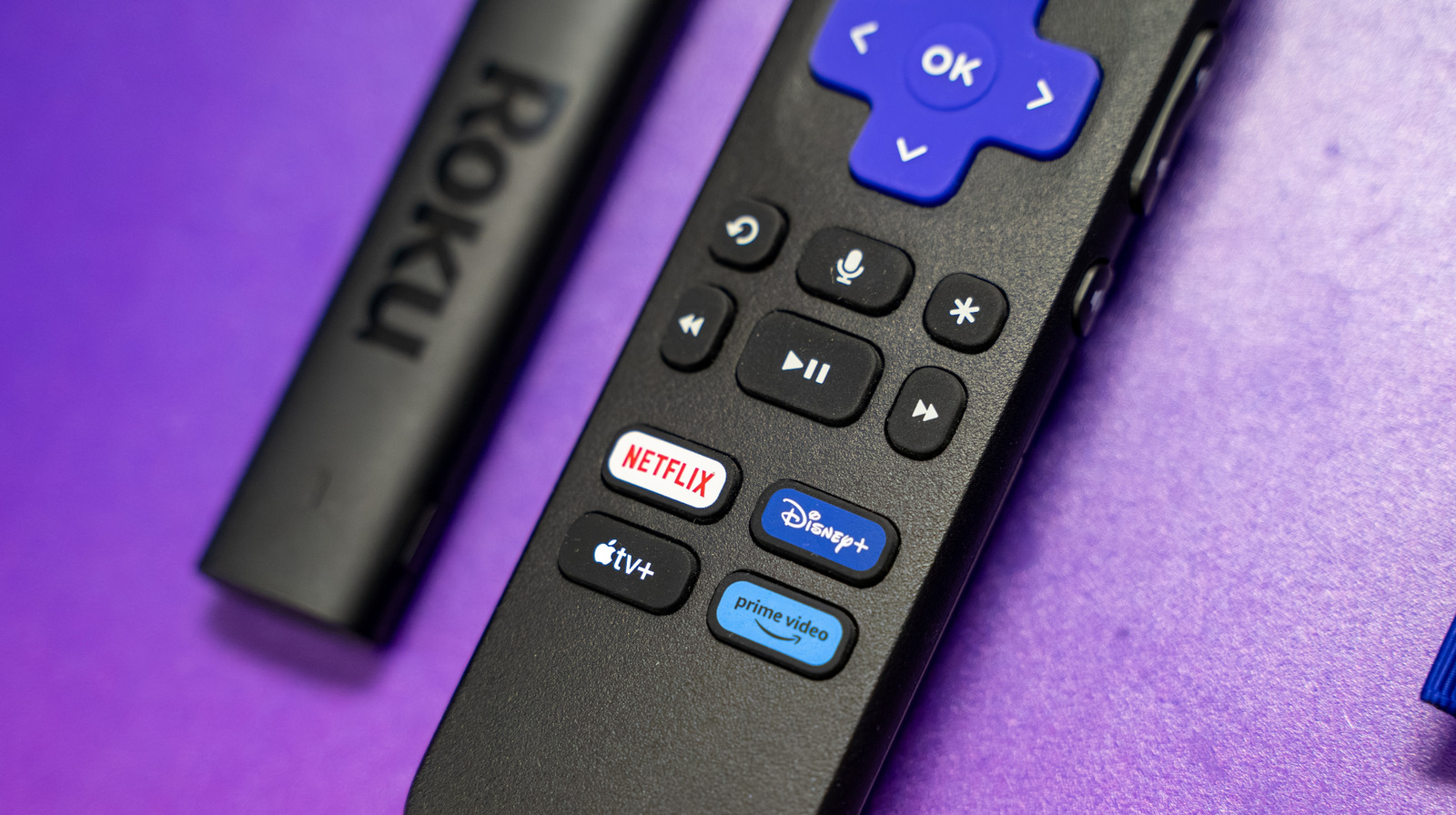
Roku also allows you to hide individual ads that you may come across, replacing it with an alternative promotion. To do so, just highlight the ad and press the Star button on your Roku remote. Select Hide this ad and OK. You can only do this several times per day, though, at which point you’ll be locked out of hiding ads until your 24-hour limit is reset. Something else to keep in mind: Ad preferences are currently limited to those on display. Video ads, ads in partner apps, and specific apps shown to all users, such as themed backgrounds, cannot be customized at this time.

Having a say in what Roku marketing you see and what the company can do with your personal data is important — especially if you’re the type of streamer who values privacy and security. And while we’ve discussed a handful of hidden features every Roku user should know about, these simple ad and tracking settings are not buried too deeply in Roku TV OS. Now that you’ve optimized your streaming device for a more personalized movie and TV show-watching experience, it’s time to download one of these five essential Roku TV apps to truly get the party started.


Sign Up For Daily Newsletter

Be keep up! Get the latest breaking news delivered straight to your inbox.
By signing up, you agree to our Terms of Use and acknowledge the data practices in our Privacy Policy. You may unsubscribe at any time.
Share This Article
Facebook Twitter Email Print
Share
What do you think?
Love0
Sad0
Happy0
Sleepy0
Angry0
Dead0
Wink0
Previous Article Crime blotter: Man sought who used stolen credit card at Apple Store Crime blotter: Man sought who used stolen credit card at Apple Store
Next Article What would you think of these iPhone Fold aspect ratios? [Poll] – 9to5Mac What would you think of these iPhone Fold aspect ratios? [Poll] – 9to5Mac
Leave a comment

Leave a Reply Cancel reply

Your email address will not be published. Required fields are marked *

Stay Connected

248.1k Like
69.1k Follow
134k Pin
54.3k Follow

Latest News

Today's NYT Connections: Sports Edition Hints, Answers for Dec. 29 #462
News
I ditched my grill for a flat-top griddle in 2025 — here’s why I’m never going back
News
Waymo will update software after power outage in San Francisco
News
Tesla-style retractable door handles will be banned in China
News

You Might also Like

Today's NYT Connections: Sports Edition Hints, Answers for Dec. 29 #462
News

Today's NYT Connections: Sports Edition Hints, Answers for Dec. 29 #462

3 Min Read
I ditched my grill for a flat-top griddle in 2025 — here’s why I’m never going back
News

I ditched my grill for a flat-top griddle in 2025 — here’s why I’m never going back

5 Min Read
Waymo will update software after power outage in San Francisco
News

Waymo will update software after power outage in San Francisco

2 Min Read
Tesla-style retractable door handles will be banned in China
News

Tesla-style retractable door handles will be banned in China

2 Min Read
//

World of Software is your one-stop website for the latest tech news and updates, follow us now to get the news that matters to you.

Quick Link

  • Privacy Policy
  • Terms of use
  • Advertise
  • Contact

Topics

  • Computing
  • Software
  • Press Release
  • Trending

Sign Up for Our Newsletter

Subscribe to our newsletter to get our newest articles instantly!

World of SoftwareWorld of Software
Follow US
Copyright © All Rights Reserved. World of Software.
Welcome Back!

Sign in to your account

Lost your password?