By using this site, you agree to the Privacy Policy and Terms of Use.
Accept
World of SoftwareWorld of SoftwareWorld of Software
  • News
  • Software
  • Mobile
  • Computing
  • Gaming
  • Videos
  • More
    • Gadget
    • Web Stories
    • Trending
    • Press Release
Search
  • Privacy
  • Terms
  • Advertise
  • Contact
Copyright © All Rights Reserved. World of Software.
Reading: iOS 26.2 Brings A Much Needed Feature To AirDrop – Here’s How To Use It – BGR
Share
Sign In
Notification Show More
Font ResizerAa
World of SoftwareWorld of Software
Font ResizerAa
  • Software
  • Mobile
  • Computing
  • Gadget
  • Gaming
  • Videos
Search
  • News
  • Software
  • Mobile
  • Computing
  • Gaming
  • Videos
  • More
    • Gadget
    • Web Stories
    • Trending
    • Press Release
Have an existing account? Sign In
Follow US
  • Privacy
  • Terms
  • Advertise
  • Contact
Copyright © All Rights Reserved. World of Software.
World of Software > News > iOS 26.2 Brings A Much Needed Feature To AirDrop – Here’s How To Use It – BGR
News

iOS 26.2 Brings A Much Needed Feature To AirDrop – Here’s How To Use It – BGR

News Room
Last updated: 2025/12/29 at 9:57 PM
News Room Published 29 December 2025
Share
iOS 26.2 Brings A Much Needed Feature To AirDrop – Here’s How To Use It – BGR
SHARE


José Adorno/BGR

iOS 26.2 was full of tweaks and general improvements to the iPhone experience, one of which was a much-needed AirDrop feature. Over the years, Apple has tweaked AirDrop to prevent unknown people from sending unwanted files to you when you have your iPhone unlocked.

What started as a way of censorship in China with iOS 16.1.1, when Apple had to start limiting AirDrop’s “Everyone” option for up to 10 minutes, the company eventually expanded this restriction everywhere with iOS 16.2. With iOS 18, Apple tried to improve this situation by offering NameDrop; which not only lets users bump one iPhone into the other to share contacts, but it’s also the more convenient way to share an AirDrop file these days.

That being said, if you don’t want to share your contact info with people you don’t know very well, Apple is offering a way to keep sharing data with them for a certain period of time. When sending an AirDrop file on iOS 26.2, Apple now offers a one-time code for unknown numbers that lets you continue to send them data for up to 30 days. This feature is useful for teachers, tour guides, and other people who constantly share files, but don’t want to add people as a contact.

Here’s how one-time code AirDrop works
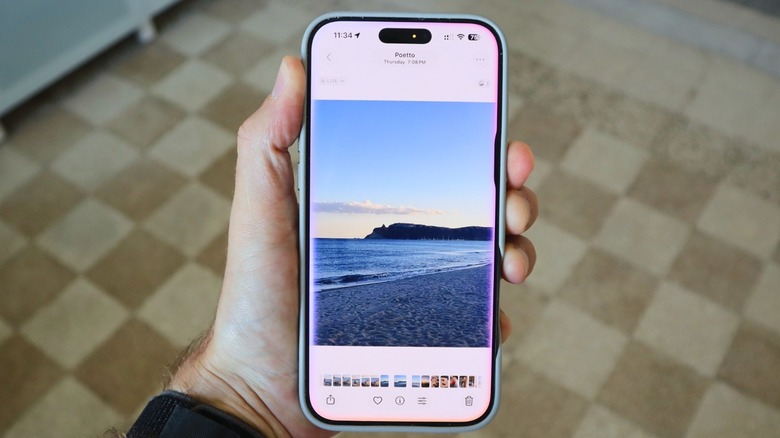

iOS 26's new Photos app visualization with the Siri UI activated
José Adorno/BGR

One-time-code AirDrop was first noticed during the iOS 26.2 beta cycle. Apple shipped this function without much hustle, and it’s possible that you might never use it, or think it’s weird when your iPhone asks you to add a one-time code before sending/getting a file for the first time. According to Apple, starting with iOS 26.2 or later (and iPadOS 26.2, or later), if you’re sending a file to someone who is not in your contact list, you need an AirDrop code to send the data via AirDrop.

That said, once everybody sets AirDrop to “Everyone for 10 minutes,” the person receiving the file has to share a code that you need to type in your device before they can get the data. Still, the process of sending an AirDrop file remains the same: Using the Share button on the content you want to share, tap AirDrop, and then the name of the person. 

Once both devices are enrolled, you can continue to share and receive items through AirDrop with that person for 30 days without needing to use another code. The sender will also appear in an “Others List” on your Contacts app. If the other person isn’t running iOS 26.2 or newer, this functionality won’t appear.



Sign Up For Daily Newsletter

Be keep up! Get the latest breaking news delivered straight to your inbox.
By signing up, you agree to our Terms of Use and acknowledge the data practices in our Privacy Policy. You may unsubscribe at any time.
Share This Article
Facebook Twitter Email Print
Share
What do you think?
Love0
Sad0
Happy0
Sleepy0
Angry0
Dead0
Wink0
Previous Article Big-time boosters transformed Texas Tech, but that’s not all it took to reach CFP
Next Article Here’s Why Your Social Media Strategy Is Failing (And How to Fix It!) | Here’s Why Your Social Media Strategy Is Failing (And How to Fix It!) |
Leave a comment

Leave a Reply Cancel reply

Your email address will not be published. Required fields are marked *

Stay Connected

248.1k Like
69.1k Follow
134k Pin
54.3k Follow

Latest News

18 of the Best Design Apps For Creating Gorgeous Instagram Stories
Computing
Next Millionaire Moment in 2026? 11 Best Altcoins to Watch in 2026 Revealed
Gadget
Nothing Headphones (1) specs unveiled ahead of July 1 release: report · TechNode
Computing
Power surge: Meet the 5 longest-lasting phones we tested in 2025
News

You Might also Like

Power surge: Meet the 5 longest-lasting phones we tested in 2025
News

Power surge: Meet the 5 longest-lasting phones we tested in 2025

8 Min Read
Roomba expands Matter and HomeKit support to more vacuums – 9to5Mac
News

Roomba expands Matter and HomeKit support to more vacuums – 9to5Mac

3 Min Read
Today's NYT Connections: Sports Edition Hints, Answers for Dec. 30 #463
News

Today's NYT Connections: Sports Edition Hints, Answers for Dec. 30 #463

3 Min Read
Today's NYT Mini Crossword Answers for Dec. 30 – CNET
News

Today's NYT Mini Crossword Answers for Dec. 30 – CNET

2 Min Read
//

World of Software is your one-stop website for the latest tech news and updates, follow us now to get the news that matters to you.

Quick Link

  • Privacy Policy
  • Terms of use
  • Advertise
  • Contact

Topics

  • Computing
  • Software
  • Press Release
  • Trending

Sign Up for Our Newsletter

Subscribe to our newsletter to get our newest articles instantly!

World of SoftwareWorld of Software
Follow US
Copyright © All Rights Reserved. World of Software.
Welcome Back!

Sign in to your account

Lost your password?