By using this site, you agree to the Privacy Policy and Terms of Use.
Accept
World of SoftwareWorld of SoftwareWorld of Software
  • News
  • Software
  • Mobile
  • Computing
  • Gaming
  • Videos
  • More
    • Gadget
    • Web Stories
    • Trending
    • Press Release
Search
  • Privacy
  • Terms
  • Advertise
  • Contact
Copyright © All Rights Reserved. World of Software.
Reading: Chrome for Android is fixing its most annoying Reading mode problem
Share
Sign In
Notification Show More
Font ResizerAa
World of SoftwareWorld of Software
Font ResizerAa
  • Software
  • Mobile
  • Computing
  • Gadget
  • Gaming
  • Videos
Search
  • News
  • Software
  • Mobile
  • Computing
  • Gaming
  • Videos
  • More
    • Gadget
    • Web Stories
    • Trending
    • Press Release
Have an existing account? Sign In
Follow US
  • Privacy
  • Terms
  • Advertise
  • Contact
Copyright © All Rights Reserved. World of Software.
World of Software > News > Chrome for Android is fixing its most annoying Reading mode problem
News

Chrome for Android is fixing its most annoying Reading mode problem

News Room
Last updated: 2025/12/31 at 10:04 AM
News Room Published 31 December 2025
Share
Chrome for Android is fixing its most annoying Reading mode problem
SHARE

Andy Walker / Android Authority

TL;DR

  • Chrome for Android is testing a redesigned Reading mode that’s easier to access and less inconsistent.
  • Reading mode now lives permanently in the three-dot menu and keeps the address bar visible while reading.
  • The update requires Chrome 143 and a manual flag toggle for now, suggesting a limited test rollout.

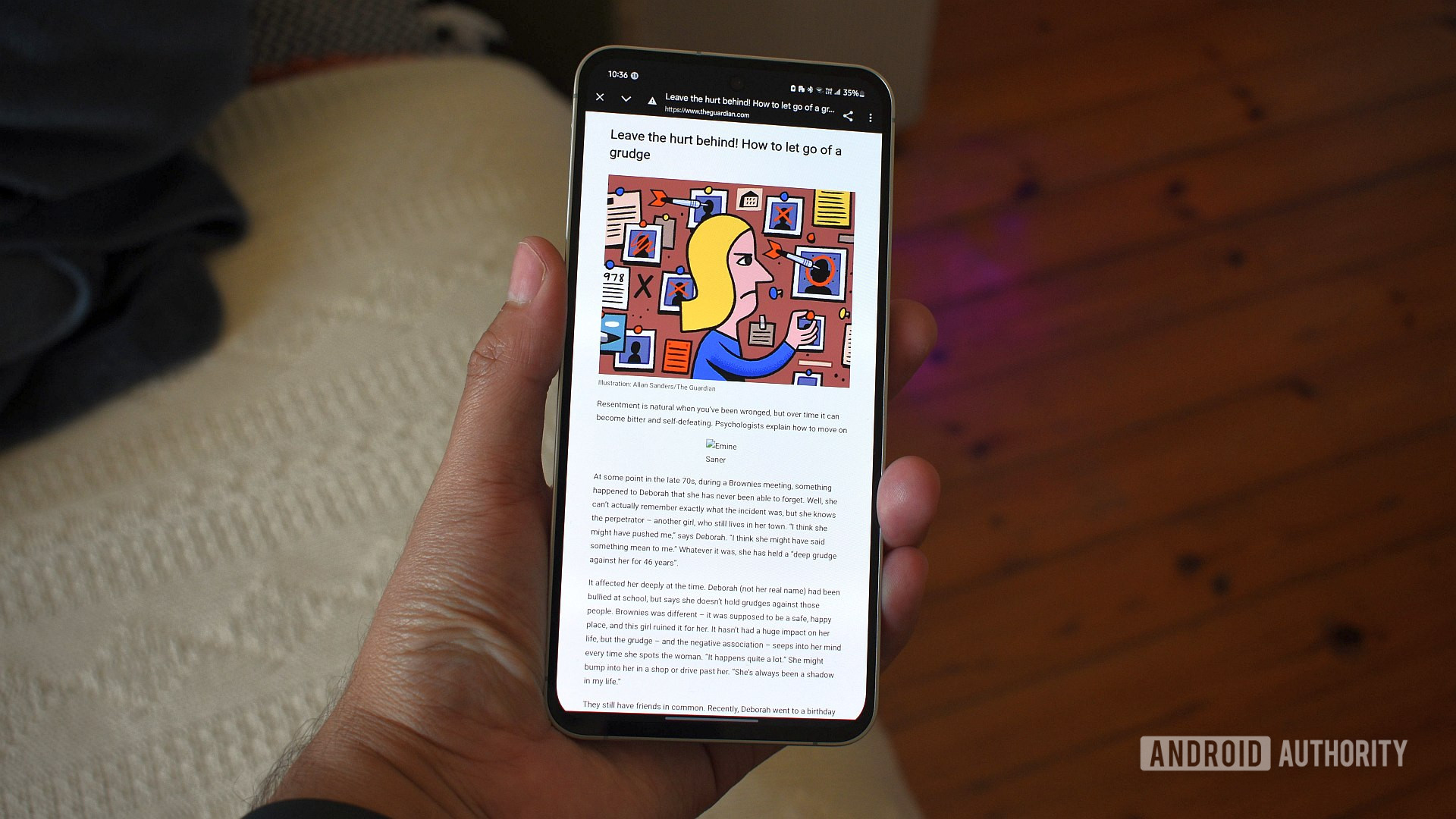
Reading mode has been available in Chrome on Android for a while, but using it has never been particularly reliable. It only appeared on certain pages, relied on Chrome deciding whether an article qualified, and could vanish just as quickly as it showed up, which made it easy to forget the feature existed at all. That looks like it might be changing.

Don’t want to miss the best from Android Authority?

google preferred source badge light@2xgoogle preferred source badge dark@2x

As spotted by 9to5Google, Google is now testing a redesigned Reading mode in Chrome for Android that makes it far easier to trigger and less disruptive to use. The updated version moves Reading mode into Chrome’s three-dot menu, where it appears consistently below “Listen to this page,” rather than sporadically near the address bar.

Tapping “Show Reading mode” no longer switches to a full-screen view. Instead, the page stays visible with the address bar still in place, making Reading mode feel more like an overlay than a separate mode you have to enter and exit. There’s still a straightforward way to leave Reading mode, but you’re no longer pulled away from the normal browsing experience to simplify an article.

Visually, the new interface leans into Google’s latest Material 3 Expressive design direction. Controls now live in a larger bottom sheet with rounded containers and clearer separation between options, replacing the flatter look of the older version. The customization tools themselves are familiar: you can switch between sans-serif, serif, and monospace fonts, increase the text size up to 250%, and choose between light, sepia, or dark backgrounds.

There are a couple of caveats to the rollout. The redesigned Reading mode has been spotted on devices running Chrome 143 on the stable channel, but it doesn’t appear to be enabled by default. At least for now, you also need to manually turn on the relevant Chrome flag (chrome://flags/#reader-mode-improvements) to see the new behavior, suggesting Google is still testing the new version ahead of a wider rollout.

Thank you for being part of our community. Read our Comment Policy before posting.

Sign Up For Daily Newsletter

Be keep up! Get the latest breaking news delivered straight to your inbox.
By signing up, you agree to our Terms of Use and acknowledge the data practices in our Privacy Policy. You may unsubscribe at any time.
Share This Article
Facebook Twitter Email Print
Share
What do you think?
Love0
Sad0
Happy0
Sleepy0
Angry0
Dead0
Wink0
Previous Article The best Apple Home devices that launched in 2025 — tested The best Apple Home devices that launched in 2025 — tested
Next Article How to Use LinkedIn for Beginners How to Use LinkedIn for Beginners
Leave a comment

Leave a Reply Cancel reply

Your email address will not be published. Required fields are marked *

Stay Connected

248.1k Like
69.1k Follow
134k Pin
54.3k Follow

Latest News

This Is the Movie I Regret Not Seeing at the Theater in 2025
News
DarkSpectre Browser Extension Campaigns Exposed After Impacting 8.8 Million Users Worldwide
Computing
Surprise: Trump Mobile’s T1 Phone Is Delayed Again. Here’s the Latest Excuse
News
Trust Wallet Chrome Extension Hack Drains .5M via Shai-Hulud Supply Chain Attack
Trust Wallet Chrome Extension Hack Drains $8.5M via Shai-Hulud Supply Chain Attack
Computing

You Might also Like

This Is the Movie I Regret Not Seeing at the Theater in 2025
News

This Is the Movie I Regret Not Seeing at the Theater in 2025

6 Min Read
Surprise: Trump Mobile’s T1 Phone Is Delayed Again. Here’s the Latest Excuse
News

Surprise: Trump Mobile’s T1 Phone Is Delayed Again. Here’s the Latest Excuse

5 Min Read
Unlocked Apple iPhone deals: Save up to 0 on iPhone 15, 16, 16 Plus
News

Unlocked Apple iPhone deals: Save up to $180 on iPhone 15, 16, 16 Plus

3 Min Read
Apple Says Final Intel MacBook Air and Apple Watch Series 5 Now ‘Vintage’
News

Apple Says Final Intel MacBook Air and Apple Watch Series 5 Now ‘Vintage’

7 Min Read
//

World of Software is your one-stop website for the latest tech news and updates, follow us now to get the news that matters to you.

Quick Link

  • Privacy Policy
  • Terms of use
  • Advertise
  • Contact

Topics

  • Computing
  • Software
  • Press Release
  • Trending

Sign Up for Our Newsletter

Subscribe to our newsletter to get our newest articles instantly!

World of SoftwareWorld of Software
Follow US
Copyright © All Rights Reserved. World of Software.
Welcome Back!

Sign in to your account

Lost your password?