

By using this site, you agree to the Privacy Policy and Terms of Use.
Accept
World of SoftwareWorld of SoftwareWorld of Software
  • News
  • Software
  • Mobile
  • Computing
  • Gaming
  • Videos
  • More
    • Gadget
    • Web Stories
    • Trending
    • Press Release
Search
  • Privacy
  • Terms
  • Advertise
  • Contact
Copyright © All Rights Reserved. World of Software.
Reading: Roku’s Backdrops Mode Can Make Your TV An Art Display – BGR
Share
Sign In
Notification Show More
Font ResizerAa
World of SoftwareWorld of Software
Font ResizerAa
  • Software
  • Mobile
  • Computing
  • Gadget
  • Gaming
  • Videos
Search
  • News
  • Software
  • Mobile
  • Computing
  • Gaming
  • Videos
  • More
    • Gadget
    • Web Stories
    • Trending
    • Press Release
Have an existing account? Sign In
Follow US
  • Privacy
  • Terms
  • Advertise
  • Contact
Copyright © All Rights Reserved. World of Software.
World of Software > News > Roku’s Backdrops Mode Can Make Your TV An Art Display – BGR
News

Roku’s Backdrops Mode Can Make Your TV An Art Display – BGR

News Room
Last updated: 2026/01/01 at 6:30 PM
News Room Published 1 January 2026
Share
Roku’s Backdrops Mode Can Make Your TV An Art Display – BGR
SHARE


We may receive a commission on purchases made from links.

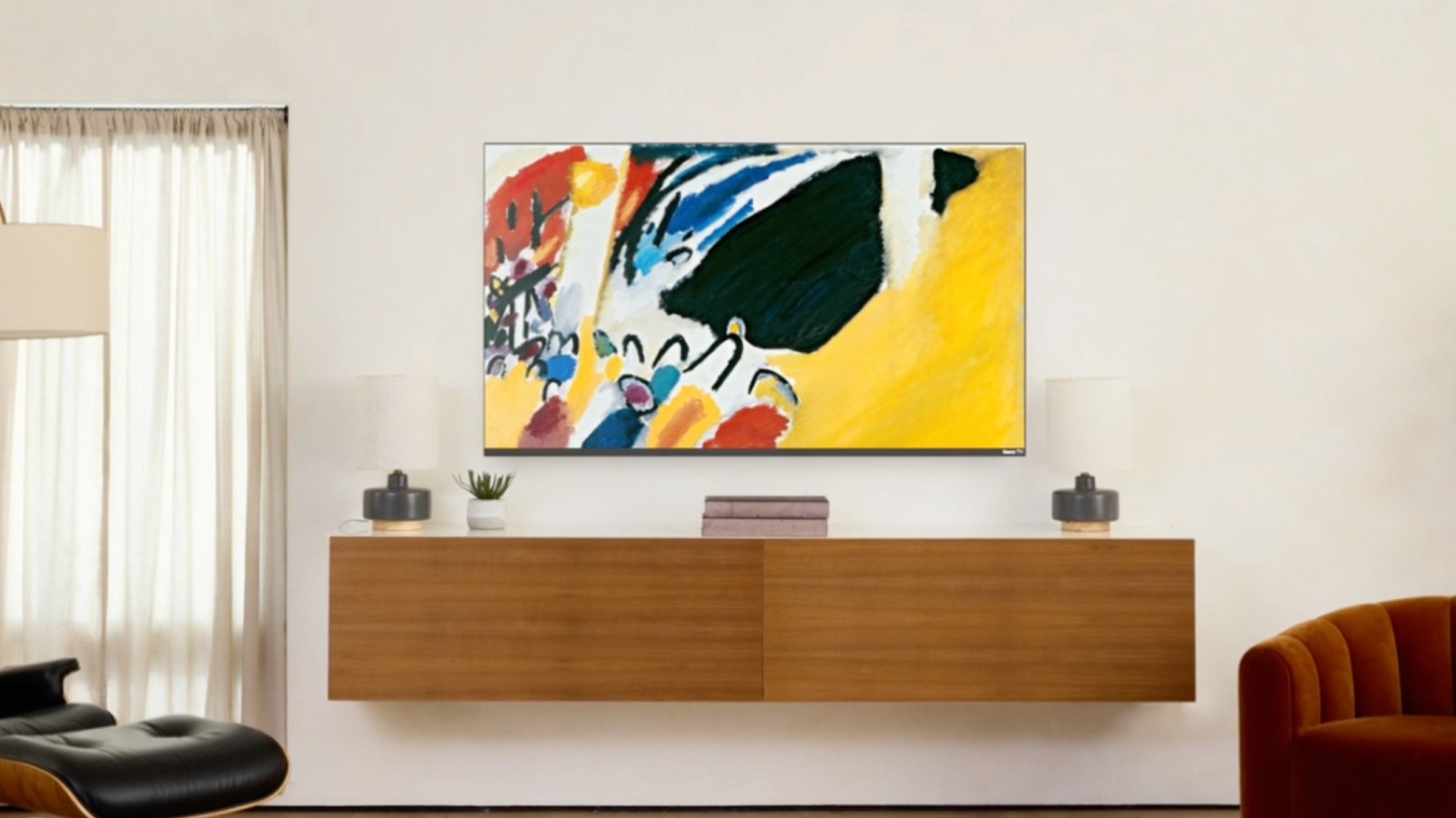
Roku streaming devices and smart TVs offer a dizzying amount of features and customizations. They have some hidden features every Roku user should know about, as well as some great ways to watch local channels for free, but what if you’re just looking to improve the cosmetics of your Roku experience? On top of the many theme packs and screensavers built into the Roku platform to choose from, there’s a feature called Roku Backdrops that’s tailor-made for showing off fine art and personal photos.

The Backdrops app is completely free and can be searched for in the Streaming Store like any other Roku app. Once installed, you’ll first need to enable Backdrops by going to Settings > Home Screen Menu > Backdrops > Open Backdrops app. You’ll then be tasked with figuring out what kinds of artwork you’d like to display.

If you’d like to show off an entire collection (Roku gives the example of “Claude Monet”), open the app and choose one of the available options. Click Set as Backdrop to designate it as your collection, followed by Start Backdrops to begin exhibiting. You can also show off a single image by selecting the picture, then clicking Start Backdrops. To keep displaying the same image, go to the Backdrop Options menu and click Image Duration > Don’t Change.

Roku Backdrops used to be Roku Photo Streams

Adding your own photos to the Backdrops app is relatively straightforward. To get started, go to the home screen on your Roku device. Open the Backdrops app, then click Add your photos >Upload photos. Scan the QR code that pops up on your TV screen, and follow the instructions to start uploading images. You’ll be able to create up to 10 albums and can upload 20 photos at a time (capped at 100 photos per album). Accepted formats include JPG, PNG, HEIC, and WEBP.

You can also link your Roku account to a Google Photos account. All you have to do is open the Backdrops app and click Connect Google Photos, then scan the QR code that pops up and follow the onscreen instructions.

Are you stuck on whether to invest in a Roku Streaming Stick or a Roku-powered smart TV? One of the conveniences of using Backdrops with a Roku TV is that you’ll be able to use the remote power button to start and stop the app. Simply quick-press to start, and long-press to completely turn off your TV.



Sign Up For Daily Newsletter

Be keep up! Get the latest breaking news delivered straight to your inbox.
By signing up, you agree to our Terms of Use and acknowledge the data practices in our Privacy Policy. You may unsubscribe at any time.
Share This Article
Facebook Twitter Email Print
Share
What do you think?
Love0
Sad0
Happy0
Sleepy0
Angry0
Dead0
Wink0
Previous Article China records first ever sales drop in 618 festival, but live-commerce shines · TechNode China records first ever sales drop in 618 festival, but live-commerce shines · TechNode
Next Article Chinese battery maker Gotion hits back at forced labor criticism · TechNode Chinese battery maker Gotion hits back at forced labor criticism · TechNode
Leave a comment

Leave a Reply Cancel reply

Your email address will not be published. Required fields are marked *

Stay Connected

248.1k Like
69.1k Follow
134k Pin
54.3k Follow

Latest News

Apple Vision Pro production reportedly cut due to underwhelming sales — here’s what we know
News
Is the Apple Vision Pro dream going to die in 2026?
Gadget
Samsung’s fan-favorite portable projector just got a bright refresh
News
AirPods Pro 3 have a powerful new health feature, here’s how to use it – 9to5Mac
News

You Might also Like

Apple Vision Pro production reportedly cut due to underwhelming sales — here’s what we know
News

Apple Vision Pro production reportedly cut due to underwhelming sales — here’s what we know

4 Min Read
Samsung’s fan-favorite portable projector just got a bright refresh
News

Samsung’s fan-favorite portable projector just got a bright refresh

3 Min Read
AirPods Pro 3 have a powerful new health feature, here’s how to use it – 9to5Mac
News

AirPods Pro 3 have a powerful new health feature, here’s how to use it – 9to5Mac

3 Min Read
Desk tours: Wesley Hilliard's iPad-centric workflows fully replace the Mac mini
News

Desk tours: Wesley Hilliard's iPad-centric workflows fully replace the Mac mini

1 Min Read
//

World of Software is your one-stop website for the latest tech news and updates, follow us now to get the news that matters to you.

Quick Link

  • Privacy Policy
  • Terms of use
  • Advertise
  • Contact

Topics

  • Computing
  • Software
  • Press Release
  • Trending

Sign Up for Our Newsletter

Subscribe to our newsletter to get our newest articles instantly!

World of SoftwareWorld of Software
Follow US
Copyright © All Rights Reserved. World of Software.
Welcome Back!

Sign in to your account

Lost your password?