By using this site, you agree to the Privacy Policy and Terms of Use.
Accept
World of SoftwareWorld of SoftwareWorld of Software
  • News
  • Software
  • Mobile
  • Computing
  • Gaming
  • Videos
  • More
    • Gadget
    • Web Stories
    • Trending
    • Press Release
Search
  • Privacy
  • Terms
  • Advertise
  • Contact
Copyright © All Rights Reserved. World of Software.
Reading: All Of The Roku Voice Commands You Should Be Using – BGR
Share
Sign In
Notification Show More
Font ResizerAa
World of SoftwareWorld of Software
Font ResizerAa
  • Software
  • Mobile
  • Computing
  • Gadget
  • Gaming
  • Videos
Search
  • News
  • Software
  • Mobile
  • Computing
  • Gaming
  • Videos
  • More
    • Gadget
    • Web Stories
    • Trending
    • Press Release
Have an existing account? Sign In
Follow US
  • Privacy
  • Terms
  • Advertise
  • Contact
Copyright © All Rights Reserved. World of Software.
World of Software > News > All Of The Roku Voice Commands You Should Be Using – BGR
News

All Of The Roku Voice Commands You Should Be Using – BGR

News Room
Last updated: 2026/01/10 at 5:08 PM
News Room Published 10 January 2026
Share
All Of The Roku Voice Commands You Should Be Using – BGR
SHARE

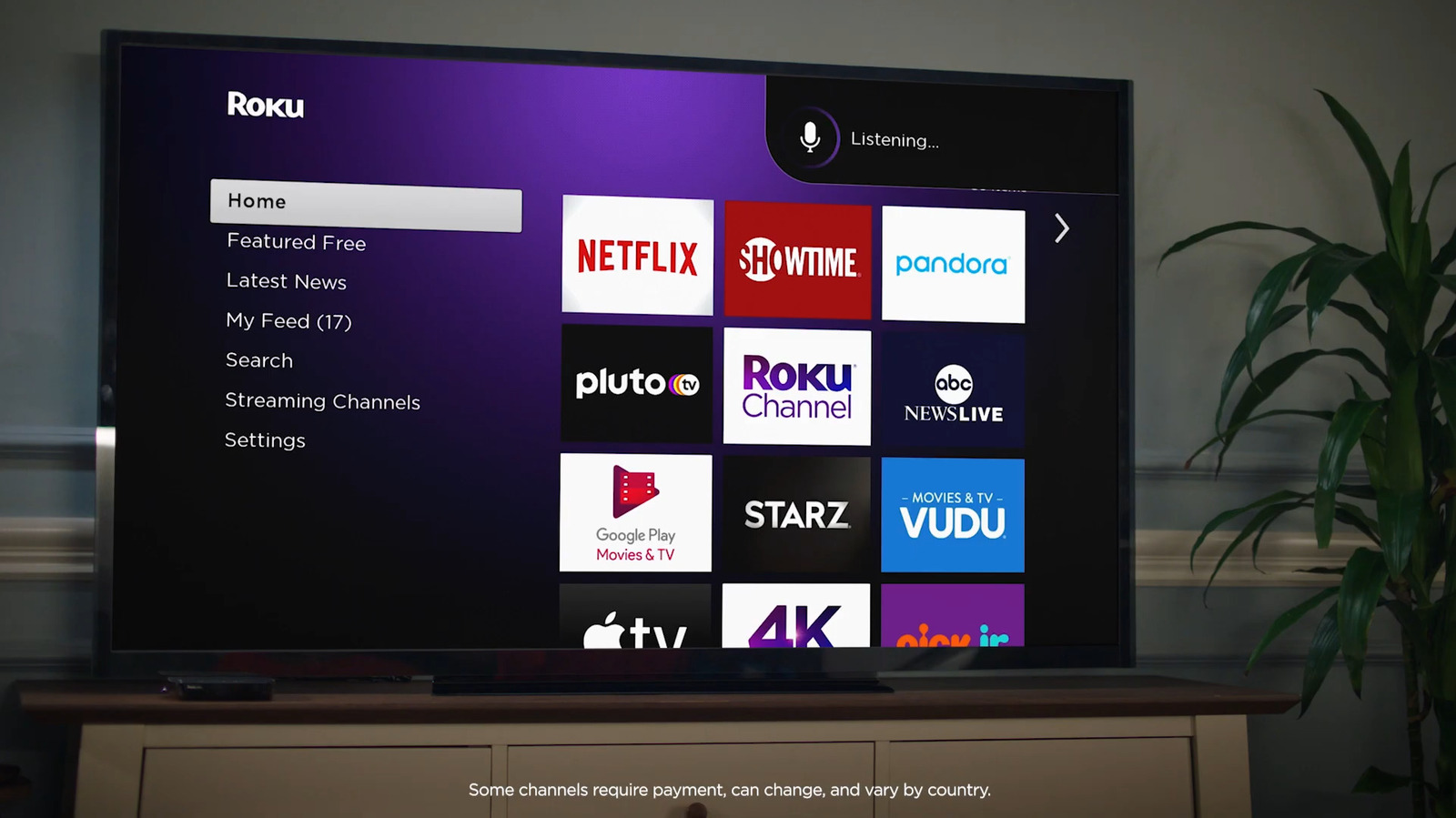
Some of the standard Roku voice commands you’ll likely end up using the most are for searching and playing video and audio content. To look for a TV show or movie on Roku, start with the keywords “find,” “search for,” or “show me.” Then, you can follow up with either the title, actor, or genre. For instance, you can say, “Find me scary TV shows,” or “Search for Morgan Freeman movies.” You can also use a shortcut and say, “Play [show/movie title] in [specific app].” To stream audio content on your Roku, you’ll want to remember the keywords “play,” “listen to,” and “launch. “Similar to video content, you can name the artist, genre, radio station, podcast, or music app after the keyword. Just say, “play The Beatles,” or “listen to country music.” Other than finding content quickly, Roku lets you access your essential Roku TV apps easily as well. Start the command with, “launch,” “start,” and “open.” If the app is missing, say, “Install [app].”

You can also do playback and volume control. Both are pretty intuitive. You have commands like pause, play, stop, and fast forward for shows and movies, and shuffle, next, loop, and skip for songs and podcasts. For volume control, you have a few ways to say it. You can simply say “Volume up/down,” “Turn it up/down,” or “Mute/unmute.” Specific volume levels like 15% or 40% work too. Say, “Set the volume to 80%,” or “Turn volume up/down to 55.” Saying the shortcut “Volume” plus the level, like “Volume 18,” will do the same thing too. If you want to better understand the dialog, Roku has a quick and easy voice command to show/hide captions. Just tell your Roku remote, “Turn on captions,” or “Hide captions.”

Sign Up For Daily Newsletter

Be keep up! Get the latest breaking news delivered straight to your inbox.
By signing up, you agree to our Terms of Use and acknowledge the data practices in our Privacy Policy. You may unsubscribe at any time.
Share This Article
Facebook Twitter Email Print
Share
What do you think?
Love0
Sad0
Happy0
Sleepy0
Angry0
Dead0
Wink0
Previous Article ASUS updates its Zenbook line in a big way with the A, S series and a new DUO ASUS updates its Zenbook line in a big way with the A, S series and a new DUO
Next Article Mesa 26.0 RADV Merges The Big Ray-Tracing Improvement For UE5 Lumen Mesa 26.0 RADV Merges The Big Ray-Tracing Improvement For UE5 Lumen
Leave a comment

Leave a Reply Cancel reply

Your email address will not be published. Required fields are marked *

Stay Connected

248.1k Like
69.1k Follow
134k Pin
54.3k Follow

Latest News

This Babbel Deal Can Help Your Resolution to Learn a New Language Finally Stick
News
Indonesia and Malaysia block Grok over non-consensual, sexualized deepfakes |  News
Indonesia and Malaysia block Grok over non-consensual, sexualized deepfakes | News
News
Moonton to launch Mobile Legends: Bang Bang in China on January 23 · TechNode
Computing
Top 10 Software Development Companies
Software

You Might also Like

This Babbel Deal Can Help Your Resolution to Learn a New Language Finally Stick
News

This Babbel Deal Can Help Your Resolution to Learn a New Language Finally Stick

3 Min Read
Indonesia and Malaysia block Grok over non-consensual, sexualized deepfakes |  News
News

Indonesia and Malaysia block Grok over non-consensual, sexualized deepfakes | News

3 Min Read
Best water flosser deal: Save  on Waterpik Cordless Pulse
News

Best water flosser deal: Save $10 on Waterpik Cordless Pulse

3 Min Read
Google’s AI Inbox could be a glimpse of Gmail’s future
News

Google’s AI Inbox could be a glimpse of Gmail’s future

9 Min Read
//

World of Software is your one-stop website for the latest tech news and updates, follow us now to get the news that matters to you.

Quick Link

  • Privacy Policy
  • Terms of use
  • Advertise
  • Contact

Topics

  • Computing
  • Software
  • Press Release
  • Trending

Sign Up for Our Newsletter

Subscribe to our newsletter to get our newest articles instantly!

World of SoftwareWorld of Software
Follow US
Copyright © All Rights Reserved. World of Software.
Welcome Back!

Sign in to your account

Lost your password?