
2. Sendible
When I tested Sendible, it was clear that it’s built primarily for agencies and marketing teams managing multiple client accounts. The intuitive platform focuses on publishing, engagement, and reporting in a way that supports client-facing workflows.
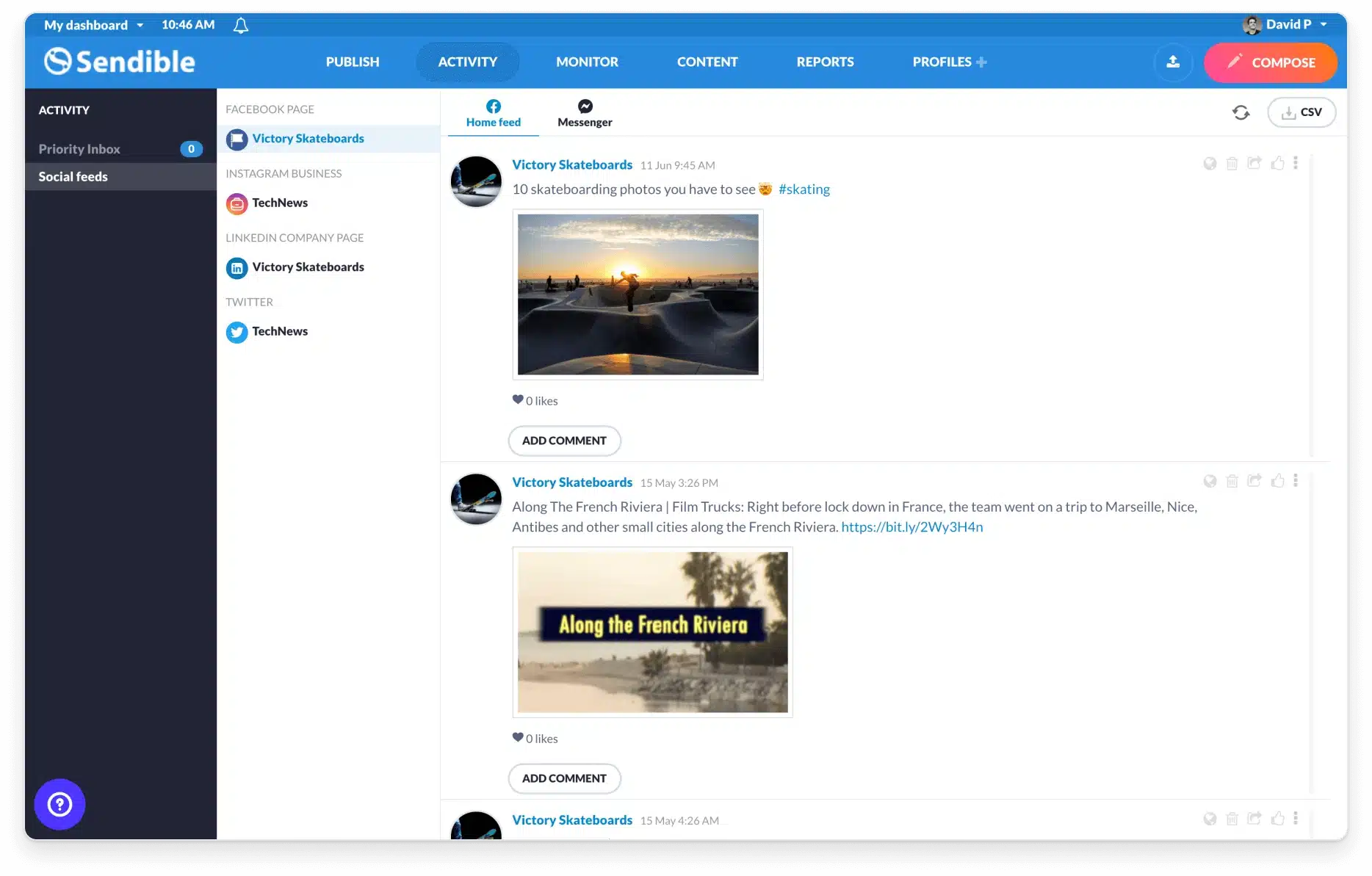
Sendible supports posting to Facebook, Instagram, X (Twitter), LinkedIn, YouTube, TikTok, and Google My Business. I found the engagement tools particularly useful because comments and messages can be assigned to specific team members, which helps prevent things from slipping through the cracks.
I also tested the mention monitoring feature, which highlights sentiment and helps prioritize responses. For brands that receive frequent mentions, this makes community management more manageable during busy periods.
Team collaboration is solid, and the analytics provide a clear overview of performance without requiring deep manual analysis.
What I like about Sendible
- Straightforward scheduling and publishing
- Inbox tools for managing comments and messages
- Mention tracking with sentiment insights
- Collaboration features designed for content marketing agency teams
- White-label option for client-facing dashboards
What could be better about Sendible
- Adding profiles often requires upgrading plans
- Platform integrations are more limited than some competitors
- Missing some advanced features like dedicated hashtag tools
Sendible pricing
- Free trial: 14 days
- Paid plans: Start at $29 per month
3. Narrato AI Content Genie
Narrato’s AI Content Genie stood out because it automates social media content creation almost entirely. After entering a website URL and defining themes, the tool generates weekly social posts complete with captions, emojis, hashtags, and images.
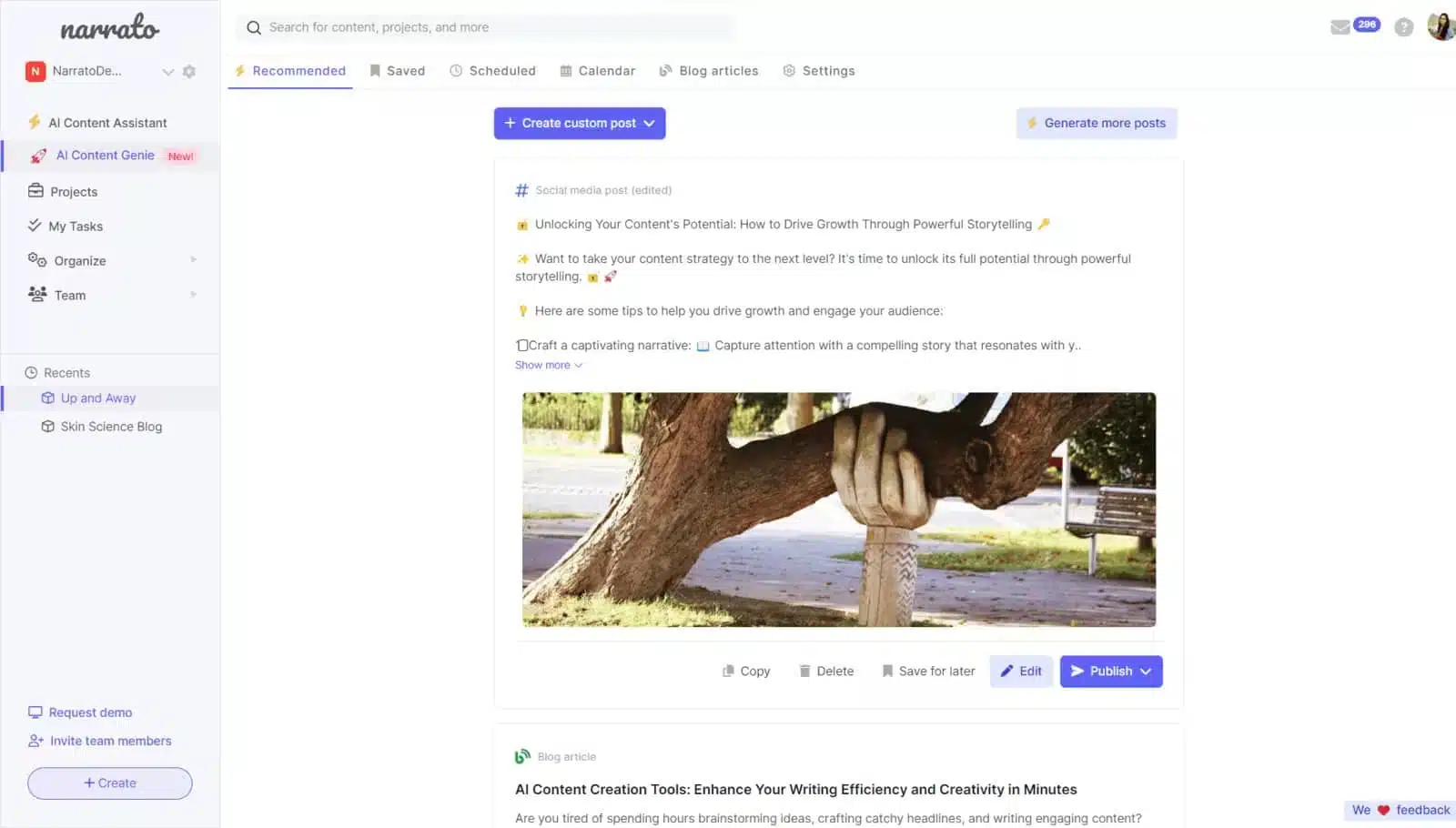
What I liked is that the generated content is easy to edit before publishing. It gives me a solid starting point while still allowing room to adjust tone and messaging.
Narrato also combines content creation with content planning and task management. The content calendar acts as the central hub, making it easier to manage multiple campaigns without switching tools. For teams producing a high volume of digital content, that structure helps keep things moving.
That said, the content can become repetitive if themes are too narrow, and I’d still rely on other tools for deeper analytics and keyword research.
What I like about Narrato AI Content Genie
- Automatically generates weekly social media content
- Easy to personalize before publishing
- Central content calendar for planning and tracking
- Large library of AI content templates
- Automated task assignment for content teams
What could be better about Narrato AI Content Genie
- Limited integrations
- AI-generated content can feel repetitive over time
- Writing credits can run out quickly
- No built-in social media analytics
Narrato pricing
- Free trial: 7 days
- Paid plans: Start at $48 per month
SEO tools
When I’m creating content meant to rank on search engines, SEO tools are non-negotiable in my overall marketing strategy. They’re what help me validate content ideas, align blog posts with real search demand, and spot technical issues before they start hurting organic traffic and Google search rankings.
If improving visibility and supporting a long-term SEO strategy is part of your content marketing goals, investing in the right paid and free SEO software makes a measurable difference. These platforms support keyword research, content optimization, competitor analysis, and ongoing performance tracking, all of which are essential for producing high-performing content that actually gets discovered.
4. Ahrefs
I use Ahrefs whenever I need a deep understanding of how content performs in search engines and why competitors are ranking where they are. It’s a comprehensive tool that covers everything SEO specialists need from keyword research to backlink analysis and technical audits.
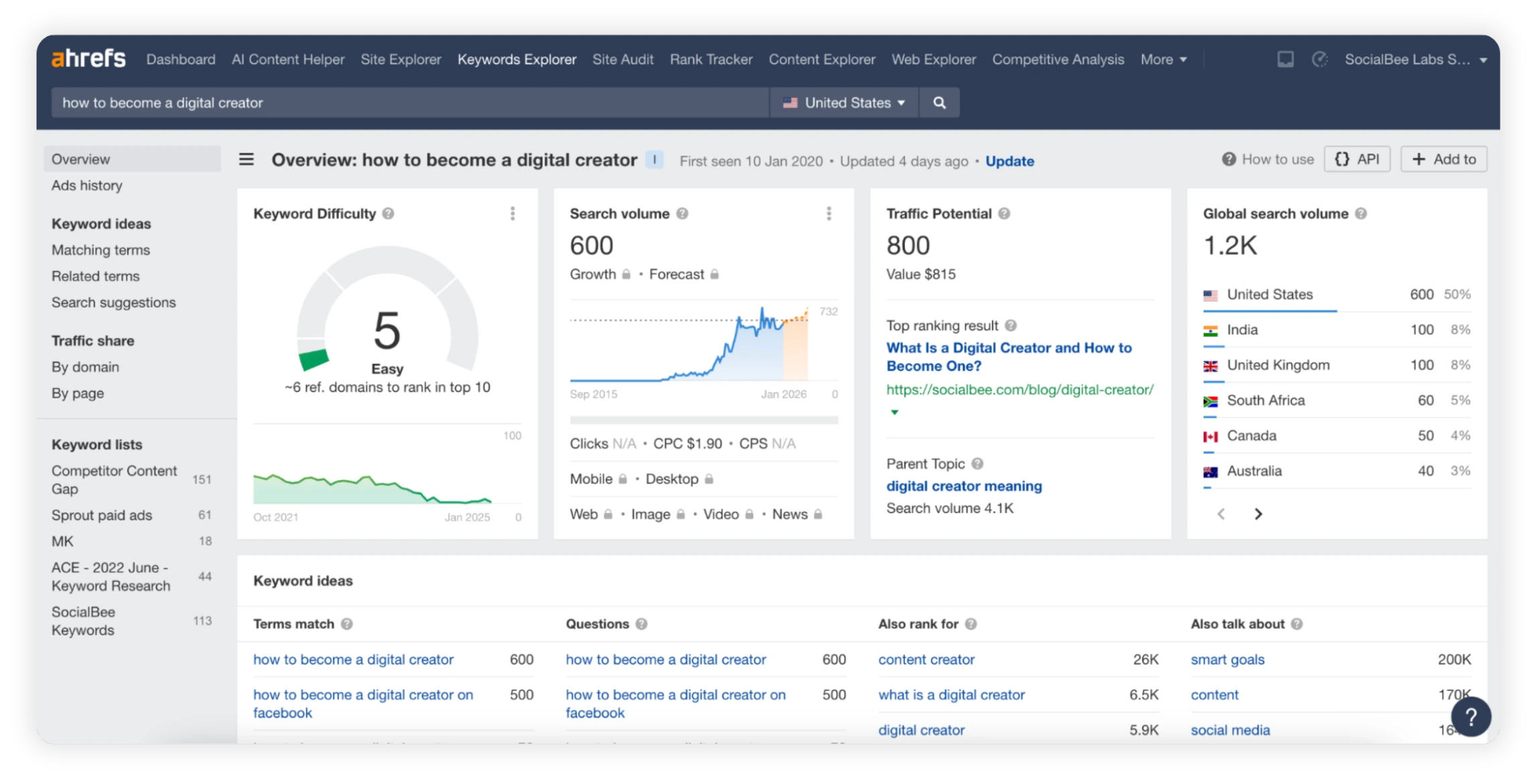
What stands out immediately is the depth of its data. I rely on Ahrefs to analyze search intent, identify ranking opportunities, and understand what’s driving organic traffic for competing content. It’s especially useful when planning blog posts, evaluating content gaps, or deciding whether a topic is worth pursuing.
The Site Explorer is one of the key features I use most for SEO knowledge. It lets me see which keywords a competitor ranks for, where their backlinks come from, and how their content performs over time. Combined with the Content Explorer, it becomes much easier to identify topics that already attract links and engagement.
I also regularly use the Site Audit to catch technical issues that could limit content performance. It flags problems like broken links, crawl errors, or missing metadata, which helps keep SEO foundations solid as content production scales.
What I like about Ahrefs
- Extensive keyword research and competitor analysis
- One of the strongest backlink databases available
- Clear and actionable insights into organic traffic and ranking trends
- Helpful tools for content ideation and gap analysis
- Clean interface that’s easy to navigate
What could be better about Ahrefs
- Pricing is high compared to other SEO tools
- Some metrics don’t always match Google Keyword Planner data
Ahrefs pricing
- Paid plans: Start at $129/month
- No free trial, but limited access to free tools like Keyword Explorer and Rank Checker is available
5. Moz
Moz is a tool I recommend when teams want solid SEO fundamentals without feeling overwhelmed by data. It focuses heavily on clarity, education, and actionable recommendations, which makes it easier to build confidence around SEO decisions.
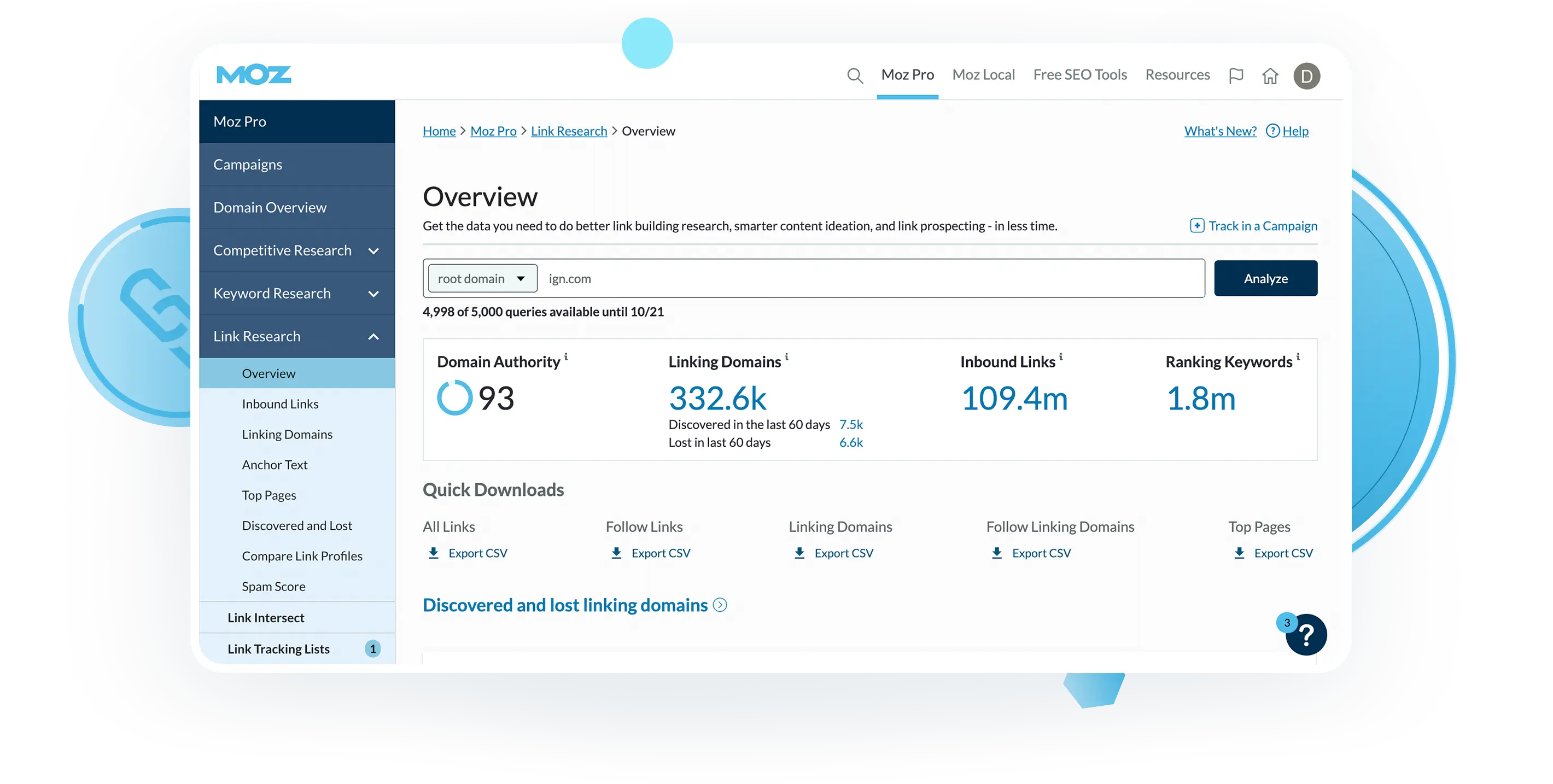
When testing Moz, I found its site crawl and on-page optimization tools particularly useful. The platform flags technical SEO issues clearly and explains what needs fixing and why it matters, which is helpful for content writers and marketers who don’t live in technical audits.
Moz also does a good job of keeping teams aligned through automated reporting. Weekly reports land straight in your inbox, which saves time and helps marketing teams stay updated on keyword performance without manual reporting.
One of Moz’s biggest contributions to SEO is Domain Authority. While it’s not a Google ranking factor, I still find it useful as a relative benchmark when evaluating backlink strength or comparing domains during competitor research.
What I like about Moz
- Strong keyword research and prioritization tools
- Clear on-page SEO recommendations
- Automated reports that save time
- Helpful educational resources and free SEO tools
- Domain Authority metric for relative benchmarking
What could be better about Moz
- Limited integrations with other marketing tools
- Competitor tracking could go deeper
- Learning curve for new users unfamiliar with SEO
Moz pricing
- Free trial: 30 days
- Paid plans: Start at $49/month
Email marketing software
I still rely heavily on email marketing because it consistently delivers results when the content is done right. Channels and algorithms change, but email remains one of the most reliable ways to reach potential customers directly and support long-term marketing efforts. In fact, for both B2C and B2B, organic channels like email marketing outperform most other channels in conversion rates.
What makes the difference today isn’t sending more emails, but creating relevant, well-timed messages that feel personal and useful. The tools below are the ones I’ve found most effective for improving content creation, creating personalized content, and streamlining campaign management without overcomplicating the workflow.
6. Hunter
One of the biggest friction points in email marketing is finding accurate, verified email addresses. I’ve used Hunter specifically for this stage of the process, and it does a solid job of supporting cold outreach from lead discovery through campaign execution.
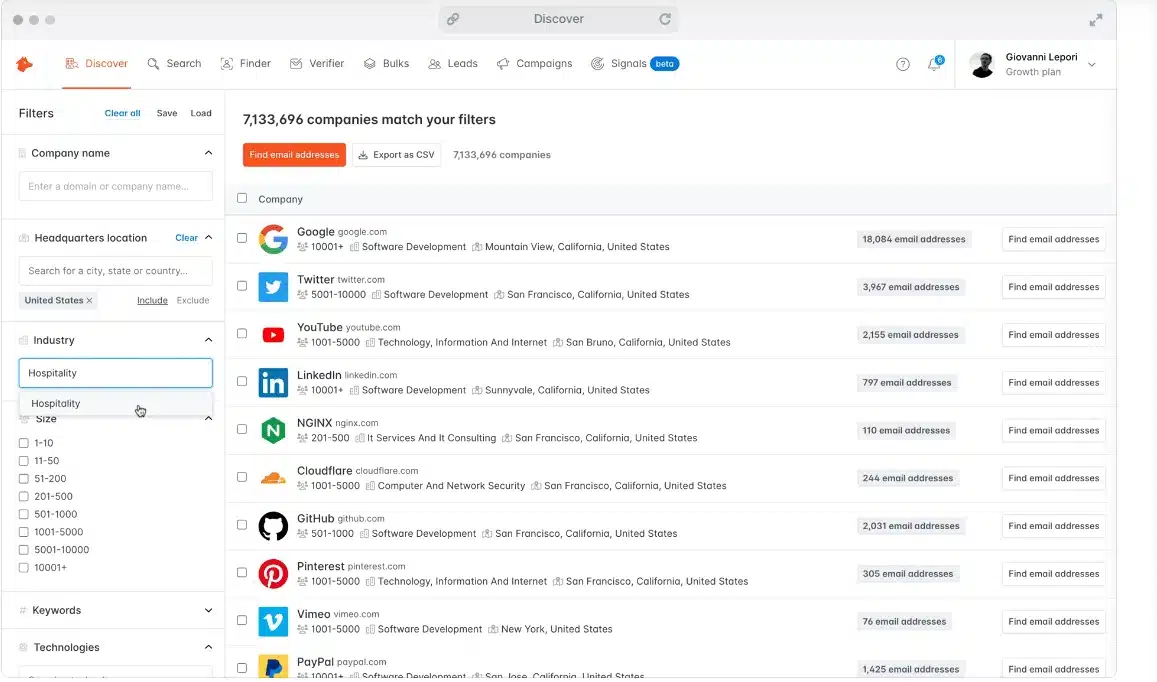
Hunter helps with prospecting, verification, and outreach management in one place. I’ve found the domain search and bulk lookup features especially useful when building lists for targeted content marketing campaigns.
Once contacts are verified, Hunter Campaigns lets you create and manage cold email sequences. You can control sending schedules, personalize messages, automate follow-ups, and monitor replies without switching tools. The reporting gives a clear picture of open rates, replies, and deliverability, which makes it easier to adjust messaging early instead of waiting too long.
What stands out is how straightforward everything feels. The interface stays focused on execution, which helps when running multiple campaigns at once.
What I like about Hunter
- Accurate email discovery and verification
- User-friendly interface that’s easy to navigate
- Built-in cold email campaigns with scheduling and follow-ups
- Central inbox for managing replies
- Clear reporting that highlights deliverability issues early
What could be better about Hunter
- No LinkedIn data for enrichment
- Limited AI-driven features
Hunter pricing
- Free plan available
- Paid plans start at €49/month
7. Bonjoro
Bonjoro stood out to me as a different approach to email content. Instead of focusing on templates and text-heavy campaigns, it’s built around personalized video messages, which can make emails feel more human and harder to ignore.
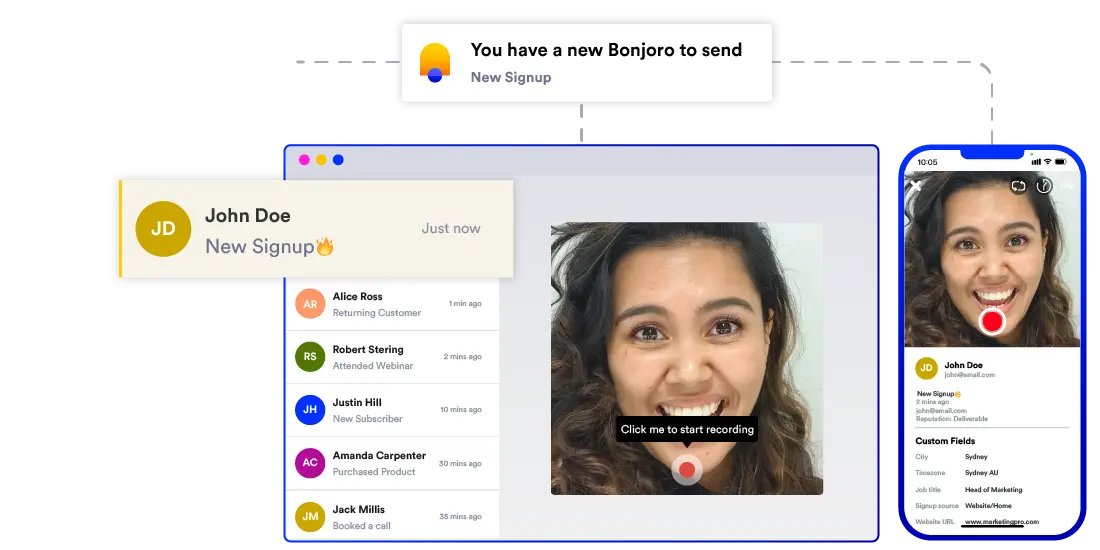
I’ve seen Bonjoro work particularly well for welcome emails, follow-ups, and thank-you messages. You record short videos, personalize them for each recipient, and send them through email or other connected tools.
The platform makes it easy to add branding, templates, and calls to action to videos. I also liked how well it integrates with other marketing tools. Through Zapier and native integrations, you can trigger videos based on customer actions, which helps streamline content creation during key moments of the customer journey.
It’s not a replacement for a full email marketing platform, but it’s a strong add-on when engagement and relationship-building matter.
What I like about Bonjoro
- Personalized video messages that stand out in inboxes
- Simple video recording from desktop or mobile
- Strong integrations with CRM (customer relationship management) and email platforms
- Useful for onboarding, follow-ups, and testimonials
What could be better about Bonjoro
- Limited design flexibility for videos
- Blacklisting emails can be cumbersome
Bonjoro pricing
- Free plan available
- Free trial: 14 days
- Paid plans start at $25/month
8. Sender
Sender is one of the more approachable email marketing platforms I’ve tested, especially for beginners or smaller teams. It focuses on making campaign creation fast without stripping away essential features.
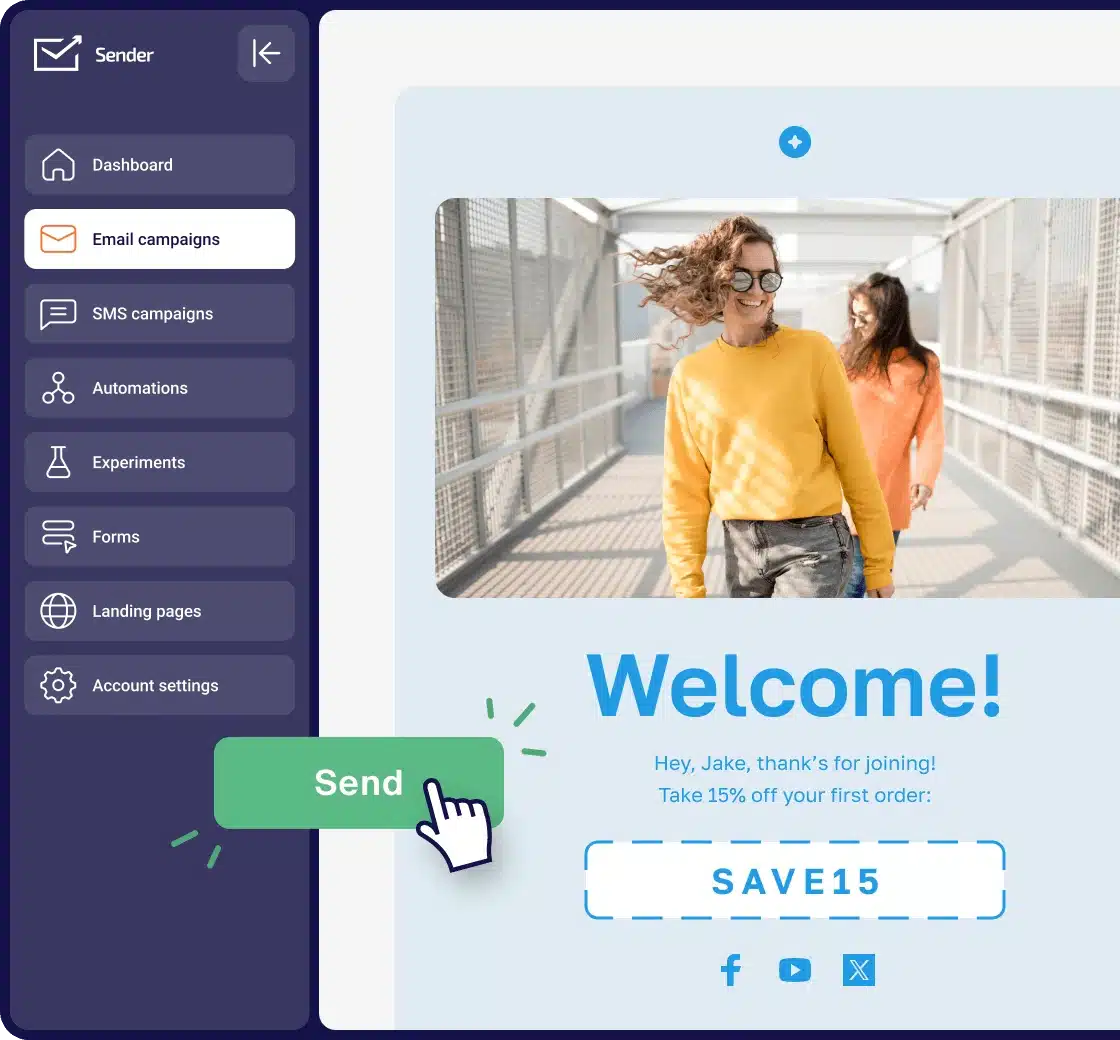
The drag-and-drop builder is intuitive, and I was able to put together clean, responsive emails quickly using the built-in templates. Sender also includes ready-made automation workflows, such as welcome emails and abandoned cart reminders, which reduces setup time for common campaigns.
What I found especially useful is the real-time reporting and newsletter heatmap. These give immediate feedback on how recipients interact with your emails, which helps refine content and layout. Sender also includes pop-ups for lead capture, making it easier to grow email lists without additional tools.
The free plan is generous, particularly because it includes unlimited automation, which isn’t common at this price point.
What I like about Sender
- Easy-to-use drag-and-drop email builder
- Prebuilt automation workflows
- Real-time analytics and heatmap insights
- Helpful customer support, even on the free plan
- Strong free plan for basic email marketing needs
What could be better about Sender
- Sender branding on the free plan
- Limited layout flexibility in the email editor
Sender pricing
- Free plan available
- Paid plans start at $10/month
Video marketing software
I use video marketing software whenever I want to add more depth to a content strategy without turning production into a bottleneck. Video consistently helps explain ideas faster, show products in context, and increase engagement across social media and landing pages.
The good news is that you don’t need a massive budget or advanced editing skills anymore. The tools below make it possible to create, edit, and distribute video content efficiently, even if video isn’t your primary focus.
9. FlexClip
FlexClip is one of the easiest video editors I’ve tested, especially for beginners. Its drag-and-drop approach makes video creation approachable even if you’ve never edited a video before.
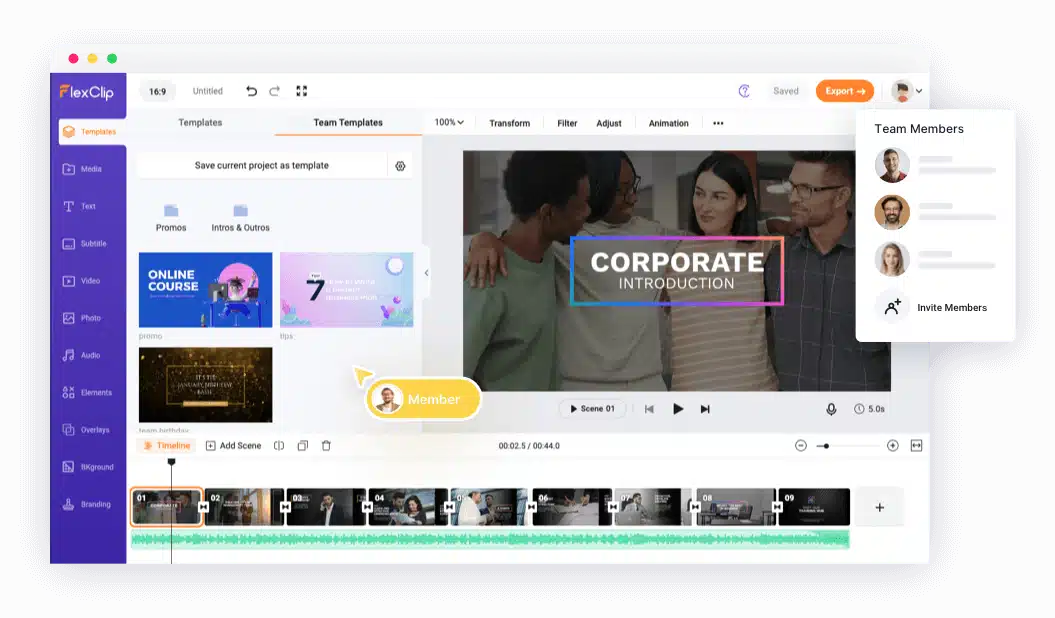
What I found most useful is how quickly you can move from idea to finished video. FlexClip supports multiple video sizes, so it’s easy to adapt the same content for YouTube, Instagram Reels, Facebook, and other platforms without rebuilding everything from scratch.
The media library is another strong point. You get access to stock videos, images, music, and graphics, which makes it easier to create videos without sourcing assets elsewhere. This works well for marketers who want quick turnaround times for promotional or social content.
FlexClip also includes AI-powered features like text-to-video and automatic subtitles. While the AI isn’t perfect, it does help speed up basic video production when time is limited.
What I like about FlexClip
- Very beginner-friendly interface
- Multiple video formats for different platforms
- Large stock media and template library
- Handles large video files well
- Useful AI-powered marketing tools for basic video creation
What could be better about FlexClip
- Limited audio editing options
- AI features feel basic
- Watermark on videos in the free plan
FlexClip pricing
- Free plan available
- Paid plans start at $19.99/month
10. Animoto
Animoto is a solid option when you want to create simple marketing videos quickly without worrying about technical complexity. I see it working best for social posts, promo videos, and slideshows where speed matters more than deep customization.
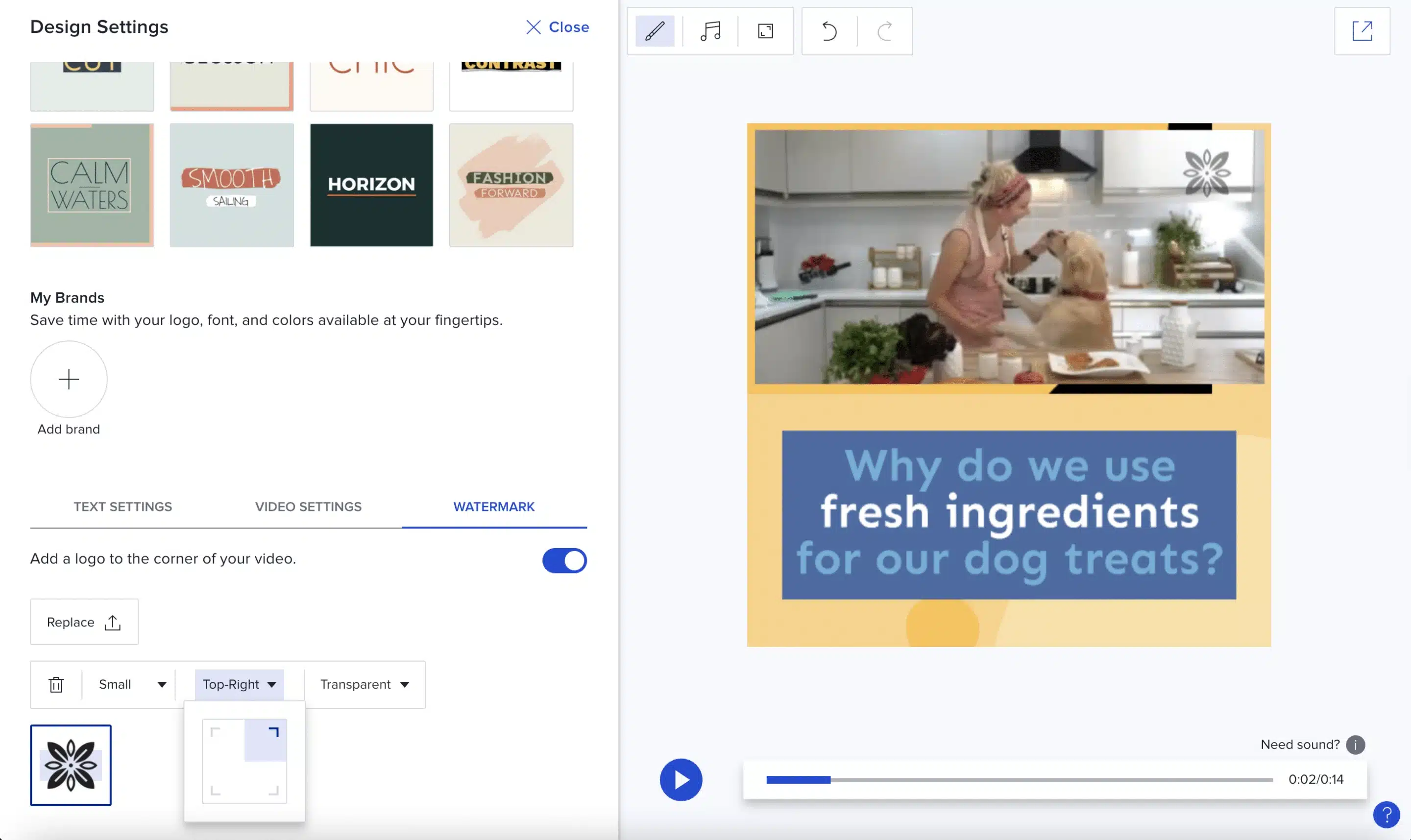
The editor is straightforward, and the templates help guide the structure of each video. I also appreciated the built-in library of royalty-free music and visuals, which keeps everything self-contained.
One feature I found useful for team workflows is the commenting tool. Time-stamped comments make it easier to collect feedback during reviews, especially when working with non-technical stakeholders.
Animoto isn’t meant for advanced editing, but it does a good job of helping marketers produce clean, professional-looking videos with minimal effort.
What I like about Animoto
- Easy-to-use editor with minimal learning curve
- Good selection of templates and stock assets
- Built-in music library
- Time-stamped comments for collaboration
- Free plan available
What could be better about Animoto
- Limited difference between free and paid plans
- Customer support could be stronger
Animoto pricing
- Free plan available
- Paid plans start at $19/month
11. Renderforest
Renderforest is a versatile platform I’ve used when I needed ready-made video templates for different marketing formats. It covers a wide range of use cases, from social media clips and intros to presentations and animated promos.
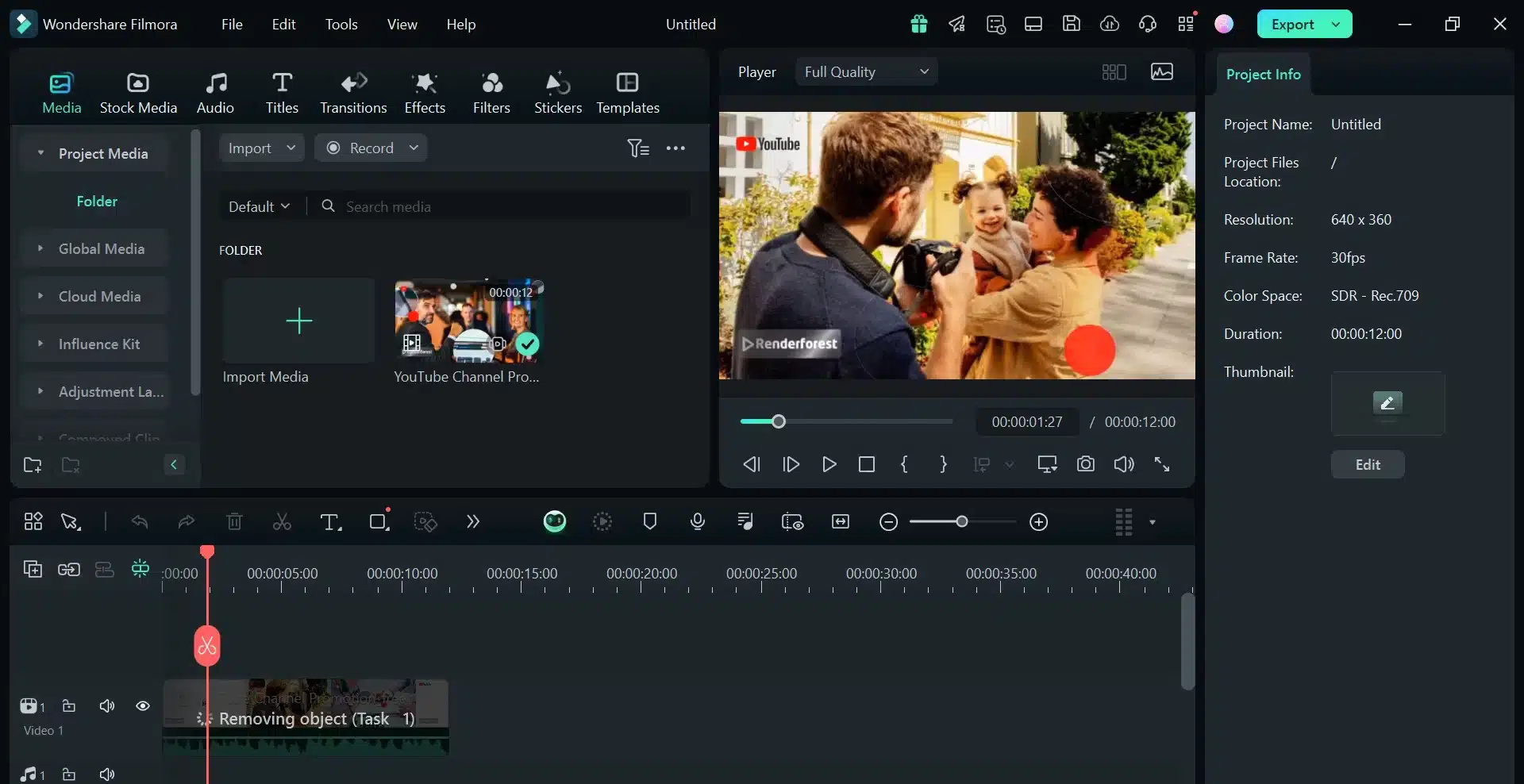
The template library is extensive and well-organized, which makes it easy to find a starting point. Once you choose a template, customization is simple: upload assets, adjust colors, add text, and export.
Because everything runs in the cloud, there’s no strain on local storage, and projects are accessible from anywhere. This works well for teams collaborating remotely or agencies juggling multiple projects.
That said, the trade-off for speed is flexibility. Customization options are more limited compared to full video editors, and rendering times can occasionally slow things down.
What I like about Renderforest
- Large variety of video templates
- Covers many video formats in one platform
- Easy customization for branding
- Cloud-based creation and storage
- Responsive customer support
What could be better about Renderforest
- Template customization is limited
- Rendering can be slow for longer videos
Renderforest pricing
- Free plan available
- Paid plans start at $10/month
12. Fliki
Fliki is the tool I look at when speed is the top priority. It’s designed to turn written content into videos using AI, which makes it useful for repurposing blog articles, scripts, or social captions into video formats.
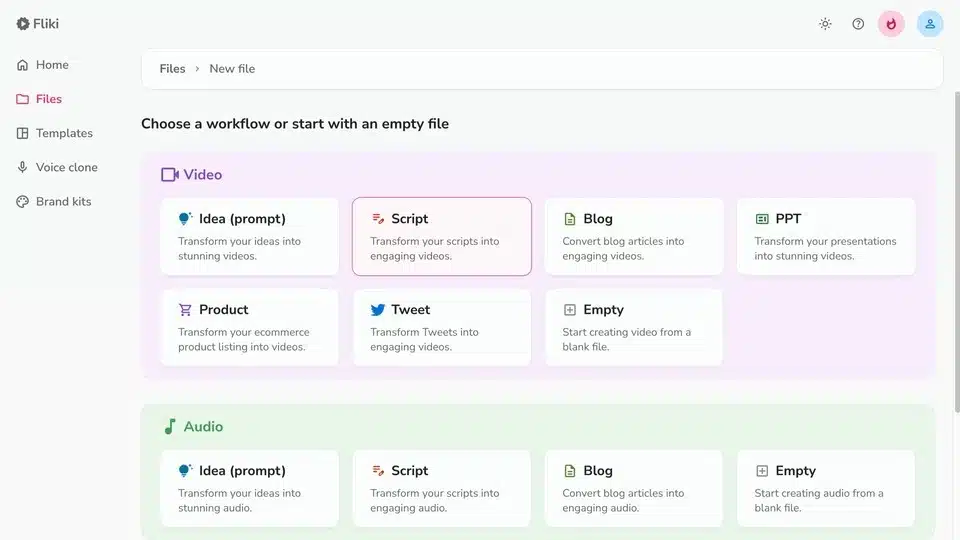
The text-to-video and text-to-speech features are straightforward. You paste in text, select a voice, and Fliki generates a video with visuals and voiceover. I found the AI voices surprisingly natural, especially for explainer-style content.
Fliki also supports multiple languages and accents, which makes it useful for teams producing content for international audiences. Automatic subtitles help improve accessibility and engagement across platforms.
The biggest downside is the limited free version, which is very restricted. For consistent use, a paid plan is necessary.
What I like about Fliki
- Fast text-to-video creation
- Natural-sounding AI voiceovers
- Multi-language support
- Automatic subtitle generation
- Simple, intuitive interface
What could be better about Fliki
- Free plan is very limited
- No custom font support
- Credit system can be confusing
Fliki pricing
- Free plan available
- Paid plans start at $28/month
13. Riverside
Riverside is the platform I recommend when audio and video quality really matter. It’s especially useful for podcasts, interviews, webinars, and long-form video content.
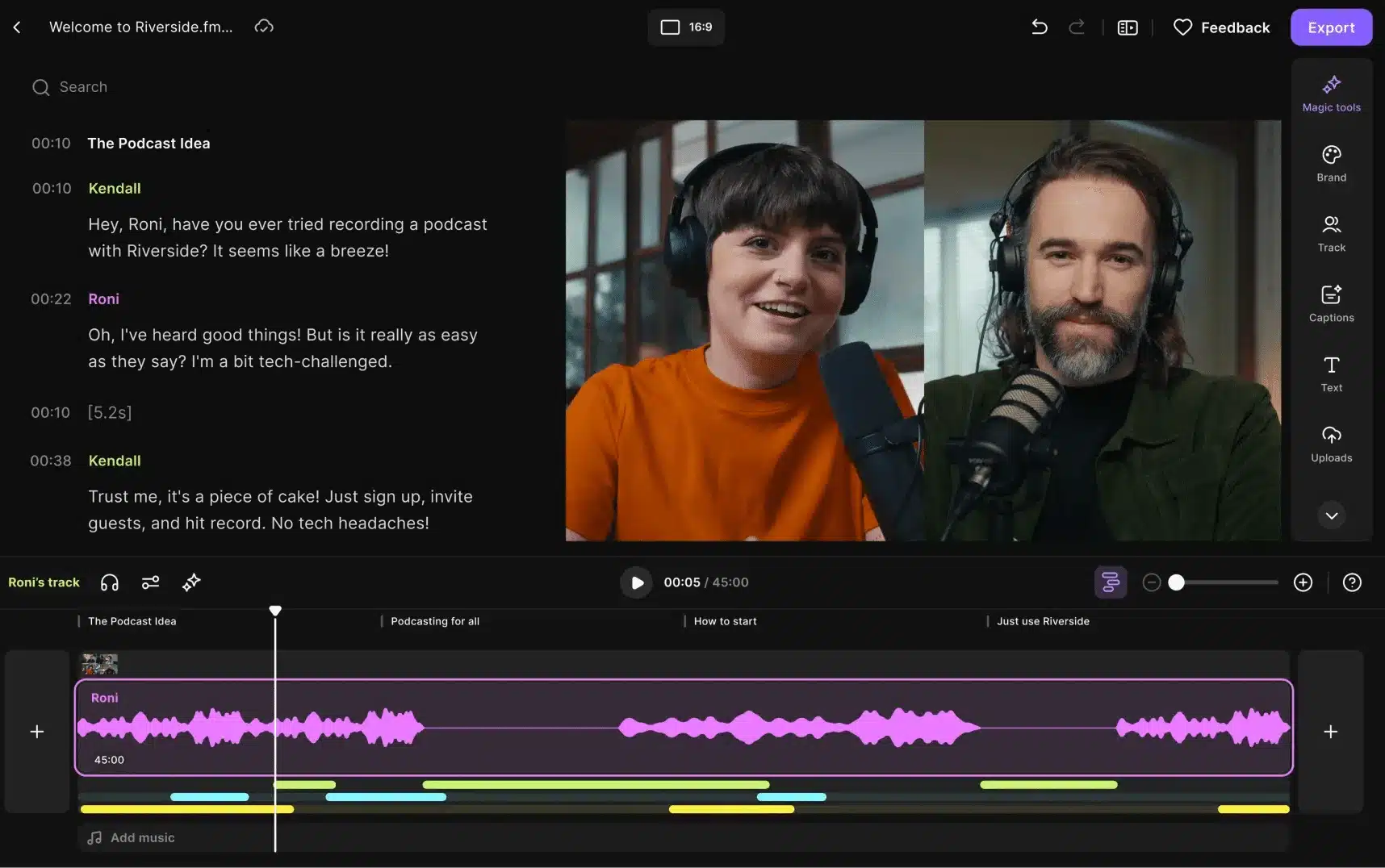
What makes Riverside stand out is local recording, which even the free version includes. Each participant records audio and video directly on their device, so content quality doesn’t drop if someone’s internet connection is unstable. That alone saves a lot of cleanup time in post-production.
I also use Riverside’s AI tools for editing and repurposing engaging content. Text-based editing makes it faster to cut episodes, and Magic Clips help turn long recordings into short social-ready videos.
Riverside is powerful, but some advanced features are locked behind higher plans, and the free version includes watermarks.
What I like about Riverside
- High-quality content with local audio and video recording
- Separate tracks for each participant
- AI-powered editing and clip creation
- Easy guest access without downloads
- Built-in livestreaming options
What could be better about Riverside
- Watermarks and limits on the free plan
- Advanced branding features require higher tiers
Riverside pricing
- Free plan available
- Free trial: 14 days
- Paid plans start at $29/month
Project management software
I treat content marketing like any other business operation: if it’s not organized, it doesn’t scale. Between content ideation, production, approval workflows, and publishing, things fall apart quickly without a clear system in place.
Project management software helps me keep content marketing projects on track, align content teams, and maintain visibility across campaigns. The tools below stand out for managing content workflows, assigning tasks, and keeping long-term marketing goals from slipping through the cracks.
14.
I’ve used when I needed a highly flexible system to manage content marketing tasks from start to finish. It’s built to handle everything from daily to-dos to long-term campaign planning, all from one workspace.

What I find most useful is how much control gives you over structure. I can break projects into tasks and subtasks, assign owners, set deadlines, and track progress in real time. The built-in chat and commenting features keep communication close to the work, which helps reduce back-and-forth across tools.
Goal tracking is another area where performs well. I can group goals into folders and monitor progress visually, which makes it easier to connect day-to-day work with broader content marketing objectives.
’s marketing automation features help reduce repetitive tasks, and the dashboards give a high-level view of what’s moving forward and what’s stuck.
What I like about
- Highly customizable task and workflow structure
- Built-in chat and collaboration tools
- Strong automation options for repetitive tasks
- Visual dashboards for tracking progress and performance
- Wide range of integrations
What could be better about
- Occasional performance lag on complex dashboards
- Steeper learning curve due to feature depth
pricing
- Free plan available
- Paid plans start at $10/month
15. ProofHub
ProofHub is a tool I recommend when teams want structured marketing project management without per-user pricing. It combines task management, collaboration, and proofing tools in a way that works well for content-heavy workflows.

I’ve found ProofHub particularly useful for content reviews. The online proofing feature allows teams to comment directly on files and designs, which speeds up approvals and keeps feedback centralized instead of scattered across emails.
Beyond proofing, ProofHub covers most project management basics: task assignment, Gantt charts, time tracking, file management, and real-time discussions. This makes it easier to manage content production timelines and keep everyone aligned.
What I like about ProofHub
- Flat pricing that scales well for growing teams
- Built-in online proofing for content and design reviews
- Clear task and timeline management
- Centralized file storage and discussions
- Useful integrations like Google Drive
What could be better about ProofHub
- Limited third-party communication integrations
- Notifications can feel intrusive
ProofHub pricing
- Free trial: 14 days
- Paid plans start at $45/month
16. Monday
I’ve seen Monday used successfully by content marketing teams that need visibility and structure across multiple projects. It’s built around visual boards that make it easy to understand workflows at a glance.
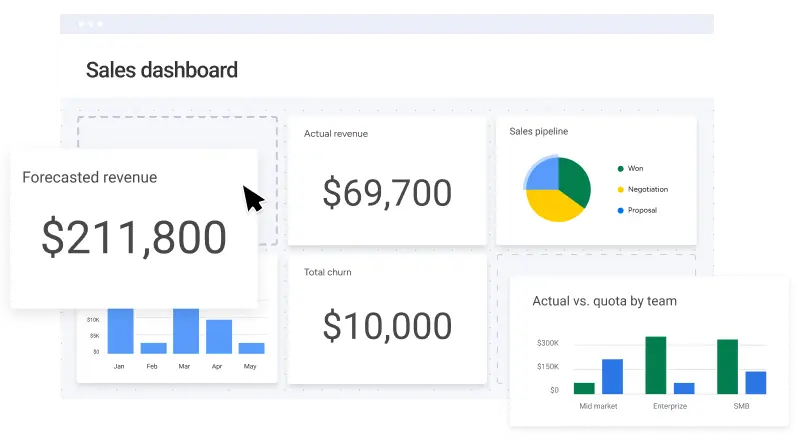
What I like about Monday is how flexible the dashboards are. I can create separate boards for blog production, social media campaigns, or content audits, and track progress using different views depending on what I need to review.
Automation plays a big role here. I’ve used Monday to trigger updates, move content-related tasks between stages, and notify team members automatically, which saves time and reduces manual follow-ups. Collaboration happens directly on tasks through comments and updates, keeping discussions tied to specific work items.
The trade-off is complexity. With so many customization options, onboarding takes time, and pricing increases as teams grow.
What I like about Monday
- Visual, customizable boards for content projects
- Multiple views for tracking progress and timelines
- Automations that reduce manual work
- Strong integration ecosystem
- Clean, modern interface
What could be better about Monday
- Per-user pricing can add up
- Learning curve for advanced workflows
- Limited budget and financial tracking
Monday pricing
- Free plan available
- Free trial: 14 days
- Paid plans start at €12/seat/month
Research and analytics software
When I’m running content marketing campaigns, publishing is only half the job. The other half is understanding what’s actually working, what’s changing, and where opportunities are starting to fade. Without solid research and analytics, content decisions quickly turn into guesswork.
Industry trends shift fast, audiences evolve, and competitors adapt constantly. The tools below help me monitor those changes, validate content ideas, and make decisions based on data-driven insights that keep content performance moving in the right direction.
17. BuzzSumo
I use BuzzSumo primarily for content research and trend analysis. It’s one of the most reliable tools I’ve tested for understanding what types of content resonate within a specific industry and why.

What I find most useful is how BuzzSumo surfaces real-world content performance data. Instead of guessing what topics might work, I can see which articles, formats, and headlines are already getting traction across social media and backlinks.
BuzzSumo also helps me uncover content ideas based on real questions people ask on forums and communities. That makes it easier to align content strategy with actual audience interest instead of assumptions. I often use it when planning blog posts, thought leadership pieces, or campaign themes.
On the analytics side, the platform tracks how keywords and topics evolve over time. That’s helpful for spotting when content needs refreshing or when a topic is losing momentum.
What I like about BuzzSumo
- Strong content discovery and ideation features
- Clear and detailed insights into content performance and engagement
- Influencer discovery based on real authority and reach
- Alerts for brand mentions, keywords, and trends
- Useful monitoring tools for ongoing research
What could be better about BuzzSumo
- Pricing is high for small teams
- Insights skew heavily toward English-language content
BuzzSumo pricing
- Free trial: 30 days
- Paid plans start at $199/month
18. Crazy Egg
I turn to Crazy Egg when I want to understand how users actually behave on a website, not just what the numbers say. It’s especially useful when content performance looks fine on paper but conversions aren’t happening.
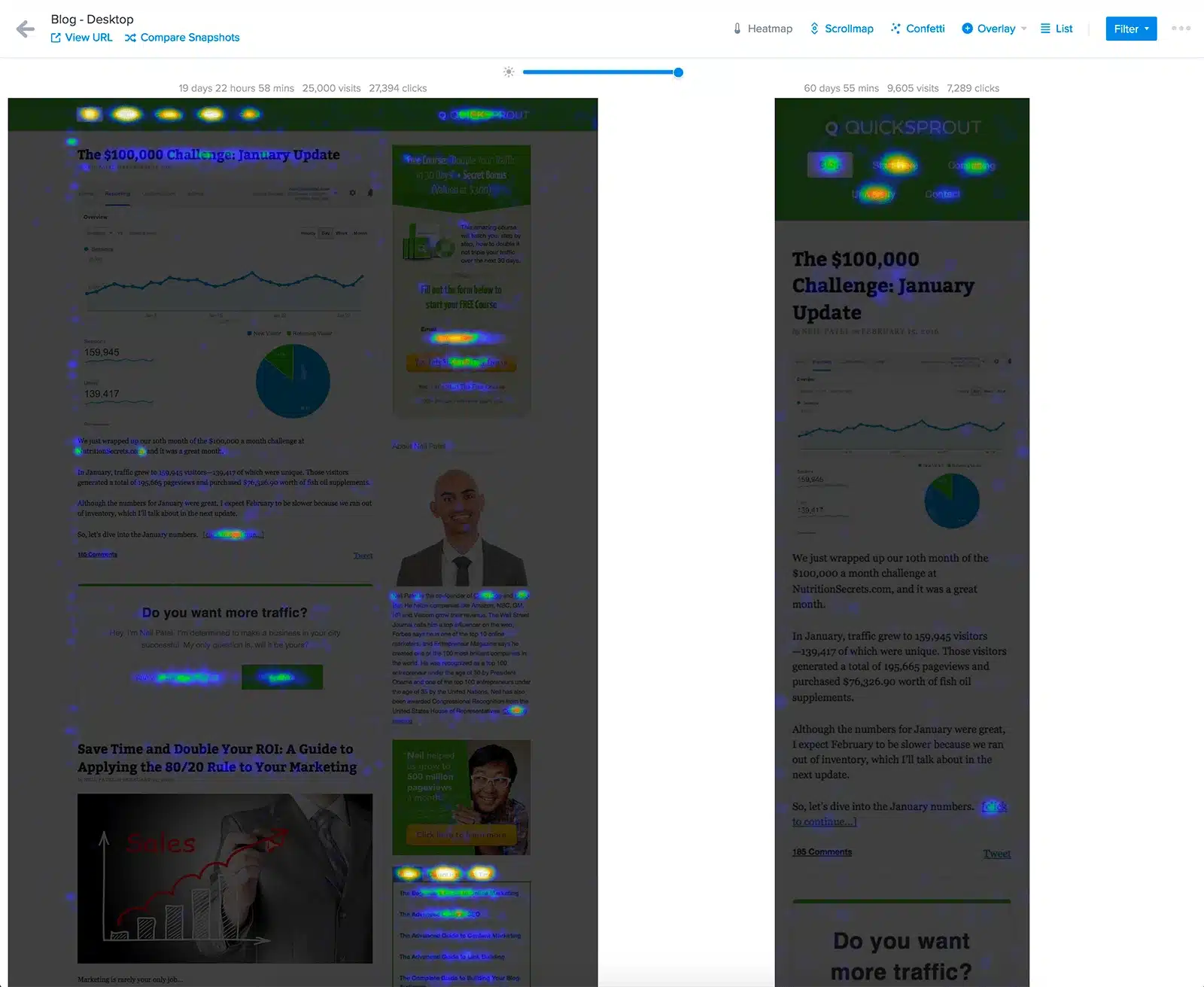
The heatmaps and scrollmaps give a visual breakdown of how visitors interact with pages. I’ve used them to spot friction points, identify sections users ignore, and understand where attention drops off.
Session recordings are another feature I rely on. Watching real user sessions makes it easier to spot usability issues that don’t show up in standard analytics tools. This is helpful when optimizing landing pages, blog layouts, or content-heavy pages.
Crazy Egg also includes A/B testing, which lets me test design or layout changes without setting up a separate platform. While it’s not as advanced as enterprise testing tools, it’s more than enough for most content optimization needs.
What I like about Crazy Egg
- Intuitive heatmaps and scrollmaps
- Session recordings that reveal real user behavior
- Easy setup with no coding required
- Visual reports that are easy to share with teams
What could be better about Crazy Egg
- Limited advanced segmentation
- No direct integration with Google Analytics
- A/B testing features have some constraints
Crazy Egg pricing
- Free trial: 30 days
- Paid plans start at $29/month
Content writing tools
When I’m producing content at scale, writing tools are what help me move faster without sacrificing quality. The best ones support ideation, improve clarity, and help content perform better across search engines and distribution channels.
The marketing tools below are the ones I see content marketers rely on most when they need help polishing drafts, researching topics, or accelerating content production without losing control of quality.
19. Grammarly
Grammarly is one of those tools I run in the background almost constantly. It’s especially useful when publishing quickly, because it catches grammar, spelling, and clarity issues before they slip through.
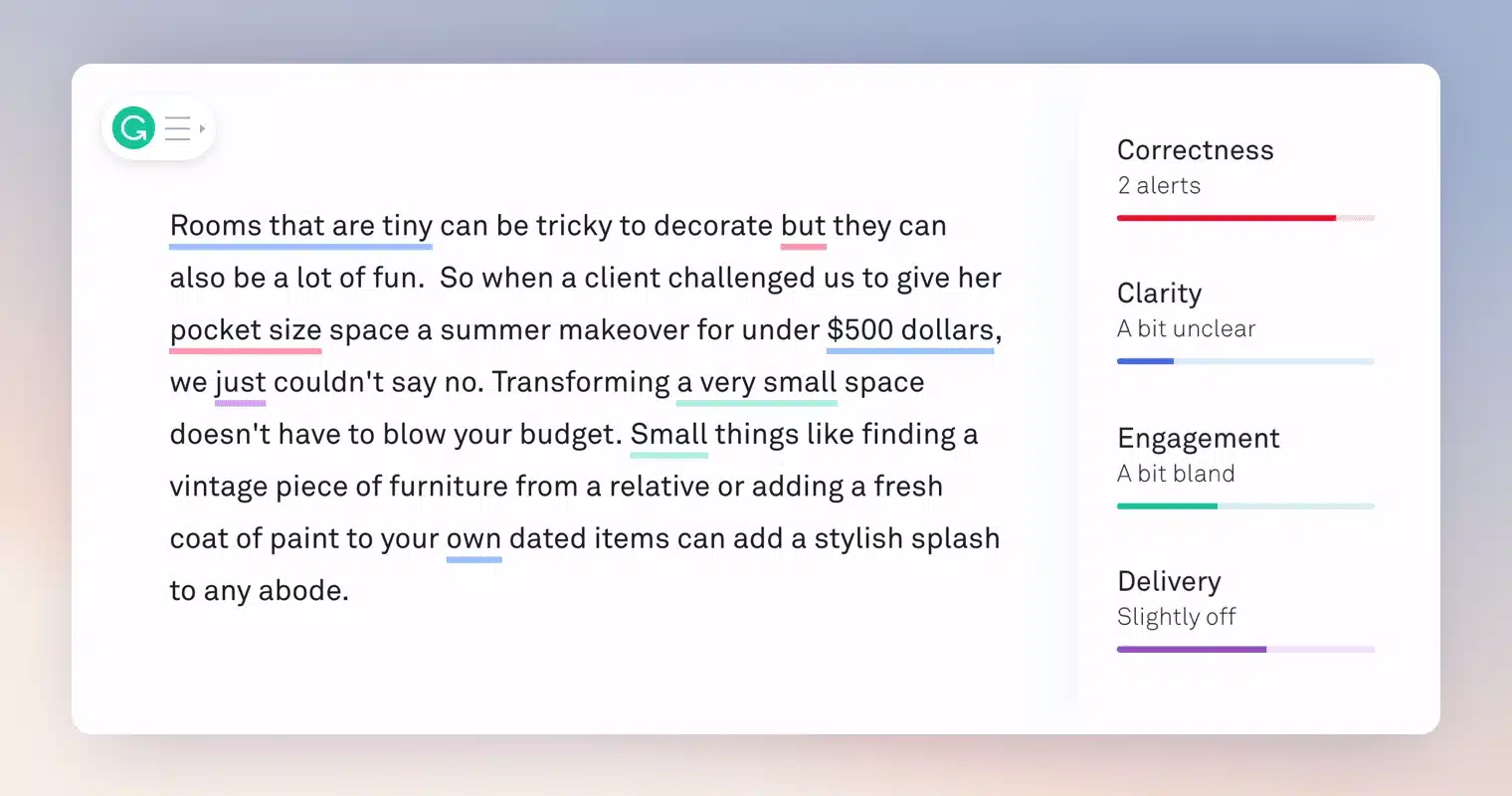
What I like is how unobtrusive it is. Grammarly scans text in real time and highlights issues as I write, whether I’m working in a browser, Google Docs, or a CMS. The suggestions are easy to apply, and for the most part, they improve readability without overcorrecting.
The synonym suggestions are surprisingly helpful when I notice myself repeating the same phrasing. I also use the overall writing score as a quick gut check for clarity and engagement, especially before publishing blog posts or press releases.
The Premium version adds plagiarism detection and more advanced suggestions around tone, wordiness, and consistency, which is useful when working with skilled freelance writers or reviewing content from freelancers.
What I like about Grammarly
- Reliable grammar and spell checking across multiple English variants
- Real-time suggestions that are easy to apply
- Synonym suggestions to reduce repetition
- Works inside most writing tools and browsers
- Helpful readability and engagement feedback
What could be better about Grammarly
- Some suggestions don’t align well with AP-style or press release writing
Grammarly pricing
- Free plan available
- Free trial: 7 days
- Paid plans start at €12/member/month
20. Frase
Frase is the tool I reach for when writing content meant to rank. It combines research, writing, and optimization into one workflow, which makes it easier to align content with search intent from the start.
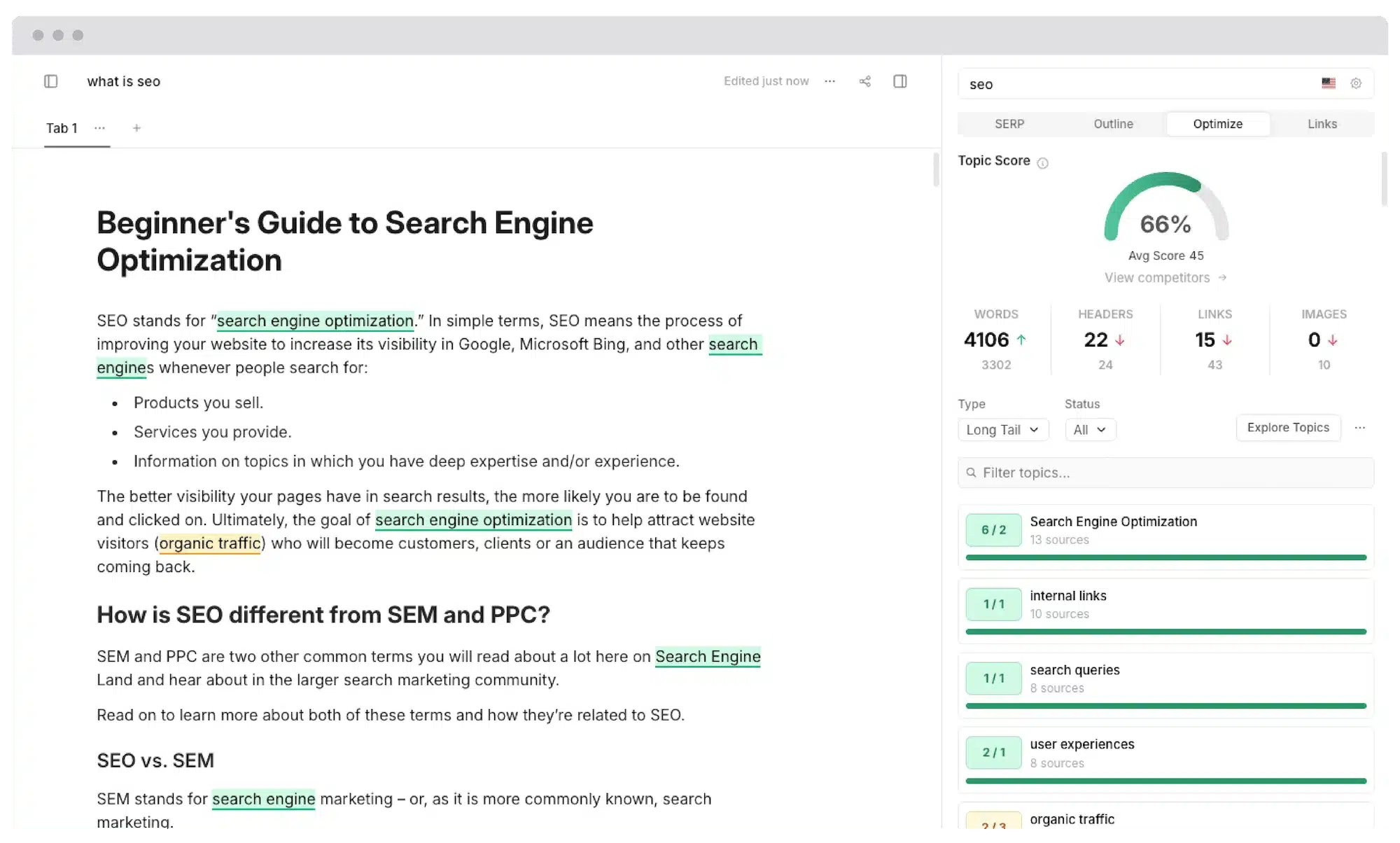
What stands out is how Frase builds content briefs. It analyzes top-ranking pages for a keyword and surfaces headings, questions, and terms that consistently appear. I’ve found this especially helpful when outlining blog posts or creating briefs for content writers.
The AI writing features help break writer’s block by suggesting paragraphs, introductions, FAQs, and headings. I don’t use them verbatim, but they’re useful starting points when speed matters.
Frase isn’t a full SEO platform, but it does a solid job supporting keyword research and on-page optimization inside the writing process.
What I like about Frase
- Strong content brief generation based on SERP analysis
- Helpful keyword and topic suggestions
- AI-assisted writing to speed up drafting
- One workspace for research, writing, and optimization
- Collaboration features for team workflows
What could be better about Frase
- SEO features are more limited than dedicated SEO tools
- Custom templates take time to fine-tune
Frase pricing
- Free trial available
- Paid plans start at $45/month
21. Copy.ai
Copy.ai is the tool I use when I need ideas or first drafts quickly. It’s designed to accelerate content creation across different formats, from blog sections to email copy and product descriptions.
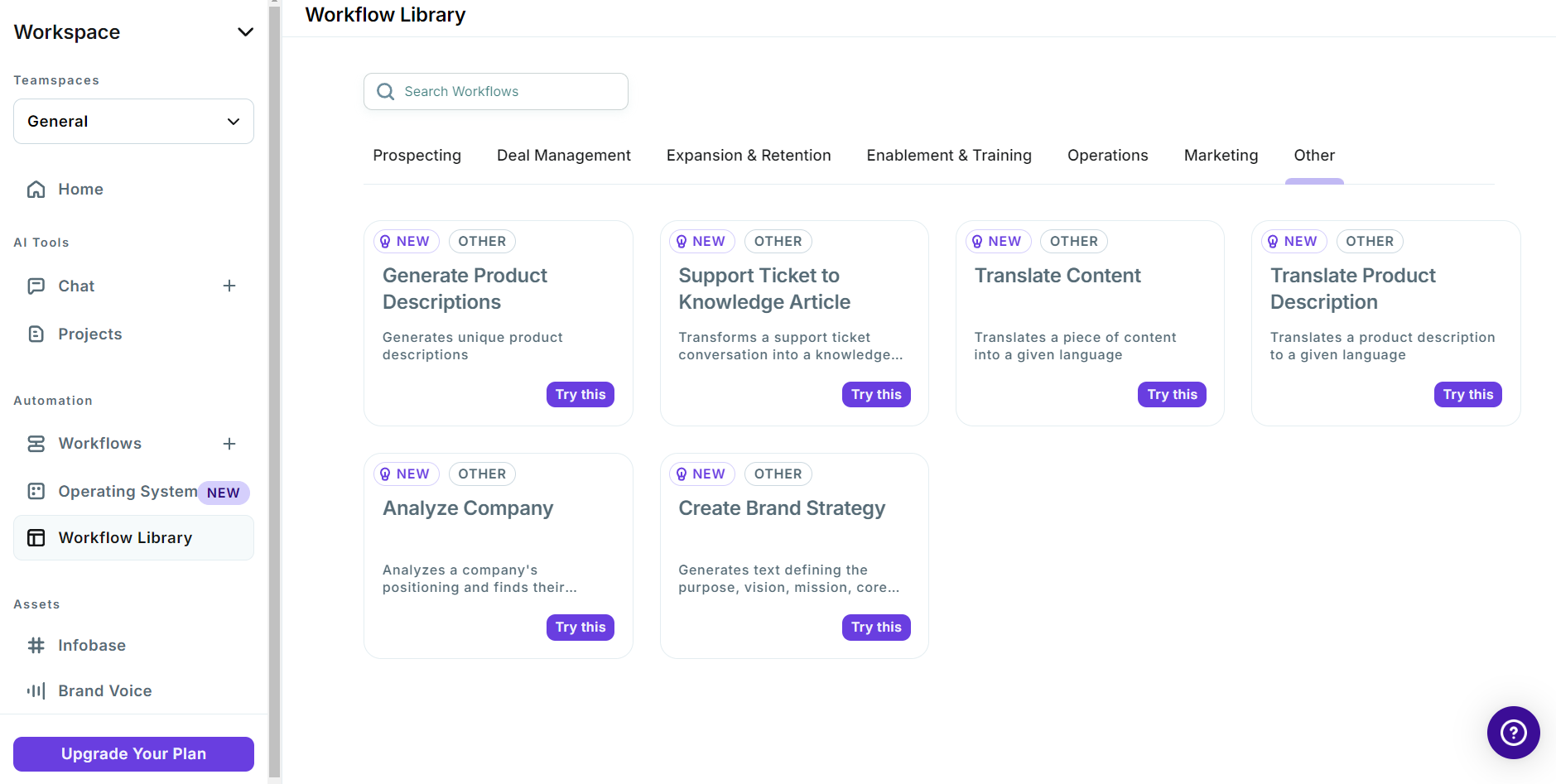
The platform relies heavily on templates, which makes it easy to get started without overthinking prompts. I’ve used it to generate outlines, rewrite sections, and explore alternate angles when content feels stuck.
The paraphrasing feature is particularly useful for repurposing existing content or creating variations for different social channels. Copy.ai also supports multiple languages, which helps teams working across regions.
That said, the output still benefits from human editing. I treat Copy.ai as a drafting assistant rather than a finished-content generator.
What I like about Copy.ai
- Fast generation of drafts and content ideas
- Wide range of templates for different content types
- Useful paraphrasing and variation tools
- Multilingual support
- Easy collaboration and sharing
What could be better about Copy.ai
- Content often needs human refinement
- Risk of overlap with existing published content
Copy.ai pricing
- Free plan available
- Paid plans start at $29/month
Content design tools
When I’m building content for social media platforms, design tools are what make the difference between “good enough” and “scroll-stopping.” I don’t want visuals to become the bottleneck in my content marketing process, so I lean on tools that let me move fast, stay on brand, and reuse content assets across campaigns.
The tools below are the ones I’d use when I need strong visuals without spending hours in a professional design software solution.
22. Canva
Canva is the design platform I keep coming back to because it makes visual content creation fast and repeatable. I can start with a template, make a few brand adjustments, and export a finished asset in minutes, whether it’s a carousel, a cover image, a Reel graphic, or a set of story slides.

What I find most useful is how much Canva includes in one place: templates, stock photos, icons, video clips, audio, and basic editing tools. That “all-in-one” setup makes it easy to maintain brand consistency without relying on multiple tools or hunting for assets.
Canva’s Magic Studio is also worth mentioning because it adds more automation into the workflow. I don’t use AI to replace design decisions, but I do use it to speed up repetitive tasks (quick edits, variations, background changes, simple copy generation) when I’m producing visuals in bulk.
Collaboration is another strong point. When I’m working with a team, we can comment directly on designs, make edits in real time, and keep everything aligned using Brand Kit elements like logos, fonts, brand voice, and color palettes.
What I like about Canva
- Beginner-friendly drag-and-drop interface
- Huge template library for fast content creation
- Large asset library (photos, icons, video, audio, etc.)
- Brand Kit helps keep visuals consistent
- Easy collaboration for reviews and quick edits
What could be better about Canva
- Not ideal for advanced design needs like detailed vector work
- File organization can feel messy as content libraries grow
- Video editing is useful for basics, but still limited
Canva pricing
- Free plan available
- Free trial: 30 days
- Paid plans start at $15/month (one person)