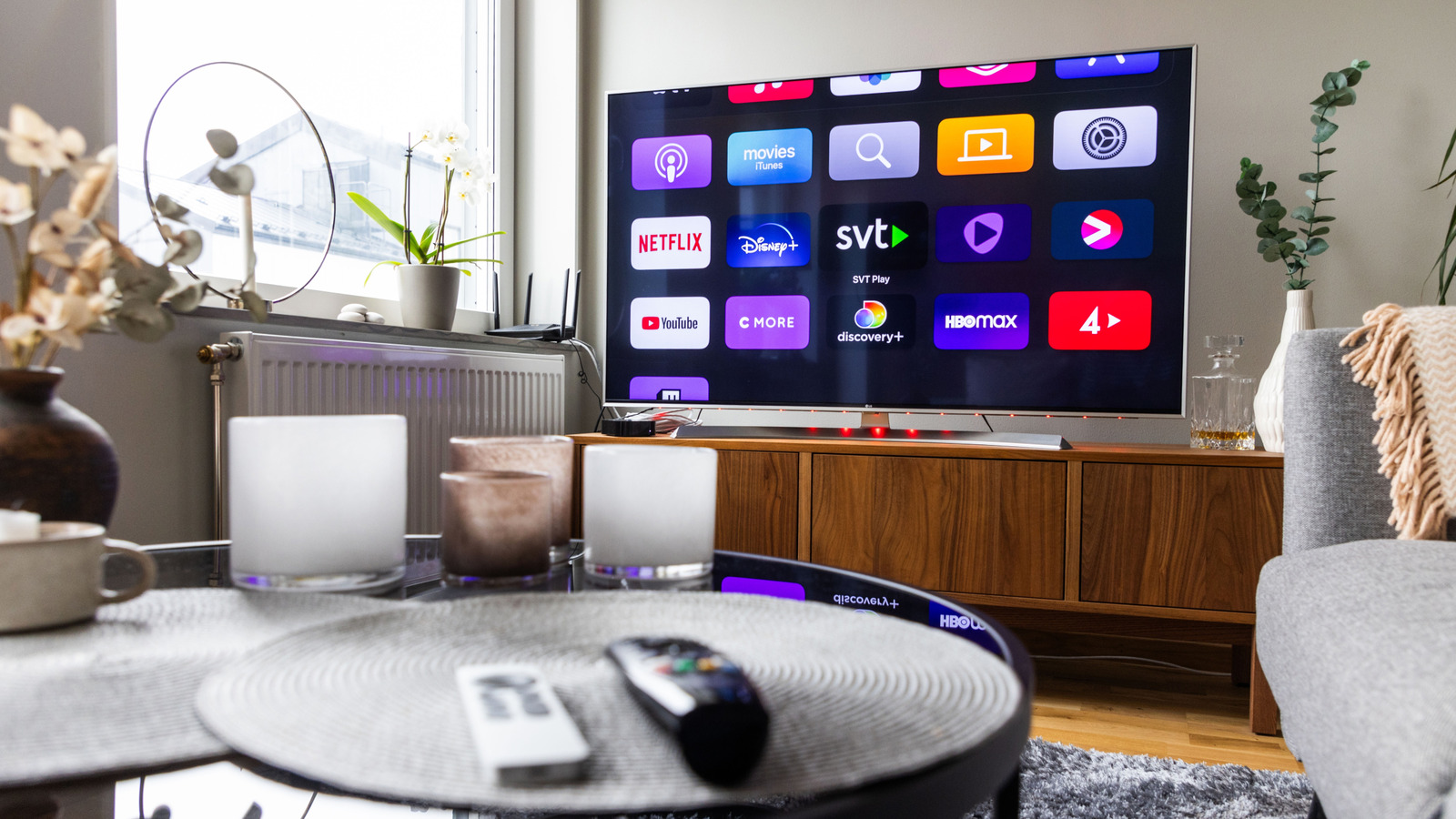
Smart TVs and their many apps have flung the door wide open for anyone interested in cutting the cord to their cable service, especially now that TV prices have hit new lows. In a world where even cheaper brands like Hisense and TCL offer gorgeous displays that punch above their weight, picking up a TV running a smart OS like Android, Roku OS, or webOS is easier and more affordable than ever, and that doesn’t even cover streaming devices like Apple TV and Shield TV. With the rise in popularity of smart TVs and streaming boxes, there’s a wide world of apps available for these devices that make it even easier to forget all about cable.
Our methodology for choosing these apps draws on years of our own expertise covering smart TVs, takes into account what users and expert reviewers think, and considers factors like install counts. Whether you wish to maintain your own library of content locally, access that media from the cloud, or simply stream live and local content, this roundup ensures that escaping cable’s grasp is easier than ever. No matter how you prefer to consume your media, these are the most essential TV apps cable cutters swear by.
Kodi
If you prefer to maintain your own library of local media on physical hard drives, the first app you should consider is Kodi. After all, it has racked up 50 million downloads on the Google Play Store alone, and it’s certainly a popular choice for cable cutters. Kodi is a media center app, born out of XBMC, originally developed for Xbox, and later ported to every platform you can think of. Kodi has a long history of providing an open-source media center, built by the community for the community, all for free for anyone interested, which means there is a plethora of information out there on how to set it up and tweak it. Kodi is available on Android, and iOS users can jailbreak to install the app.
The benefits of Kodi are many, from its wide selection of plugins that help categorize your content to its straightforward interface, which is easy to navigate. You can even use Kodi to stream your content over your local network. Best of all, since Kodi is a media center, you’re not limited to just movies and TV; you can add games and emulators that can launch from the app, and you can even maintain a library of music files. Heck, you can add plugins for streaming services just so you never have to leave the app, like adding YouTube. Kodi is a one-stop destination for all your media, from video to audio to games, ensuring it’s an essential TV app for anyone interested in cutting the cord.
Plex
Plex basically combines local storage of media with a server so that you can stream your content anywhere you have access to Plex. It’s like rolling your own version of Netflix, where you control all of the content. And since it’s a media server, Plex can multiplex on the fly to ensure that even your highest-bitrate media can be streamed, no matter what your current connection speed or location is, by converting your files as needed for the current connection to maintain smooth streams. There’s a reason it’s neck and neck with Kodi when it comes to the number of downloads on the Google Play Store. At 50 million downloads, it’s a very popular choice, especially for cord-cutters.
Plex is also a fine media center in its own right, so even if you’re uninterested in streaming your content, Plex can function a lot like Kodi in that you can connect a hard drive to build out a local library that can be watched on TV or streamed across your local network at any time. The one caveat is that Plex does offer a paid subscription, so streaming your content on the go is paywalled, with subscription prices starting at $1.99 a month (family sharing is $6.99 a month).
More or less, Plex is the media center of choice if you plan to watch your content away from home, thus elevating your cable-cutting to a whole new level by letting you view your media anywhere you happen to be.
Jellyfin
If neither Plex nor Kodi appeals to your cord-cutting sensibilities, with Kodi’s inability to stream outside of its local network and Plex’s subscription fee, the perfect in-between choice is Jellyfin. It works a lot like Plex, since you can roll your own media server that can be accessed outside the house, but the benefit of Jellyfin is that it’s both open-source and free, which means there’s no subscription cost that locks features behind a paywall. What you see is what you get, and what you get is an incredibly versatile media center and server that can be fine-tuned to your specific needs.
While Plex is more polished and easier to navigate, Jellyfin offers deeper tuning, including finer control over features such as subtitles, much like Kodi in this respect. Where Plex is designed to be more straightforward as a commercial service, Jellyfin is for tech-savvy users who demand full control over their media without any fees attached. Jellyfin is also a good choice for the privacy-conscious, as its data remains local, unlike Plex, which records user analytics.
Yes, Jellyfin is the new kid on the block compared to Kodi and Plex, having launched in 2018, but so far it’s been building a healthy userbase, having racked up over 1 million downloads on the Google Play Store in the last few years (helping us narrow down the choice), ensuring its place among the top apps for cable cutters, especially for those looking for a free media server similar to Plex.
VLC
Now that the major media centers and servers are covered, VLC is the best option for those looking to keep things simple. If you don’t require an entire media center interface to catalog your media, like Kodi, Plex, and Jellyfin, VLC is easily a top choice for simply playing your media without any fuss. Simply connect a drive with media, open a file explorer on your platform of choice, click on the media file you wish to play, and watch that file within VLC. It’s a minimal approach for those who enjoy running lean systems.
What’s especially great about VLC is that it’s battle-tested, originally launched in 2001, and now available across a host of platforms, including Android, with over 100 million downloads over the last 11 years (it’s safe to say users are pleased with a 4.1 review score). What’s especially nice is that this media player has all of its codecs built in, so even if you’re using a Linux-based home theater PC, you don’t have to worry about securing codecs that may be illegal in your region. This is how VLC grew into the dominant media player it is; it works with just about any media file you throw at it.
Plus, even if you prefer using media center apps, VLC is still a great choice to have installed on your TV just in case you run across a file your media center won’t play. VLC comes in clutch when nothing else can play that file, which is why it’s a good idea to have it on hand with any smart TV setup.
YouTube TV
Now that you have a selection of media apps to choose from for viewing and streaming your locally stored files, you may be wondering how to watch live news and sports without a cable connection. This is where YouTube TV enters the picture (there are similar services like Sling TV, Hulu + Live TV, DirecTV Stream, and Fubo, if YouTube TV isn’t your bag). No matter your location, YouTube TV will deliver your local stations for easy streaming, and you can even record them with a DVR-like feature (just like cable). While the service may be only nine years old, it has already amassed 10 million downloads on the Google Play Store.
This is one of the more convenient ways to access your local news without a cable connection. It’s also one of the easiest ways to watch your local sports teams. Of course, there is a price attached, and the subscription isn’t cheap at $82.99/month. This borders on the cost of regular cable, which may defeat the purpose of cutting the cord for some of you. But at the end of the day, the price is competitive with similar services, so if live local TV is a must for your cord-cutting journey, you will have to pay for that access if you wish to stream it on your smart TV.
The good news is that new themed plans are landing this year, which may make it cheaper to subscribe to certain sports or other genres. More or less, if you require a cable-cutting setup that gets as close to cable TV as possible, pairing your favorite media center or server with YouTube TV can be an incredibly powerful combo of essential apps that will let your smart TV shine, as it should.
How we picked the most essential TV apps for cable cutters
BGR is no stranger to covering smart TVs, their operating systems, and their apps, with over a decade of content written by experts in the field. Thanks to careful research that examined both the opinions of customer reviews and expert reviewers, we selected the above apps for their usefulness, feature depth, and positive user experiences to create a roundup of the best TV apps helpful for cutting the cord. By combining our expertise with that of outside sources, such as download counts on the Google Play Store, this list of apps can help anyone create their ideal cord-cutting setup, whether they need a full media center front end or a simple media player.